Hey I’m new here and I’ve tried a few times to install eos on a 60gb usb stick but I keep running into issues. Mainly with Nvidia. What’s the current way to install with an rtx 5060?
Edit: Im also using ventoy to be able to boot in to the gui.
Hey I’m new here and I’ve tried a few times to install eos on a 60gb usb stick but I keep running into issues. Mainly with Nvidia. What’s the current way to install with an rtx 5060?
Edit: Im also using ventoy to be able to boot in to the gui.
Can you give more specifics about what issue you are having? You shouldn’t have any issues booting into the live environment from the usb stick. I’ve never had a problem with Ventoy, but depending where it is failiing you could have a bad image or maybe install without using Ventoy.
Welcome to the EndeavourOS forum.  I hope you enjoy your time here.
Are you trying to install EnOS onto a USB stick then boot and run off that USB Stick as opposed to installing to a SSD?
Pudge
Mostly just asking what the current way of handling the nvidia driver issue is for people with newer gpu.
Correct.
The live USB has an option at boot to use the current Nvidia drivers, so you should be good just to boot and select that option assuming you have a 2000 series or newer card.
Only way I can make it that farto reach that option is by using ventoy.
Going through past forum posts I got lost on what the current process for dealing with post installation for an rtx 5060. Im about halfway through my third attempt at this. I can post the previous install log if needed but this one looks to be doing better.
Basically your GPU needs nvidia-open driver (either [nvidia-open & nvidia-open-lts] or [nvidia-open-dkms]) because it is so new.
At post-install you can use e.g. nvidia-inst to install the driver.
During the real install simply select the NVIDIA option for the newer GPUs.
honestly you would be much better off installing on an SD card than a USB thumbdrive. Thumbdrives are notorious for easy breakage.
Better than a USB stick is to install to an external (USB) SSD.
Much better performance and the drive has much better life span.
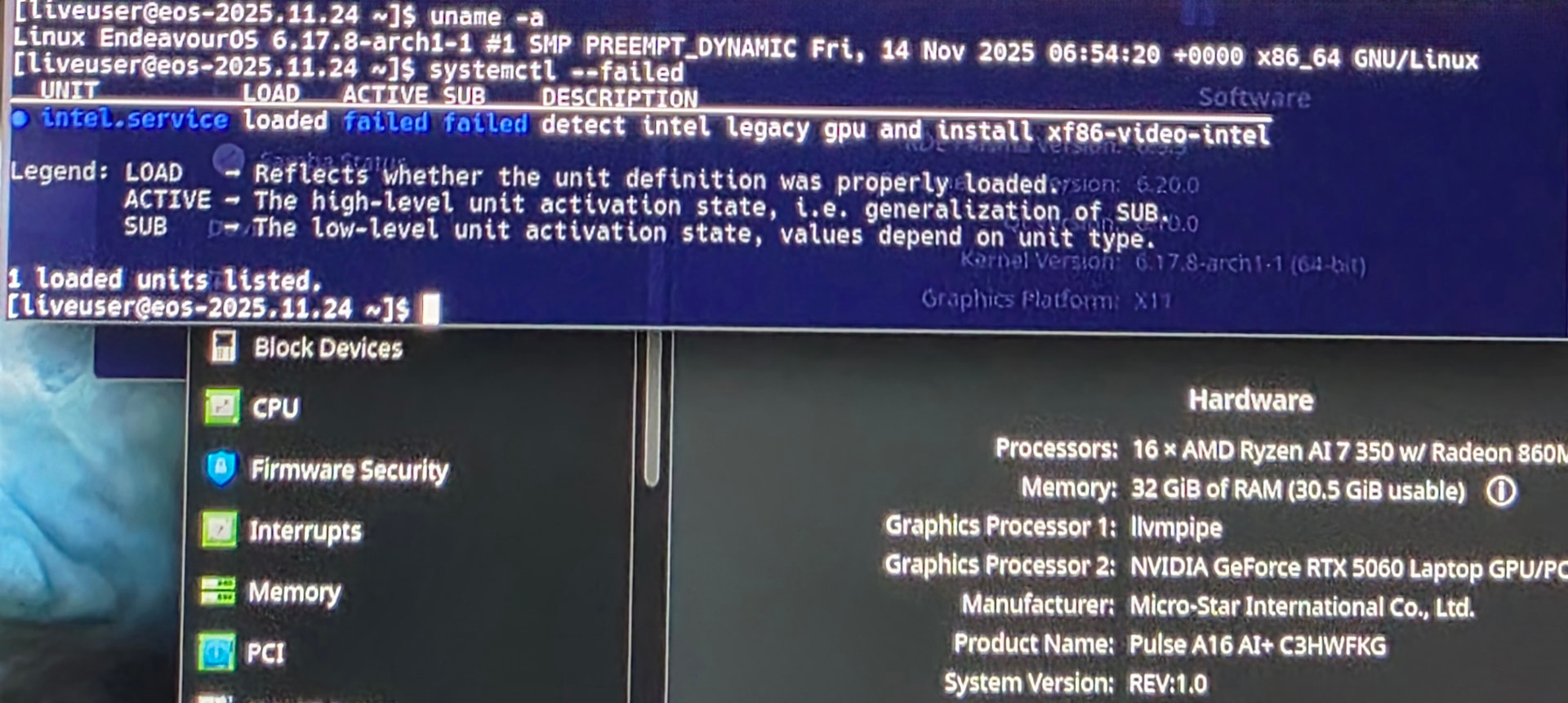
So I have tried that now with attempt 5. Same issue that I can’t boot from the installed drive. Just black screen after code and before the login page.
After putting in: systemctl –failed
It gives the pic attached. I’m running an amd ryzen 7 ai
I dunno. Can’t find any clear directions regarding this issue. Just another person with same issue that didn’t get solved. Endeavouros AMD hardware support
That usually indicates a display driver issue. Did you pick the nvidia option when booting the ISO?
If you did, I would try early loading the nvidia drivers and see if that resolves it.
That looks like an unrelated issue.
For the record, please show the address in the output of command
inxi -Gza | eos-sendlog
Update: I installed as the only os and selected to skip login screen. I guess some bug with the login screen?
Either way, it worked. Thank you all for your efforts.
This topic was automatically closed 2 days after the last reply. New replies are no longer allowed.