Mouse not detected. Turn on bluetooth. No option to pair. No bluetooth icon in systray like you normally see. I am very familiar with KDE (daily driver for 8+ months).
Install OS. Reboot.
Cant connect to wifi. Hung on ‘waiting for authorization’ or something. Reboot again. Works this time.
mouse doesnt work
bluetooth doesnt work
wifi cant connect (no error)
Decide I want to use XFCE and reboot to do online installer. Reboot into installer.
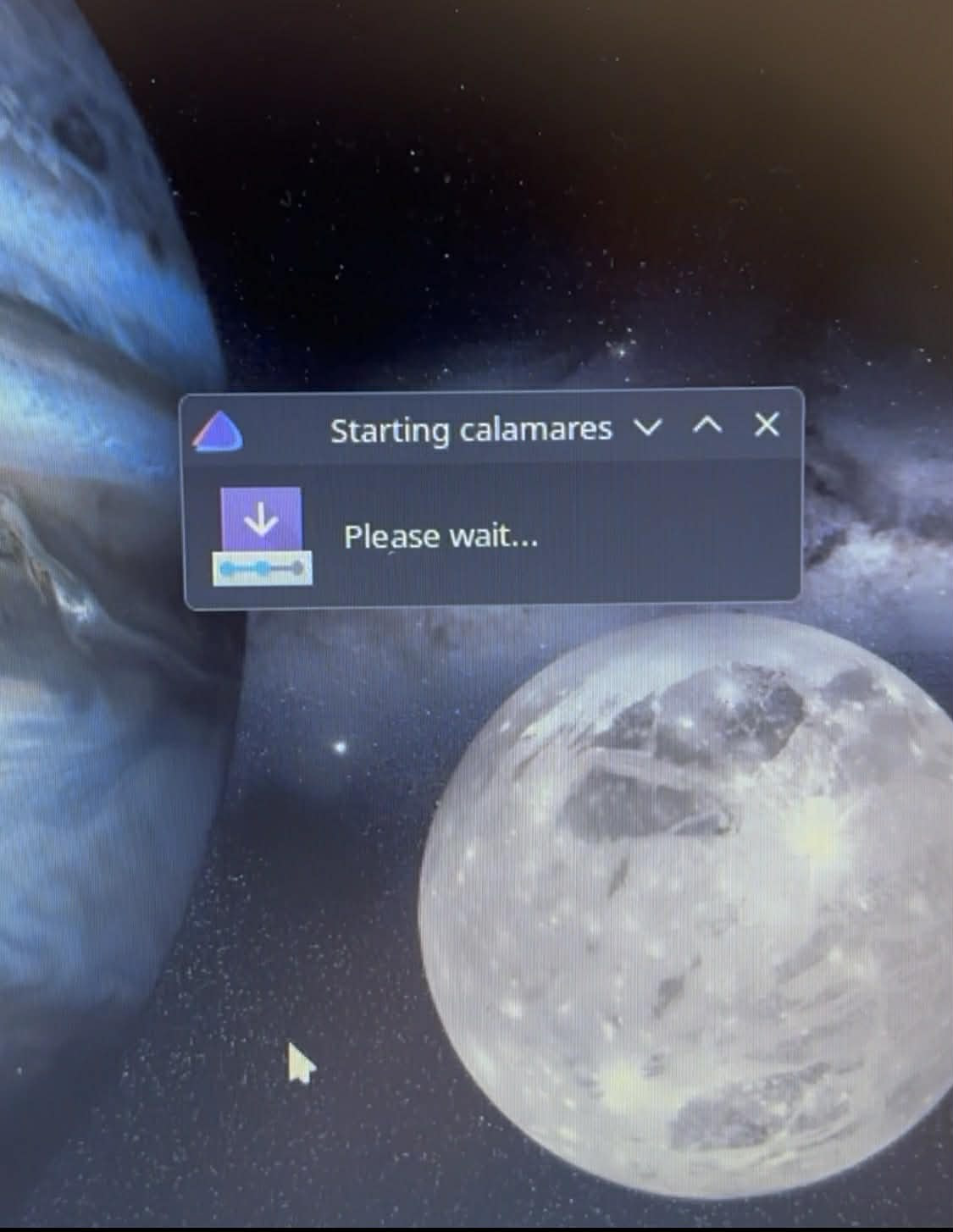
Do online installer. hangs at ‘starting Calamares’ or whatever.
Google it. Do pacman -Sy. use welcome tool to pick mirrors.
Run installer again.
~5 seconds into OS install get pacman error exit status 1.
Google that some.
Try again
Get further into installer this time.
Different pacman error.
Try again.
Installer works this time.
Get into XFCE
Bluetooth is still off for some reason
Overall due to the glitches and errors is took 3x time to get this finished. Total time was ~1 hour with several installer errors and system glitches that didnt happen with other Arch based distros.
mouse doesnt work
bluetooth doesnt work
wifi cant connect (no error)
Calamares hangs with no error
installer pacman command crashes multiple times
This same system was using this same mouse over bluetooth in a different Arch distro with no problems.
Welcome! Just curious why reinstall and switch to EndeavourOS if you had a working installation with a different Arch-based distribution before, once installed they’re all mostly the same except for the tools installed?
The best thing to ALWAYS start with is posting your hardware output along with an explanation of your problem or problems. You can’t just carte blanche fix every problem in one fell swoop. There were obviously some issues because this isn’t the norm. Sure you can have bluetooth not working. That’s a given. Yes you can have WiFi issues … that happens depending on the hardware. Same with a mouse. It can happen albeit not often. Calamares hanging is another issue and the installer crashing multiple times is probably mirror issues. So updating the Arch mirrors first can help if you are having that issue. There have been numerous ddos attacks against arch and some of the repos. So that can have an effect also. I can tell you i can install in under 4 minutes. I don’t normally have these kinds of issues but have seen some.
“Calamares may be fetching some packets to start the installation”
I was sat for several minutes with no signs of life. And if this step is downloading stuff it needs a UI progress bar or feedback so the user does not think it’s frozen.
After I manually did pacman -Sy it was fine.
At this stage I dont need help but thanks. It’s all setup and installed now. Just a rough start. This post is just providing some feedback, and maybe if someone else has the same issues they will see you can just power through and it will work.
I had been using Artix for ~1 yr with OpenRC. No problems with OpenRC but Artix doest have the same packages available as normal Arch. I wanted to (1) have all normal arch packages available and (2) use systemD more since that’s what my Digital Ocean server is using as well. I’ve used systemD in the past but it’s been a few years.
I think a rough start represents 50% of installs and/or exploring new territory in Linux. I don’t find Linux struggles alarming–I find them a little setback. A major PITA/thorn to be sure. I still expect everything to work OOTB but due to factors—which I accept are on my end or the other end out of our control—it’s Linux. No installer fits everyone, imo, always adjustments to be made.
PS—I’ve done that mirror/reflector dance during EOS installs before. Welcome to the forum, I think you will enjoy the OS.
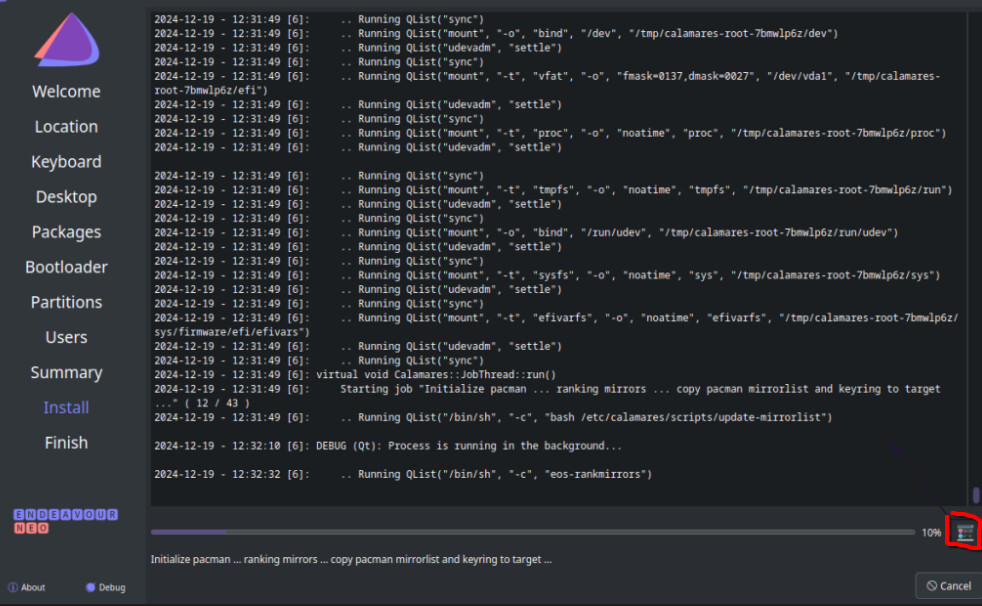
About the UI progress bar, there is none but clicking on the button on the bottom right would have shown you the progress. That is how Calamares works i believe because have seen that on almost every distro I have installed that uses Calamares.
Sorry this was in regards to the start of the online installer. A little box popped up saying it was doing something (I forget the exact text now). It wasnt part of the normal Calamares UI. Just a little popup window before you get into the normal Calamares install.
info is king as always, its not that the ISO is not tested to work properly before releasing .. but some downsides at the very moment with archlinux in general as there is again ongoing attack on the infrastructure, causing issues with mirror ranking as of that.
On the ISO LiveSession (installer) Bluetooth should be enabled and running, but you will need to add any BT dcevice manually still it will not add any automatically without you active doing so. If there was no BT tray icon on the LiveSession something not properly working with your specific BT device.
ISO is widely tested and should work properlyon most hardware but it will never work for every hardware on the planet, some need manuay intervention others will simply not work.
Hi Joe thanks for your reply in my little thread =)
I wanted to brain dump the main post before I forgot everything. I also wanted to post here, and not reddit or youtube because the point isnt to trash Endeavour, but just to give some feedback. But as you said without more details my feedback is less useful.
Just double checked and I never posted my HW info, so here it is. I understand the link shares expire so here is the raw info.
I just tried the same ISO on a different older laptop and the bluetooth was on and enabled by default (icon in systray). I still got a long delay on ‘starting Calamares’ where it sits there for ~1+ min with no error, no output, no progress bars. Eventually I closed it, restarted it, and after ~10 seconds it starts the installer. If it’s downloading something, or whatever, seeing that console text would help the users know what is happening instead of thinking it’s frozen. Anyways, my post isnt super important, and the Endeavour OS is installed and running fine now.
I use Linux on work machines 8hrs a day ~6 days a week. Main work laptop, backup work laptop, and a spare I just kind of play with that I can experiment on.
That probably indicates a problem with mirror ranking. As we have witnessed recently, the Arch web site has been under DDoS attack which occasionally causes problems to the current ranking tools.
The team is already working on improvements to mirror ranking procedure because of this.
Icon in system tray doesn’t mean it was actually setup. GNOME may set it up by default as per the DE it self, but if you got a working bluetooth experience OOTB from an EOS install → Now that would be something to look into. Bluetooth not working is the expected and hopeful outcome.
EOS is not directly geared/marketed towards new users. If you’re a brand new to Linux user - Mint is a fantastic place to start. You may find it more to your speed. This tends to be more for folks who are a little more seasoned and know what they want/need. I do understand that mismatched expectations can leave anyone unhappy. You expected bluetooth to work. EOS expects it not to.