How to set default GPU for switcheroo

switcherooctl currently outputs this:

Device: 0
Name: NVIDIA Corporation GA104 [GeForce RTX™ 3060 Ti Lite Hash Rate]
Default: yes
Discrete: yes
Environment: __GLX_VENDOR_LIBRARY_NAME=nvidia __NV_PRIME_RENDER_OFFLOAD=1 __VK_LAYER_NV_optimus=NVIDIA_only
VK_LOADER_DRIVERS_SELECT=*nvidia*

Device: 1
Name: Intel Corporation Raptor Lake-S GT1 [UHD Graphics 770]
Default: no
Discrete: no
Environment: DRI_PRIME=pci-0000_00_02_0 VK_LOADER_DRIVERS_SELECT=*intel*
how do i set the default to my non discrete gpu?

I am not familiar with hybrid GPU systems but shouldn’t switcheroo default to iGPU?

My suspicion is that you have set the environment variables globally and that is what “overrides” the default.

it came like this when i installed endeavour, i havent set anything yet, been trying to figure out how

what is the output of: cat /proc/cmdline ?

And are you using Grub or systemd-boot (the default bootloader on the installer)?

BOOT_IMAGE=/@/boot/vmlinuz-linux root=UUID=668ae62f-bac3-41df-9202-2bb9ea2af4dd rw rootflags=subvol=@ nowatchd
og nvme_load=YES loglevel=3
and grub, im most familiar with grub

And

cat /etc/switcheroo-control.conf ?

cat: /etc/switcheroo-control.conf: No such file or directory

There is something, somewhere in your configs which forces the nvidia to be used.

Are you using mkinitcpio or dracut?

dracut

As I mentioned above, I don’t have any hands on experience of hybrid systems so I am proceeding theoretically.

Could you post systemctl status switcheroo-control ?

Also have a look at these locations and files:

/etc/dracut.conf.d
/etc/eos-dracut.conf or /etc/kernel-install-for-dracut.conf

and see if you see any configs related to nvidia.

switcheroo-control.service - Switcheroo Control Proxy service
Loaded: loaded (/usr/lib/systemd/system/switcheroo-control.service;enabled; preset: disabled)
Active:active (running)since Tue 2026-05-05 13:16:03 CDT; 24min ago
Invocation: c12651f7261647c3911f84503385c55c
Main PID: 1351 (switcheroo-cont)
Tasks: 4 (limit: 76521)
Memory: 1.2M (peak: 2.7M)
CPU: 34ms
CGroup: /system.slice/switcheroo-control.service
└─1351 /usr/lib/switcheroo-control

May 05 13:16:03 EOSWS-R121 systemd[1]: Starting Switcheroo Control Proxy service...
May 05 13:16:03 EOSWS-R121 systemd[1]: Started Switcheroo Control Proxy service.

dracut.conf.d has 4 files, eos_intel_i915.conf, eos_nvidia_open.conf, eos-defaults.conf, and resume.conf, none of which contain anything pertaining to this(one line each)

eos-dracut is empty and the other file doesnt exist

Perhaps what we are looking for is in these files.

Please post:

cat /etc/dracut.conf.d/eos_intel_i915.conf

cat /etc/dracut.conf.d/eos_nvidia_open.conf

and

cat /etc/dracut.conf.d/eos_nvidia_open.conf

force_drivers+=" i915 "

force_drivers+=" nvidia nvidia_modeset nvidia_uvm nvidia_drm "

thats all thats in em

Looks like forcing both the drivers, creates a racing condition where nvidia gets loaded first and therefore overrides switcheroo’s default.

I would edit /etc/dracut.conf.d/eos_nvidia_open.conf and comment out

force_drivers+=" nvidia nvidia_modeset nvidia_uvm nvidia_drm "

and rebuild your kernel boot images.

sudo dracut-rebuild

Reboot and check with:

switcherooctl list

Device: 0
Name: NVIDIA Corporation GA104 [GeForce RTX™ 3060 Ti Lite Hash Rate]
Default: yes
Discrete: yes
Environment: __GLX_VENDOR_LIBRARY_NAME=nvidia __NV_PRIME_RENDER_OFFLOAD=1 __VK_LAYER_NV_optimus=NVIDIA_only
VK_LOADER_DRIVERS_SELECT=*nvidia*

Device: 1
Name: Intel Corporation Raptor Lake-S GT1 [UHD Graphics 770]
Default: no
Discrete: no
Environment: DRI_PRIME=pci-0000_00_02_0 VK_LOADER_DRIVERS_SELECT=*intel*

no effect

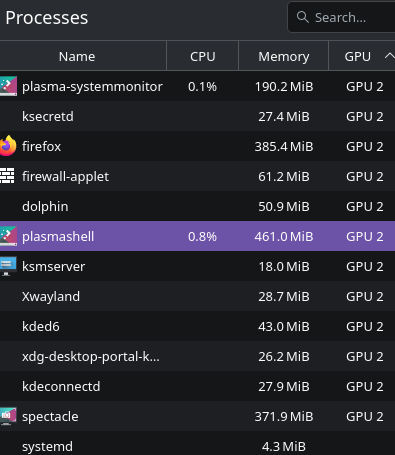
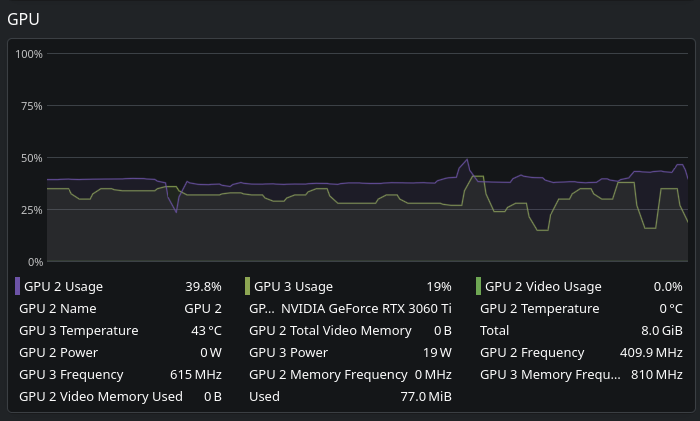
this did however get wayland running on the igpu instead of the dgpu, which is interesting

Interesting indeed.

I have no more ideas to be honest. I guess I will step back a bit and let the experts in these areas to take it from here.

I feel we are quite close to the solution but some details are still escaping us :blush:

Tue May 5 14:18:01 2026
+-----------------------------------------------------------------------------------------+
| NVIDIA-SMI 595.71.05 Driver Version: 595.71.05 CUDA Version: 13.2 |
+-----------------------------------------+------------------------+----------------------+
| GPU Name Persistence-M | Bus-Id Disp.A | Volatile Uncorr. ECC |
| Fan Temp Perf Pwr:Usage/Cap | Memory-Usage | GPU-Util Compute M. |
| | | MIG M. |
|=========================================+========================+======================|
| 0 NVIDIA GeForce RTX 3060 Ti Off | 00000000:01:00.0 On | N/A |
| 30% 43C P8 17W / 200W | 77MiB / 8192MiB | 45% Default |
| | | N/A |
+-----------------------------------------+------------------------+----------------------+

+-----------------------------------------------------------------------------------------+
| Processes: |
| GPU GI CI PID Type Process name GPU Memory |
| ID ID Usage |
|=========================================================================================|
| 0 N/A N/A 2025 G /usr/bin/kwin_wayland 2MiB |
+-----------------------------------------------------------------------------------------+

all very interesting

By the way, have you looked into your BIOS settings to see if there is any setting which could explain the fact that your dGPU takes precedence over your iGPU?

there is a setting to disable my igpu but thats obviously not enabled, igpu is prioritized