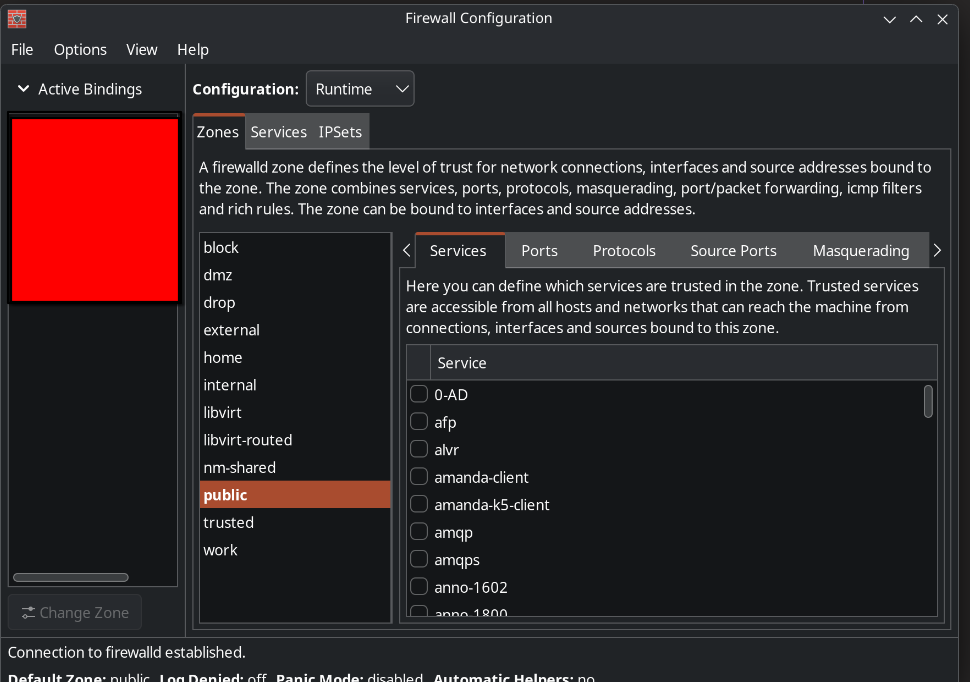
I have a problem to open ports with firewalld, which should be easy according to all the guides and comments I read. I want to set up a NFS server between my PC and Laptop in my home network. According to Arch Wiki I installed nfs-utils and opened the ports 2049, 111 TCP & UDP, added folder and IP to exports.
I checked the server from my client with rpc, which returns a port list. Then I want to check the server provided folder with showmount -e IPAdress, which gives me
rpc mount export: RPC: Unable to receive; errno = No route to host
Changing the zone to trusted, solves the problem as usual, like all the other things I tried lately.
I want to understand firewalld, but the guides and documentation does not provide me the information to solve the problem or where the issue is coming from. Why are the ports I open not open? Is there another firewall layer? Why is firewalld so much more in the way then ufw? What am I doing wrong, and why is no guide mentioning anything of the extra steps to make it work?
I removed plasma-firewall and firewalld, everything that was inside the /etc/firwalld folder, rebooted the system. Then reinstalled firewalld, checked the nfs and rpc services, but no change. I can’t acces the nfs folder from another PC without setting firewalld to “trusted”.
I guess as @dalto said it is related to plasma-firewall, which I guess is somewhere, after being removing still having a config file which is getting in the way of my firewalld configuration.
Why is plasma-firewall still in the plasma collection when it is causing problems, I guess I am not the only one?
Have you tried the home zone? I’ve been using that for a few years now, works great on my home/VM network. One thing that I also do with NFS (version 4) is use insecure ports, like this:
I googled a few hours about the plasma-firewall and firewalld, there seems to be a conflict, but also not really a solution and also not really a documentation about plasma-firewall or I have just missed it.
Thank you, I am also thinking about switching to something else, I encountered to many conflicts with KDE, but I had no time to explore different DEs with wayland support for gaming or combine them myself.
that’s strange that the default firewall and the DE firewall are not working in harmony and against its user but that makes a perverted amt of sense since only one firewall can be El Capitan..
And your research said this was a known known (as it were)?
I’ve never run KDE so I have no idea how this works..you removed the KDE firewall and still can’t open ports?
Spitballing:
coming from dirt-simple UFW to FirewallD it’s way way over my head. Maybe some youtube tutorials would help? Firewalld the D is for daunting :). I remember not even being able to rip the bonjour stuff out it it once (again, my own ineptness).
I am too accident-prone for this, but I wonder if it could be solved (ports opened) thru IP tables?
I found serval entries in different linux forums. There are also hints that ufw and plasma-firewall should work.
Another night. I read the firewalld documentation and removed firewalld and removed all it’s associated config folders, which i found here:
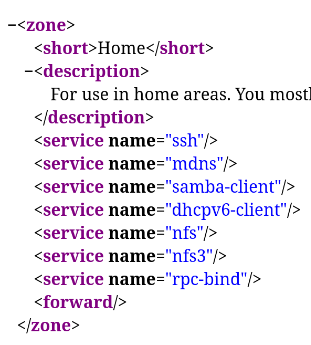
I reinstalled firewalld, edited a new home-zone and checked if the services are listed and the home is the active zone, which is the case:
$ firewall-cmd --zone=home --list-all
home (active)
target: default
ingress-priority: 0
egress-priority: 0
icmp-block-inversion: no
interfaces: lo wlan0
sources:
services: dhcpv6-client mdns nfs nfs3 rpc-bind samba-client ssh
ports:
protocols:
forward: yes
masquerade: no
forward-ports:
source-ports:
icmp-blocks:
rich rules:
As usual no changes, i still can’t access nfs without the “trusted” zone. If i find time in the next days, i am going to remove firewalld and try ufw. The firewalld gui seemed so simple.
On the NFS server, you’d most probably need to open a lot more for it to work. NFS uses a lot of ports when doing stuff with a server, and besides, we have NFSv2, v3, v4. NFSv4 is the most modern (and secure) and has many of the extras built-in (so less ports to open), but most Linuxes nowadays still default to NFSv3, which at least needs rpcbind, mountd, lockd, and statd to function.
I’d go for creating a new named rule set (maybe “nfs-server” or the like), and put the settings in there. Then you can later select the runtime or permanent setting for any desired zone and just put a checkmark next to “nfs-server”. I use this mechanism for Calibre, as an example.
According to the guides i read i need the port 2049 tcp for nfs4, but for rpcbind and showmount -e i would need 2049 tcp/ upd and 111 tcp/udp. Which should be enabled by checking the services in firewalld. I also tried to open the ports via the port tab in the firewalld gui.
There might be more. mountd might add 20048, rdma might add 20049, and so forth.
You might be able to find some of these (and setup options) in /etc/nfs.conf.
And don’t miss this:
By default, rpc.mountd selects a port dynamically, so if you’re behind a firewall you will want to edit /etc/nfs.conf to set a static port instead. Use rpcinfo -p to examine the exact ports in use on the NFSv3 server.
If you don’t set a fixed port, it will use random tcp ports, and surely fail. A fixed port can be put into the firewalld config.