Hello,
I was curious on whether its possible to make System Settings and the Discover background transparent blurred. Similar to how dolphin is. Im using a Kvantam theme which makes the Dolphin file manager background transparent. Ive treid going into the Window Rules, but that makes the whole window transparent, id like to still have like font and icons and what not full opacity. Basically just how it is on dolphin lol
Welcome to the forum 

You can go to system settings>desktop effects and look for blur settings.
Sorry if I phrased it wrong originally. But I’m trying to get the system settings and discover store have a transparent blurred background, like how the dolphin file manager is on the left
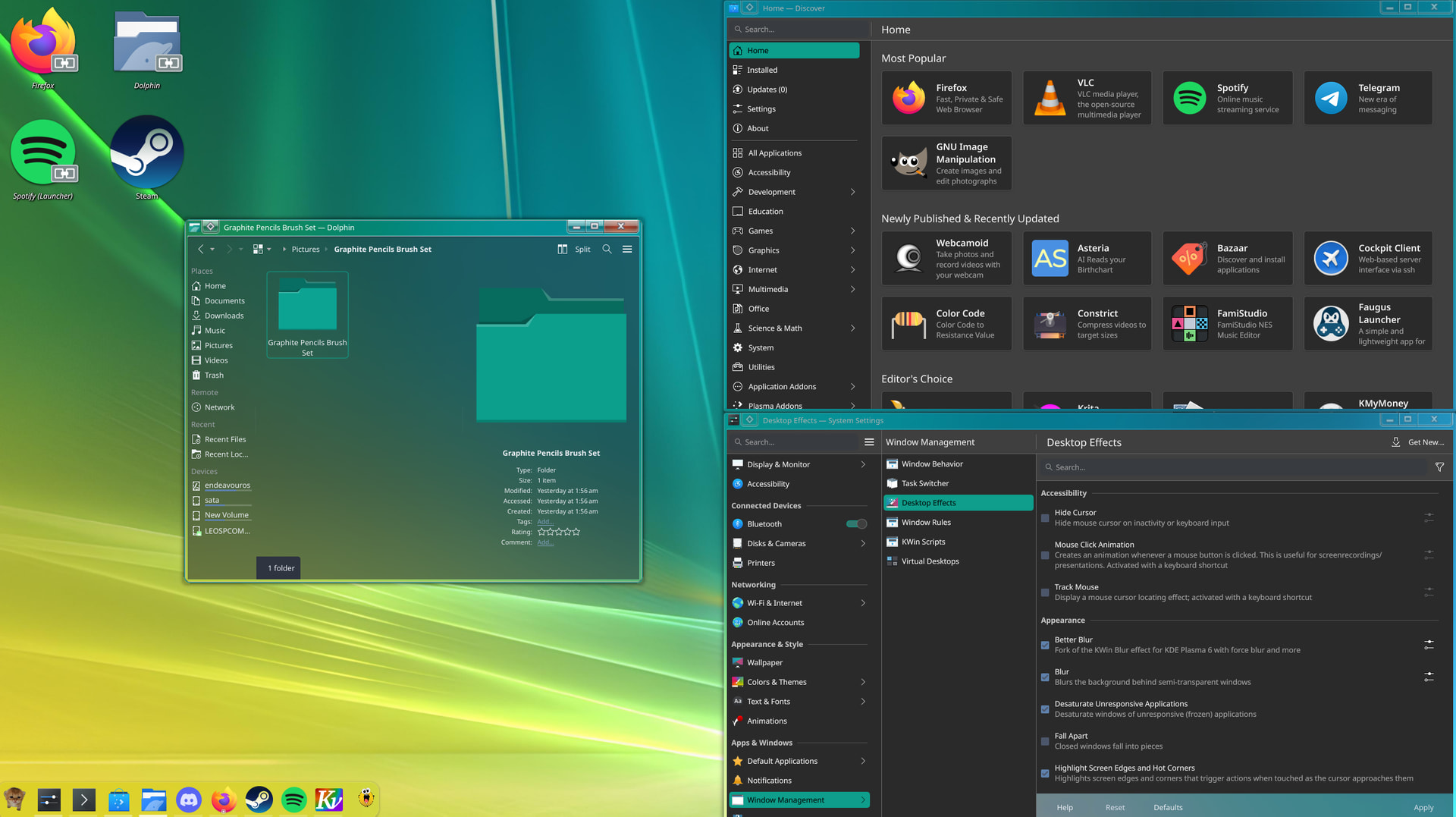
Well as far as I know you can not use better blur and the system blur together so uncheck one of those, to get discover transparant you can use the windows rules you mentioned to set the transparency for any window you like. If you make one rule for e.g. discovery you can copy the rule and change the name in the rule you copied. It would look something like this.

As you can see systemsettings is mentioned twice , this means the rule is used for every system setting window you open, if only named once it will only be used for the main window. Now when creating a window rule open both the window to make the rule as well as e.g. discovery. Click on the button shown in the screenshot on the bottom to detect the window properties and click on the discover window, and add either the first name or the second (double) name.
1 Like
Appreciate the help so far, and apologies for the constant questions lol since I’m still new to this.I’ve disabled the normal blur. Whenever I change the opacity, the whole window changes. I can see in your screenshot your text and icons stay at full opacity
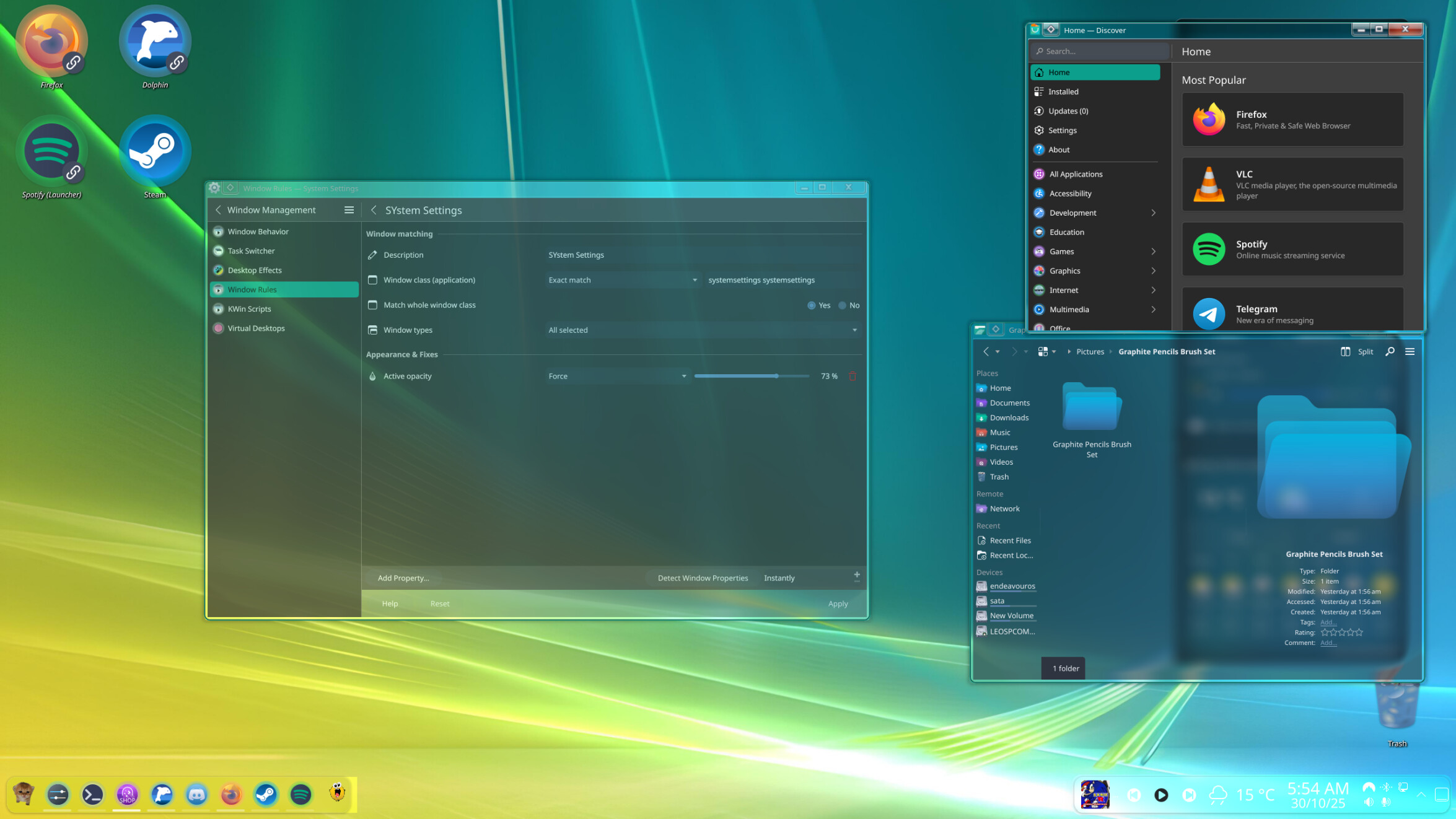
Well you need to play around with the blur settings in better blur to get it right , and the transparancy settings. Also in font settings I have set the font settings to RGB an hinting at full, that might help. Also do you have version 6.51 from plasma installed, because the update might disable better blur, and you need to clean install it again.
1 Like
Welcome to the forum @lanterno