I recently switched from Windows 10 to endeavorOS. On Windows, I was able to connect any audio signal to the line in port on my i/o board, and listen to it through my headphones (which are currently connected to the line out port because the normal headphone jack in the front is broken). All I had to do was go into my sound device settings, find the line in, and check the “listen to this device” box in properties. How would I go about reproducing this behavior in endeavorOS? When I plug something in, I can’t hear anything.
Also, I did follow this thread, but when I restarted, it said “connection to the sound service lost” in any audio settings, and for some reason outputting the audio to my monitor speakers and making me unable to adjust the volume by any means. I assume pipewire didn’t launch or something.
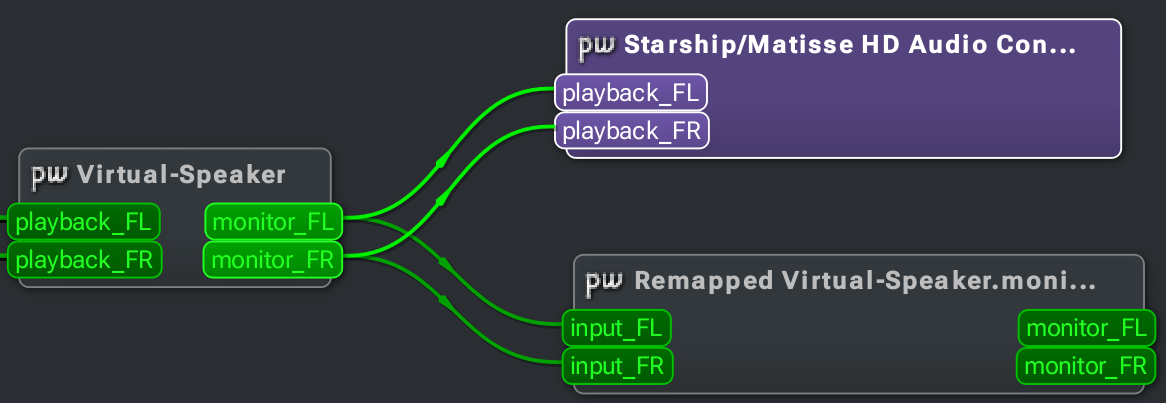
I use qpwgraph to route audio to places I need it, including to a playback device.
Just make sure the device you’re trying to connect (line-in) is active, and you should see it visually in qpwgraph. Just connect a line between its outputs, and your playback device’s inputs.
For example, this is how I use it to map OBS monitoring to simultaneously route to a virtual-microphone and my headphones (for live-streaming events).
Hey! luckily after a system update most of my audio problems have resolved… although one issue related to this specifically is new… It won’t detect my Line In at all. Like it just doesnt show up anywhere no matter what I do. Is there any way to fix this?