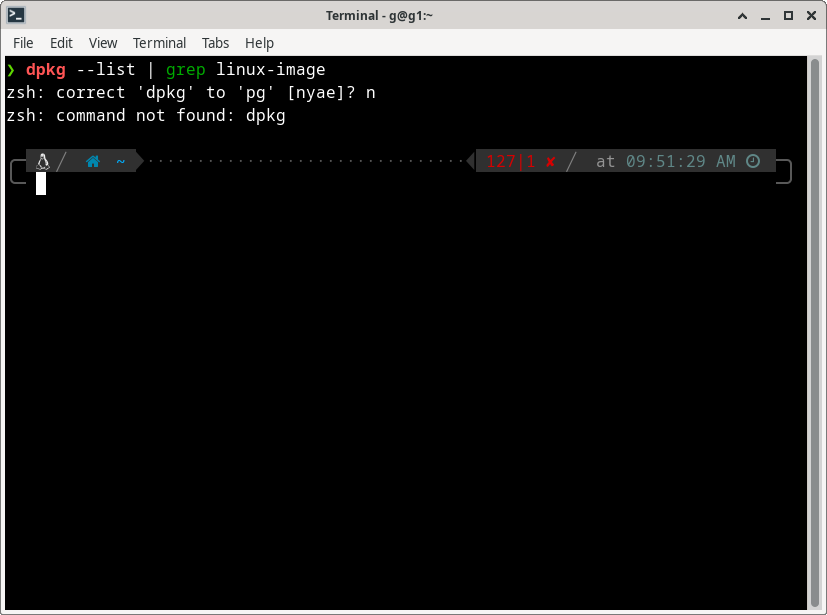
dpkg don t work.
1 Like
With pacman?
$ pacman -Qs string1 string2 …
Or just list the contents of /boot or /efi. Your shell doesn’t matter, it depends on which Linux distribution you are using as different distributions use different package managers, without you telling I’m assuming EndeavourOS or Arch Linux.
1 Like
pacman -Q | grep linux doesn´t work?
You beat me to it. I was just getting ready to post, but saw yours. No issue running pacman -Q | grep linux here. It should work for everyone.
─❯ pacman -Q | grep linux
archlinux-appstream-data 20251025-2
archlinux-keyring 20251116-1
lib32-util-linux 2.41.2-1
linux 6.17.9.arch1-1
linux-api-headers 6.17-1
linux-firmware 20251125-2
linux-firmware-amdgpu 20251125-2
linux-firmware-atheros 20251125-2
linux-firmware-broadcom 20251125-2
linux-firmware-cirrus 20251125-2
linux-firmware-intel 20251125-2
linux-firmware-mediatek 20251125-2
linux-firmware-nvidia 20251125-2
linux-firmware-other 20251125-2
linux-firmware-radeon 20251125-2
linux-firmware-realtek 20251125-2
linux-firmware-whence 20251125-2
linux-headers 6.17.9.arch1-1
linux-lts 6.12.60-1
linux-lts-headers 6.12.60-1
linux-zen 6.17.9.zen1-1
linux-zen-headers 6.17.9.zen1-1
util-linux 2.41.2-1
util-linux-libs 2.41.2-1
╰─❯
What operating system are you running?
That was going to by my next question. Isn’t dpkg a Debian (Debian-based) thing?
1 Like
Yes.
1 Like
One rather clumsy way could be
pacman -Qsq linux kernel | grep ^linux | grep -v headers
Works here with these kernels:
$ pacman -Qsq linux kernel  | grep ^linux | grep -v headers
linux
linux-lts
Oh, and there’s the package/app akm. 
╰─❯ pacman -Qsq linux kernel  | grep ^linux | grep -v headers
linux
linux-lts
linux-zen
╰─❯
Just doesn’t list versioning.
akm does.
Edit: try
pacman -Q $(pacman -Qsq linux kernel | grep ^linux | grep -v headers)
1 Like
THAT works…
╰─❯ pacman -Q $(pacman -Qsq linux kernel  | grep ^linux | grep -v headers)
linux 6.17.9.arch1-1
linux-lts 6.12.61-1
linux-zen 6.17.9.zen1-1
╰─❯
Without pacman:
$ /bin/ls -1 /boot/vmlinuz-linux* | sed -E 's|.*(linux.*)|\1|'
linux
linux-lts
1 Like
That only works if you use grub on EOS.
1 Like
Well…yeah, why would it? linux-image also isn’t a thing.
That has nothing to do with zsh though.
OK. I ll come clean. I was trying to ask this question covertly. I m running catchyos. Was doing searches on how to show installed kernals. Most of the sites showed me dpkg as a way to show them, so I assumed it was what I needed to use. What I did was install a kernal, and it had errors in the install, but it installed anyway. I was trying to find a way to get the exact file name so I could remove it. Was having trouble until I realized catchyos has a kernal manager app. I just checked the box for the bad one, and chose remove.
1 Like
It does work.
[g@g1 ~]$ pacman -Q | grep linux
archlinux-appstream-data 20251025-2
archlinux-keyring 20251116-2
lib32-util-linux 2.41.2-1
linux-api-headers 1:6.17-1
linux-cachyos 6.18.0-3
linux-cachyos-headers 6.18.0-3
linux-cachyos-lts 6.12.60-2
linux-cachyos-lts-headers 6.12.60-2
linux-cachyos-lts-nvidia-open 6.12.60-2
linux-cachyos-nvidia-open 6.18.0-3
linux-firmware 1:20251125-2
linux-firmware-amdgpu 1:20251125-2
linux-firmware-atheros 1:20251125-2
linux-firmware-broadcom 1:20251125-2
linux-firmware-cirrus 1:20251125-2
linux-firmware-intel 1:20251125-2
linux-firmware-mediatek 1:20251125-2
linux-firmware-nvidia 1:20251125-2
linux-firmware-other 1:20251125-2
linux-firmware-radeon 1:20251125-2
linux-firmware-realtek 1:20251125-2
linux-firmware-whence 1:20251125-2
util-linux 2.41.2-1.1
util-linux-libs 2.41.2-1.1
[g@g1 ~]$
So does EndeavourOS…
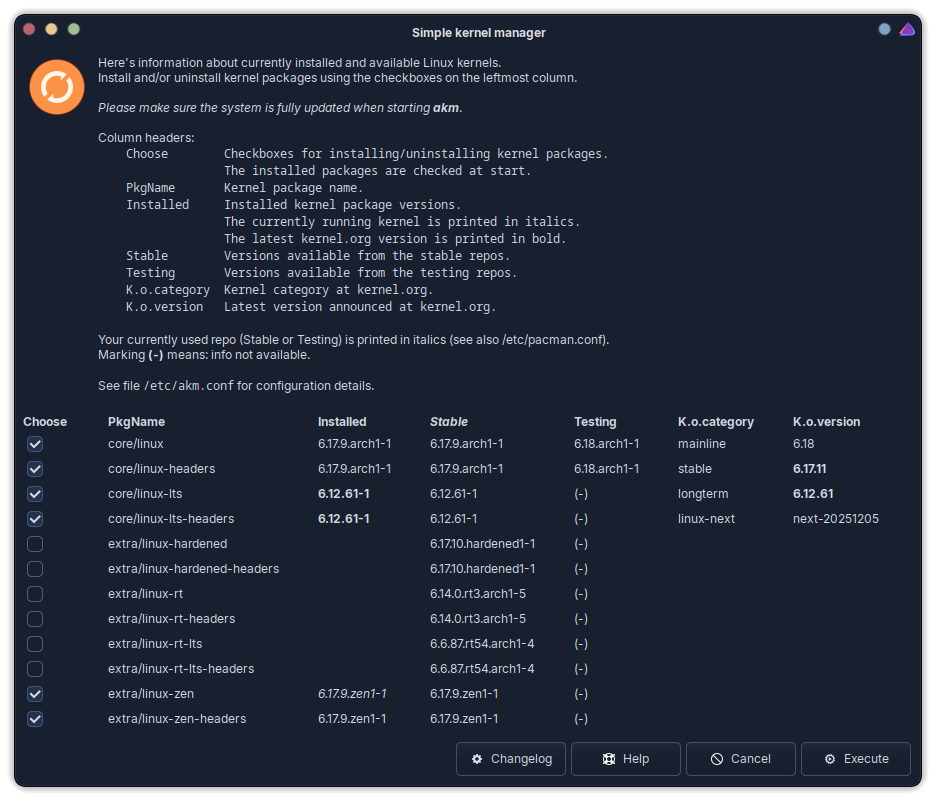
Available in the EndeavourOS repos with sudo pacman -S akm
See here: https://discovery.endeavouros.com/endeavouros-tools/akm/2021/08/