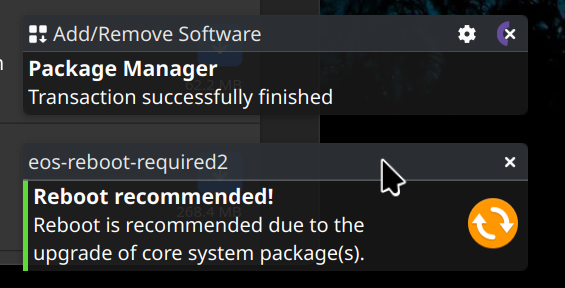
That message doesn’t get auto-dismissed, so I have to click the “X”, which is annoying. I have disabled both eos-reboot-required.service and eos-reboot-required.timer, and it still shows up.
How to disable it or make it auto-dismissed after a few seconds?
Putting aside whether it’s a feature or a bug, I sense that reboot notices do last for extended periods of time (with a time-since-posted tag, right?)
Personally I don’t find such persistence troubling - I find it helpful. It prompts me to reboot to ensure proper functionality when otherwise I wouldn’t think to do so.
If it were a time-perishable notice, I might miss it when I came back to my desk.
I also find it an annoyance and long ago removed it. It should perhaps have a variable dismissal timer as a setting and documented? Is that an option?
Basically, I see the merit, I just chose to not have a floating notification that lasts forever or requires my intervention on a rolling distro.