How to Change Default Kernel?

I just installed EOS on a new drive and read through lots of posts on changing kernels but none of them I found will work for me. I want to change the default to the kernel below.

Operating System: EndeavourOS
KDE Plasma Version: 6.4.5
KDE Frameworks Version: 6.18.0
Qt Version: 6.9.2
Kernel Version: 6.17.1-arch1-1 (64-bit)
Graphics Platform: Wayland

Sound isn’t working correctly using the the LTS kernel but works fine using 6.17.1.
I’m booting multiple OS’s (all on their own drives) if that’s relevant.
EFI, /, and Home are on separate partitions. I’m using rEFInd boot manager.

Went to Arch Linux: Installing and Switching Between Multiple Kernels to Switching Kernels with systemd-boot but the output of sudo nano /boot/loader/entries/arch-lts.conf shows an empty file.

ls -l /boot/ shows this…

total 180
-rw-r--r-- 1 root root 184320 Sep 17 14:51 amd-ucode.img

I changed Grub Default to “saved“ while running 6.17.1 but that didn’t work.

# GRUB boot loader configuration

GRUB_DEFAULT=saved
GRUB_TIMEOUT=5
GRUB_DISTRIBUTOR="Arch"
GRUB_CMDLINE_LINUX_DEFAULT="loglevel=3 quiet"
GRUB_CMDLINE_LINUX=""

# Uncomment to make GRUB remember the last selection. This requires
# setting 'GRUB_DEFAULT=saved' above.
GRUB_SAVEDEFAULT=true

Running sudo grub-mkconfig -o /boot/grub/grub.cfg gave this output…

[eosblu@machina ~]$ sudo grub-mkconfig -o /boot/grub/grub.cfg
[sudo] password for eosblu: 
/usr/bin/grub-editenv: error: cannot open `//boot/grub/grubenv.new': No such file or directory.
/usr/bin/grub-mkconfig: line 270: /boot/grub/grub.cfg.new: No such file or directory

I’m missing something but can’t figure out what it is, maybe because of having multiple OS’s installed?
You don’t need to do any of that when using systemd-boot on EOS. Our automation automatically installs entries for all your installed kernels.

There are a bunch of things I don’t understand here though.

Can you share the output of:

pacman -Q | grep -E "linux|grub|dracut|mkinitcpio"

Hi dalto, see below…

[eosblu@machina ~]$ pacman -Q | grep -E "linux|grub|dracut|mkinitcpio"
archlinux-keyring 20250929-1
dracut 108_eos-1
grub 2:2.12.r359.g19c698d12-1
grub-customizer 5.2.5-2
kernel-install-for-dracut 1.13-1
linux 6.17.1.arch1-1
linux-api-headers 6.16-2
linux-firmware 20250917-1
linux-firmware-amdgpu 20250917-1
linux-firmware-atheros 20250917-1
linux-firmware-broadcom 20250917-1
linux-firmware-cirrus 20250917-1
linux-firmware-intel 20250917-1
linux-firmware-mediatek 20250917-1
linux-firmware-nvidia 20250917-1
linux-firmware-other 20250917-1
linux-firmware-radeon 20250917-1
linux-firmware-realtek 20250917-1
linux-firmware-whence 20250917-1
linux-headers 6.17.1.arch1-1
linux-lts 6.12.51-1
linux-lts-headers 6.12.51-1
python-proton-keyring-linux 0.2.0-5
util-linux 2.41.2-1
util-linux-libs 2.41.2-1
[eosblu@machina ~]$ 


seems to me from your output you have grub not systemd-boot

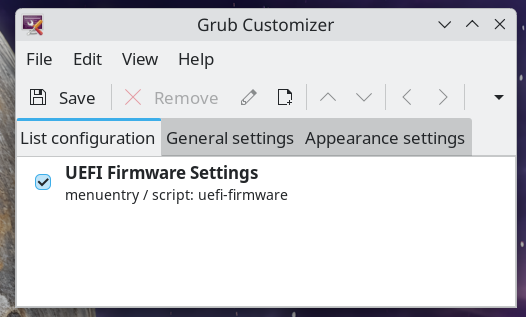
FYI grub customizer has lots of issues that have been documented throughout the web.

1 Like

I just installed the grub customizer to see what it showed, didn’t actually use it.

I ran a cmd to see if I had grub or systemd and it showed systemd (can’t remember which cmd it was).

Ok well I’ll bow back out. I just saw the grub stuff so wanted to make sure you were actually using systemd-boot. Good Luck. @dalto will be able to assist you much better than I.

Share:

efibootmgr

cat /etc/fstab

[eosblu@machina ~]$ cat /etc/fstab
# /etc/fstab: static file system information.
#
# Use 'blkid' to print the universally unique identifier for a device; this may
# be used with UUID= as a more robust way to name devices that works even if
# disks are added and removed. See fstab(5).
#
# <file system>             <mount point>  <type>  <options>  <dump>  <pass>
UUID=C6D0-8275                            /efi           vfat    fmask=0137,dmask=0027 0 2
UUID=0bdaa440-ac0a-4df7-b580-fd522b79d151 /              ext4    noatime    0 1
UUID=d47bf0c2-3923-4b09-ad53-997b4bfa48ff /home          ext4    noatime    0 2
tmpfs                                     /tmp           tmpfs   defaults,noatime,mode=1777 0 0
[eosblu@machina ~]$ 

I see an error in the below as Big Linux is no longer installed on any drive.

[eosblu@machina ~]$ efibootmgr
BootCurrent: 0001
Timeout: 2 seconds
BootOrder: 0001,0006,0005,0000,0014,0015,0016,0004,0003,0002,000F,0013
Boot0000* ubuntu	HD(1,GPT,07669e0e-2a1d-40bc-8e75-44a477cc1e22,0x800,0xf3800)/\EFI\UBUNTU\SHIMX64.EFI
Boot0001* rEFInd Boot Manager	HD(1,GPT,07669e0e-2a1d-40bc-8e75-44a477cc1e22,0x800,0xf3800)/\EFI\REFIND\REFIND_X64.EFI
Boot0002* Linux Boot Manager	HD(1,GPT,f1c5eef5-b289-4619-9bbf-01f330c66b54,0x800,0x3e8000)/\EFI\SYSTEMD\SYSTEMD-BOOTX64.EFI
Boot0003* Bluestar	HD(1,GPT,b2929b82-bd8e-4c82-ba74-c5e474cb50fd,0x800,0x100000)/\EFI\BLUESTAR\GRUBX64.EFI
Boot0004* BigLinux	HD(1,GPT,07669e0e-2a1d-40bc-8e75-44a477cc1e22,0x800,0xf3800)/\EFI\BIGLINUX\GRUBX64.EFI
Boot0005* Manjaro	HD(1,GPT,c35d3c22-a2dd-4b48-84c9-88a315e9f7a7,0x800,0x384000)/\EFI\MANJARO\GRUBX64.EFI
Boot0006* MX Linux	HD(3,GPT,254f942b-1be2-4d3d-9768-576934ac2bb5,0x1d17f1000,0x41a000)/\EFI\MX\SHIMX64.EFI
Boot000F* UEFI OS	HD(1,GPT,b2929b82-bd8e-4c82-ba74-c5e474cb50fd,0x800,0x100000)/\EFI\BOOT\BOOTX64.EFI0000424f
Boot0013* Windows Boot Manager	HD(1,MBR,0x690d,0x800,0x32000)/\EFI\MICROSOFT\BOOT\BOOTMGFW.EFI0000424f
Boot0014* UEFI OS	HD(1,GPT,c35d3c22-a2dd-4b48-84c9-88a315e9f7a7,0x800,0x384000)/\EFI\BOOT\BOOTX64.EFI0000424f
Boot0015* UEFI OS	HD(3,GPT,254f942b-1be2-4d3d-9768-576934ac2bb5,0x1d17f1000,0x41a000)/\EFI\BOOT\BOOTX64.EFI0000424f
Boot0016* Windows Boot Manager	HD(1,GPT,f1c5eef5-b289-4619-9bbf-01f330c66b54,0x800,0x3e8000)/\EFI\MICROSOFT\BOOT\BOOTMGFW.EFI0000424f
[eosblu@machina ~]$ 


Have to step away for a couple hrs, will be back a little later this AM.

First of all, you aren’t using grub so you should remove grub and grub-customizer.

Your system is setup to use systemd-boot but you stated you are using refind. That is probably your problem.

How did you configure refind? You have 6.17 installed but if you aren’t seeing it is an option at boot, that likely means that refind isn’t configured to boot from it.

It is a little confusing because there are multiple things going on here but he has the automation package for systemd-boot kernel-install-for-dracut so it is likely that the system was originally was running systemd-boot and then converted, somehow, to be using refind.

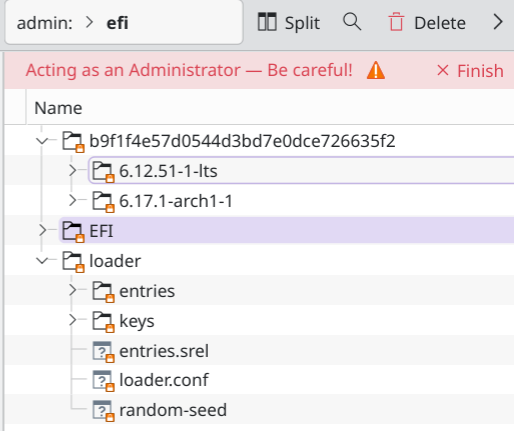
If I’m understanding your question, it’s as simple as editing one line in /efi/loader/loader.conf

https://discovery.endeavouros.com/installation/systemd-boot/2022/12/

How to change the default entry to boot

There is a default entry inside /efi/loader/loader.conf that determine the default boot entry.

On a new install, it will look something like this:

default 665eca4ae83246df8ec17d1cbc6a1763*

That first string of characters is you entry token which identifies the install. That is important if you are dual-booting with another Linux, otherwise it can be replaced with *. That line supports wildcards and so if you want to boot the LTS kernel by default you could use something like this:

default 665eca4ae83246df8ec17d1cbc6a1763*lts.conf

Alternatively, if you want to boot the mainline kernel by default, something like this should work:

default 665eca4ae83246df8ec17d1cbc6a1763-*-arch?-?.conf

These changes will take effect on the next reboot and nothing else is required except modifying the file.

That is true if you are using systemd-boot. The confusing thing here is the OP states they are using refind…

Unless refind is chainloading systemd-boot(which is possible), that won’t matter.

1 Like

How did you configure refind?

I installed it long ago on Linux Mint. Haven’t done any configuring with it.

You have 6.17 installed but if you aren’t seeing it is an option at boot, that likely means that refind isn’t configured to boot from it.

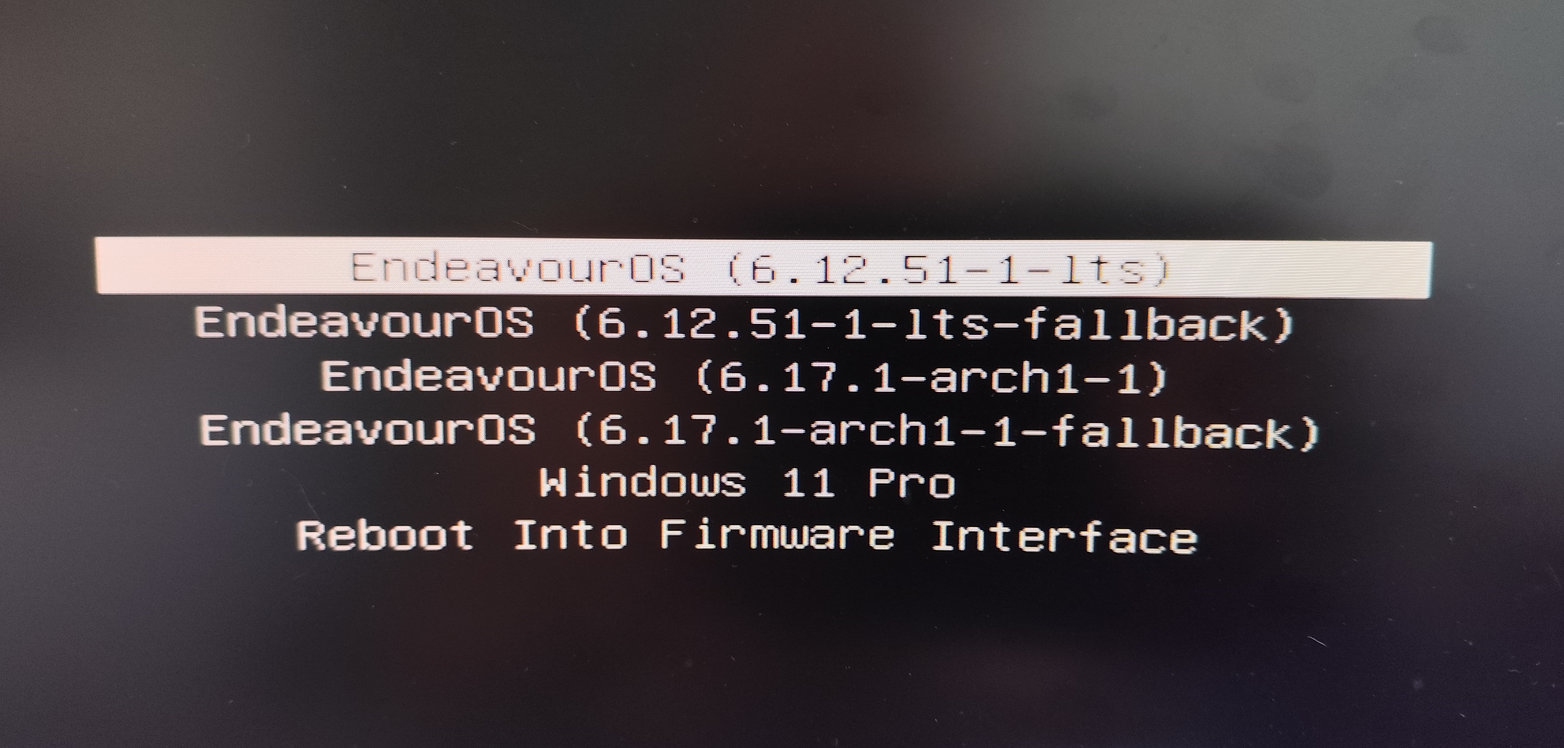
All the boot options are there.

If I’m understanding your question, it’s as simple as editing one line in /efi/loader/loader.conf

Here’s that contents…

default b9f1f4e57d0544d3bd7e0dce726635f2*
timeout 5
console-mode auto
reboot-for-bitlocker 1

Change this line to:

default b9f1f4e57d0544d3bd7e0dce726635f2-*-arch?-?.conf
1 Like

Changed and saved it and rebooted but still booting into the LTS kernel…

Operating System: EndeavourOS 
KDE Plasma Version: 6.4.5
KDE Frameworks Version: 6.18.0
Qt Version: 6.9.2
Kernel Version: 6.12.51-1-lts (64-bit)
Graphics Platform: Wayland
Processors: 32 × AMD Ryzen 9 5950X 16-Core Processor
Memory: 64 GiB of RAM (62.7 GiB usable)
Graphics Processor: AMD Radeon RX 7600 XT

You only need “default” once

1 Like

You only need “default” once

I seen that after I posted the image and resaved the file, booted and now booting into 6.17.1 :slight_smile:

Thx for everyone’s help getting this done ! :+1:

1 Like

This topic was automatically closed 2 days after the last reply. New replies are no longer allowed.