Essentially the only informationn I have found on this is that you need clblast installed, but installing it wasn’t enough.
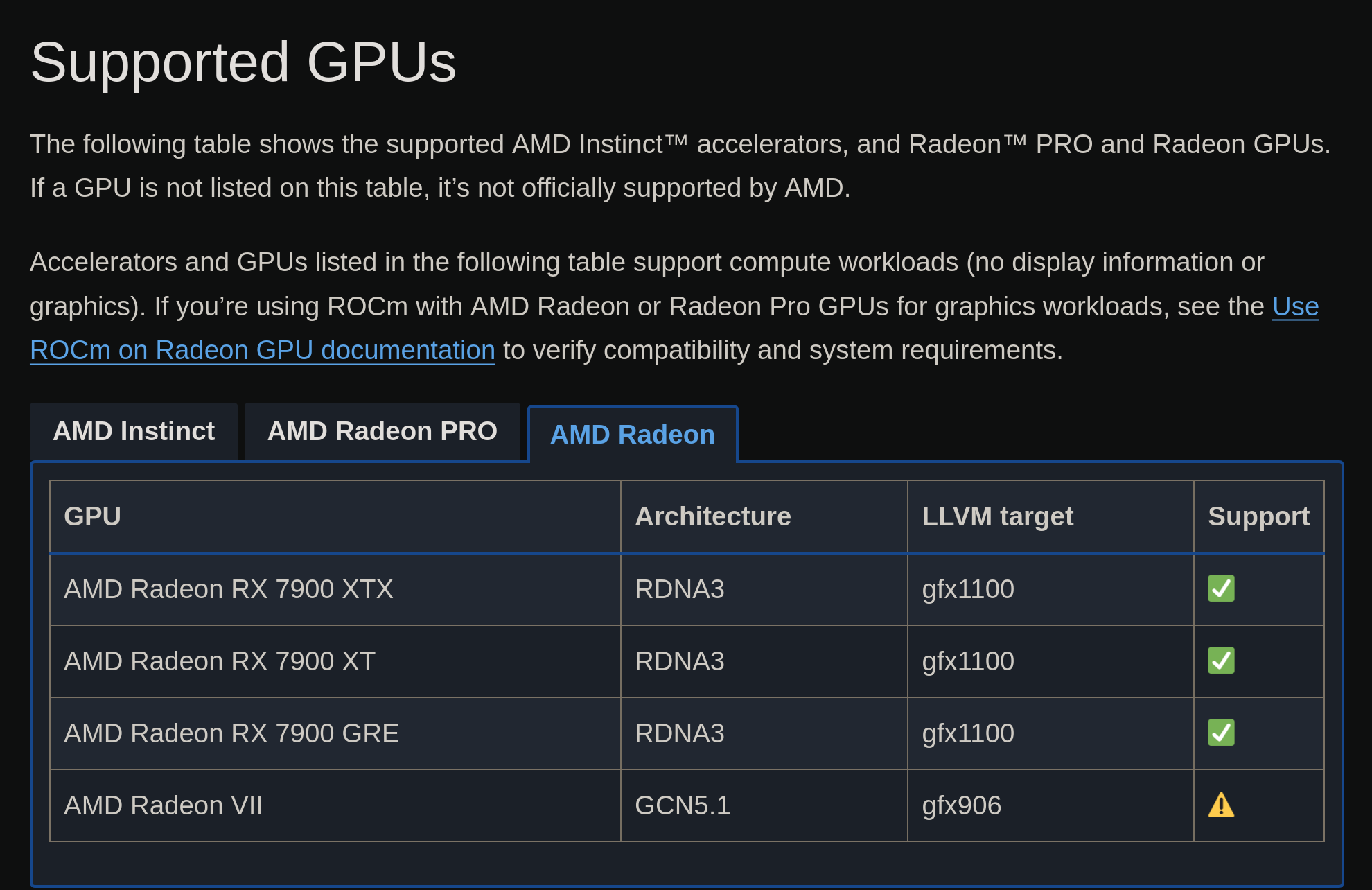


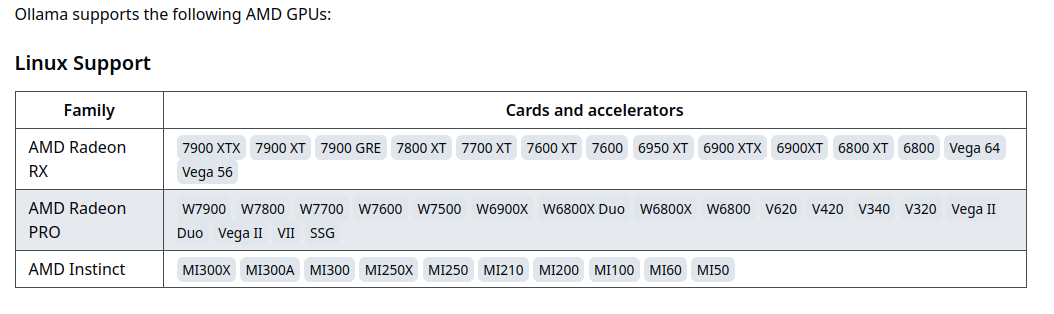
Somehow I didn’t even notice that it was a year old, lol. I replied before drinking coffee this morning.
I had the Ollama client alpaca-ai running before, then I reinstalled the OS and forgot how I got it working 
Now, I’m searching for guides again and this time I’ll make some notes.
So far, I’ve been poking around with rocminfo and rocm-smi
rocminfo see’s my GPU, but alpaca fails to find tensor module
Agent 2
*******
  Name:                    gfx1100
  Uuid:                    GPU-xxxxxxxxxxxxxxx
  Marketing Name:          AMD Radeon RX 7900 XTX
  Vendor Name:             AMD
  Feature:                 KERNEL_DISPATCH
  Profile:                 BASE_PROFILE
  Float Round Mode:        NEAR
  Max Queue Number:        128(0x80)
  Queue Min Size:          64(0x40)
  Queue Max Size:          131072(0x20000)
  Queue Type:              MULTI
  Node:                    1
  Device Type:             GPU
rocmsmi also sees the device
======================================== ROCm System Management Interface ========================================
================================================== Concise Info ==================================================
Device  Node  IDs              Temp    Power  Partitions          SCLK    MCLK    Fan  Perf  PwrCap  VRAM%  GPU%
              (DID,     GUID)  (Edge)  (Avg)  (Mem, Compute, ID)
==================================================================================================================
0       1     0x744c,   7360   46.0°C  22.0W  N/A, N/A, 0         112Mhz  456Mhz  0%   auto  327.0W  7%     5%
==================================================================================================================
============================================== End of ROCm SMI Log ===============================================
I remember exporting these variables, but I can’t figure out which opencl package to install.
export GFX_ARCH=gfx1100
export HCC_AMDGPU_TARGET=gfx1100
thanks for replying to the message!
Do let me know if you figure it out.
Which GPU are you using?
680m, pretty sure it’s not supported by rocm but it might be by rocr.
However when I made this it was for a friend with 6800xt if i recall correctly.
AFAIK, the 680m was supported by Ollama, then AMD shamelessly removed support 
However, there’s a fork that’s apparently continued support for those devices.
https://github.com/likelovewant/ollama-for-amd
The maintainer’s wiki has an entry with instructions for getting the unsupported GPUs working as well.
https://github.com/likelovewant/ollama-for-amd/wiki#troubleshooting-amd-gpu-support-in-linux
Let me know if you have any luck!
Didn’t work out on the 680m. Although I didn’t try the ollama-for-amd build.