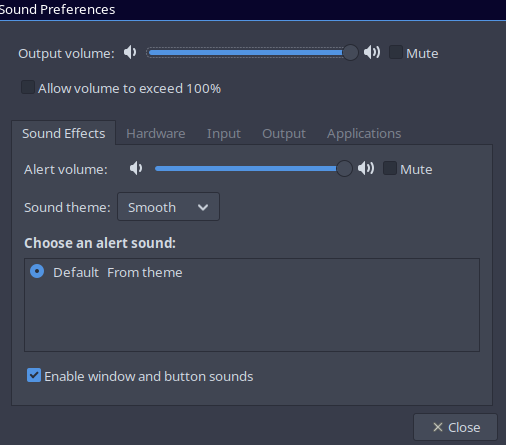
Like the title says, I would like to get a working sound theme. Currently it’s the cpu beep which makes me jump ever time lol. I have libcanberra installed as well as the Smooth theme from aur but I can’t seem to get anything working. I also enabled event sounds and input feedback sounds in gtk settings and even tried manually adding gtk-sound-theme-name=Smooth to ~/.config/gtk-3.0/settings.ini. I feel like there’s something fundamental that I’m missing here but I couldn’t find anything after a few hours of searching.
Thanks for your response! PC speaker is definitely the beep I was hearing. From there I managed to get rid of the beep and now the sounds are somewhat working. I think I might have gotten the sound theme installed properly and working before, the cpu beep was just so loud that I didn’t hear the other sounds lol
That said, it only seems to work for thunar and even then only a handful of the sounds are getting activated. The menubar and open/closing the app are making sounds but things like trying to move past the last item are completely silent. Is there a way to debug the system sounds to see what’s going on?
Also how do I go about choosing which sound theme is getting used? (Smooth isn’t nearly as smooth as I expected)
Someone says i3 is a diy wm. I suggest a workaround you won’t like.
Install MATE alongside so that to select sound-theme-smooth. It is less then 850MB. sudo pacman -S mate mate-extra system-config-printer blueman
Log in to MATE and select your sound theme. Relog again to take effect.
https://www.youtube.com/watch?v=IYAzUIFonEo
Following the instruction in this video you will be able to use i3 on the top of MATE.
MATE panels can be deleted.
The questions I can’t answer how to activate special event sounds battery low, network down etc.
Perhaps with dunst?