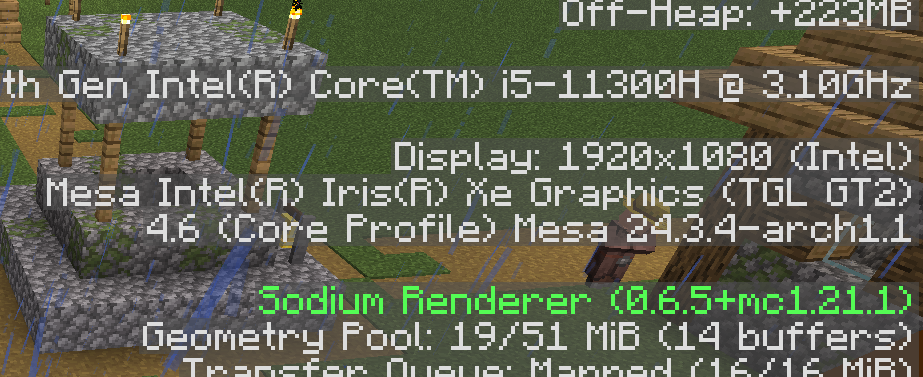
So I installed the nvidia-open(565) driver using this guide but
Minecraft doesn’t use my dGPU
I also noticed that there’s no PRIME profiles in nvidia-settings unlike my Mint
But for my Mint, I used the driver manager tool to install the drivers
Sorry if I didn’t provide enough info. Again, ask me if y’all need anything!
I personally use Prism Launcher to play Minecraft. In the settings for the launcher, go to Minecraft and then Tweaks and there you will see the option to make the game run with the discrete GPU. To install Prism Launcher, open the terminal and type sudo pacman -S prismlauncher.
You need to install nvidia-prime to get the configuration and utilities for PRIME offload rendering. To install it, open the terminal and type sudo pacman -S nvidia-prime.
TIP: Next time you want install the Nvidia drivers on EndeavourOS, use nvidia-inst. sudo pacman -S nvidia-inst to install the utility and then nvidia-inst --32 --open --prime will install the drivers using the open source modules, the libraries for 32-bit applications and the PRIME utilities and configuration stuff.