Hello, I’ve been using Linux since 2014, mostly Manjaro, but I want to move to Endeavour in the coming days/weeks, however, I want to use LXQt and Wayland, but I don’t really know how to switch to Wayland after installing Endeavour LXQt… (I don’t want to use KDE or kwin, I want to use LXQt and labwc if possible).
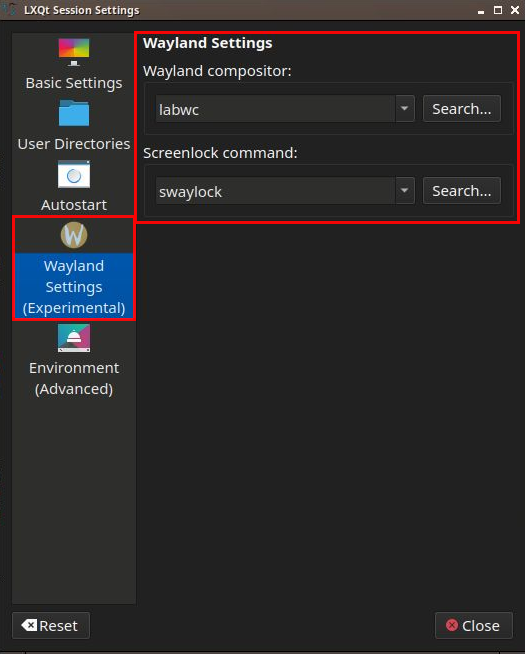
I’ve installed lxqt-wayland-session, labwc, swaylock and set them in my Wayland Session settings:
- Session Settings > Wayland Settings (Experimental) > Wayland Compositor > labwc
- Session Settings > Wayland Settings (Experimental) > Screenlock Command > swaylock
But after that, I reboot (of course) and when I run waycheck, I get a “Waycheck must be started within a Wayland session”…
What am I missing or doing wrong?
Thank you in advance!
Tried a few months back using this. Was not very happy with Wayland on LXQT at that time.
and Welcome to the forums. 
Hey, not to sound rude, but did you select your Lxqt (labwc) session with your DM?
@anon26269396 Thanks, I read the article and I think I’m following the guidelines (at least what I understand), but no luck on getting Wayland.
@WiFiBills Not to sound stupid, but what do you mean? Haha…
Like I said in my first post, I selected labwc in the Wayland Settings from the LXQt Session Settings window:
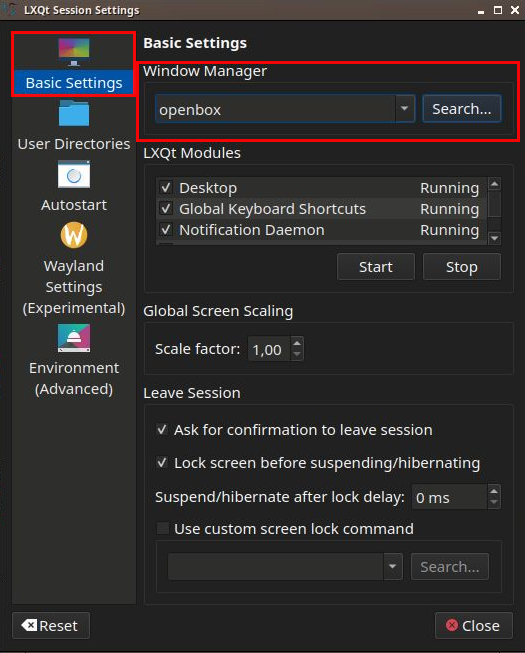
Just to be sure, in the “Basic Settings” section, I can only see “openbox” in the dropdown of the “Window Manager” area:
So, once again, what am I missing?
In the sign on screen there is a drop down box to select LXQT wayland or x11 before you boot into the OS. It was sometime back when I tried it.
I found the solution!..
When I installed Endeavour, I set it up to autologin, so automatically logged in to LXQt X session by default without any prompt. If I logged out and logged in again, I could change the session to wayland in SDDM. (I didn’t know the session manager in Endeavour was SDDM).
To keep the autologin, but make the default to LXQt Wayland, I just had to go to etc/sddm.conf and change the line from:
Session=lxqt
To:
Session=lxqt-wayland
And now my default session is LXQt Wayland.
(This was the source that gave me the necessary info:)
https://wiki.archlinux.org/title/SDDM#Autologin
Thank you everytone for the help. Sorry if my questions were too basic, I’ve been using Linux for 10 years, but I’m fairly new in these specific topics of Wayland, SDDM and changing/setting up the environment.