I installs apps by flatpak and pacman, have some apps , installed friom source and by yay. I have small free storgae in disc. How to know how many memory in ssd takes every installed application?
pacman -Qi | egrep '^(Name|Installed)' | cut -f2 -d':' | paste - - | column -t | sort -nrk 2 | grep MiB | less
Will list the apps and the disk space they use
It display me nothing
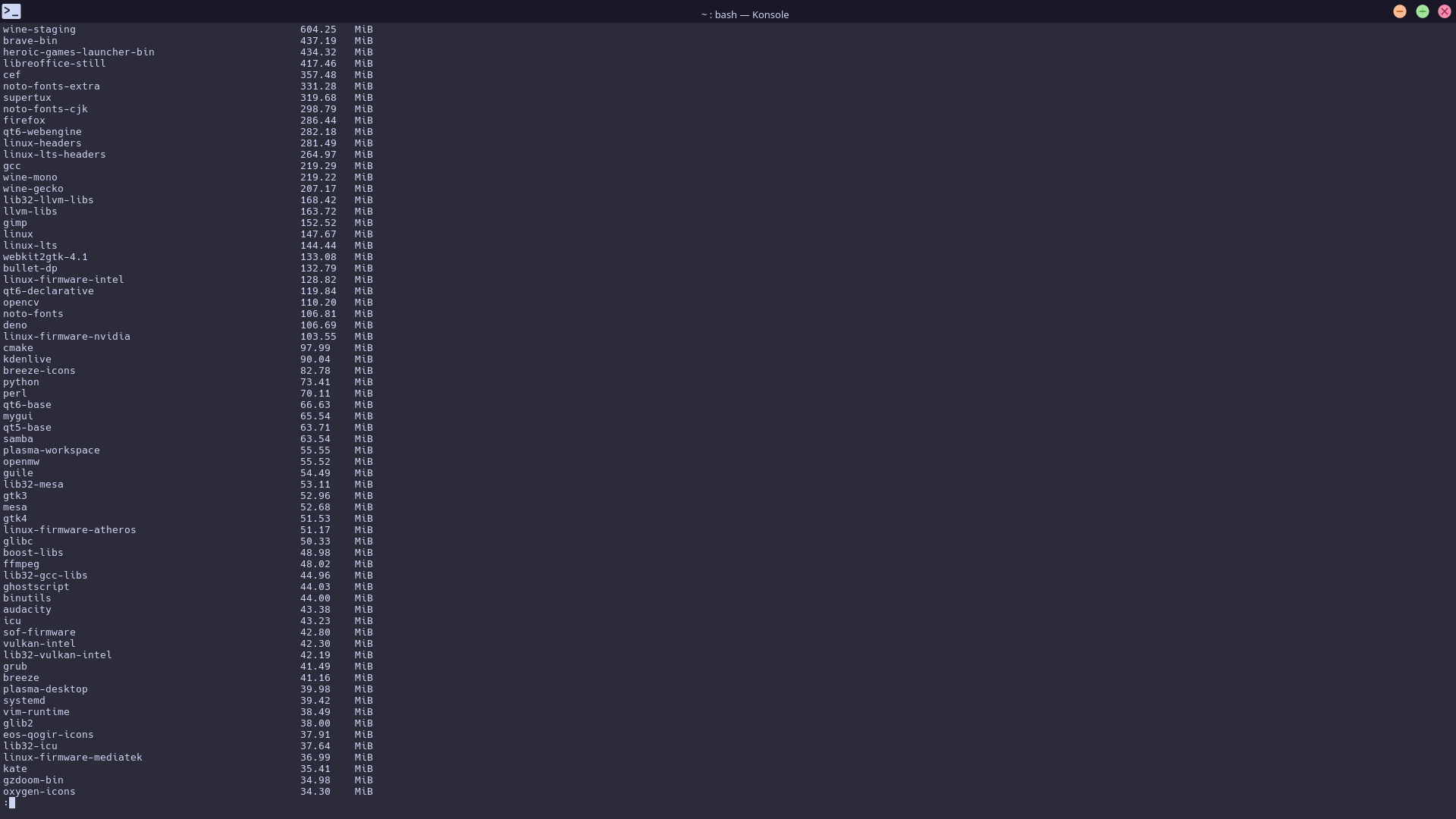
Yes, I copied fully. I see only ~~~~~~ for every line.
Not 100% sure but think it might be your terminal and how much it can display per line, perhaps try resizing the terminal otherwise I do not know
As I said I am unsure as to why this is, hopefully someone else can help out
even in tty the same. I see only [end] text
Is your system language set to english?
No
Really, LC_ALL=C helped)
How to know size of flatpak , yay and manually builted apps.
Also how know how pace takes all pacman apps in summa?
I don’t know about flatpak, the previous command I gave also lists AUR
manually built you would have to monitor yourself I think
How clear directories ~/cache and ~/local? cache directory costs 15 GB, local costs 14 GB
I would look in the directories and delete anything I don’t use first
This part of the command is searching for the tags “Name”, but if your system isn’t set it english it won’t get anything because it would be in your language.
Don’t.
As @smokey points out you need to go into those and manually clean them. While you can just remove the .cache folder and it will return the local folder should not be DELETED as it contains stuff already in USE and is NOT A Cache folder
Ok, how clear ~/local directory correctly? I don’t think that all of this files needed?