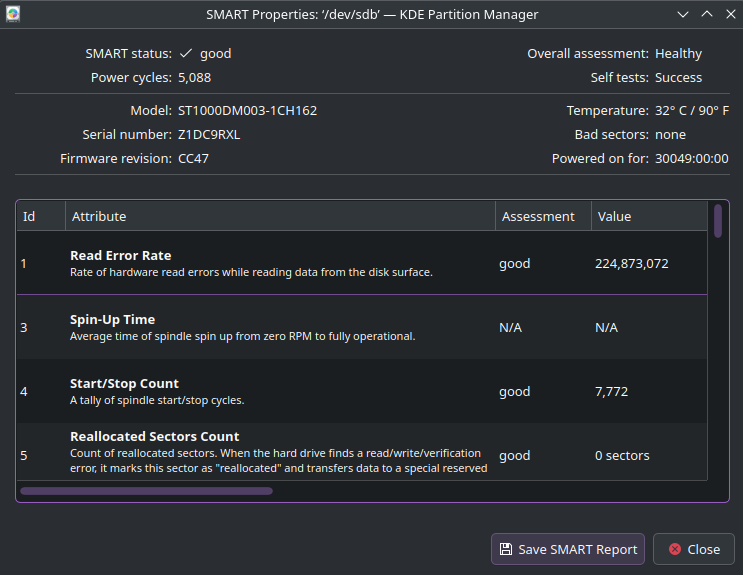
As of maybe a couple weeks ago, one of my SATA HDDs started disappearing after sleeping. At first it happened every few days but now it’s happening basically every time my computer wakes up. It won’t even show up in lsblk. The issue persists until i reboot.
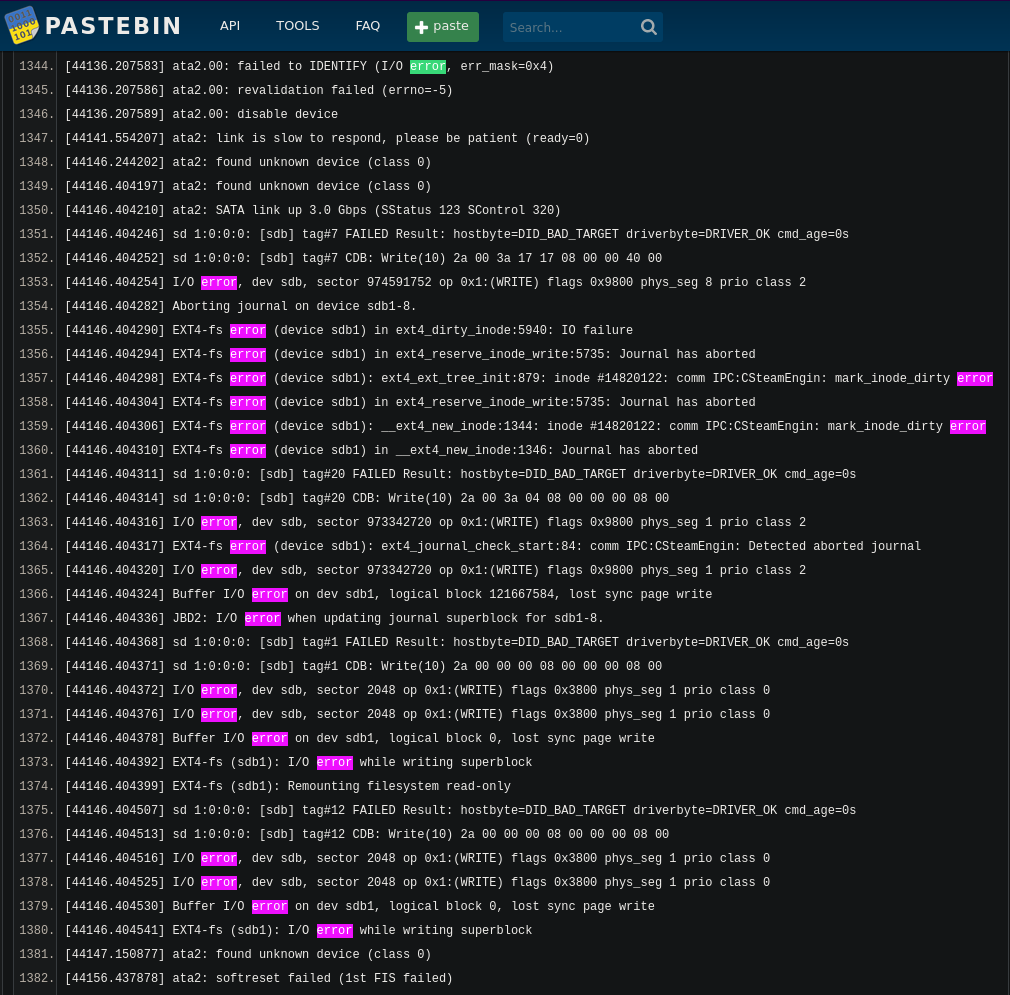
One overnight sleep later, I decided to dmesg right as I woke it up and sure enough it keeps throwing I/O errors. As of writing it hasn’t disappeared quite yet but it’s read-only and trying to copy from it gives a ton of read errors. log
Some more googling shows some people with failing SATA controllers, could that be the issue? How can I test that?
how many sata devices can your device host? I have a desktop that can have up to six physical hard drives connected through sata. I would say if this is in fact the same as you then try another sata port and see if the errors persist. As always backup before attempting advice you choose to follow.
If it isn’t you can try putting another drive in that spot and see if the issue persist on that sata plug if so then chances are the plug. However its all guess work by elimination. A USB/SATA connection for the device in question could see if the issue persist with the drive in question.
Before doing any hardware stuff I would in fact eliminate a software issue. You can run programs that can test the drive (can take up to days at a time to do some test depending on conditions)
My motherboard has 4 sata ports, one blocked by my gpu, the other 3 are in use. I’m gonna try to swap my two hdds and see if the issue persists on the same port or if its the specific disk. I also ordered some new cables to try just in case.
Welp, after swapping the drives, the same one keeps erroring on the new port. My new cables are getting here today, so I’ll try replacing its cable, and if that doesn’t work I’ll just assume the drive is dying, unless anyone has any ideas.