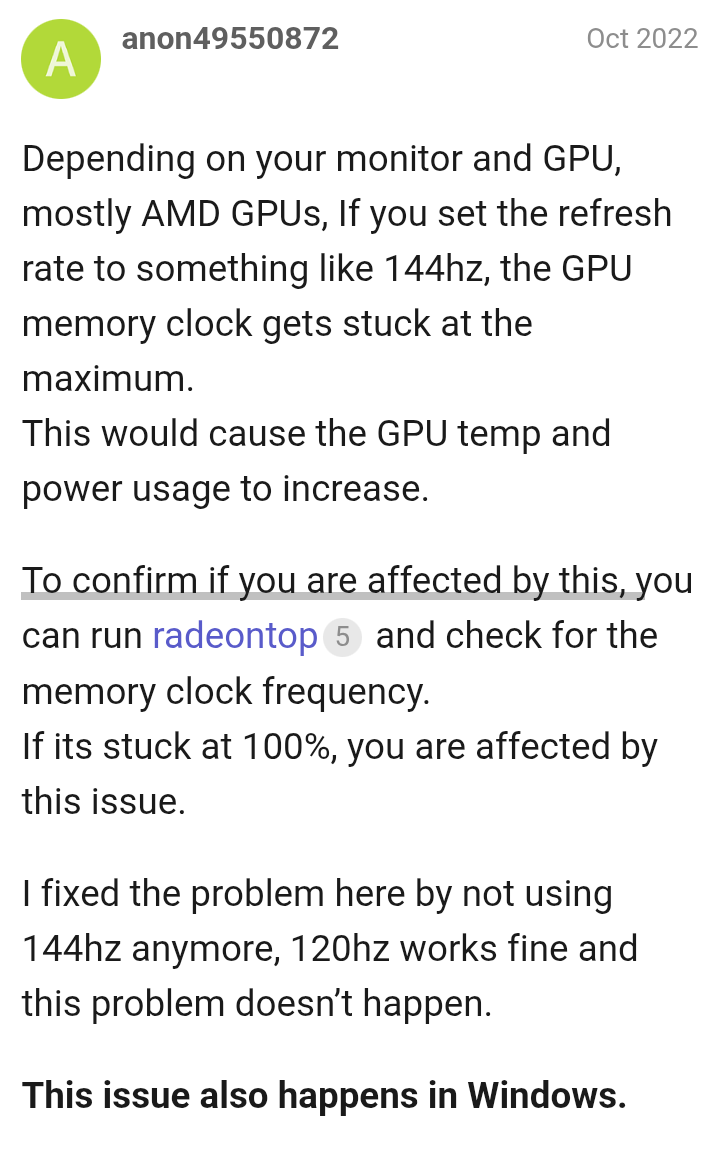
Hello! I’m new to EndeavourOS but not necessarily to Arch Linux, I’ve started using EndeavourOS a couple of days ago and I’m glad to be using it instead of Windows 11 and I’ve been fixing issues myself so I feel pretty confident
However, there’s a long-standing bug that I think should’ve been fixed in previous kernels but I’m not sure.
Radeontop shows that the Memory MLCK runs at a locked 100% and using the AMD Overclocking feature in LACT while unlocking it causes display issues. (apparently it’s unsupported on my GPU? if I unlock it I can get a max power limit of 180 Watts)
If I change my refresh rate to something lower like 75hz instead of 120hz it fluctuates with my workflow like how it’s supposed to be.
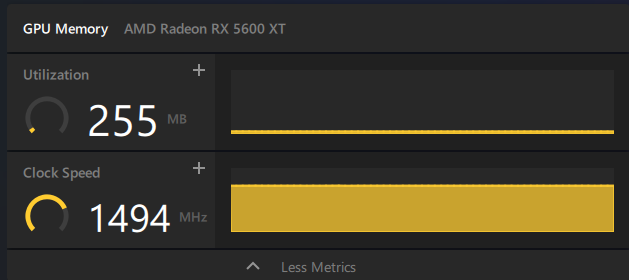
Also another question, I have a Sapphire Nitro RX 5600 XT and the memory clock is supposed to be around 1750 mhz and while accounting the fact that windows shows double the data rate (so 1750 mhz) on Linux it’s supposed to be 875 mhz (half of 1750)
Really interested in fixing this if possible without having to change my monitor’s EDID :>
my monitor’s name is T238 and it’s made by HAFF, freesync certified with a 120hz refresh rate, im using a hdmi 2.0 cable and freesync doesnt work in windows or linux unless i modify the data block in windows using CRU.
Can you try disabling Freesync in the monitor’s OSD to see if that helps? It might lower the memory clock speed (but it’s just a guess).
I’ve only seen the higher memory clock speed issue with my two 144Hz (on Radeon RX 7000) displays (but as far as I know, it’s been fixed for a while now).
What I don’t quite understand is why the card clocks so high (memory) with only one monitor. Maybe it’s due to the interaction between the card and the monitor. If you have a DisplayPort cable, you could try testing that to see if it makes any difference.
Otherwise, I can’t think of anything else right now.
i’ll get one next week maybe to see if that works and if it wont i’ll probably change the monitor to a new one since it’s weird that even on windows freesync and vrr doesnt work
Update: turns out it’s an issue on windows as well
I think it’s stuck like this because of the interaction between the monitor’s blank rates and the GPU’s driver, it’s an issue of the monitor (still doesn’t explain why freesync doesnt work on linux and windows unless i use CRU on windows)