The Problem:
I am experiencing a black screen specifically during a cold boot (starting from a completely powered-off state). There is no motherboard logo, no blinking cursor, and no GRUB menu visible.
However, GRUB is functional in the background. If I navigate blindly with the arrow keys, I can boot into either OS, at which point the display initializes perfectly. On a restart (warm boot), everything works fine, and the GRUB menu is fully visible.
Solutions Already Attempted:
BIOS Settings: Disabled CSM, Fast Boot, and Secure Boot (set to “Other OS” on my ASUS board).
PCIe/Hardware: Set PCIe link speed to Gen 4; toggled Resizable BAR (both enabled and disabled).
Windows Settings: Disabled Hibernation and Fast Startup via CMD.
Kernel Parameters Tried:
amdgpu.dcdebugmask=0x10: No change.
amdgpu.dc=0: This partially worked. It made the AMI (BIOS) screen and GRUB visible on cold boot. However, once EndeavourOS began loading, the monitor lost signal entirely and stayed black.
nomodeset: Fixed the visibility, but locked the resolution to 1024x768 and refresh rate to 60Hz, making the system unusable for daily tasks.
GRUB Config: Attempted to force GRUB into pure text mode.
Enabled Early KMS via Dracut: Created /etc/dracut.conf.d/amdgpu.conf containing force_drivers+=" amdgpu " and rebuilt the initramfs using dracut-rebuild to ensure the driver initializes immediately at boot.
Physical Observation:
On a cold boot, my GPU fans do not spin at all while the screen is black. They only begin to spin for a few seconds once an OS starts loading (which is consistent with my experience in Windows).
It seems the GPU is failing to initialize the display output early enough during the cold boot sequence unless I use amdgpu.dc=0, but that breaks the driver once the kernel takes over.
Does anyone have advice on how to get the RX 6400 to initialize the display correctly at the GRUB stage without breaking the graphics driver for the actual session?
Kernel params and enabling early KMS won’t help if the problem is at the grub menu. The kernel and dracut haven’t even loaded at that point. You aren’t even using Linux at that point. Just grub.
This doesn’t sound like a software issue to me. It sounds like either a hardware issue or a BIOS/firmware issue.
Are you seeing the other boot related screens that would normally be present before grub loads?
No, I do not see any other boot-related screens that would normally be present before GRUB loads. After a cold boot, I am directly met with a black screen and nothing else; GRUB is essentially invisible.
However, when I use the amdgpu.dc=0 parameter, I am able to see the AMI screen before the GRUB menu appears. That screen just lists my hardware contents and does not show any boot errors or other messages.
Some motherboards do have a “issue” that there is possibly no video output when csm is disabled.
Some motherboards don’t boot at all when there is no screen attached and CSM is disabled (so UEFI only) (that does not seems to be your problem i think)
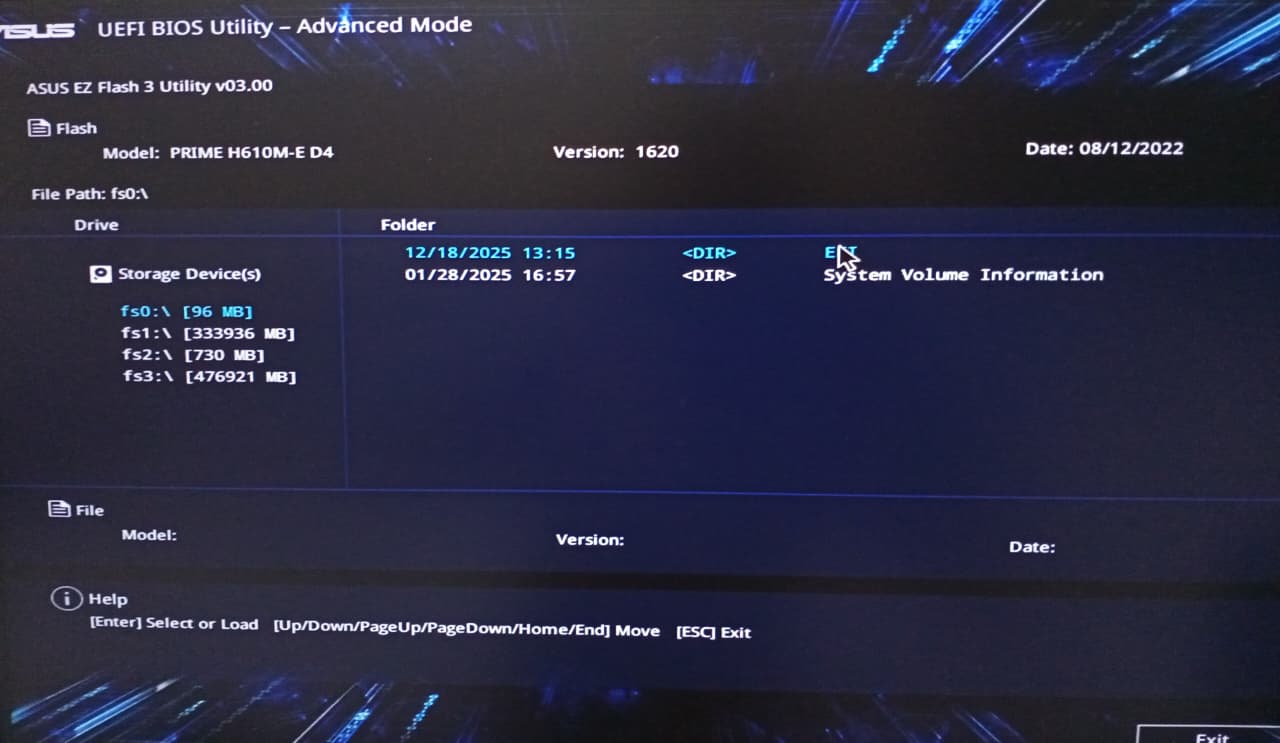
Yes there is an update available for the motherboard firmware. I haven’t flashed the new BIOS because I’m not sure how to do it. My current version is 1620, released in December 2022 (screenshot attached for reference). I see that the newest version is 3810, released in December 2025, but I am hesitant to update because I’m afraid of bricking my motherboard.
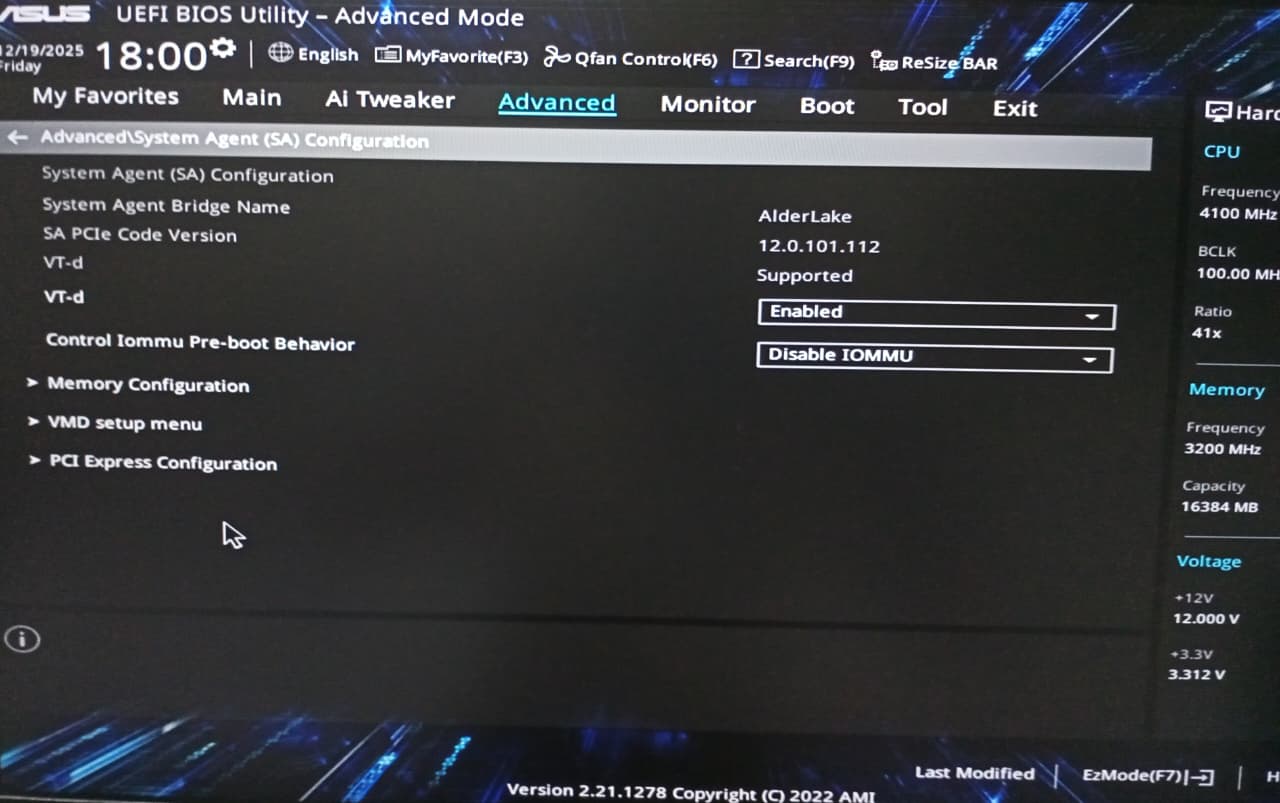
I rechecked the BIOS ‘Advanced’ tab and also looked at the manual again. In my specific case, the option that is shown in the manual under ‘Advanced\SA Configuration’ is not visible. I have attached a screenshot for reference.
After hours of debugging and gathering the courage to do so, I have successfully updated my BIOS to the latest version (3810). Unfortunately, the problem still persists."
Have you tried instead using amdgpu.aspm=0kernel parameter.
Edit: Or along with amdgpu.dc=0
Edit: Make sure after adding the kernel parameter to the grub command line in /etc/default/grubthat you run the update grub command. sudo grub-mkconfig -o /boot/grub/grub.cfg
I hope so too. Usually there would be up to three kernel parameters one could use if they have also an amd cpu. But the OP has an Intel F processor which requires a dedicated gpu. So the other parameter is of no use.
Yes, my monitor powers on, but I don’t think it wakes up from sleep mode because I don’t see any messages or indicators. Additionally, I don’t have another monitor or a TV to try, so I can’t rule out a screen-specific issue.