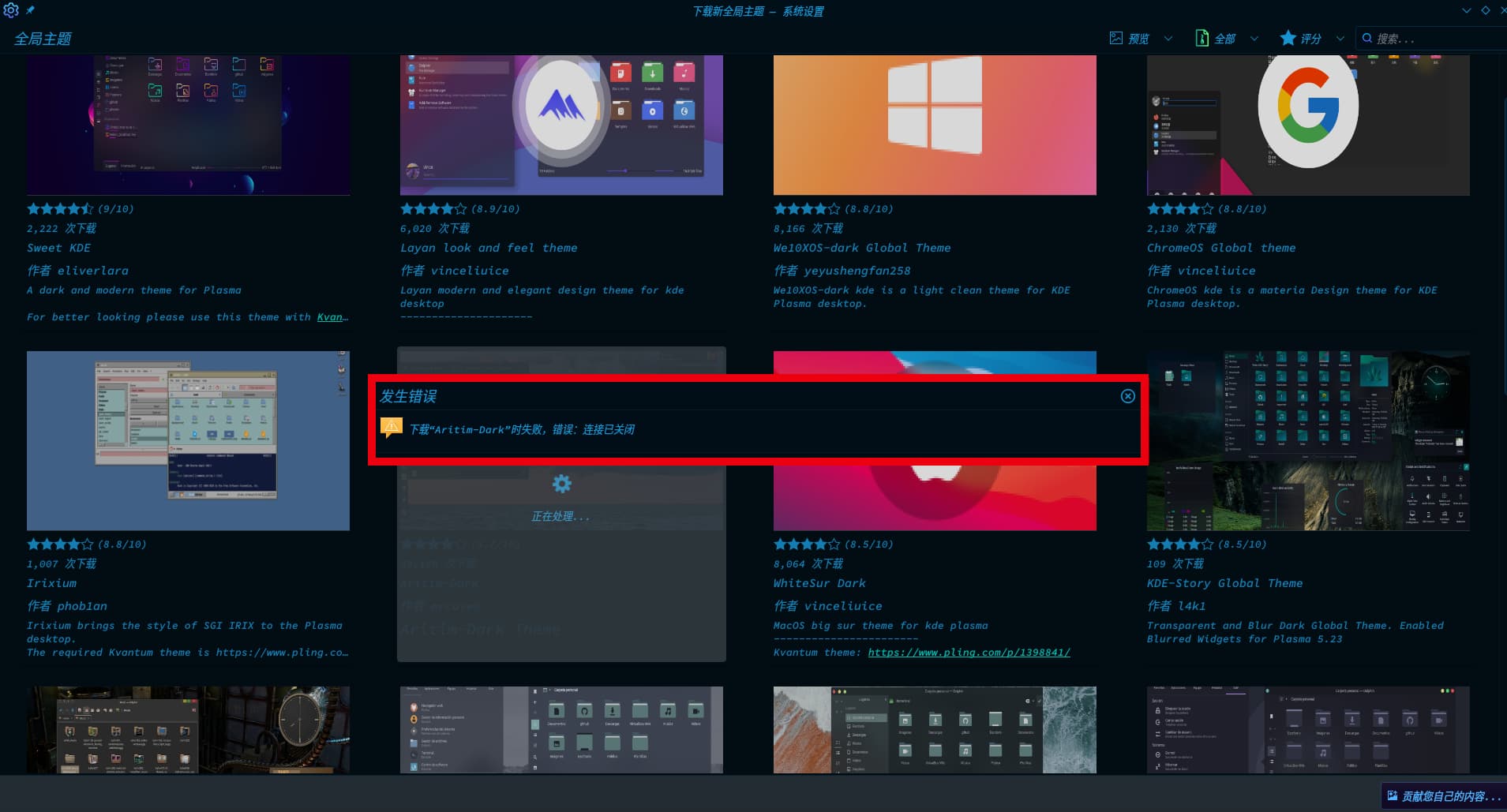
Now,I use system interface to upgrade global themes,but it doesn’t work ,I don’t know the problem
hope get your help , thank you very much
Hardware info : https://clbin.com/Cnatg
boot info : https://clbin.com/OMWLH
Now,I use system interface to upgrade global themes,but it doesn’t work ,I don’t know the problem
hope get your help , thank you very much
Hardware info : https://clbin.com/Cnatg
boot info : https://clbin.com/OMWLH
Please make your titles more descriptive. No need to add “need help” in the titles. This is a support forum. Most posts here are help posts.
After that, add more details about your problem. Just a screenshot doesn’t help us diagnose the issue.
Finally send us your system details according to this post:
What is the message being displayed? Which theme or is it all themes? (Some themes will not install properly this way/through discover)
ok, I just now try again , many themes is download failed , few themes can download success .
Do you know local download and install themes methods ?
Unsure what the issue might be.
If you want to install you can also go here
Some themes have great instructions written on how to install them from a download or you can use ocs-url which is available here
https://aur.archlinux.org/packages/ocs-url
If you can’t work it out get back to me and I’ll install one with screenshots for you
the problem is solved , but also a little stuck
What is the translation of the error displayed in the screenshot ?
As asked by @smokey as well.
What exactly are you stuck with?
When I had encountered problems like this, then closing and starting up again had fixed issues for me.
I thought the problem was solved, but there it was again,
error message is that :
download xxx , connection already close
I’m not sure but it maybe that something from the kdeplasma-addons or discover package may be needed, I install both of these from the begining of using this setup
I believe it is happening from KDE’s side.