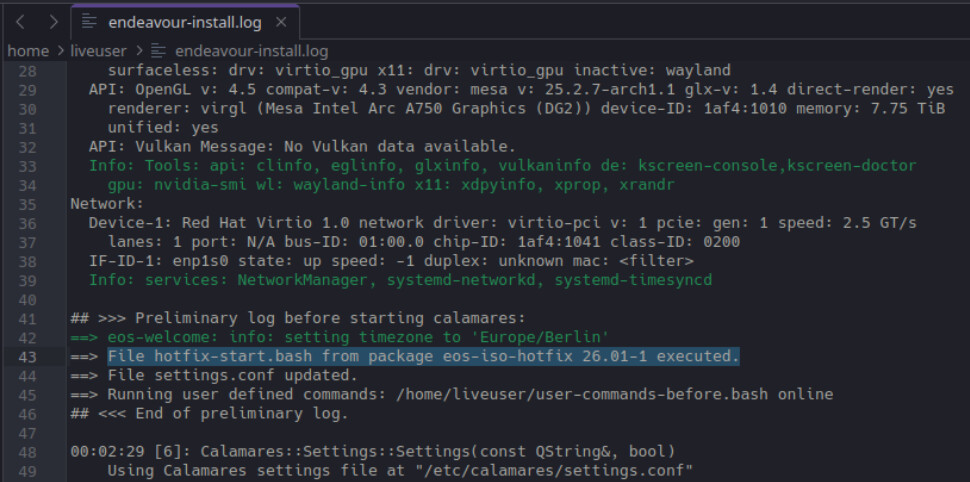
Hi all, I am looking to install EOS on my new PC (Intel Core i5-12400F, DDR 5 32GB, RTX 3050 6GB, 1TB SSD). My PC came with Windows pre-installed and I am looking to completely replace Windows on this device (no partitioning/dual booting) with GRUB as the bootloader.
I am relatively new to linux with only limited experience with Ubuntu/Debian, and made the rookie mistake of trying to install without disabling secure boot and encountered several errors in sequence before I realized that secure boot was the likely culprit. Because of how my PC’s UEFI is configured, I ended up having to re-install Windows to be able to disable secure boot and try again. However, despite secure boot being disabled I am encountering the same sequence of errors.
Initially, install of EOS will fail with the error saying the pacman “could not make changes to the installed system”. I understand this is typically because of poor internet connection, but my internet connection ought to be sufficient for online installation. The install attempt will create a partition marked as Endeavour OS on my SSD that I can see in the partition manager, but I cannot boot from this partition.
After verifying my internet connection, on a second attempt I will get an error saying Calamares cannot create a new partition during installation. This happens both when selecting to use the entire disk or when attempting to overwrite/replace the existing EOS partition created during the previous install attempt with the pacman error. I have read that it is easier for Calamares to work off a “clean slate” disk so have attempted to “clean” the disk by using the partition manager to create a new partition table, but the partition manager also generates an error that it is unable to modify the disk.
Feeling quite lost and hoping for a solution. Writing this from work so I don’t have access to the PC, but can post more detailed system specs and error logs when I get home.
Did you try booting on the live ISO and then launch gparted. Create a new GPT partition on the disc. Also I’m not sure why you needed to reinstall Windows in order to disable secure boot? Secure boot should be disabled in the UEFI Bios settings along with CSM and fast boot.
Edit: Also before running the install try updating the Arch mirrors. But you need to resolve this disk issue first.
Also before running the install try updating the Arch mirrors. But you need to resolve this disk issue first.
Will try these tips when I’m home and update with how it goes!
I was also surprised that I needed to re-install Windows to disable the secure boot, but I was unable to change the boot settings without Windows being installed. My PC’s motherboard is an AMI motherboard and uses the AMI BIOS if that provides any clarity.
Make sure you are rebooting off the ISO after a failed install. If the install fails after you pass the summary page, it leaves the system in an invalid state and you need to boot clean to get in a good state.
Make sure you are rebooting off the ISO after a failed install. If the install fails after you pass the summary page, it leaves the system in an invalid state and you need to boot clean to get in a good state.
Haven’t been doing this in previous attempts, will do it when I re-attempt tonight, thanks.
Okay, I was able to remove the “bad” install partition after rebooting from ISO. Tried to install again after rebooting from ISO, updating Arch mirrors, and creating a new GPT partition on the disc. Same pacman error as before.
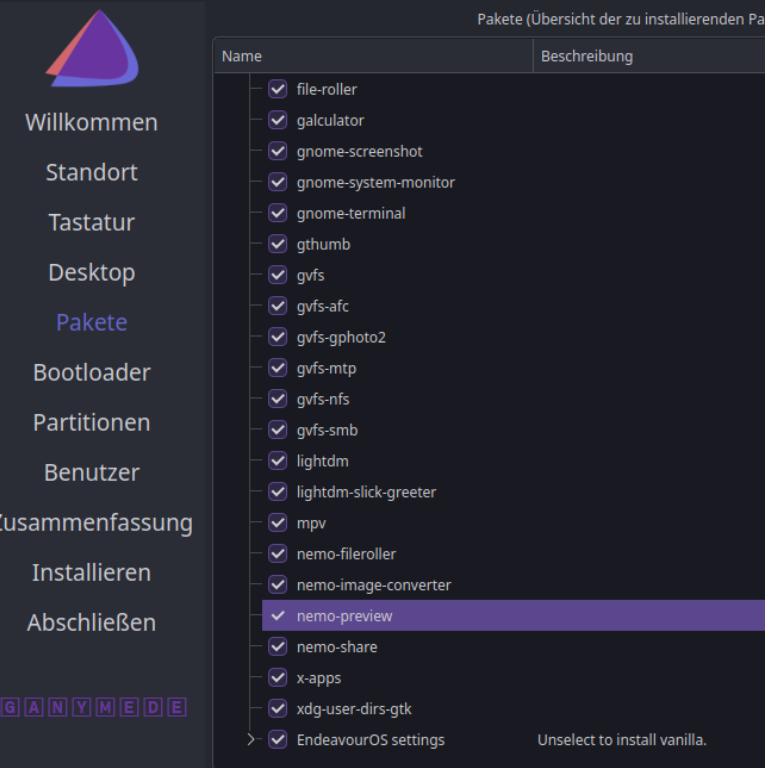
You can work around it easy enough. In the screen that lets you pick packages, open up the one for the DE you selected and uncheck nemo-preview. That should fix that problem.
The issue is that the package was recently removed from the repos so pacman can’t install it.