juanan
January 10, 2026, 4:48pm
1
Alienware area51 18 laptop
I’ve tried several linux distros installations, no sound on either. I’m now on EndeacourOS and ssame.
It first appears “pro audio” off, when I turn it on then appears 4 slots but no sound at all on speakers nor jack…
I followed the installation with nvidia for new cards and online
Berta
January 10, 2026, 5:40pm
2
Can you post inxi -Fza on console ?alsamixer on console ?
juanan
January 10, 2026, 5:47pm
3
inxi -Fza
System: Kernel: 6.18.4-arch1-1 arch: x86_64 bits: 64 compiler: gcc v: 15.2.1clocksource: tsc avail: acpi_pmparameters: initrd=\ef7d25e9d33545dc85932574041ee861\6.18.4-arch1-1\initrdDesktop: KDE Plasma v: 6.5.4 tk: Qt v: N/A info: frameworks v: 6.21.0wm: kwin_wayland vt: 1 dm: SDDM Distro: EndeavourOS base: Arch LinuxMachine: Type: Laptop System: Alienware product: Alienware 18 Area-51 AA18250 v: N/Aserial: Chassis: type: 10 serial: Mobo: Alienware model: 0M66RF v: A00 serial: part-nu: 0CCD uuid: Firmware: UEFI vendor: Alienwarev: 1.9.0 date: 11/03/2025Battery: ID-1: BAT0 charge: 84.6 Wh (100%) condition: 84.6/94.7 Wh (89.4%)health: good temp: 20 C volts: 13.1 min: 11.7 model: SMP DELL 6CK5K575made: 2025-07-07 type: Li-poly serial: charging: status: not charging cycles: 7CPU: Info: model: Intel Core Ultra 9 275HX bits: 64 type: MCP arch: Arrow Lakelevel: v3 note: check built: 2024+ process: Intel 20a (2nm) family: 6model-id: 0xC6 (198) stepping: 2 microcode: 0x11ATopology: cpus: 1x dies: 1 clusters: 12 cores: 24 smt: cache: L1: 2.4 MiB desc: d-16x32 KiB, 8x48 KiB; i-24x64 KiB L2: 40 MiBdesc: 8x3 MiB, 4x4 MiB L3: 36 MiB desc: 1x36 MiBSpeed (MHz): avg: 2053 min/max: 800/5300:5400:4700 scaling: driver: intel_pstate governor: powersave cores: 1: 2053 2: 2053 3: 20534: 2053 5: 2053 6: 2053 7: 2053 8: 2053 9: 2053 10: 2053 11: 2053 12: 205313: 2053 14: 2053 15: 2053 16: 2053 17: 2053 18: 2053 19: 2053 20: 205321: 2053 22: 2053 23: 2053 24: 2053 bogomips: 147456Flags-basic: avx avx2 ht lm nx pae sse sse2 sse3 sse4_1 sse4_2 ssse3 vmxVulnerabilities: Type: gather_data_sampling status: Not affectedType: ghostwrite status: Not affectedType: indirect_target_selection status: Not affectedType: itlb_multihit status: Not affectedType: l1tf status: Not affectedType: mds status: Not affectedType: meltdown status: Not affectedType: mmio_stale_data status: Not affectedType: old_microcode status: Not affectedType: reg_file_data_sampling status: Not affectedType: retbleed status: Not affectedType: spec_rstack_overflow status: Not affectedType: spec_store_bypass mitigation: Speculative Store Bypass disabled viaType: spectre_v1 mitigation: usercopy/swapgs barriers and __user pointerType: spectre_v2 mitigation: Enhanced / Automatic IBRS; IBPB:Type: srbds status: Not affectedType: tsa status: Not affectedType: tsx_async_abort status: Not affectedType: vmscape mitigation: IBPB before exit to userspaceGraphics: Device-1: Intel Arrow Lake-S [Intel Graphics] vendor: Dell driver: i915v: kernel alternate: xe arch: Xe2-LPG process: TSMC n3 (3nm) built: 2025+ports: active: none empty: DP-4 bus-ID: 00:02.0 chip-ID: 8086:7d67class-ID: 0300Device-2: NVIDIA GB203M / GN22-X11 [GeForce RTX 5090 Max-Q Mobile]vendor: Dell driver: nvidia v: 590.48.01 alternate: nouveau,nvidia_drmnon-free: 550-580.xx+ status: current (as of 2025-11) arch: Lovelacecode: AD1xx process: TSMC n4 (5nm) built: 2022+ pcie: gen: 2 speed: 5 GT/slanes: 8 link-max: gen: 5 speed: 32 GT/s lanes: 16 ports: active: eDP-1empty: DP-1, DP-2, DP-3, HDMI-A-1 bus-ID: 01:00.0 chip-ID: 10de:2c58class-ID: 0300Device-3: Realtek Integrated_Webcam_8M driver: uvcvideo type: USB rev: 3.2speed: 5 Gb/s lanes: 1 mode: 3.2 gen-1x1 bus-ID: 4-4:2 chip-ID: 0bda:559aclass-ID: fe01 serial: Display: wayland server: X.org v: 1.21.1.21 with: Xwayland v: 24.1.9compositor: kwin_wayland driver: X: loaded: modesetting,nvidiaalternate: fbdev,intel,nouveau,nv,vesa dri: irisgpu: nv_platform,nvidia,nvidia-nvswitch display-ID: 0Monitor-1: eDP-1 model: AU Optronics 0x96b1 built: 2024 res: mode: 2560x1600 hz: 300 scale: 125% (1.25) to: 2048x1280 dpi: 168 gamma: 1.2size: 388x242mm (15.28x9.53") diag: 457mm (18") ratio: 16:10modes: 2560x1600API: EGL v: 1.5 hw: drv: intel iris drv: nvidia platforms: device: 0drv: nvidia device: 1 drv: iris device: 3 drv: swrast gbm: drv: irissurfaceless: drv: nvidia wayland: drv: nvidia x11: drv: nvidiainactive: device-2API: OpenGL v: 4.6.0 compat-v: 4.5 vendor: nvidia mesa v: 25.3.3-arch1.1glx-v: 1.4 direct-render: yes renderer: NVIDIA GeForce RTX 5090 Laptopmemory: 23.33 GiB display-ID: :1.0API: Vulkan v: 1.4.335 layers: 6 device: 0 type: discrete-gpu name: NVIDIAdriver: nvidia v: 590.48.01device-ID: 10de:2c58 surfaces: N/AInfo: Tools: api: clinfo, eglinfo, glxinfo, vulkaninfode: kscreen-console,kscreen-doctor gpu: nvidia-smi wl: wayland-infox11: xdpyinfo, xprop, xrandrAudio: Device-1: NVIDIA GB203 High Definition Audio driver: snd_hda_intel v: kernelpcie: gen: 5 speed: 32 GT/s lanes: 8 link-max: lanes: 16 bus-ID: 01:00.1chip-ID: 10de:22e9 class-ID: 0403Device-2: Intel 800 Series ACE vendor: Delldriver: sof-audio-pci-intel-mtlalternate: snd_sof_pci_intel_mtl,snd_hda_intel bus-ID: 80:1f.3chip-ID: 8086:7f50 class-ID: 0401API: ALSA v: k6.18.4-arch1-1 status: kernel-apitools: alsactl,alsamixer,amixerServer-1: PipeWire v: 1.4.9 status: active with: 1: pipewire-pulsestatus: active 2: wireplumber status: active 3: pipewire-alsa type: plugin4: pw-jack type: plugin tools: pactl,pw-cat,pw-cli,wpctlNetwork: Device-1: Intel Wi-Fi 7 AX1775 /AX1790 /BE20 /BE401/BE1750 2x2vendor: Rivet Networks driver: iwlwifi v: kernel pcie: gen: 4 speed: 16 GT/slanes: 1 bus-ID: 83:00.0 chip-ID: 8086:272b class-ID: 0280IF: wlan0 state: down mac: Device-2: Realtek Killer E5000 5GbE vendor: Rivet Networks driver: r8169v: kernel pcie: gen: 3 speed: 8 GT/s lanes: 1 port: 3000 bus-ID: 84:00.0chip-ID: 10ec:5000 class-ID: 0200IF: enp132s0 state: up speed: 1000 Mbps duplex: full mac: Info: services: NetworkManager, systemd-timesyncd, wpa_supplicantBluetooth: Device-1: Intel BE200 Bluetooth driver: btusb v: 0.8 type: USB rev: 2.0speed: 12 Mb/s lanes: 1 mode: 1.1 bus-ID: 3-14:6 chip-ID: 8087:0036class-ID: e001Report: btmgmt ID: hci0 rfk-id: 0 state: down bt-service: disabledrfk-block: hardware: no software: no address: N/ADrives: Local Storage: total: 1.86 TiB used: 66.9 GiB (3.5%)SMART Message: Unable to run smartctl. Root privileges required.ID-1: /dev/nvme0n1 maj-min: 259:0 vendor: Samsung model: PM9E1 SED 2048GBsize: 1.86 TiB block-size: physical: 512 B logical: 512 B speed: 126 Gb/slanes: 4 tech: SSD serial: fw-rev: 88320259 temp: 35.9 Cscheme: GPTPartition: ID-1: / raw-size: 1.86 TiB size: 1.83 TiB (98.37%) used: 66.64 GiB (3.6%)fs: ext4 dev: /dev/nvme0n1p2 maj-min: 259:2Swap: Kernel: swappiness: 60 (default) cache-pressure: 100 (default) zswap: yescompressor: zstd max-pool: 20%ID-1: swap-1 type: file size: 512 MiB used: 0 KiB (0.0%) priority: -2file: /swapfileSensors: System Temperatures: cpu: 57.0 C mobo: 41.8 CFan Speeds (rpm): cpu: 1769Info: Memory: total: 64 GiB note: est. available: 62.25 GiB used: 4.9 GiB (7.9%)Processes: 452 Power: uptime: 22m states: freeze,mem,disk suspend: s2idlewakeups: 0 hibernate: platform avail: shutdown, reboot, suspend, test_resumeimage: 24.86 GiB services: org_kde_powerdevil, power-profiles-daemon,Init: systemd v: 259 default: graphical tool: systemctlPackages: pm: pacman pkgs: 1127 libs: 320 tools: yay Compilers: gcc: 15.2.1 Shell: Bash v: 5.3.9 running-in: konsole inxi: 3.3.40
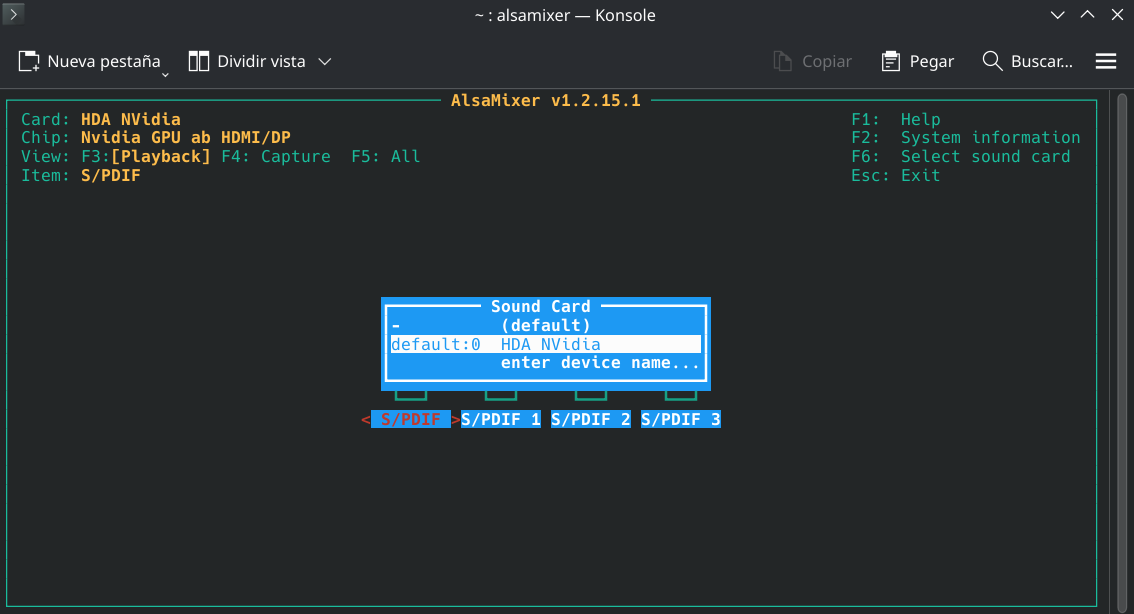
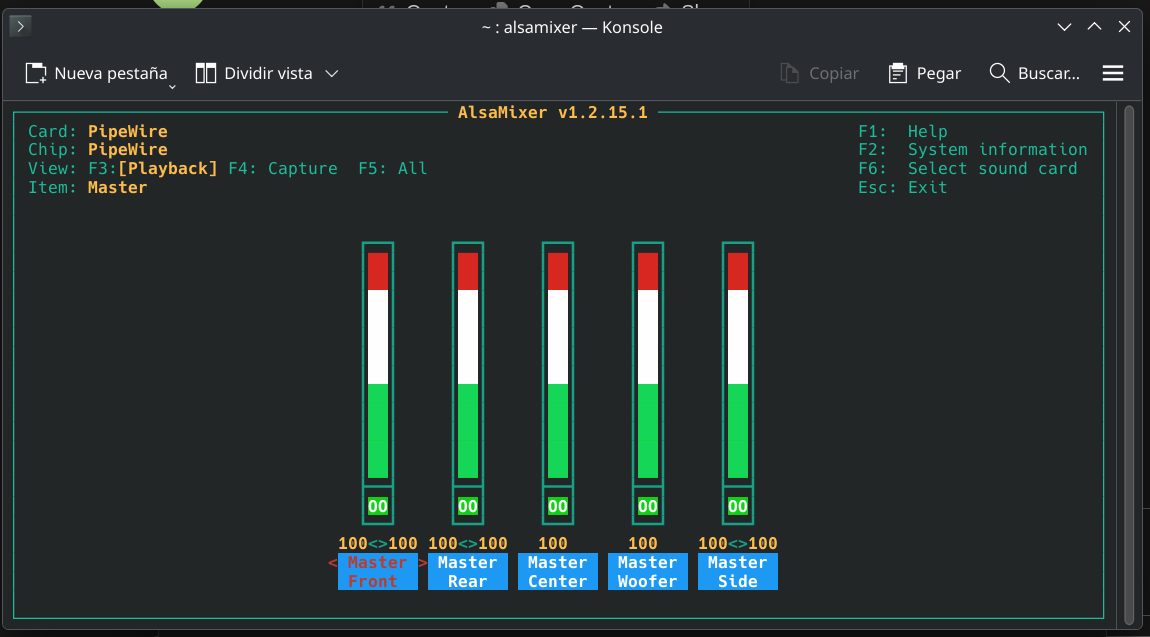
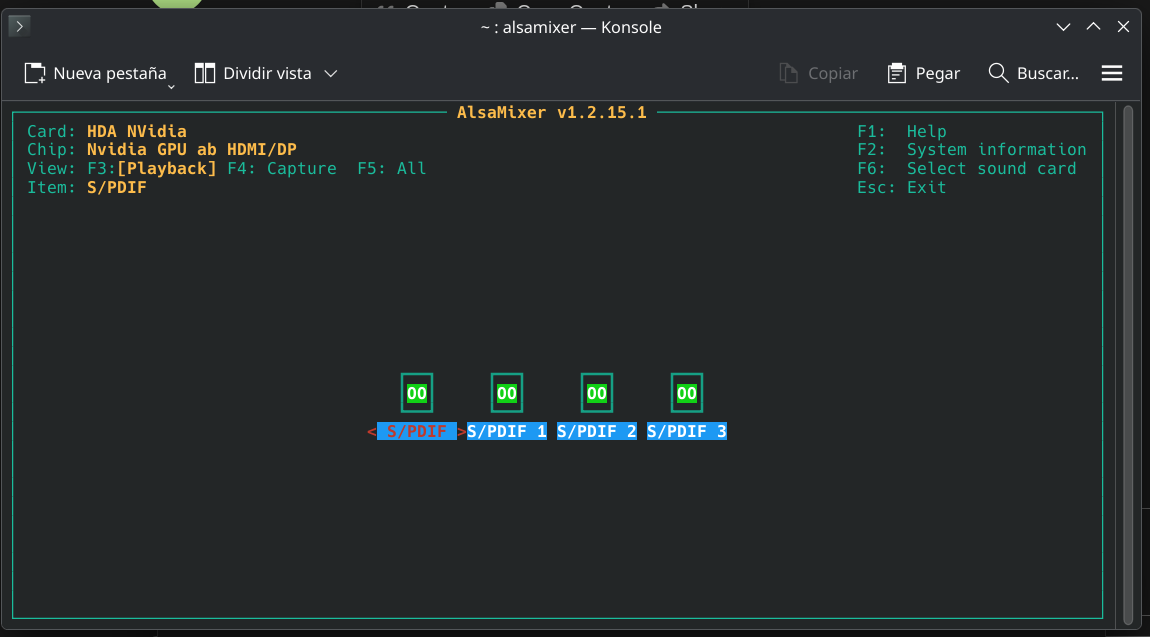
and for alsamixer yes I can run it, I have 2 options: default with 100 volume no sound and Nvidia 0 volumen no sound either
Welcome to
Based on my web search, as you say the issue exists in other distros like Fedora and Mint with other users pointing out that it might be a kernel issue.
https://forums.linuxmint.com/viewtopic.php?t=445682 https://forums.linuxmint.com/viewtopic.php?t=445682&start=20
It seems that the issue persists on the latest kernel too. Is the audio working via HDMI and/or bluetooth?
1 Like
juanan
January 11, 2026, 9:13pm
5
thanks for replies!
Yes, I even tried downgrading kernel in other distros with no success.
I dont have access right now to BT devices since I just moved and all my stuff is in boxes. I also need to buy a jack adaptor to try an USB external soundcard I have.
I’ll post the results as soon as I can try those things.
In the meantime, can someone translate this for me?
juanan
January 11, 2026, 9:38pm
6
they fixed it on kernel 6.15.11 and broke it later or what?
juanan
January 14, 2026, 8:23pm
7
Sound thru USB works with external sound card.
Most likely a kernel issue, I’m in touch with linux kernel email…
1 Like
 forums!! Hope your issue gets resolved soon by our community members.