I just had a thought that could package called “nohang” from AUR be causing FF crashes? It’s a custom OOM handler
I’ve never had any problems with Firefox. Not on any OS including Windows. Of course I’m not gaming and I don’t use a VPN. I use EOS Kde btw and it just works whether it’s on nvidia or amdgpu.  + EOS =
1 Like
Well how bad this sounds but the problem is sadly back 
But at least now I know when is it freezes until reinstallation of a system. When some tool like proton or wine-ge is configuring a prefix, Firefox dies
I just don’t know what to do, I wanna use Linux and EnOS but Firefox is making me more and more able to switch back to evil bill gates system
It can’t be hardware issue because my cpu supports all new instructions except AVX512 and my GPU and RAM is new and not faulty
This is a misinformed view.
Newer hardware can actually have issues due to a lack of support by the kernel. Not sure if this has been explored, but have you tried different kernels?
That said, yes, this issue is WEIRD. And BEWILDERING.
I tried different kernels other than zen but it still doesn’t work. And by new I mean factory new, not freshly released
1 Like
Let’s try something wild. 
Install MX Linux and see if the issue persists. Download the KDE AHS version, but also install the 6.1 kernel to test them both.
If you don’t use KDE, then download the XFCE version, install your preferred DE (hopefully not Hyprland as they don’t support that), then test both kernels like I said before.
MX Linux: https://mxlinux.org/download-links
When it comes to Linux, it is not about using what everyone else is using or what is trending. It’s about using what works on your system.
Another option is to try something meant for gaming, like Garuda (Arch-based) or Nobara (Fedora-based), as these may just work better for you.
Garuda: https://garudalinux.org
Nobara: https://nobaraproject.org/download-nobara
What is the hardware anyway? Should have been the first thing you post. Post the url.
inxi -Faz | eos-sendlog
If it’s the only option, so I guess I’ll try Nobara and MX Linux with AHS repos
Cool… Just one Xeon Cpu?
Far from the only option, as there are literally thousands you could try.
But, this is related to something that happens when gaming (or trying to), so it would be a good idea to try a distro meant for gaming.
MX Linux is not meant for gaming, but it is considered as stable while giving users many convenient tools to control how things look, feel, and work. If you install it, you get the 6.12 and 6.1 kernels.
No it’s a dual socket server (at least this was a server until CPU in my main PC died)
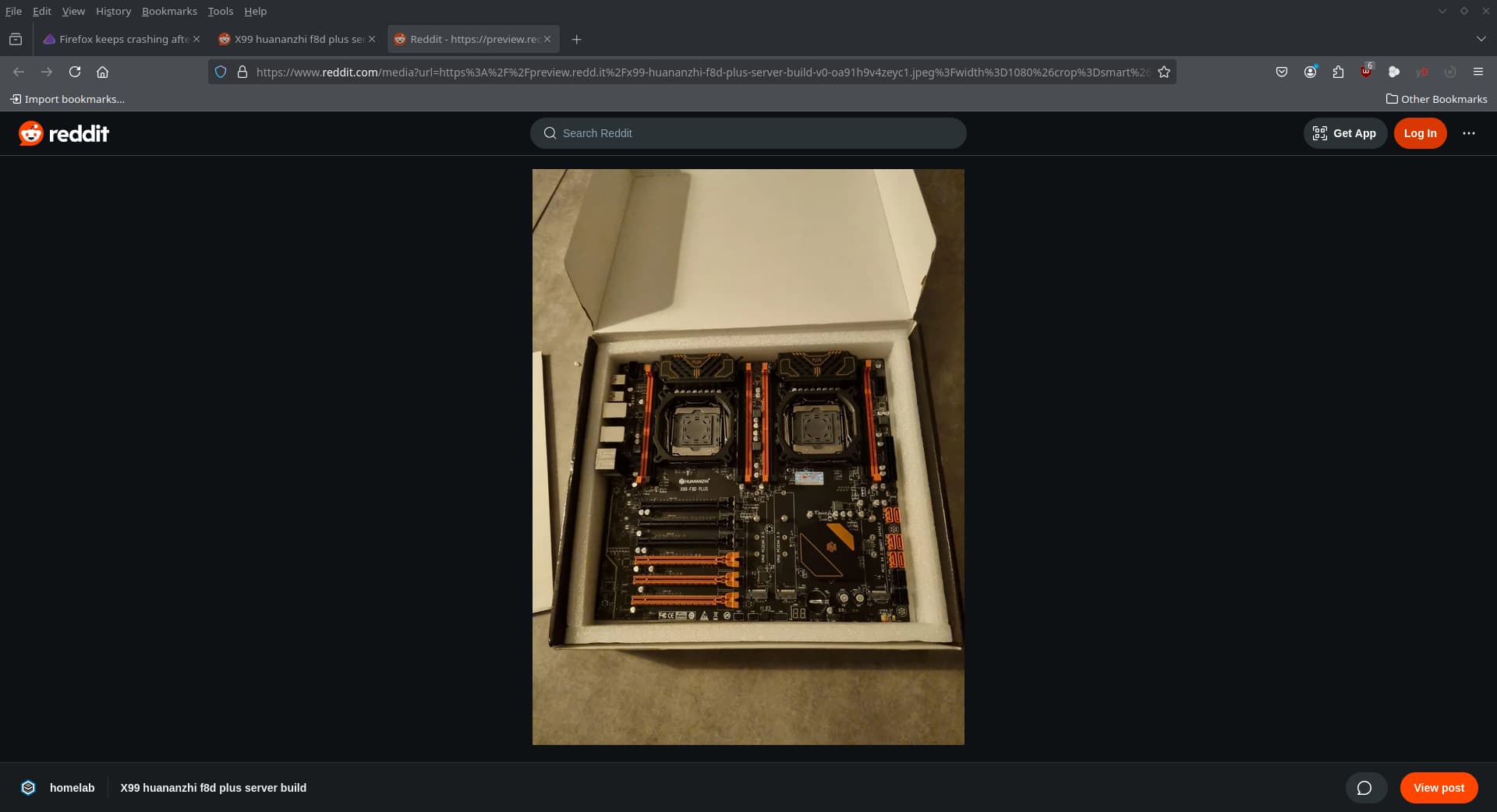
Well if MX isn’t meant for gaming I’ll try Nobara, because I’m that type of person that like to procrastinate in games after studying 
It is but I think on the photo is the first revision of this board, but nothing much changed rev.2 except socket location on MoBo
I have MX Linux installed. Games run just fine.
When I said it’s not meant for gaming, I just mean that it wasn’t made with that particular purpose in mind. It’s an all-round system for everyone. Garuda and Nobara are meant for people who game or people with the latest and greatest hardware.
I guess I’ll test nobara because I don’t really like how Garuda is bloated IMO
1 Like
I don’t know if this will help to solve this issue or not, but this issue is started appearing when I had to fast reinstall windows and wipe arch to finish my college work and don’t miss a deadline
1 Like
Nice server board. Not sure why you are having these issues. I would have Windows installed on it’s own disc. Install EOS on another disc. Use grub bootloader with btrfs, btrfs-assistant, snapper-support, btrfsmaintenance, and grub-btrfs. Install vulkan-radeon and set up as per wiki for accelerated video decoding and hardware acceleration as per the arch wiki.
https://wiki.archlinux.org/title/AMDGPU
Test from there without installing anything else.
1 Like
Without anything everything works fine, but if I dare to install heroic with wine-ge or steam with proton and start Firefox when proton or wine is configuring new prefix - boom Firefox dead
EDIT: All Firefox based browsers don’t work