I’m at work at the moment. When I get home, I’ll post it here.
@styphonthal, You’ll obviously need to change several things, but here ya go…
{
"$schema": "https://github.com/fastfetch-cli/fastfetch/raw/dev/doc/json_schema.json",
"logo": {
"source": "/home/wombat/Pictures/Linux/Linux Images/Debian_Logo_Blue_BottomText.png",
"type": "auto",
        "height": 20,
        "width": 43,
"padding": {
"top": 2,
"left": 0,
}
},
"modules": [
"break",
{
"type": "custom",
"format": "\u001b[90m┌────────────────── Samsung Galaxy Book Pro ─────────────────┐"
},
{
"type": "host",
"key": " PC",
"keyColor": "green"
},
{
"type": "cpu",
"key": "│ ├ CPU",
"showPeCoreCount": true,
"keyColor": "green"
},
{
"type": "gpu",
"key": "│ ├ GPU",
"keyColor": "green"
},
{
"type": "gpu",
"key": "│ ├ GPU",
"format": "{3}",
"keyColor": "green"
},
{
"type": "display",
"key": "│ ├ DISPLAY",
"keyColor": "green"
},
{
"type": "memory",
"key": "│ ├ MEMORY",
"keyColor": "green"
},
{
"type": "swap",
"key": "│ ├ SWAP",
"keyColor": "green"
},
{
"type": "custom",
"format": "\u001b[90m└────────────────────────────────────────────────────────────┘"
},
"break",
{
"type": "custom",
"format": "\u001b[90m┌──────────────────────── SSD Drives ────────────────────────┐"
},
{
"type": "disk",
"key": "│ ├ DISK",
"keyColor": "green"
},
{
"type": "custom",
"format": "\u001b[90m└────────────────────────────────────────────────────────────┘"
},
"break",
{
"type": "custom",
"format": "\u001b[90m┌──────────────────────── Debian SID ────────────────────────┐"
},
{
"type": "os",
"key": " OS",
"keyColor": "yellow"
},
{
"type": "title",
"key": "│ ├ USER/HOST",
"format": "{user-name}@{host-name}",
"keyColor": "yellow"
},
{
"type": "kernel",
"key": "│ ├ KERNEL",
"keyColor": "yellow"
},
{
"type": "packages",
"key": "│ ├ PACKAGES",
"keyColor": "yellow"
},
{
"type": "terminal",
"key": "│ ├ TERMINAL",
"keyColor": "yellow"
},
{
"type": "terminalfont",
"key": "│ ├ TERMINAL FONT",
"keyColor": "yellow"
},
{
"type": "shell",
"key": "└ └ SHELL",
"keyColor": "yellow"
},
{
"type": "custom",
"format": "\u001b[90m└────────────────────────────────────────────────────────────┘"
},
"break",
{
"type": "custom",
"format": "\u001b[90m┌─────────────────── Desktop Environment ────────────────────┐"
},
{
"type": "de",
"key": " DE",
"keyColor": "blue"
},
{
"type": "lm",
"key": "│ ├ DISPLAY MANAGER",
"keyColor": "blue"
},
{
"type": "wm",
"key": "│ ├ WINDOW MANAGER",
"keyColor": "blue"
},
{
"type": "wmtheme",
"key": "│ ├ THEME",
"keyColor": "blue"
},
{
"type": "icons",
"key": "│ ├ ICONS",
"keyColor": "blue"
},
{
"type": "font",
"key": "│ ├ SYSTEM FONT",
"format": "{3}",
"keyColor": "blue"
},
{
"type": "custom",
"format": "\u001b[90m└────────────────────────────────────────────────────────────┘"
},
"break",
{
"type": "custom",
"format": "\u001b[90m┌─────────────────────── Age / Uptime ───────────────────────┐"
},
{
"type": "command",
"key": " OS Age ",
"keyColor": "magenta",
"text": "birth_install=$(stat -c %W /); current=$(date +%s); time_progression=$((current - birth_install)); days_difference=$((time_progression / 86400)); echo $days_difference days"
},
{
"type": "uptime",
"key": " Uptime ",
"keyColor": "magenta"
},
{
"type": "custom",
"format": "\u001b[90m└────────────────────────────────────────────────────────────┘"
},
"break",
]
}
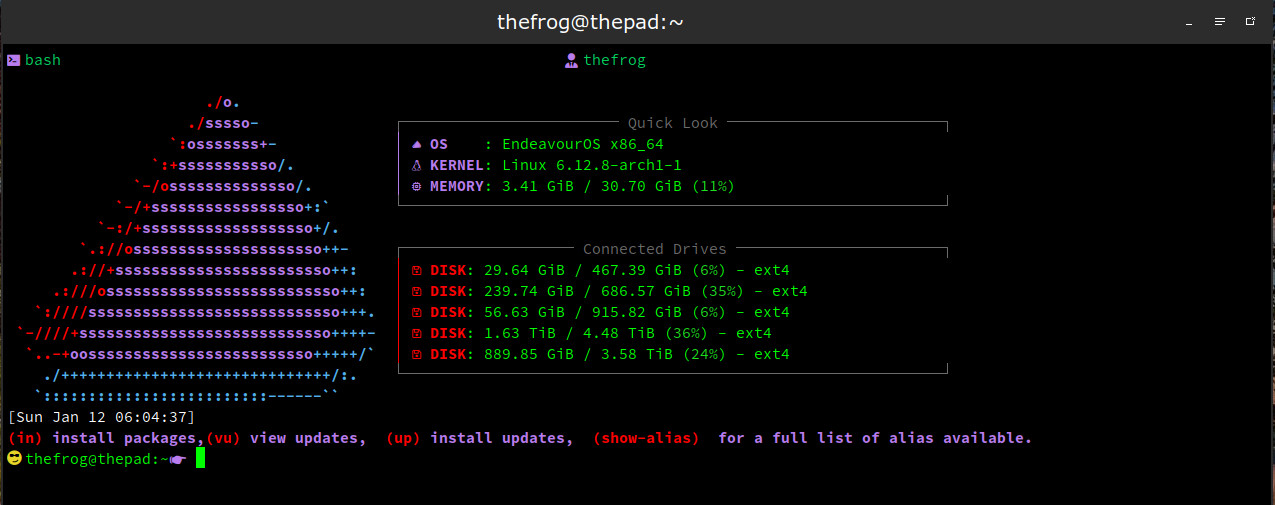
I updated my bash from @UncleSpellbinder . thought I would make it a bit more useful for my needs
You could use duf, I have an alias for it.
df=‘duf -only local -sort filesystem --usage-threshold=“0.6,0.85”’
That is the beauty of Linux everyone can setup things the way they think is best for them. I actually did this because I went trough my bashrc file and did some cleaning up. Thought I would give bash as new look for when I open it. The only actual part of the “prompt” is from the date down. The first is just a splash type screen for when I open my alacritty.
Nice. Can you share the code of it?
He already did here just adjust to your needs
The config is shared a few posts up.
EDIT: Thanks, @thefrog
Thanks I find it. And I did my config here, it was cool. Here is it: https://bolha.photos/i/web/post/785538532203288301
if you change the height and width will my image look less condensed then?
i am using this image, i found on the forum:

it is my favorite fast fetch image or is there no way to fix it being a little squished. cuz when i loaded it it was a little smushed togethor.
regardless your config is awesome. THANKX so much for sharing it!
You just have to tinker with it. Try different numbers, save, restart terminal to see result. Continue adjusting until you get the result you want.
thank you @UncleSpellbinder
MUCH APRECIATED!!!
your a good purple friend on here for real
UPDATE: i got it looking right after messing around with it just like you said 
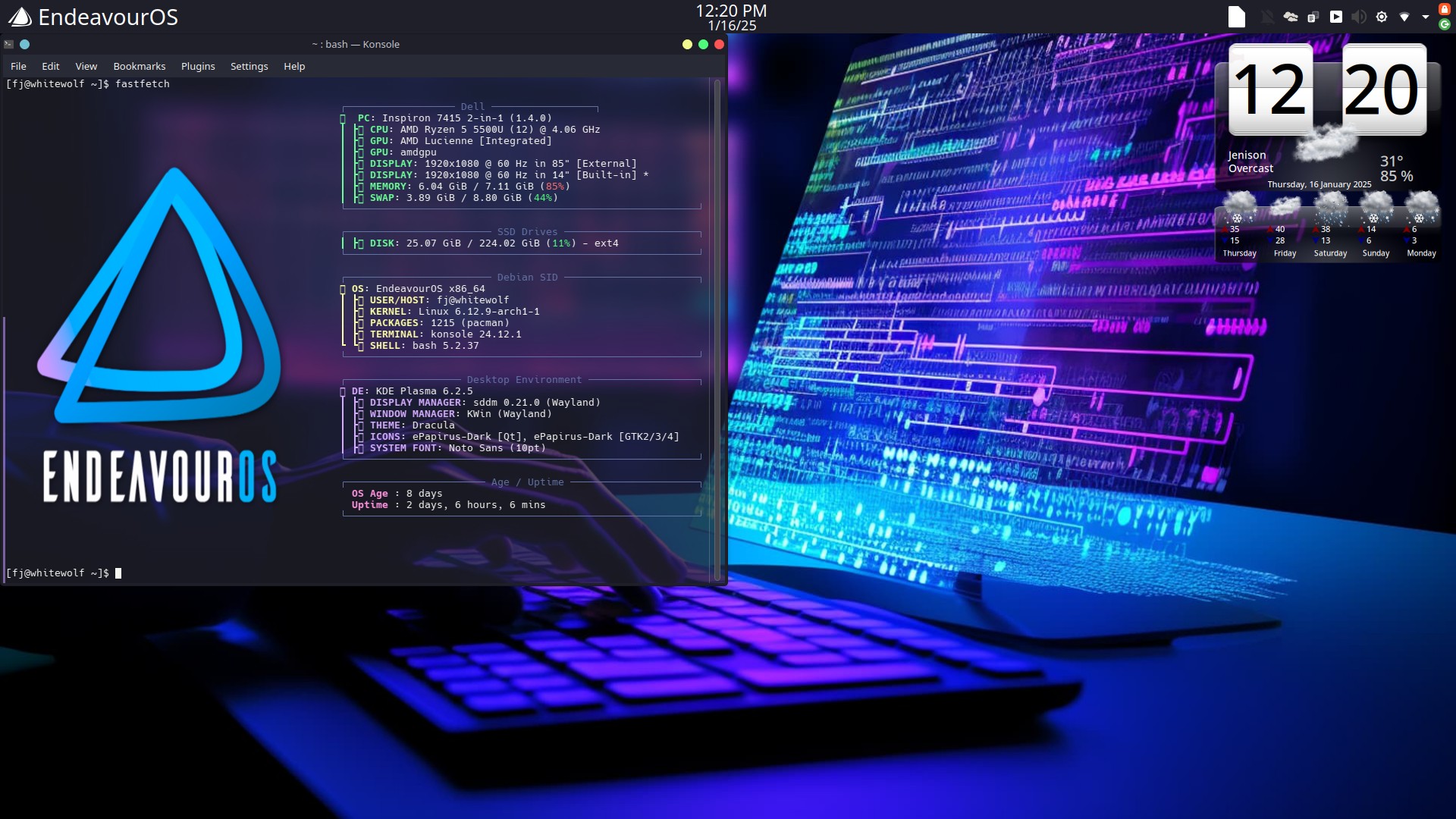
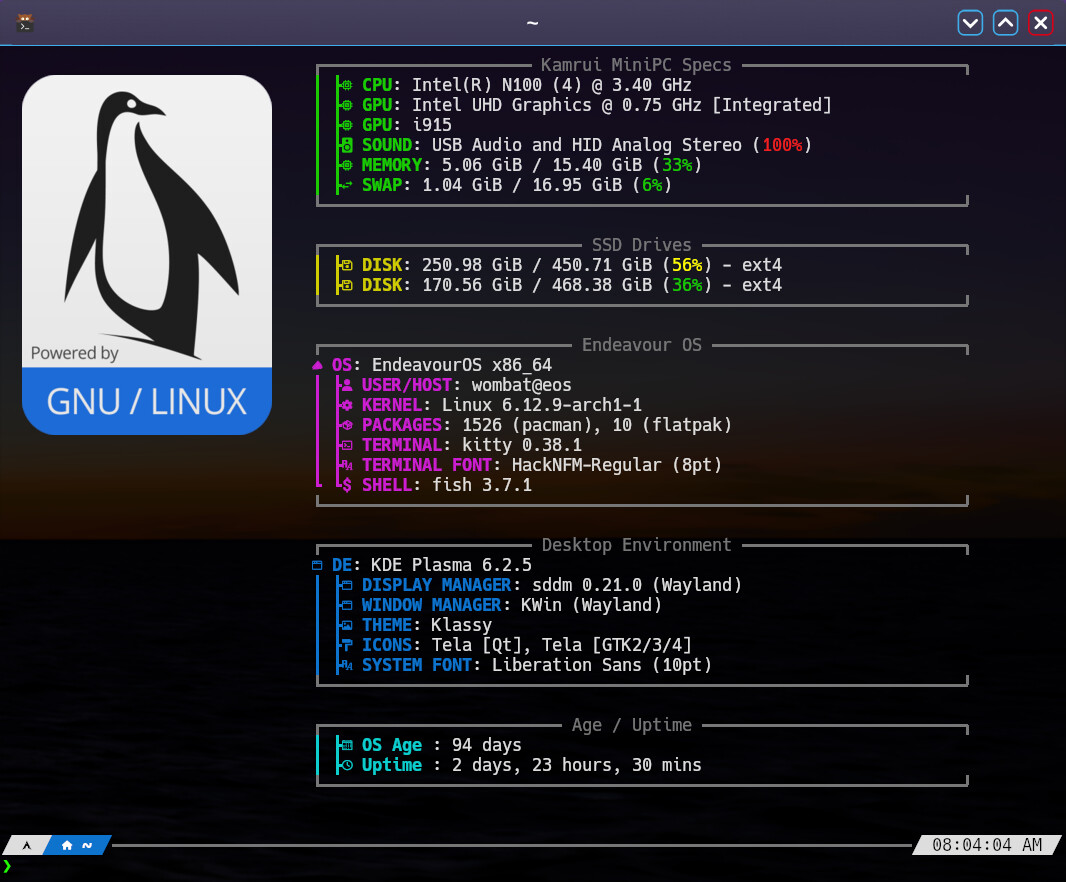
I updated myne to combine both @Noodly and @UncleSpellbinder with my own touch
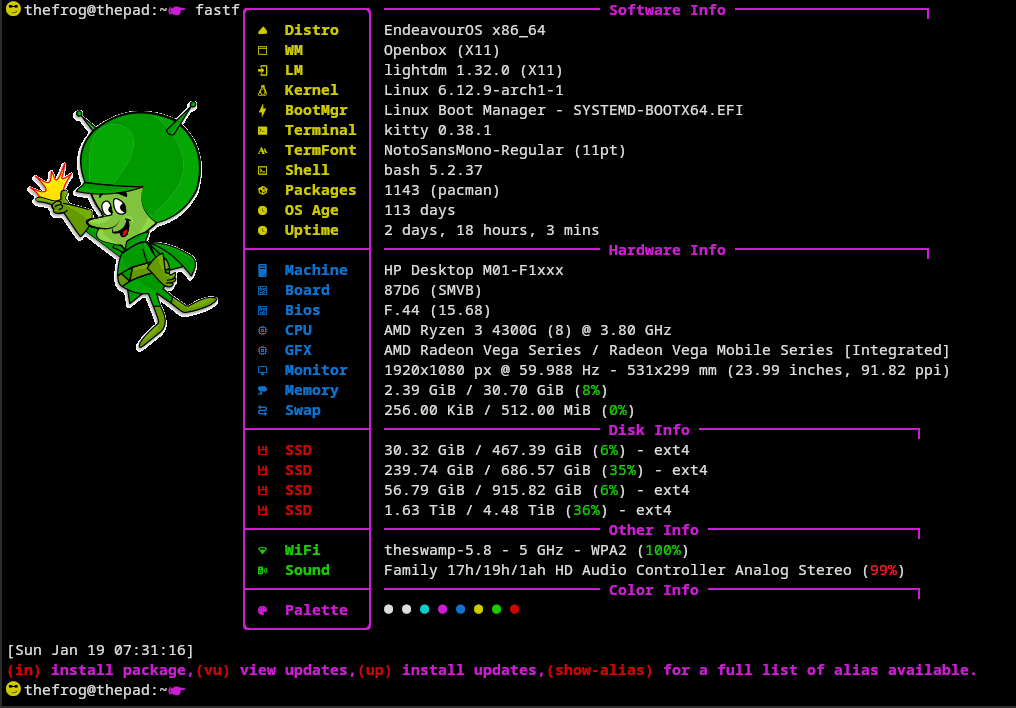
Nice one 
More tinkering 


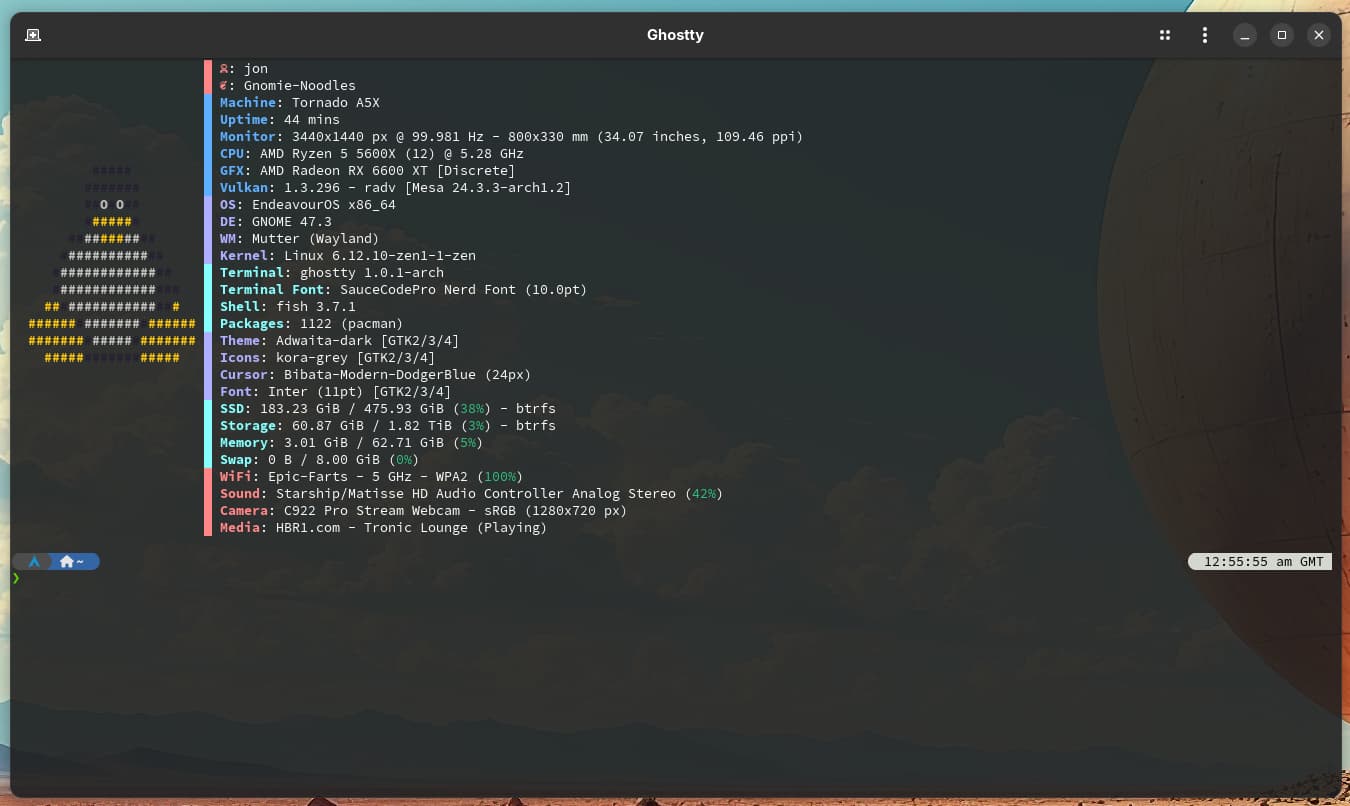
// Inspired by Coffee and Kush and cobbled together by Noodly
{ "$schema":
"https://github.com/fastfetch-cli/fastfetch/raw/dev/doc/json_schema.json",
"logo": {
"type": "Auto",
"source": "Linux",
"padding": {
"top": 6,
"left": 2,
"right": 1
}
},
"display": {
"constants": [
"█ "
]
},
"modules": [
{
"key": "{$1}",
"keyColor": "38;5;210",
"type": "title",
"format": "{user-name}"
},
{
"key": "{$1}",
"keyColor": "38;5;210",
"type": "title",
"format": "{host-name}"
},
{
"key": "{$1}Machine",
"keyColor": "38;5;75",
"type": "host"
},
{
"key": "{$1}Uptime",
"keyColor": "38;5;75",
"type": "uptime"
},
{
"key": "{$1}Monitor",
"keyColor": "38;5;75",
"type": "monitor"
},
{
"key": "{$1}CPU",
"keyColor": "38;5;75",
"type": "cpu",
"showPeCoreCount": true
},
{
"key": "{$1}GFX",
"keyColor": "38;5;75",
"type": "gpu"
},
{
"key": "{$1}Vulkan",
"keyColor": "38;5;75",
"type": "vulkan"
},
{
"key": "{$1}OS",
"keyColor": "38;5;147",
"type": "os"
},
{
"key": "{$1}DE",
"keyColor": "38;5;147",
"type": "de"
},
{
"key": "{$1}WM",
"keyColor": "38;5;147",
"type": "wm"
},
{
"key": "{$1}Kernel",
"keyColor": "38;5;147",
"type": "kernel"
},
{
"key": "{$1}Terminal",
"keyColor": "38;5;123",
"type": "terminal"
},
{
"key": "{$1}Terminal Font",
"keyColor": "38;5;123",
"type": "terminalfont"
},
{
"key": "{$1}Shell",
"keyColor": "38;5;123",
"type": "shell"
},
{
"key": "{$1}Packages",
"keyColor": "38;5;123",
"type": "packages"
},
{
"key": "{$1}Theme",
"keyColor": "38;5;147",
"type": "theme"
},
{
"key": "{$1}Icons",
"keyColor": "38;5;147",
"type": "icons"
},
{
"key": "{$1}Cursor",
"keyColor": "38;5;147",
"type": "cursor"
},
{
"key": "{$1}Font",
"keyColor": "38;5;147",
"type": "font"
},
{
"key": "{$1}SSD",
"keyColor": "38;5;123",
"type": "disk",
"folders": "/"
},
{
"key": "{$1}Storage",
"keyColor": "38;5;123",
"type": "disk",
"folders": "/mnt/sda1"
},
{
"key": "{$1}Memory",
"keyColor": "38;5;123",
"type": "memory"
},
{
"key": "{$1}Swap",
"keyColor": "38;5;123",
"type": "swap"
},
{
"key": "{$1}WiFi",
"keyColor": "38;5;210",
"type": "wifi"
},
{
"key": "{$1}Sound",
"keyColor": "38;5;210",
"type": "sound"
},
{
"key": "{$1}Camera",
"keyColor": "38;5;210",
"type": "camera"
},
{
"key": "{$1}Media",
"keyColor": "38;5;210",
"type": "media"
}
]
}
i edited your guys fastfetch config file and combined them as well to make my own thing. thanks guys for your hard work you put into making the config file because i am essentially illiterate when it comes to coding. i managed to figure things out though based on what you guys did. without you guys i wouldn’t have such a cool pimped out fast fetch config file. anyway here is what i created based on your guys stuff.
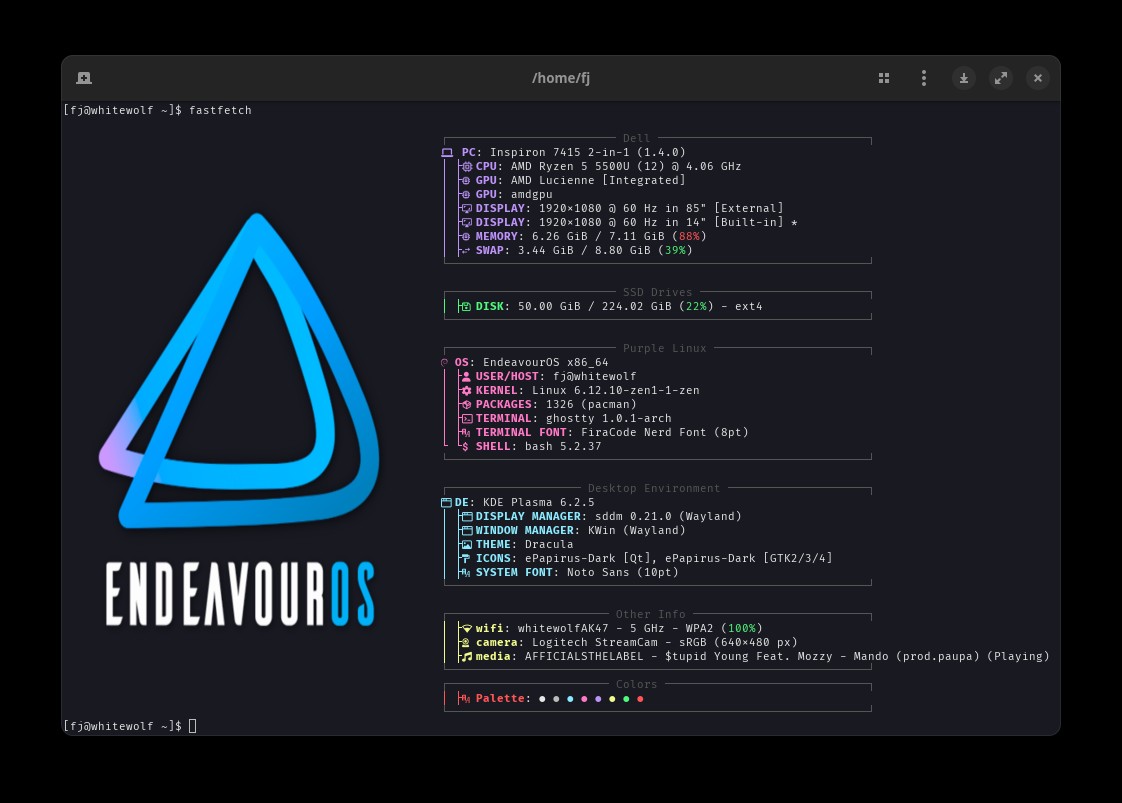
tbh i am pretty proud and it was fun learning something new! really could not be more happy and thankful to belong to this purple club as well. you guys are awesome purple people for real!
PS: i plan to mess around with the colors a bit more just because i can
Summary
{
“$schema”: “https://github.com/fastfetch-cli/fastfetch/raw/dev/doc/json_schema.json”,
“logo”: {
“source”: “/home/fj/Downloads/EOS-X-logo.png”,
“type”: “auto”,
“height”: 40,
“width”: 50,
“padding”: {
“top”: 2,
“left”: 0,
}
},
“modules”: [
“break”,
{
“type”: “custom”,
“format”: “\u001b[90m┌──────────────────────── Dell ──────────────────────────────┐”
},
{
“type”: “host”,
“key”: “ PC”,
“keyColor”: “blue”
},
{
“type”: “cpu”,
“key”: “│ ├ CPU”,
“showPeCoreCount”: true,
“keyColor”: “blue”
},
{
“type”: “gpu”,
“key”: “│ ├ GPU”,
“keyColor”: “blue”
},
{
“type”: “gpu”,
“key”: “│ ├ GPU”,
“format”: “{3}”,
“keyColor”: “blue”
},
{
“type”: “display”,
“key”: “│ ├ DISPLAY”,
“keyColor”: “blue”
},
{
“type”: “memory”,
“key”: “│ ├ MEMORY”,
“keyColor”: “blue”
},
{
“type”: “swap”,
“key”: “│ ├ SWAP”,
“keyColor”: “blue”
},
{
“type”: “custom”,
“format”: “\u001b[90m└────────────────────────────────────────────────────────────┘”
},
“break”,
{
“type”: “custom”,
“format”: “\u001b[90m┌──────────────────────── SSD Drives ────────────────────────┐”
},
{
“type”: “disk”,
“key”: “│ ├ DISK”,
“keyColor”: “green”
},
{
“type”: “custom”,
“format”: “\u001b[90m└────────────────────────────────────────────────────────────┘”
},
“break”,
{
“type”: “custom”,
“format”: “\u001b[90m┌──────────────────────── Purple Linux ──────────────────────┐”
},
{
“type”: “os”,
“key”: “ OS”,
“keyColor”: “magenta”
},
{
“type”: “title”,
“key”: “│ ├ USER/HOST”,
“format”: “{user-name}@{host-name}”,
“keyColor”: “magenta”
},
{
“type”: “kernel”,
“key”: “│ ├ KERNEL”,
“keyColor”: “magenta”
},
{
“type”: “packages”,
“key”: “│ ├ PACKAGES”,
“keyColor”: “magenta”
},
{
“type”: “terminal”,
“key”: “│ ├ TERMINAL”,
“keyColor”: “magenta”
},
{
“type”: “terminalfont”,
“key”: “│ ├ TERMINAL FONT”,
“keyColor”: “magenta”
},
{
“type”: “shell”,
“key”: “└ └ SHELL”,
“keyColor”: “magenta”
},
{
“type”: “custom”,
“format”: “\u001b[90m└────────────────────────────────────────────────────────────┘”
},
“break”,
{
“type”: “custom”,
“format”: “\u001b[90m┌─────────────────── Desktop Environment ────────────────────┐”
},
{
“type”: “de”,
“key”: “ DE”,
“keyColor”: “cyan”
},
{
“type”: “lm”,
“key”: “│ ├ DISPLAY MANAGER”,
“keyColor”: “cyan”
},
{
“type”: “wm”,
“key”: “│ ├ WINDOW MANAGER”,
“keyColor”: “cyan”
},
{
“type”: “wmtheme”,
“key”: “│ ├ THEME”,
“keyColor”: “cyan”
},
{
“type”: “icons”,
“key”: “│ ├ ICONS”,
“keyColor”: “cyan”
},
{
“type”: “font”,
“key”: “│ ├ SYSTEM FONT”,
“format”: “{3}”,
“keyColor”: “cyan”
},
{
“type”: “custom”,
“format”: “\u001b[90m└────────────────────────────────────────────────────────────┘”
},
“break”,
{
"type": "custom",
"format": "\u001b[90m┌─────────────────────── Other Info ─────────────────────────┐"
},
{
"type": "wifi",
"key": "│ ├ wifi",
"keyColor": "yellow"
},
{
"type": "Camera",
"key": "│ ├ camera",
"keyColor": "yellow"
},
{
"type": "media",
"key": "│ ├ media",
"keyColor": "yellow"
},
{
"type": "custom",
"format": "\u001b[90m└────────────────────────────────────────────────────────────┘"
},
{
"type": "custom",
"type": "custom",
"format": "\u001b[90m┌─────────────────────── Colors ─────────────────────────────┐"
},
{
"type": "colors",
"key": "│ ├ Palette",
"keyColor": "red",
"symbol": "circle"
},
{
"type": "custom",
"format": "\u001b[90m└────────────────────────────────────────────────────────────┘"
},
]
}
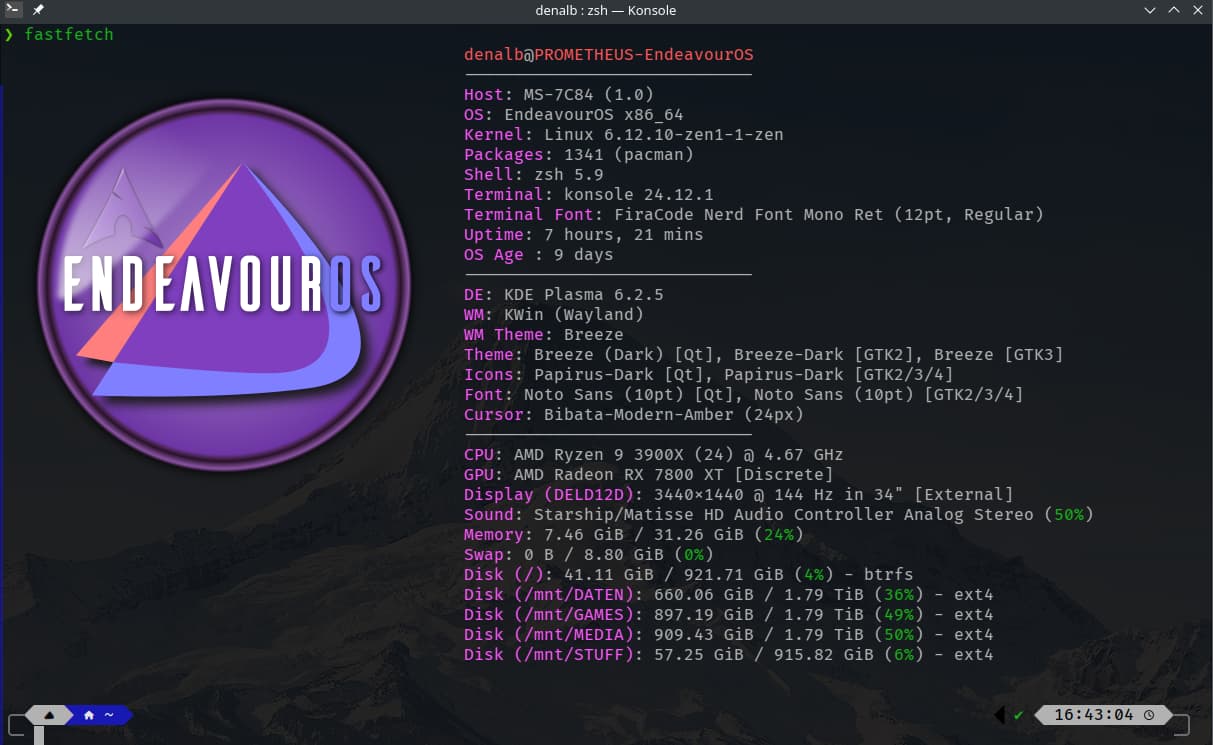
Thanks, @UncleSpellbinder for providing the logo. 
Thanks @UncleSpellbinder for the config file, now my fastfetch looks nice.
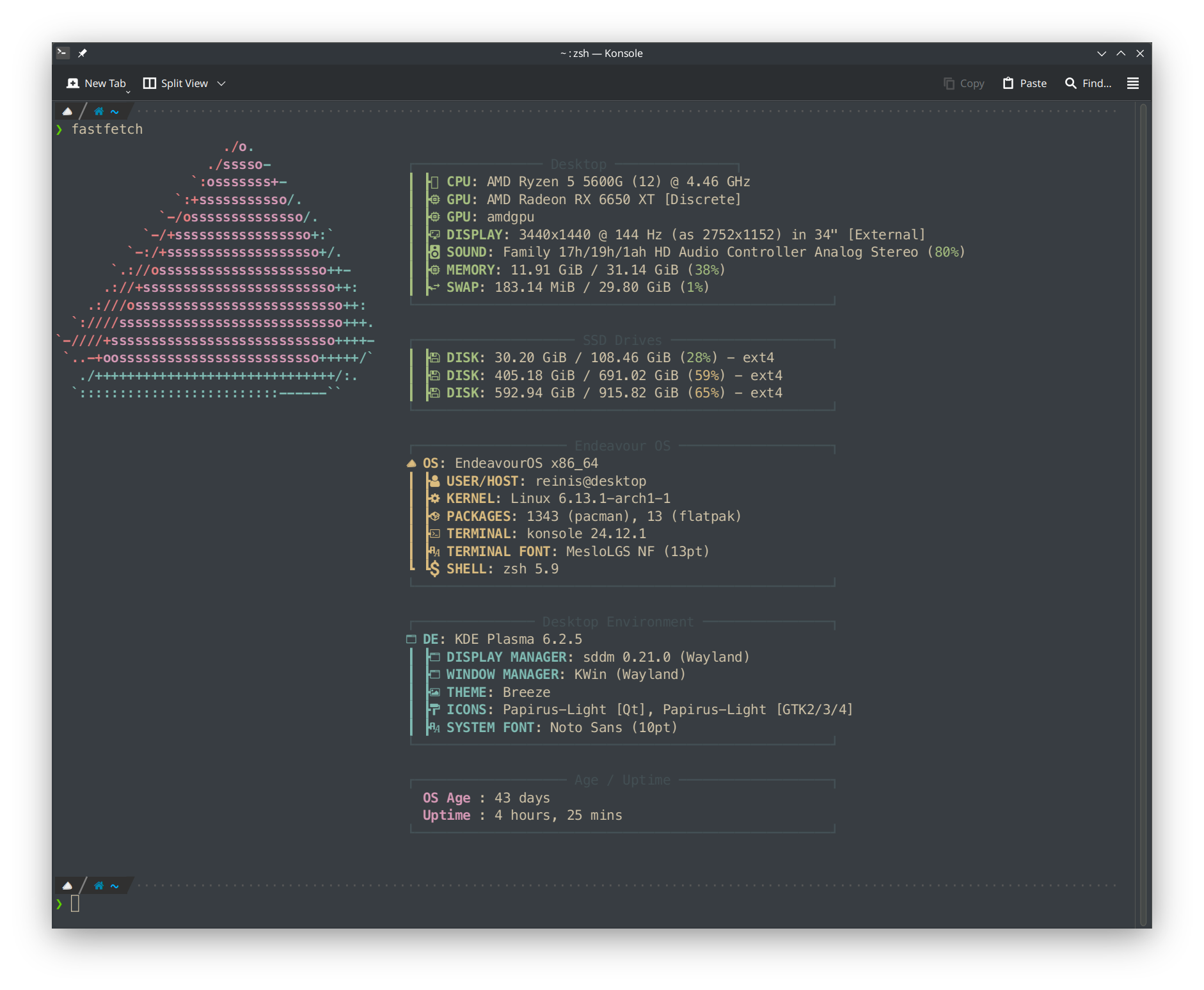
That looks GREAT!