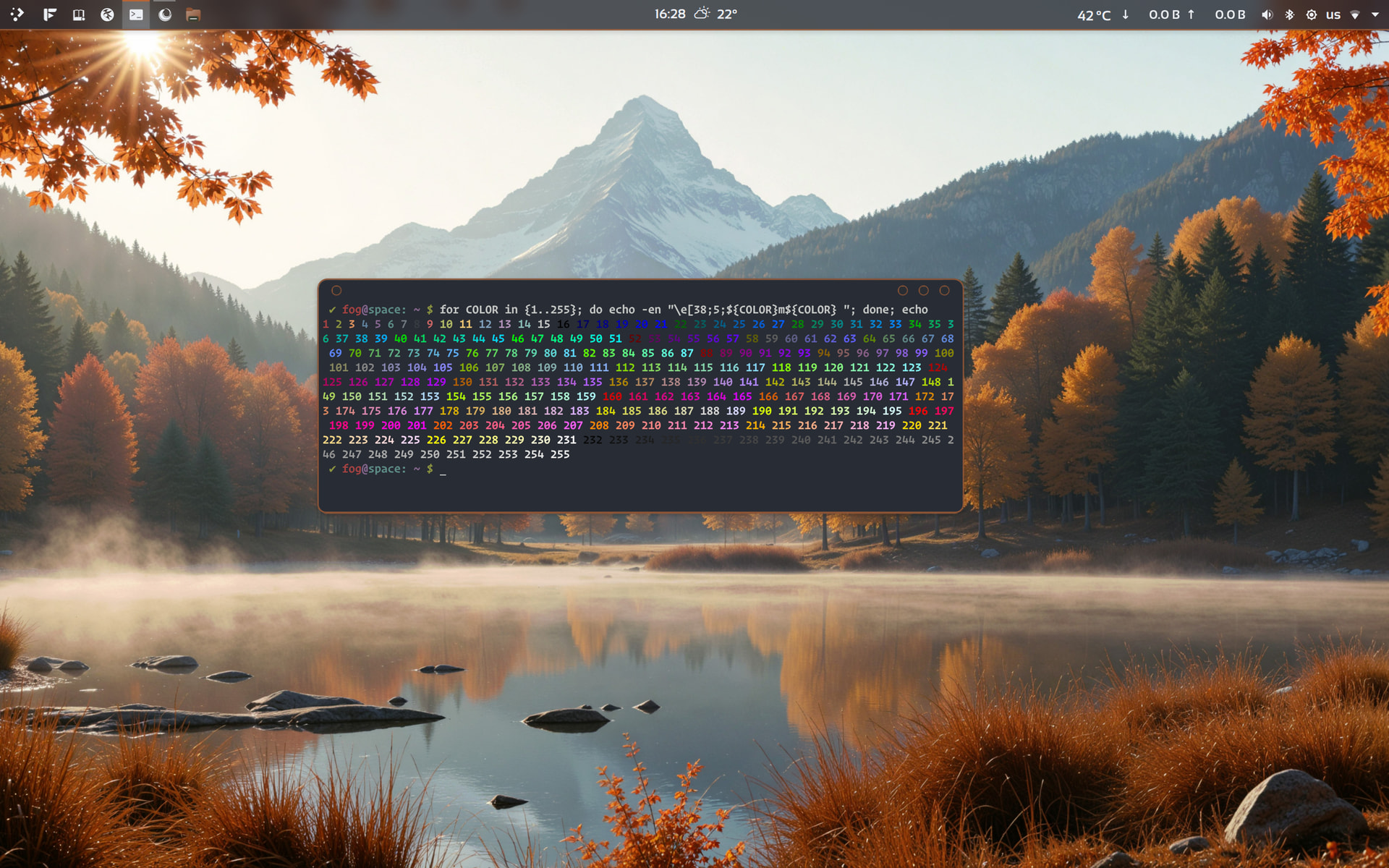
for COLOR in {1..255}; do echo -en "\e[38;5;${COLOR}m${COLOR} "; done; echo

These are the basic settings. Just play around, as @thefrog said from one of our configs. You can set some keysettings or formatthings like in that one
{
            "type": "packages",
            "format": "{all}"
        },
        "shell",
        {
            "type": "display",
            "key": "Resolution",
            "compactType": "original"
        },
        "de",
        "wm",
        "wmtheme",
        {
            "type": "terminalfont",
            "key": "font"
        },
        {
            "type": "disk",
            "folders": "/",
            "key": "Disk"
        },
        "cpu",
        "gpu",
        {
            "type": "memory",
            "key": "RAM"
Here is the wiki for configuration. At first i recommend to genrate a full configuration with following command: fastfetch --gen-config-full . Then go to the fun stuff, but don’t forget to backup the original config.jsonc
Good artists borrow. Great artists steal. --Pablo Picasso (attributed)
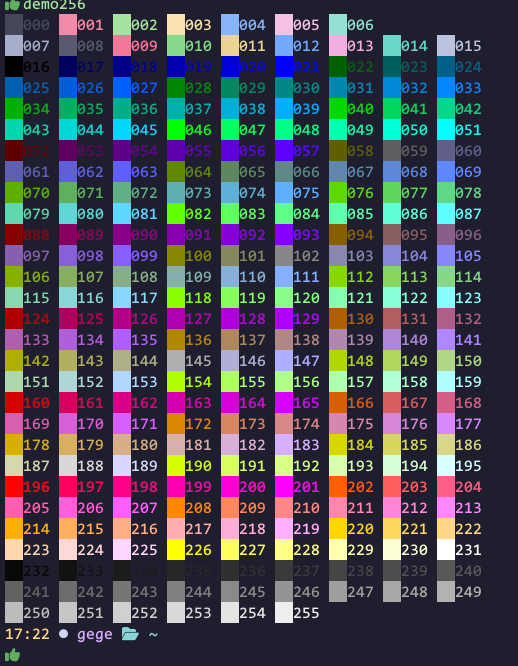
I use this function :
demo256() {
	for i in {0..255}; do
	   print -Pn "%K{$i}  %k%F{$i}${(l:3::0:)i}%f " ${${(M)$((i%9)):#6}:+$'\n'}
	done
	echo
}
Once you have created config.jsonc, you can experiment with it.
Start with a preset and build from there
Copy and paste the modules you want. We have plenty of templates for you to choose from. I would insert one module at a time and then run fastfetch in the terminal to see how it looks. To see the changes, restart the terminal of your choice.
Okay! I’m late to the party 
Thanks @vazicebon for the bar values and @swh for the config
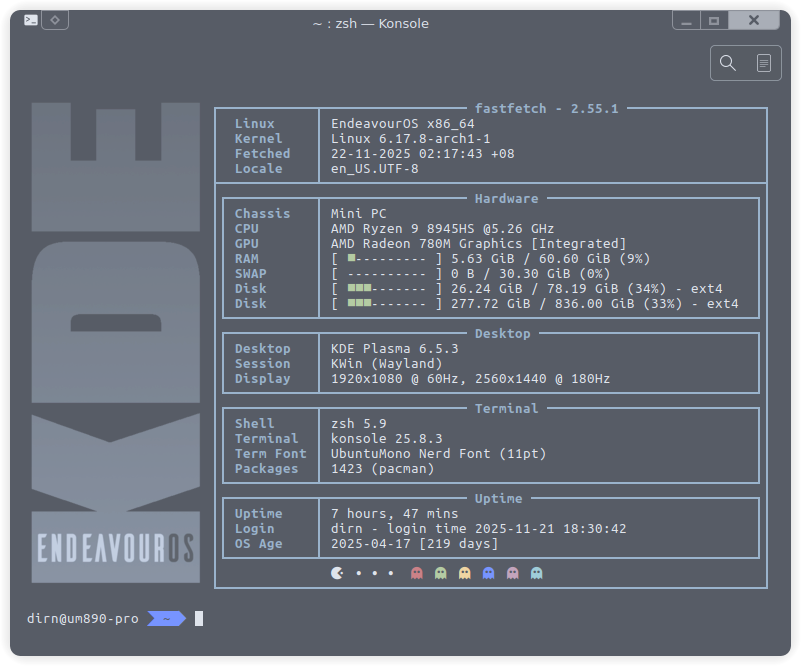
Here’s my Frankenstein version
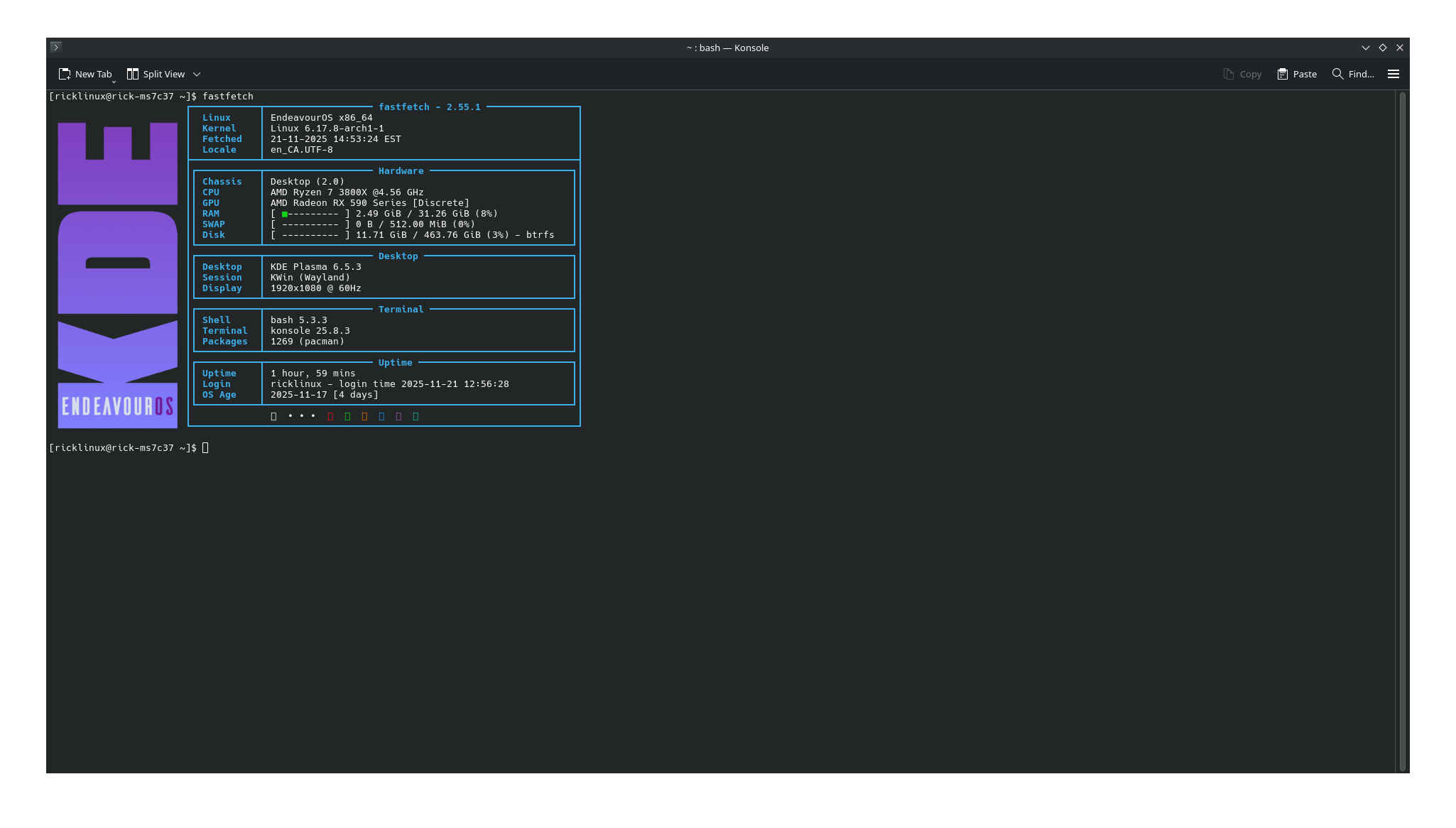
{
"$schema": "https://github.com/fastfetch-cli/fastfetch/raw/dev/doc/json_schema.json",
"logo": {
"type": "auto",
"source": "/home/dirn/Pictures/kde-endeavouros.png",
    "width": 22,          // Width in characters (for image logos)
    "height": 34,         // Height in characters (for image logos)
"padding": {
"top": 0, // Top padding
"left": 1, // Left padding
"right": 1 // Right padding
}
},
"display": {
"color": {
"keys": "blue"
},
"separator": "",
"constants": [
"──────────────────────────────────────────────────────", // {$1} - horizontal line for borders
"\u001b[55D", // {$2} - move cursor left 55 columns
"\u001b[55C", // {$3} - move cursor right 55 columns
"\u001b[54C" // {$4} - move cursor right 54 columns
],
"brightColor": true
},
"modules": [
"break",
{
"type": "version",
"key": "┌────────────┬─{$1}┐\u001b[37D",
"format": "\u001b[1m{#keys} {1} - {2} "
},
{
"type": "os",
"key": "│ \u001b[s{sysname}\u001b[u\u001b[10C│{$3}│{$2}"
},
{
"type": "kernel",
"key": "│ \u001b[sKernel\u001b[u\u001b[10C│{$3}│{$2}"
},
{
"type": "datetime",
"key": "│ Fetched │{$3}│{$2}",
"format": "{day-pretty}-{month-pretty}-{year} {hour-pretty}:{minute-pretty}:{second-pretty} {timezone-name}"
},
{
"type": "locale",
"key": "│ Locale │{$3}│{$2}"
},
{
"type": "custom",
"key": "├────────────┴─{$1}┤", // Bottom border of the entire layout
"format": ""
},
// Hardware section with cyan color theme
{
"type": "custom",
"key": "│{#blue}┌───────────┬{$1}┐{#keys}│\u001b[37D",
"format": "{#bright_blue} Hardware "
},
{
"type": "chassis",
"key": "│{#blue}│ Chassis │{$4}│{#keys}│{$2}"
},
{
"type": "cpu",
"key": "│{#blue}│ CPU │{$4}│{#keys}│{$2}",
"format": "{name} @{freq-max}",
"showPeCoreCount": false
},
{
"type": "gpu",
"key": "│{#blue}│ GPU │{$4}│{#keys}│{$2}"
},
{
"type": "memory",
"key": "│{#blue}│ RAM │{$4}│{#keys}│{$2}",
// "keyColor": "34",
"percent": {
"type": 3, // 3 = show number + bar + percentage
"green": 30, // <30% is green
"yellow": 70 // 30-70% is yellow, >70% is red
}
},
{
"type": "swap",
"key": "│{#blue}│ SWAP │{$4}│{#keys}│{$2}",
// "keyColor": "34",
"percent": {
"type": 3, // 3 = show number + bar + percentage
"green": 30, // <30% is green
"yellow": 70 // 30-70% is yellow, >70% is red
}
},
{
"type": "disk",
"key": "│{#blue}│ Disk │{$4}│{#keys}│{$2}",
// "keyColor": "34",
"percent": {
"type": 3, // 3 = show number + bar + percentage
"green": 30, // <30% is green
"yellow": 70 // 30-70% is yellow, >70% is red
},
},
{
"type": "battery",
"key": "│{#blue}│ Battery │{$4}│{#keys}│{$2}"
},
{
"type": "custom",
"key": "│{#blue}└───────────┴{$1}┘{#keys}│",
"format": ""
},
// Desktop section with green color theme
{
"type": "custom",
"key": "│{#blue}┌───────────┬{$1}┐{#keys}│\u001b[37D",
"format": "{#bright_blue} Desktop "
},
{
"type": "de",
"key": "│{#blue}│ Desktop │{$4}│{#keys}│{$2}"
},
{
"type": "wm",
"key": "│{#blue}│ Session │{$4}│{#keys}│{$2}"
},
{
"type": "display",
"key": "│{#blue}│ Display │{$4}│{#keys}│{$2}",
"compactType": "original-with-refresh-rate"
},
// {
// "type": "gpu",
// "key": "│{#blue}│ G-Driver │{$4}│{#keys}│{$2}",
// "format": "{driver}"
// },
{
"type": "custom",
"key": "│{#blue}└───────────┴{$1}┘{#keys}│",
"format": ""
},
// Terminal section with yellow color theme
{
"type": "custom",
"key": "│{#blue}┌───────────┬{$1}┐{#keys}│\u001b[37D",
"format": "{#bright_blue} Terminal "
},
{
"type": "shell",
"key": "│{#blue}│ Shell │{$4}│{#keys}│{$2}"
},
{
"type": "terminal",
"key": "│{#blue}│ Terminal │{$4}│{#keys}│{$2}"
},
{
"type": "terminalfont",
"key": "│{#blue}│ Term Font │{$4}│{#keys}│{$2}"
},
// {
// "type": "terminaltheme",
// "key": "│{#blue}│ Colors │{$4}│{#keys}│{$2}"
// },
{
"type": "packages",
"key": "│{#blue}│ Packages │{$4}│{#keys}│{$2}"
},
{
"type": "custom",
"key": "│{#blue}└───────────┴{$1}┘{#keys}│",
"format": ""
},
// Development section with red color theme
// {
// "type": "custom",
// "key": "│{#red}┌───────────┬{$1}┐{#keys}│\u001b[37D",
// "format": "{#bright_red} Development "
// },
// {
// "type": "command",
// "key": "│{#red}│ Rust │{$4}│{#keys}│{$2}",
// "text": "rustc --version",
// "format": "rustc {~6,13}" // Print 6th to 13th characters (version number)
// },
// {
// "type": "command",
// "condition": {
// "!system": "Windows" // Posix version
// },
// "key": "│{#red}│ Clang │{$4}│{#keys}│{$2}",
// "text": "clang --version | head -1 | awk '{print $NF}'",
// "format": "clang {}"
// },
// {
// "type": "command",
// "condition": {
// "system": "Windows" // Windows version
// },
// "key": "│{#red}│ Clang │{$4}│{#keys}│{$2}",
// "text": "clang --version | findstr version", // Finds the line with "version"
// "format": "clang {~-6}" // Prints the last 6 characters (version number)
// },
// {
// "type": "command",
// "key": "│{#red}│ NodeJS │{$4}│{#keys}│{$2}",
// "text": "node --version",
// "format": "node {~1}" // {~1} removes first character (v)
// },
// {
// "type": "command",
// "key": "│{#red}│ Go │{$4}│{#keys}│{$2}",
// "text": "go version | cut -d' ' -f3",
// "format": "go {~2}" // {~2} removes first 2 characters (go)
// },
// {
// "type": "command",
// "key": "│{#red}│ Zig │{$4}│{#keys}│{$2}",
// "text": "zig version",
// "format": "zig {}"
// },
// {
// "type": "editor",
// "key": "│{#red}│ Editor │{$4}│{#keys}│{$2}"
// },
// {
// "type": "command",
// "key": "│{#red}│ Git │{$4}│{#keys}│{$2}",
// "text": "git version",
// "format": "git {~12}"
// },
// {
// "type": "font",
// "key": "│{#red}│ Interface │{$4}│{#keys}│{$2}",
// "format": "{font1}"
// },
// {
// "type": "custom",
// "key": "│{#red}└───────────┴{$1}┘{#keys}│",
// "format": ""
// },
// Uptime section with magenta color theme
{
"type": "custom",
"key": "│{#blue}┌───────────┬{$1}┐{#keys}│\u001b[37D",
"format": "{#bright_blue} Uptime "
},
{
"type": "uptime",
"key": "│{#blue}│ Uptime │{$4}│{#keys}│{$2}"
},
{
"type": "users",
"myselfOnly": true, // Only show current user
"key": "│{#blue}│ Login │{$4}│{#keys}│{$2}"
},
{
"condition": { // Conditional module: only show on non-macOS
"!system": "macOS"
},
"type": "disk",
"key": "│{#blue}│ OS Age │{$4}│{#keys}│{$2}",
"folders": "/", // Check root filesystem
"format": "{create-time:10} [{days} days]" // Show creation time and age in days
},
{
"condition": { // Conditional module: only show on macOS
"system": "macOS"
},
"type": "disk",
"key": "│{#blue}│ OS Age │{$4}│{#keys}│{$2}",
"folders": "/System/Volumes/VM", // Work around for APFS on macOS
"format": "{create-time:10} [{days} days]"
},
{
"type": "custom",
"key": "│{#blue}└───────────┴{$1}┘{#keys}│",
"format": ""
},
{
"type": "custom",
"key": "│ {$3} │{$2}",
"format":"{#37} {#37} • {#37}• {#37}• {#31} {#32} {#33} {#34} {#35} {#36} "
// "format":"{#37} {#31} {#32} {#33} {#36} {#35} {#34} {#33} {#32} {#31} "
},
{
"type": "custom",
"key": "└──────────────{$1}┘", // Bottom border of the entire layout
"format": ""
},
// End with color palette and line break
// "break", // Add a blank line
//"colors" // Display color palette
"break",
]
}
I may need to “steal” that and tinker around with it for my own Frankenstein version. That looks Great! Looks like I have a Fastfetch tweak weekend to look forward to. 

Somehow my brain read it as Fastfetch & Furious
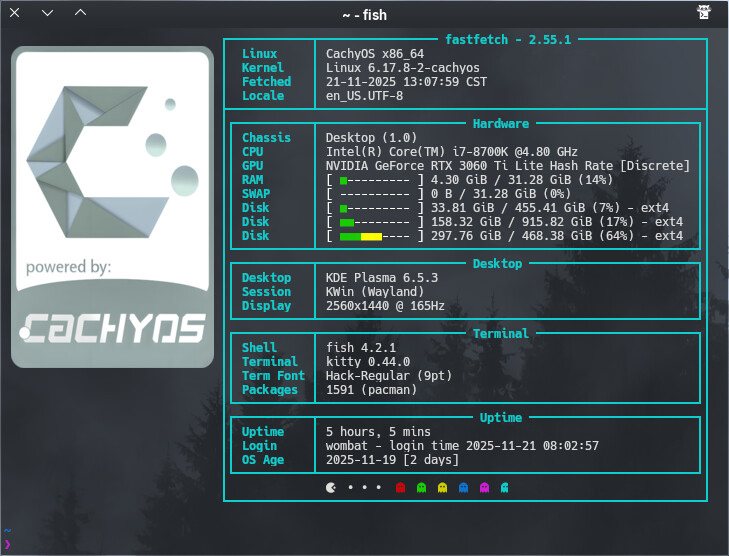
Just a quick bit of tweaking before I leave for work. Changed border colors and centered headings text as best I could. Further tweaking and beer consumption after work.
I copied @dirns config but i get errors.
[ricklinux@rick-ms7c37 ~]$ fastfetch
Error: failed to parse JSON config file `/home/ricklinux/.config/fastfetch/config.jsonc` at (2, 14): unexpected content after document
Not sure what the error is. I did add the kde logo and I’m not sure why lines 2 and 14 are a problem?
jsonc file
your missing the opening bracket here
"$schema": "https://github.com/fastfetch-cli/fastfetch/raw/dev/doc/json_schema.json",
This is what you should have
{"$schema": "https://github.com/fastfetch-cli/fastfetch/raw/dev/doc/json_schema.json",
Okay let me try again. I don’t exactly understand what they are telling me to do sometimes on the site. Maybe @dirn has stuff in the config also that i don’t need? Also when i run fastfetch the logo doesn’t Aline with the box the same everytime? Is okay here but if i don’t use full screen and the terminal is a different size it is not Alined.
you will need to adjust
"width": 22, // Width in characters (for image logos)
"height": 34, // Height in characters (for image logos)
I don’t have height in myne so take it out and see what happens.
I did adjust height to line up with the bottom of the other box but if i have the terminal in a different size they don’t Aline.
I just use
{ "$schema":
   "https://github.com/fastfetch-cli/fastfetch/raw/dev/doc/json_schema.json",
   "logo": {
                  "type": "auto",
   "source":  "/home/swh/Plasma//EOS/fetch/1010enos.png",
     "padding": {
		"top": 0,
		"left": 2,
		"right": 2
	}
I just adjust top left and right. Dont have width and heigth
yeah I don’t think it dynamically adjust. but maybe that is a Konsole thing. I use kitty for my fastfetch
have you seen the size of my logo’s lol if not a width they will take up the screen.
Yeah saw it  That makes sense in that case