Failed to mount /efi after system update

Hello,
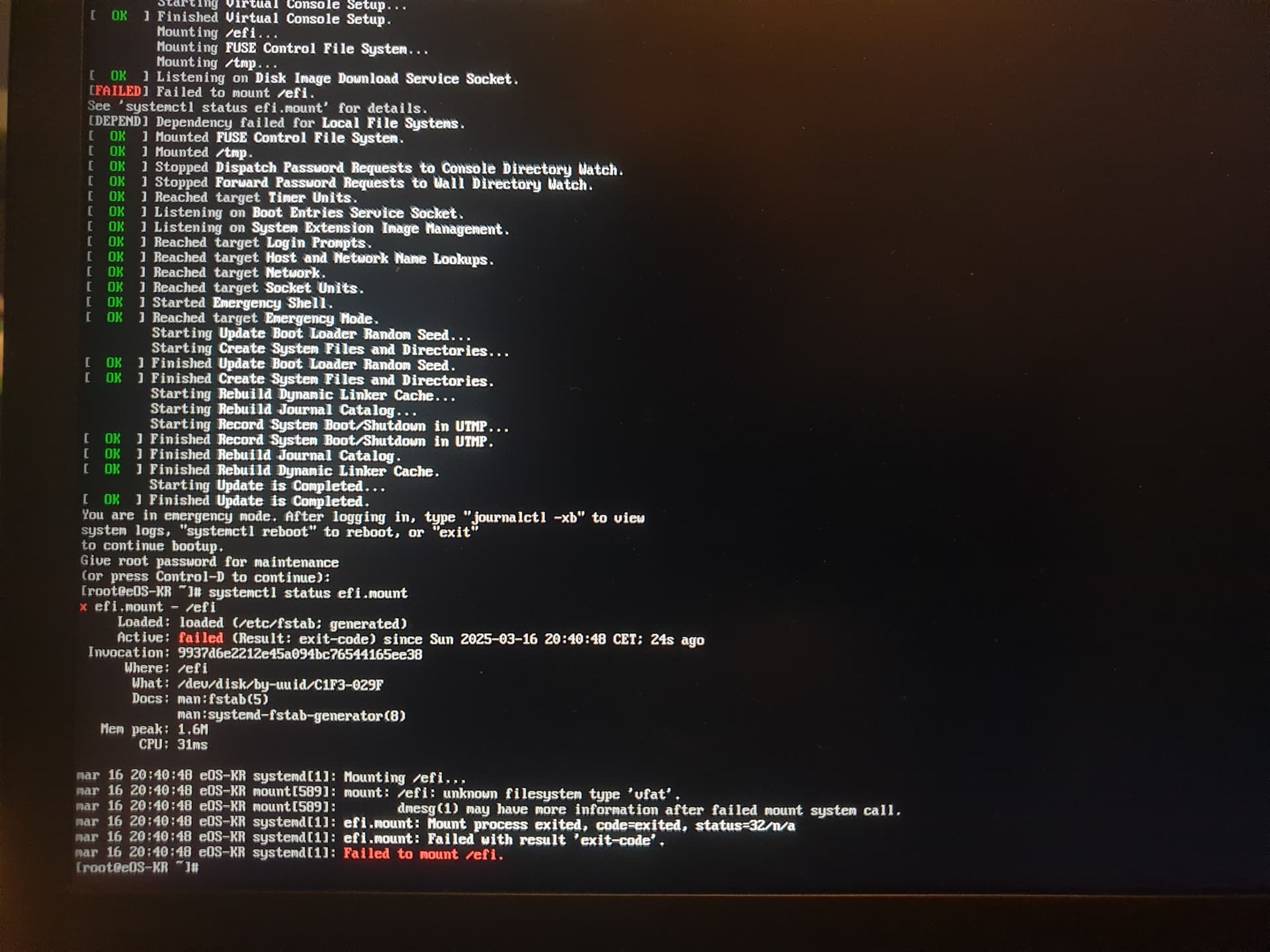
I’ve ran a sudo pacman -Syu earlier today and after rebooting, I’m unable to boot into the system as it failed to mount /efi.

I’m aware of this thread but I’ve went through it and it didn’t seem to have a solution for me.

I’m new to Arch and a bit shaken right now. I’m completely clueless about where to go from here. I have a timeshift backup from about a week ago that I’ll have to revert to if nothing else works, though I’d rather not do that as I’ll lose a lot of work.

I’ve attached a photo of the boot screen.

That should be fixable.

Try booting the fallback from the bootloader menu.

If that works, run sudo dracut-rebuild

Sadly, I’m getting the same result when booting the fallback.

It is exceedingly strange that the fallback would be missing the vfat modules.

I guess the next step is to use an EOS ISO to boot the system and then create a chroot. There is a guide in the EOS wiki explaining how to do that.

Please be sure to read the entire guide before starting since there are different instructions for different setups.

Once you get into the chroot, please run pacman -Q | grep -E "dracut|mkinitcpio|grub|kernel" and share the results here.

2 Likes

Here’s the result:

That would be the problem.

It looks like you installed mkinitcpio which would have removed kernel-install-for-dracut. You should have received a warning when you did this.

Try this from the chroot, be sure that you properly mounted the EFI partition.

pacman -Rc mkinitcpio
pacman -S kernel-install-for-dracut
reinstall-kernels
3 Likes

Thanks! That’s where the issue was. I’m now in line with the thread I linked in my original post, with 2 old broken boot entries and 2 new working ones, so I’ll need to clean that up.

Do you have any advice to prevent running into this issue again in the future?

1 Like

Don’t install mkinitcpio.

More generally, when you install packages and there are warnings, be sure to read them carefully. Of course, be especially careful when you install something and it wants to remove a different package.

1 Like

This topic was automatically closed 2 days after the last reply. New replies are no longer allowed.