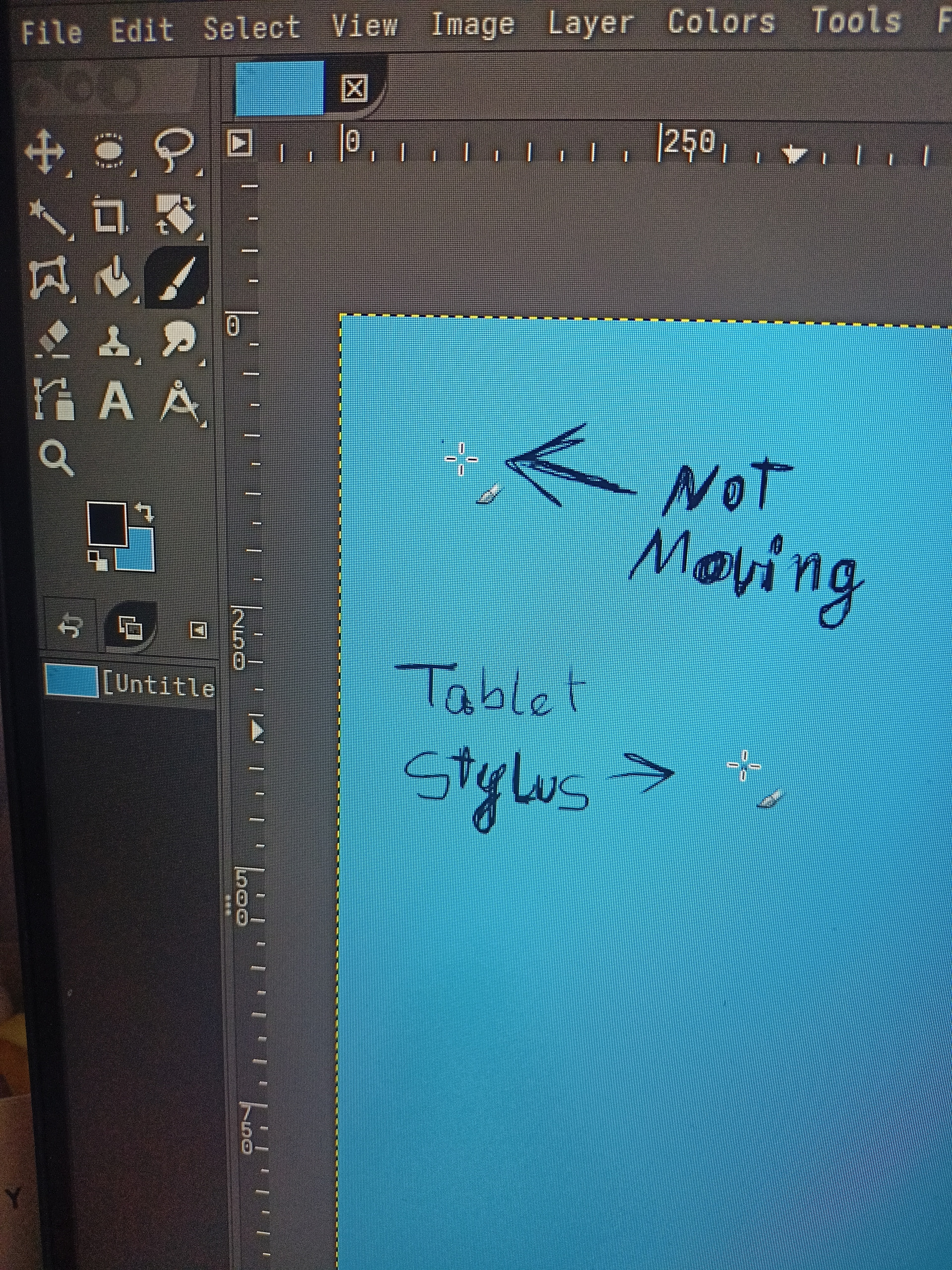
I updated the system and now I have this bug. It looks like it’s not an uncommon issue but the solutions I found were usually switching to X11. Unfortunately I can’t because Gnome doesn’t support it anymore, unless I’m mistaken.
It is the same both on the lts kernel and the latest kernel.
On a side note, Krita stopped detecting any input from tablet. Maybe it’s related because it can’t handle two inputs at the same time? But it’s not an issue only I have and it seems to already be reported as a bug.
Hi, I have this same issue! I get a double pointer AND Krita doesn’t listen to any tablet input. Weirdly enough, other apps (e.g. Chromium) seem to listen to my tablet, but not Krita. Out of curiosity, I tried testing the tablet on the RustRover IDE as well and it didn’t work, so maybe the update has broken compatibility with apps similar to RustRover and Krita.
In case you still have this problem I found a temporary solution.
I started krita from terminal with an environmental variable set like this
env QT_QPA_PLATFORM=wayland krita
It’s not perfect but at least the pen is somewhat working
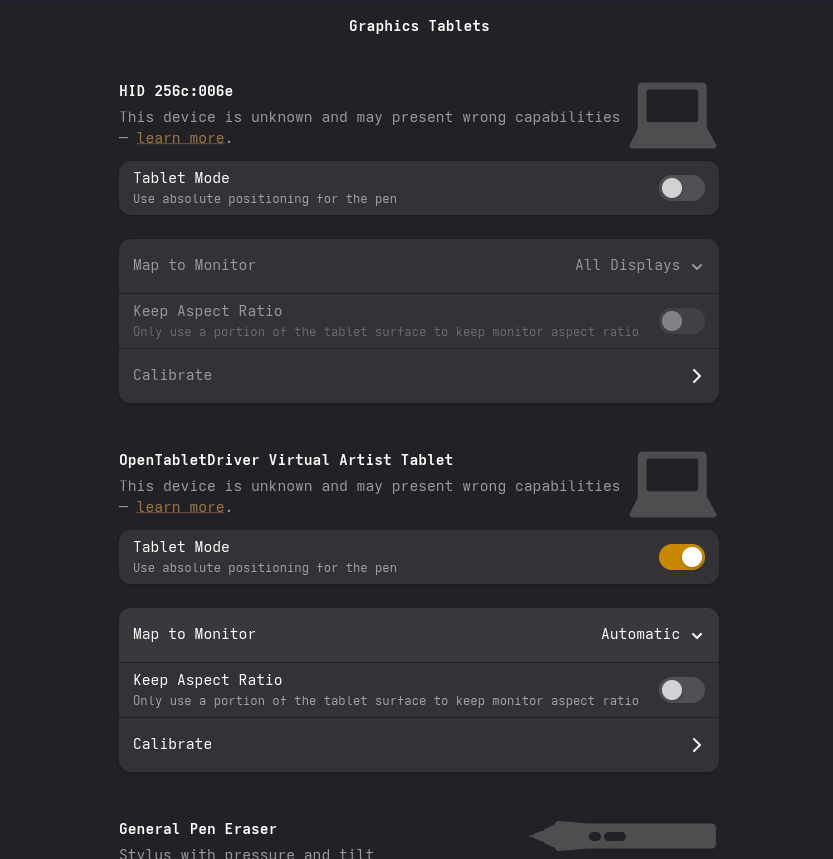
To bad I have this issue permanatly on my Yoga 2in1 laptop with the new update. The cursor is stuck at cord 0 0 for me aka upper left corner and I can’t really remove the graphics tablet as its built into my screen and disabling “tablet mode” under graphics tablet under gnome settings did nothing to fix it either
Looks like new updates has finally fixed this issue for me personally. AKA I no longer see the double cursor stuck in the upper left corner of my laptop screen. Now if only I could get the phatom touches fixed. Those were fixed on Windows by Lenovo but are still a MAJOR issue on linux for me
Managed to get rid of the phantom touches by disabling the pen driver using “noinputs” similar to xinput but for wayland/xwayland since xinput is x11 only and thus not usable for me on my GNOME50+Wayland setup