If you are like me, I use VLC to play videos back on my Linux install. I use KDE Plasma, and about 6 months ago or so, I started having issues playing videos back from my network shares, which use the Samba protocol, via Dolphin. Sometimes the video would play, and sometimes the video would not play and VLC would error out. The fix is really easy.
The Cause:
This is caused by a change in VLC’s prefetch values as it relates to streaming video. With version 3.0.8, the devs of VLC changed the default values.1 While this does not affect other file managers such as Thunar, Caja, and Nautilus, it does prevent video playback from Samba shares via Dolphin.
The Solution:
We need to change the prefetch values used by default in VLC.
-
Open VLC
-
Go To
Tools>Preferences -
In the
Show settingsbox, select theAlloption.
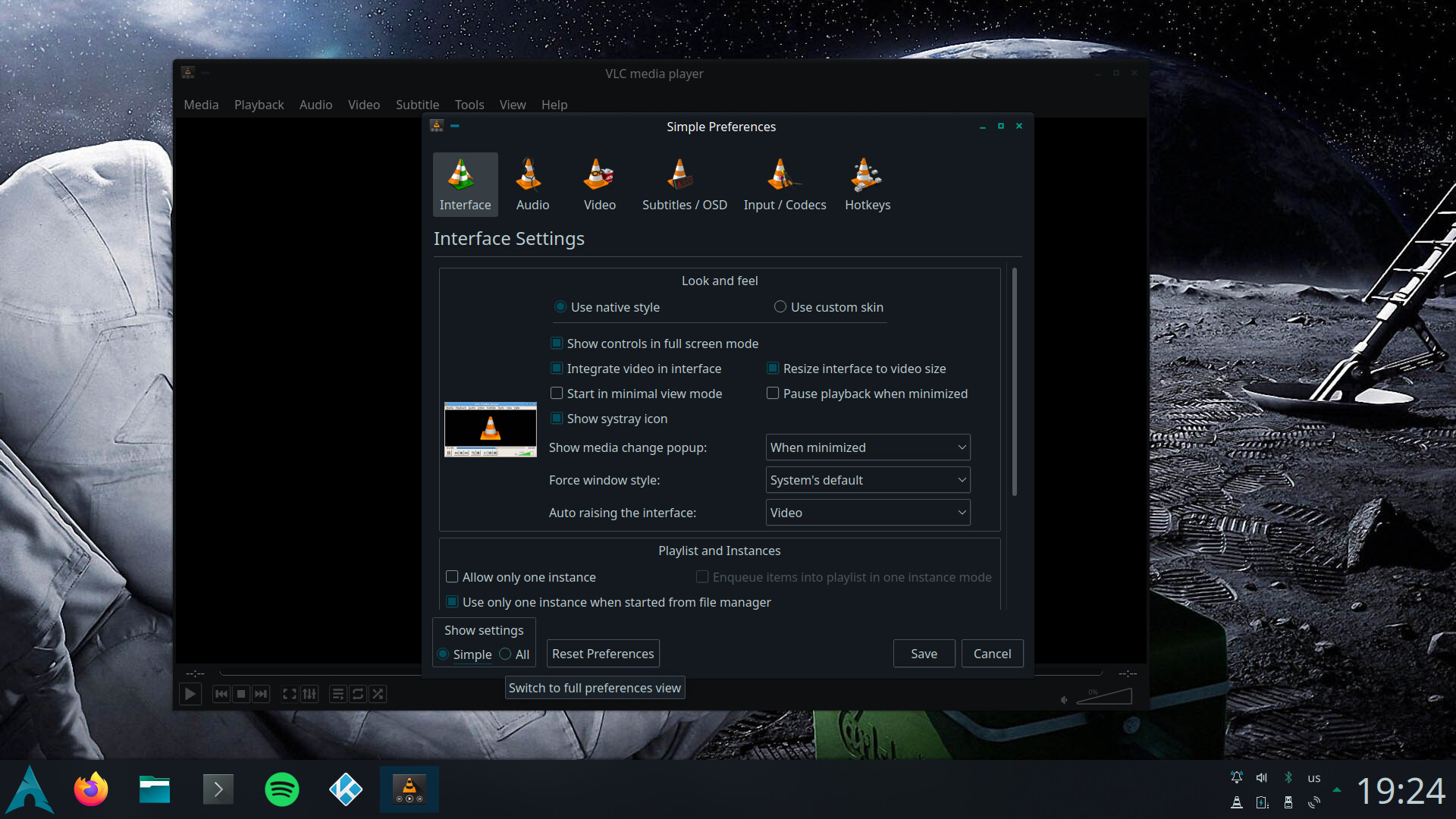
-
In the
Input / Codecssection, look for theStream filtersoptions and click on it. -
This will open the
Stream prefetch filteroptions.
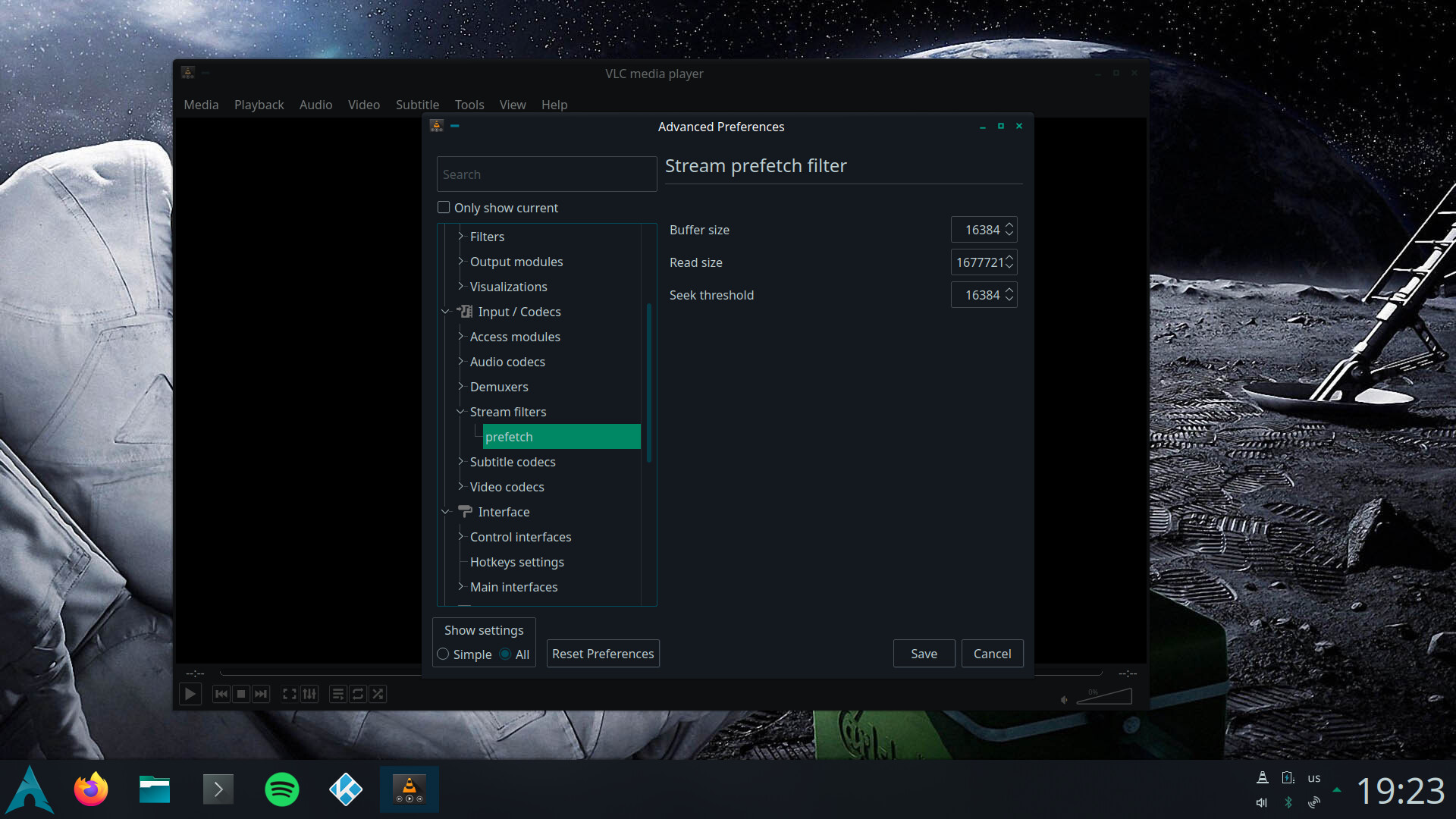
- Change the value in the
Read sizebox to match theBuffer sizevalue.
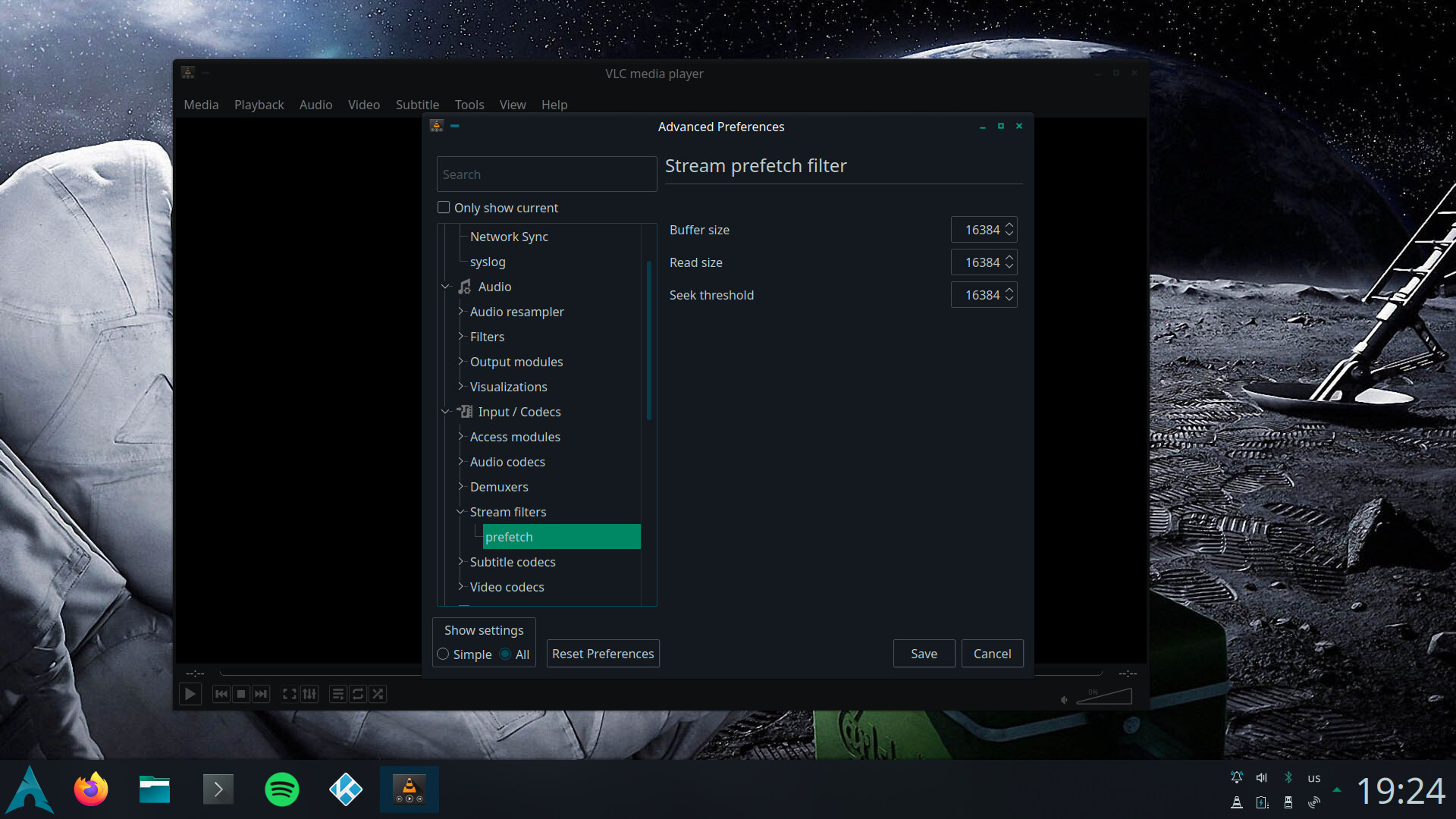
- Hit
Saveand restart VLC.
Now VLC will playback videos that are stored on Samba shares without any issues.