I just installed the KDE version. I used KDE before with Fedora but it had the kde discover with update notifications. Does endeavour have anything like that?
Yes, there is an update notifier you can use but it isn’t very useful on Arch. Because Arch is rolling there are updates nearly every day. As a result, it is easier to just to update whenever you feel like it.
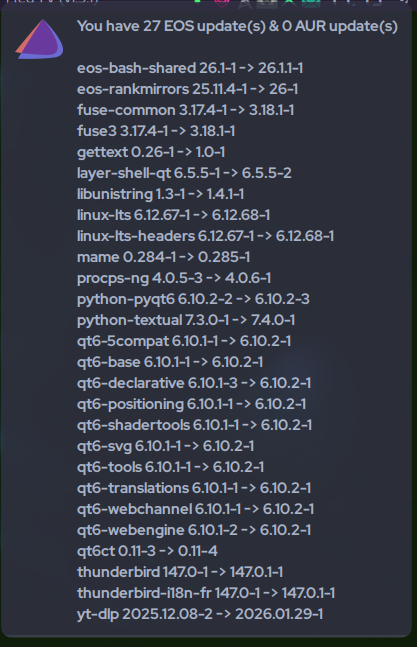
I’m using Arch-Update. By default. it notifies me about new updates when I start the computer and every hour. I set it to check on startup only. 
I’m not using anything. like dalto and denalb said, there are available timers to use for sure.
Once you get in the habit, for me, of typing yay about 3X a day then it’s tough to break. As far as users go, updating is temperament, I suppose. I don’t want anything telling me what to do. I will do it myself. subject to change 
OK thanks. It was pretty handy to be notified about my available Dell firmware/ BIOS updates too.
We also have an update notifier, you only have to enable it by typing
eos-update-notifier -init
In the terminal or enable it through our welcome app.
Thx I’m going to try that until I get used to the way everything works. Seems great so far has everything I need and found my brother printer/scanner 
Welcome @chipsahoy have fun here and with the OS. 
Welcome to the community!
The KDE app store has Apdatifier (which I use), because it also tracks updates for flatpak and firmware. These types of notifications are entirely optional because as already pointed out, EnOS has updates every day (rolling release). You update based on your convenience, not when the system nags you to.
Hi,
you are using KDE. For Gnome there is an extension called Arch Linux Update Indicator, which lives in the topbar showing the number of updatable packages. Just in case you want to switch
Ciao,
Photor
Discover should still notify you about firmware updates if you have fwupd (https://wiki.archlinux.org/title/Fwupd) installed
Discover didn’t get installed when I did my install?
You can install it if you want to.
Take a look at Apdatifier. It’s a swiss Knife! A notifier handling official & AUR repos AND a widgets updater. It uses yay or paru in the background. It also fetches Arch Linux (a big pro for for not missing out critical info) & KDE news.
Description:
Widget that tracks updates and providing notifications for new ones.
Features: • Notification for updates and news • Searching updates for Arch (+AUR), Plasma Widgets, Flatpak • Bash script with useful options for managing packages • Two types of lists: compact and extended with additional information • Button to initiate a full system upgrade in the selected terminal • Option to refresh the mirrorlist with the latest mirrors filtered by speed • Customizable icon on the panel and package icons in the list • Also should work on non-Arch-based systems (for Plasma Widgets and Flatpak)
After installation, you can either enable it to appear in the system tray or place it on the panel or desktop instead.
That does not work for bios or nvme updates. Both of my nvme drives did not get any updates offered (samsung 990 pro’s) and there where 2-3 firmware updates available. Last time i updated was the day i wiped windows.
Also bios update i check regular, my msi notebook got a update available since august of 2025 and that didnt get offered as well.
It works but it only supports certain hardware.
Not all manufactures have firmware update processes that support Linux.
It does update the ms uefi stuff, got that update twice.
Does that give firmware or bios updates?