I’m seeing an issue where my display is completely unresponsive for around 5 minutes after boot. The system itself seems to be responsive, since the keyboard status lights such as CapsLock, FnLock, and mute work fine.
The details of my system:
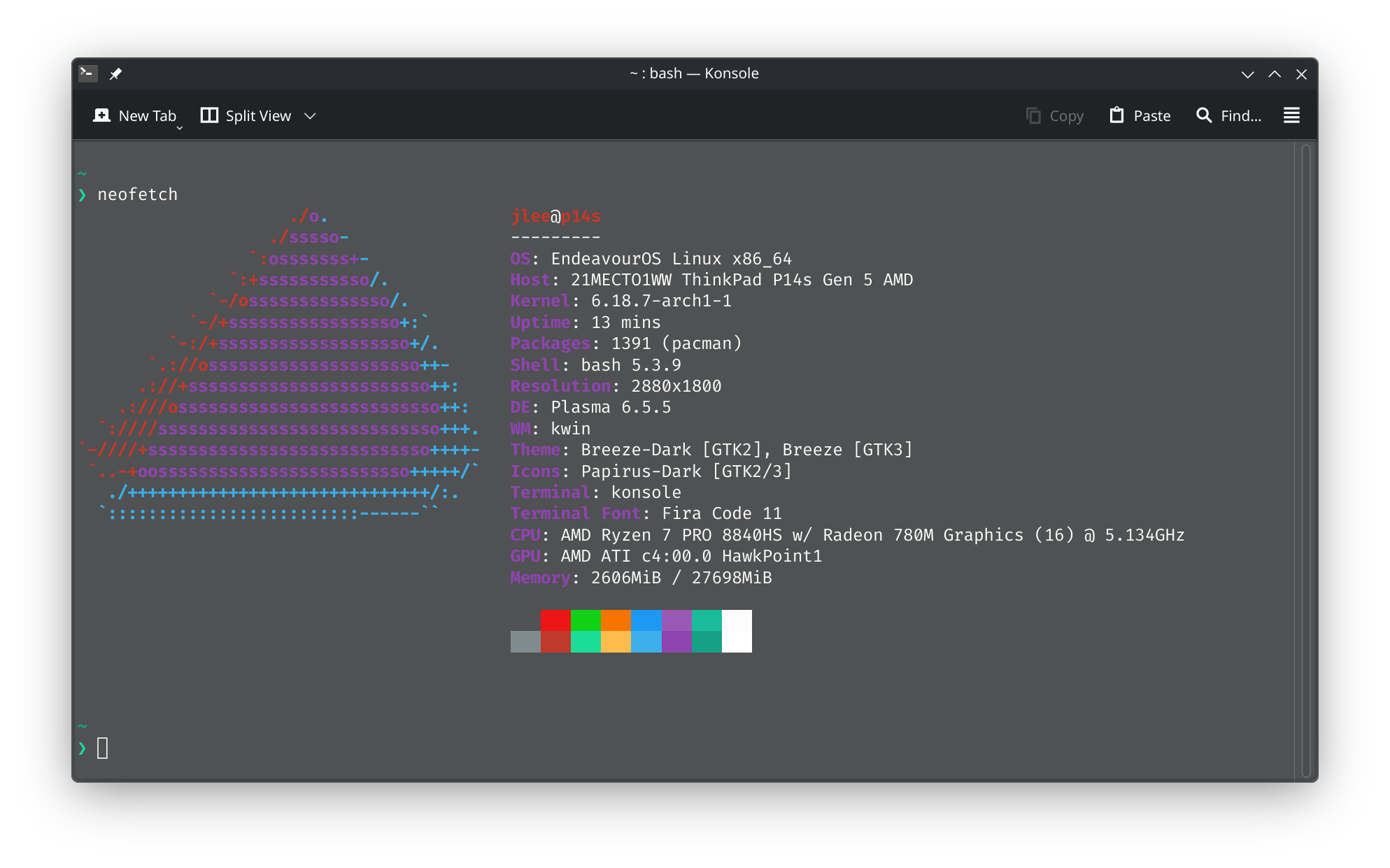
My system is fully updated:
❯ sudo pacman -Syu
[sudo] password for jlee:
:: Synchronizing package databases...
 endeavouros is up to date
 core is up to date
 extra is up to date
 multilib is up to date
:: Starting full system upgrade...
 there is nothing to do
My graphics setup:
❯ inxi -G
Graphics:
  Device-1: Advanced Micro Devices [AMD/ATI] HawkPoint1 driver: amdgpu
    v: kernel
  Device-2: Luxvisions Innotech Integrated Camera driver: uvcvideo type: USB
  Display: wayland server: X.org v: 1.21.1.21 with: Xwayland v: 24.1.9
    compositor: kwin_wayland driver: X: loaded: amdgpu unloaded: modesetting
    dri: radeonsi gpu: amdgpu resolution: 2880x1800~120Hz
  API: EGL v: 1.5 drivers: kms_swrast,radeonsi,swrast
    platforms: gbm,wayland,x11,surfaceless,device
  API: OpenGL v: 4.6 compat-v: 4.5 vendor: amd mesa v: 25.3.4-arch1.1
    renderer: AMD Radeon 780M Graphics (radeonsi phoenix LLVM 21.1.6 DRM 3.64
    6.18.7-arch1-1)
  API: Vulkan Message: No Vulkan data available.
  Info: Tools: api: clinfo, eglinfo, glxinfo, vulkaninfo
    de: kscreen-console,kscreen-doctor wl: wayland-info
    x11: xdpyinfo, xprop, xrandr
Some other points:
- The issue persists regardless of X11 or Wayland, so it is not a window manager issue.
- I don’t see the issue after waking up the system after sleep, but it happens consistently after a fresh reboot or a fresh user session after logging out and back in.
- Sometimes the display stays unresponsive after 5 minutes, but I can ‘force’ it to wake up by connecting an external display during the unresponsive state.
- The latest
mesadrivers are installed
What could be causing this issue, and what are some logs I can check to start debugging?