After closely thinking up all the processes and ideas I got from your answer and @flyingcakes answer in that topic, now I feel that there might be some relation b/w the conflicts happening for booting sequence b/w HDD and SSD…
So, will following this procedure can cause the same confusion for GRUB ?
No, not for Grub.
If it is done properly, your system should boot normally and your devices all mounted at mount points that you have defined in /etc/fstab.
The reason it failed before was that the system was trying to mount partitions in fstab which no longer were existent and eventually dropped to emergency shell.
You have everything you need to know in the Wiki article plus you have done it once before as in the solution in the other thread. Just adapt it to the new "circumstances.
In case of doubt, post here.
I have to go off the forum for a while but I’m sure others would reach out to you.
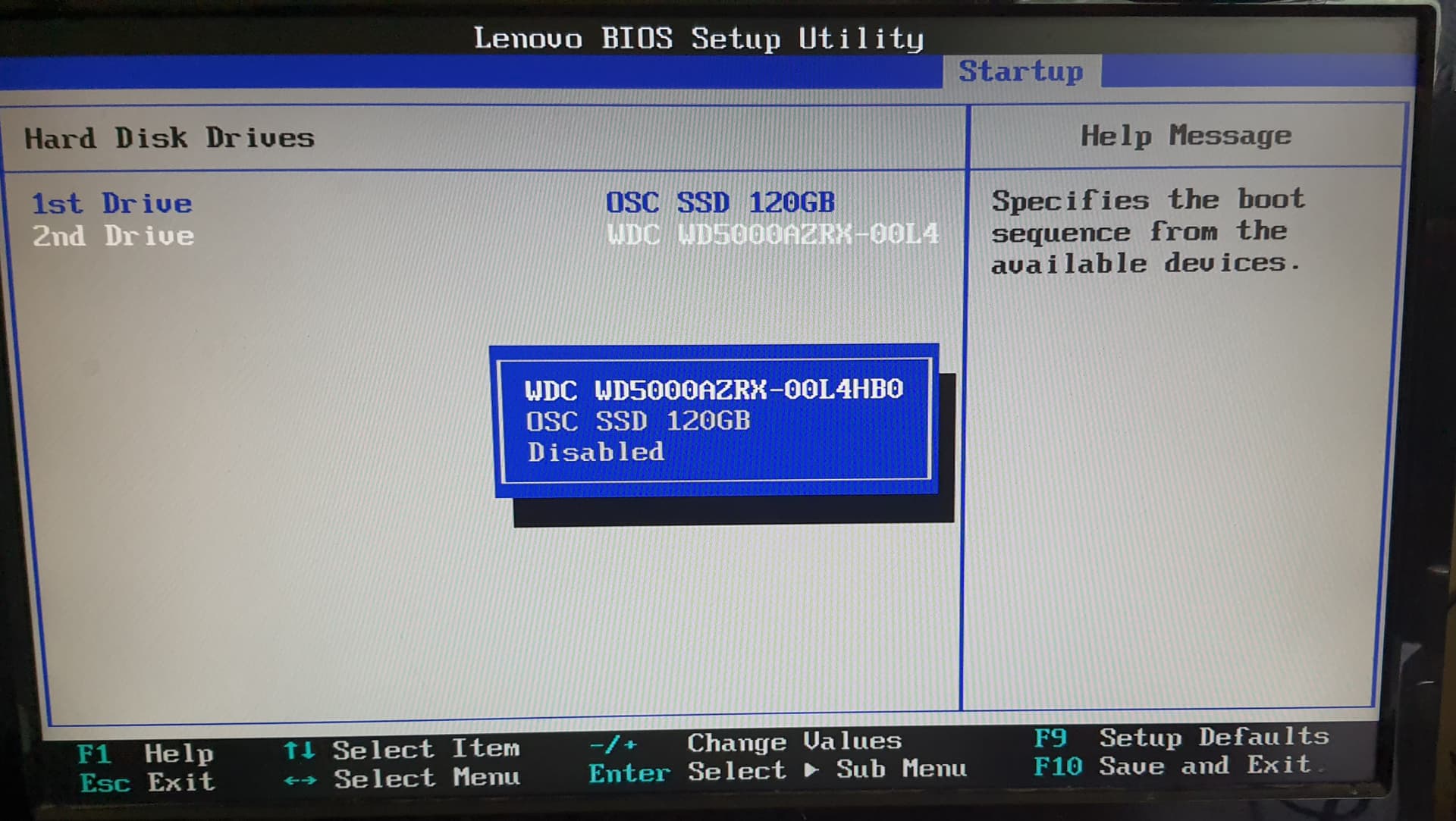
Today morning, I disabled HDD from BIOS so that there should be no chance of conflicts while booting, but now system is not booting nor it is going into emergency mode…
Also, now that HDD is vanished frim BIOS as well.
How should I proceed?
then it does not matter that the storage device labels have changed. In fact, that is why they came up with UUIDs for storage devices in the first place.
┬─[deweshk@HomeDesktop:~]─[09:17:45 AM IST]
╰─>$ cat /etc/fstab
# /etc/fstab: static file system information.
#
# Use 'blkid' to print the universally unique identifier for a device; this may
# be used with UUID= as a more robust way to name devices that works even if
# disks are added and removed. See fstab(5).
#
# <file system>             <mount point>  <type>  <options>  <dump>  <pass>
UUID=a4f552a4-21c8-4da3-932a-f72d289bfde6 /              ext4    defaults,noatime 0 1
tmpfs                                     /tmp           tmpfs   defaults,noatime,mode=1777 0 0
As of now, I removed the entries of HDD’s partitions as from last few days, during boot process I am getting errors like failed to mount /dev/sda(1)(2)(5)(6) or system trying to boot from this drive.
But sir, I am confused from the situation in which device is trying to boot from HDD despite the fact that OS and root is on SSD.
Also, what is the importance of /tmp and tmpfs ? And why it is set at
,noatime,mode=1777 0 0 ? I remember that on Wiki somewhere it is written that setting the value to 0 0 means infinite time loop.
tmpfs is a temporary filesystem that resides in memory and/or swap partition(s). Mounting directories as tmpfs can be an effective way of speeding up accesses to their files, or to ensure that their contents are automatically cleared upon reboot.
I don’t know what an “infinite time loop” means, but those 2 fields are for dump and fsck. See here:
<dump> is checked by the dump(8) utility. This field is usually set to 0, which disables the check.
<fsck> sets the order for file system checks at boot time; see fsck(8). For the root device it should be 1. For other partitions it should be 2, or 0 to disable checking.
Note that with an Arch-based distro you don’t need an entry for /tmp in fstab:
(systemd places /tmp on tmpfs by default, so any distro that uses systemd does this unless specifically overriden)
Arch uses a tmpfs /run directory, with /var/run and /var/lock simply existing as symlinks for compatibility. It is also used for /tmp by the default systemd setup and does not require an entry in fstab unless a specific configuration is needed.
I don’t have /tmp in my fstab, yet I have /tmp mounted: