Hi, i want to customize my desktop but I don’t no what to do I have watch a few youtube video but I don’t really understand. Can someone please help me. Thank you.
1 Like
Hello and welcome,
This will be highly dependent upon what environment we are talking about.
Which Desktop Environment or Window Manager is in use?
My environment manager is KDE plasma
For KDE Plasma most things can be found in the various sections of System Settings.
A few more things can be customized simply by right-clicking on the desktop or the panel.
1 Like
ok thanks for your help
KDE Plasma is highly customizable. If you are new to it, I suggest to not overdo the customization.
For a new to Plasma (talking of my own experience) the Settings could be a Labyrinth you could lose yourself in.
In order to find your way back, just make a few changes, take note of what you have changed and if you are happy with it, repeat the same procedure.
5 Likes
This is good advice! Once I figured out what I liked and wanted in KDE I started jotting down the steps to get to each change/customization. After a few installs of KDE on EOS and other distros, I can pretty much knock them all out in about 15 minutes now.
2 Likes
Yep as @cactux said just take it easy at first, use customization through the KDE settings, try a few themes, download a plasma scheme or three and once you get comfortable with that try a few layout changes, maybe add a widget or two, Don’t worry it’s very forgiving and you can always revert things.
This thread is handy as you will pick up tips from peoples Fastfetch screenshots. Also several of us post what gizmos we have used to get certain effects and suchlike, trust me it’s pretty easy and folks here are always happy to share tips and tricks.
Before you know it you’ll be trying to remember what trees look like.
4 Likes
Probably one of the best advice ever.
Might be obvious to say but, i cannot stress enough how important it is to take notes of what you did, specially when you don’t really know what you are doing.
It make it easier to revert changes and repair whatever might be broken, and in case you can’t solve it yourself, being able to retrace the steps you have taken will greatly increase the chances of having the right answer on any forum.
Plus, next time you want to modify something, you won’t struggle to remember “how did i change that last time ?” (including links to apps you used or tutorial you followed is a good idea)
I can’t count the amount of times i wish i had taken notes on things i did.
4 Likes
You can start by playing around with these three settings in System Settings > Colors & Themes:
- Colors
- Plasma Style
- Icons
Just a heads-up — you might end up spending a lot of time customizing your setup!
But no worries — being in this forum means you’re in good hands 
4 Likes
As @dirn stated, System Settings > Colors & Themes is where to start. Along with the many themes and styles available in the Arch repos, AUR, and the many things available at the KDE store and Pling.
EXAMPLE: My current setup -

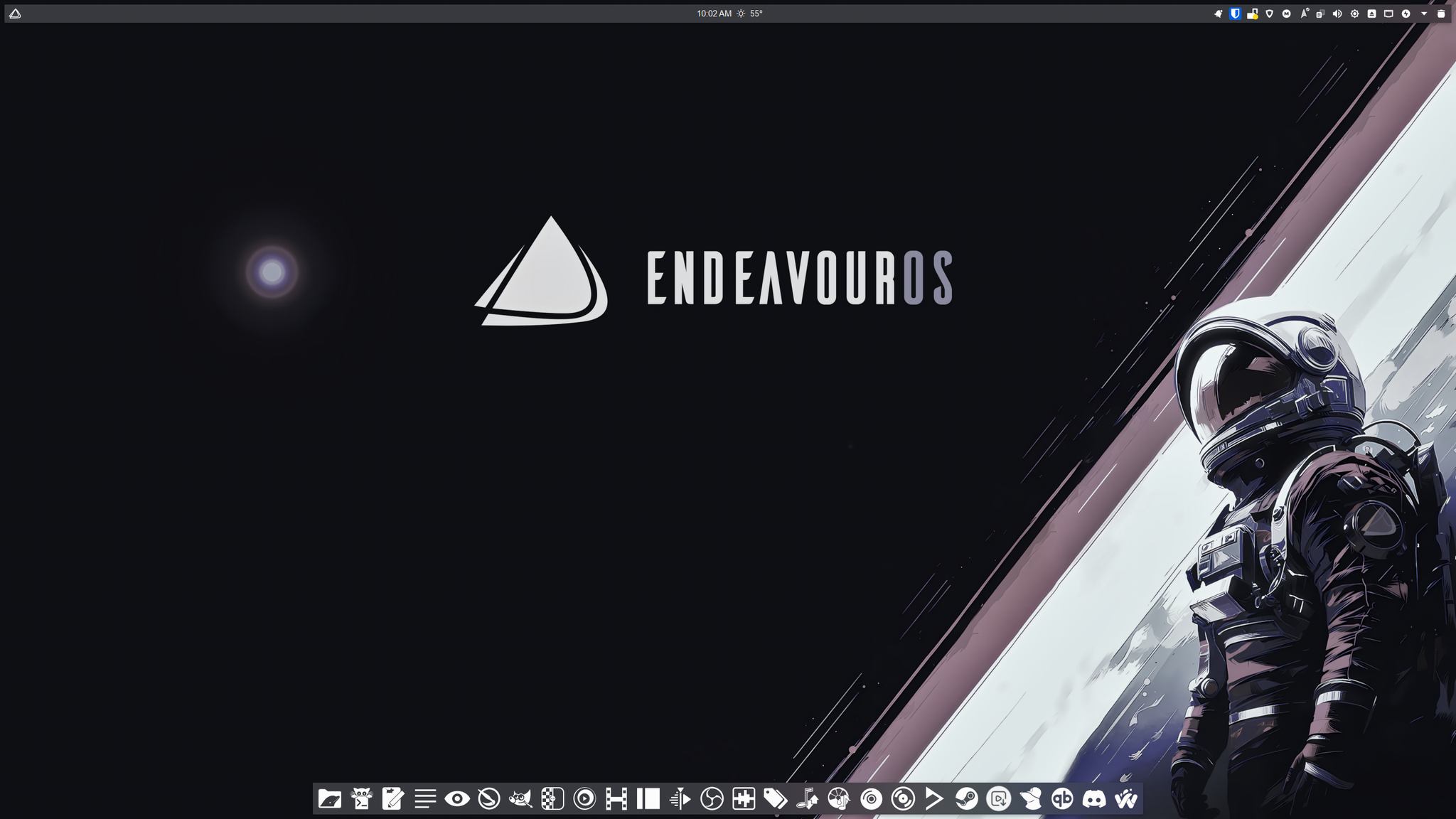
- Global Theme: Breeze Dark EndeavourOS
- Colors: Silvery-Blue-Dark
- Application Style: Klassy
- Plasma Style: Breeze Dark
- Window Decorations: Klassy
- Icons: Yet Another Monochrome Icon Set
- Cursors: Future Dark
100% accurate!
5 Likes
Yeah thank you that’s what I started to do because it was the easiest and no I’m learning linux through website but thanks 
Thank you you have a beatiful theme I really liked it and thanks for the links I can save them to modify my environment
1 Like
Thanks to everyone who have helped me I can now modify my environment and find it really cool thanks to all of you
4 Likes