How to make custom ISO Live (EndeavourOS) - by GabberJ
If you want to make a custom ISO live on EndeavourOS, you need to install penguins-eggs.
It’s a console tool that allows you to remaster your system and redistribute it as live images on usb sticks or via PXE. You can install by AUR.
Open your terminal and type:
yay penguins-eggs
when the install is finished, edit /etc/lsb_release file with the traditional version of Arch Linux:
DISTRIB_ID="Arch"
DISTRIB_RELEASE="rolling"
DISTRIB_DESCRIPTION="Arch Linux"
#DISTRIB_CODENAME=rolling
back in your terminal and type (for update new configuration):
sudo eggs dad -d
Then we are ready to create our first iso. You can create your live to distribute it. You can choose between 3 modes:
• eggs produce this is the default: all private data are removed on the live.
• eggs produce --clone include all users data UNCRYPTED directly on the live.
• eggs produce --cryptedclone include all users data CRYPTED on a LUKS volume inside the iso.
NOTE: At the moment eggs uses the default fast compression, which provides a faster compression speed, for the final compression it is worth using the --max flag to get more compressed ISOs.
When the process is finished. You will get this message:
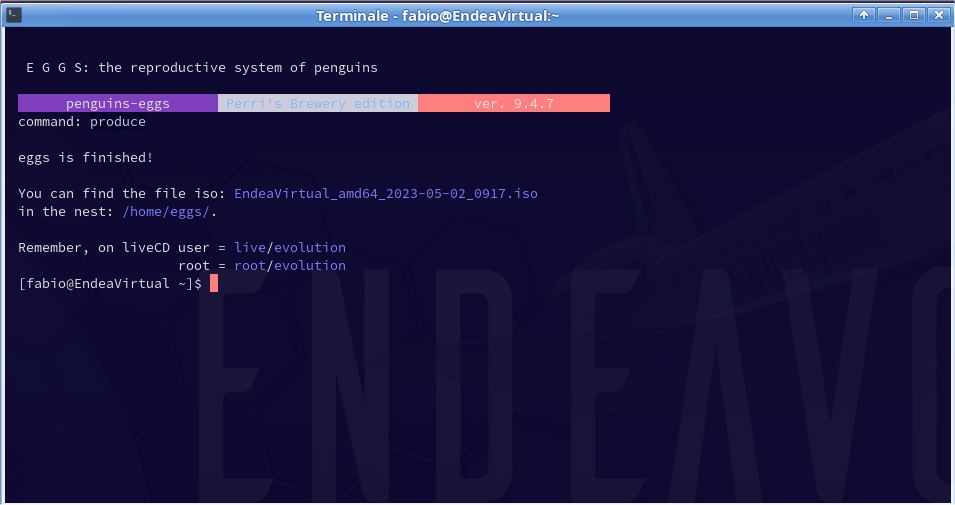
You can find your iso file in: /home/eggs/
You can check your iso file in VM or USB stick.
If you want to install it, you can use “krill installer”. Open terminal and type:
sudo eggs install
Krill uses a CLI interface that mimics calamares and uses the same configuration files created by eggs for calamares. This provides a “roughly similar” installation experience for both desktop and server installations. With krill it is also possible to have unattended installations, simply by adding the --unattended flag.
NOTE: “krill” force to use the entire disk. There is no choice to install the os in defferents partitions (example sda3) for dual boot.
If you want to use Calamares to install your iso live, you will get an error loading modules “plymouthcfg@plymouthcfg” (probably caused by original configuration files of Calamares).
You can fix this problem to replace it with this current version by AUR.
2 aur/calamares 3.2.61-1 (+1 0.28)
Open terminal and type:
yay calamares
After that we need now to reconfigure eggs:
sudo eggs dad –d
Then we are ready to re-create the iso:
sudo eggs produce (or other mode that you prefer)
TESTED with penguins-eggs 9.4.7-2