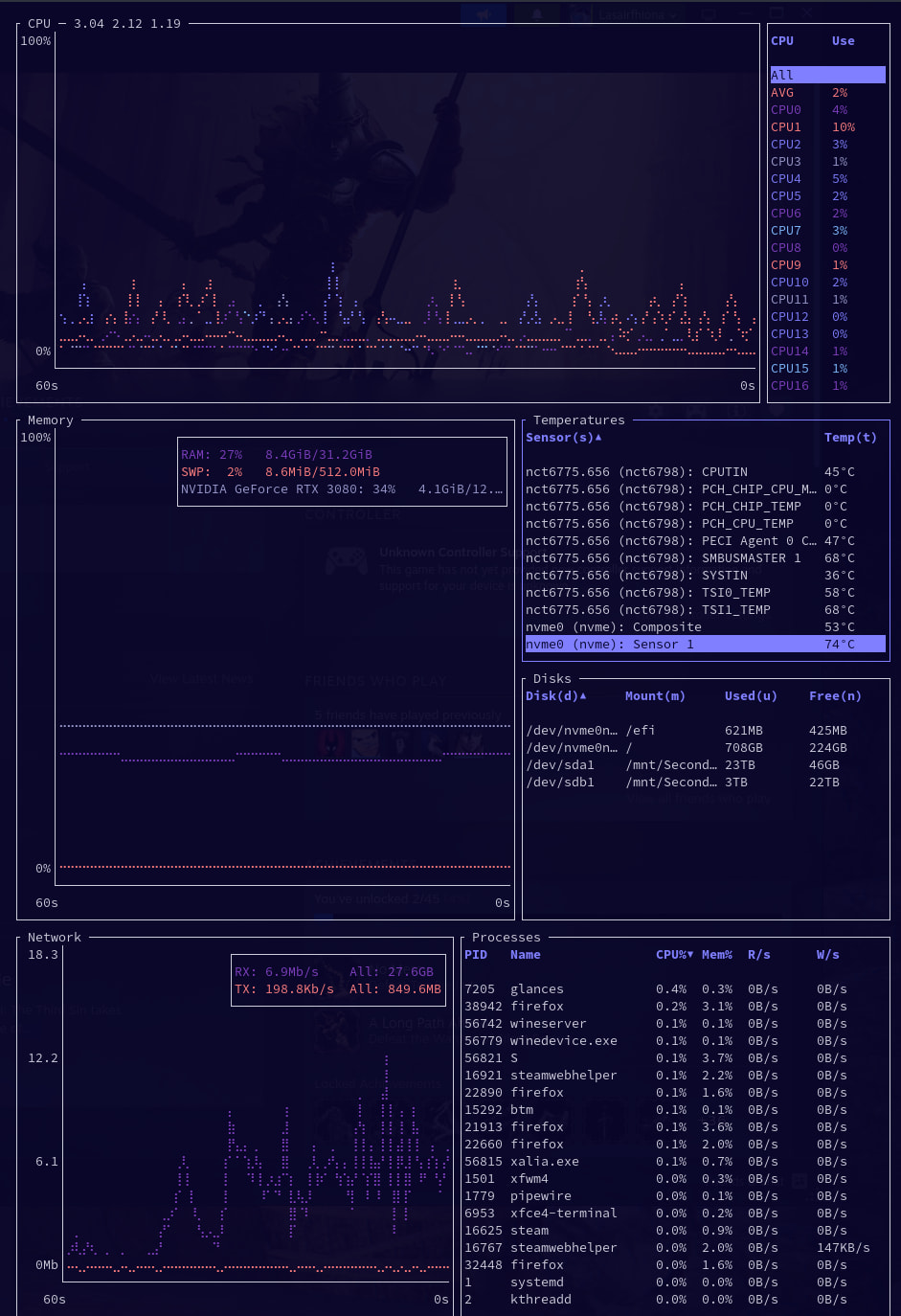
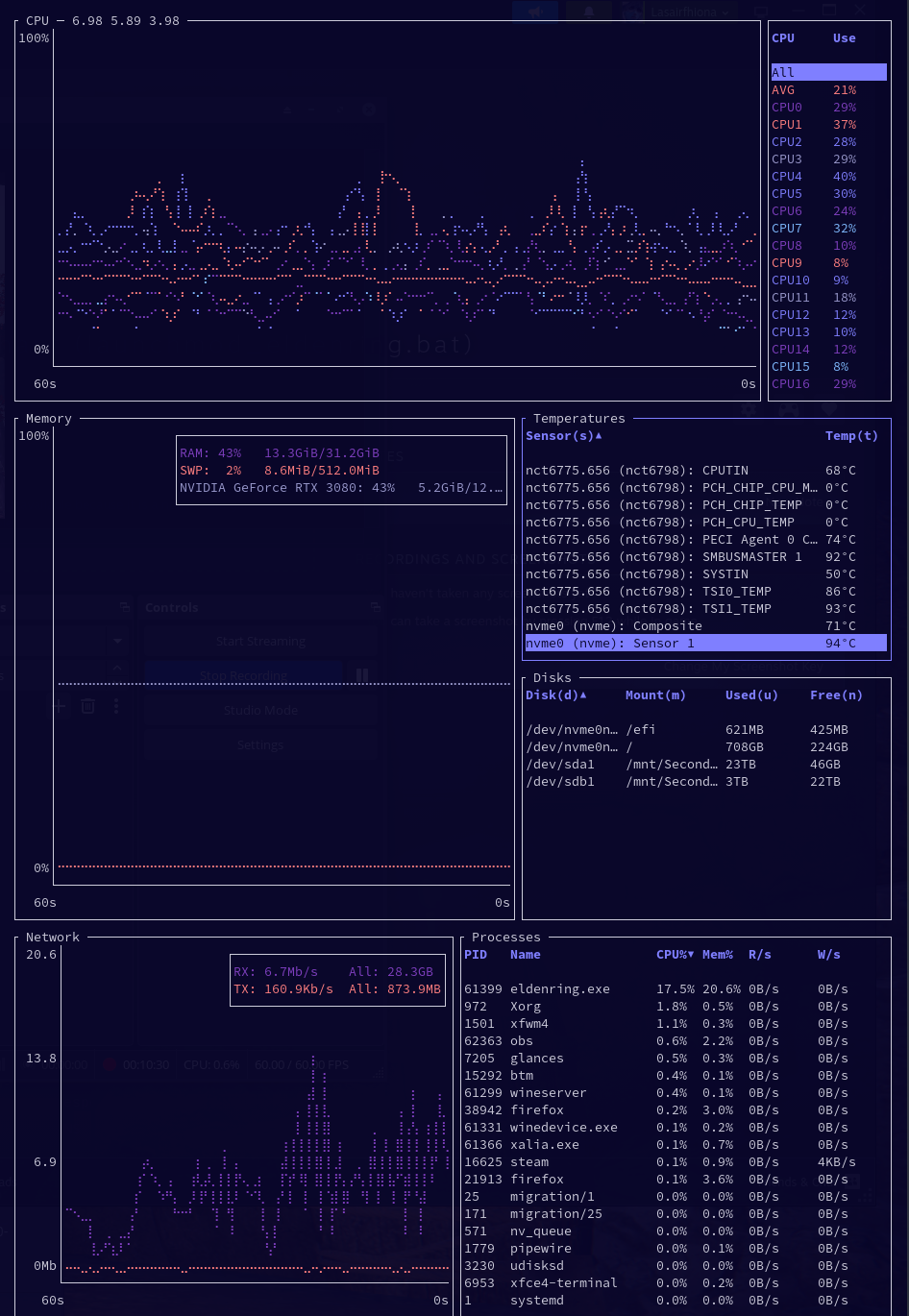
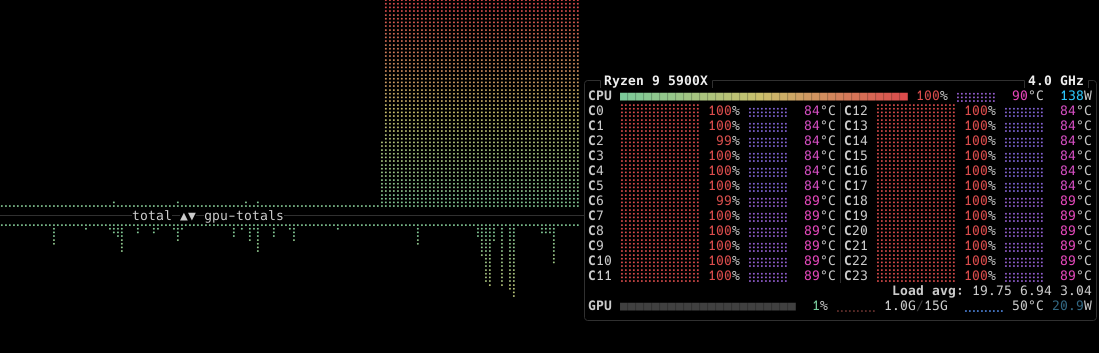
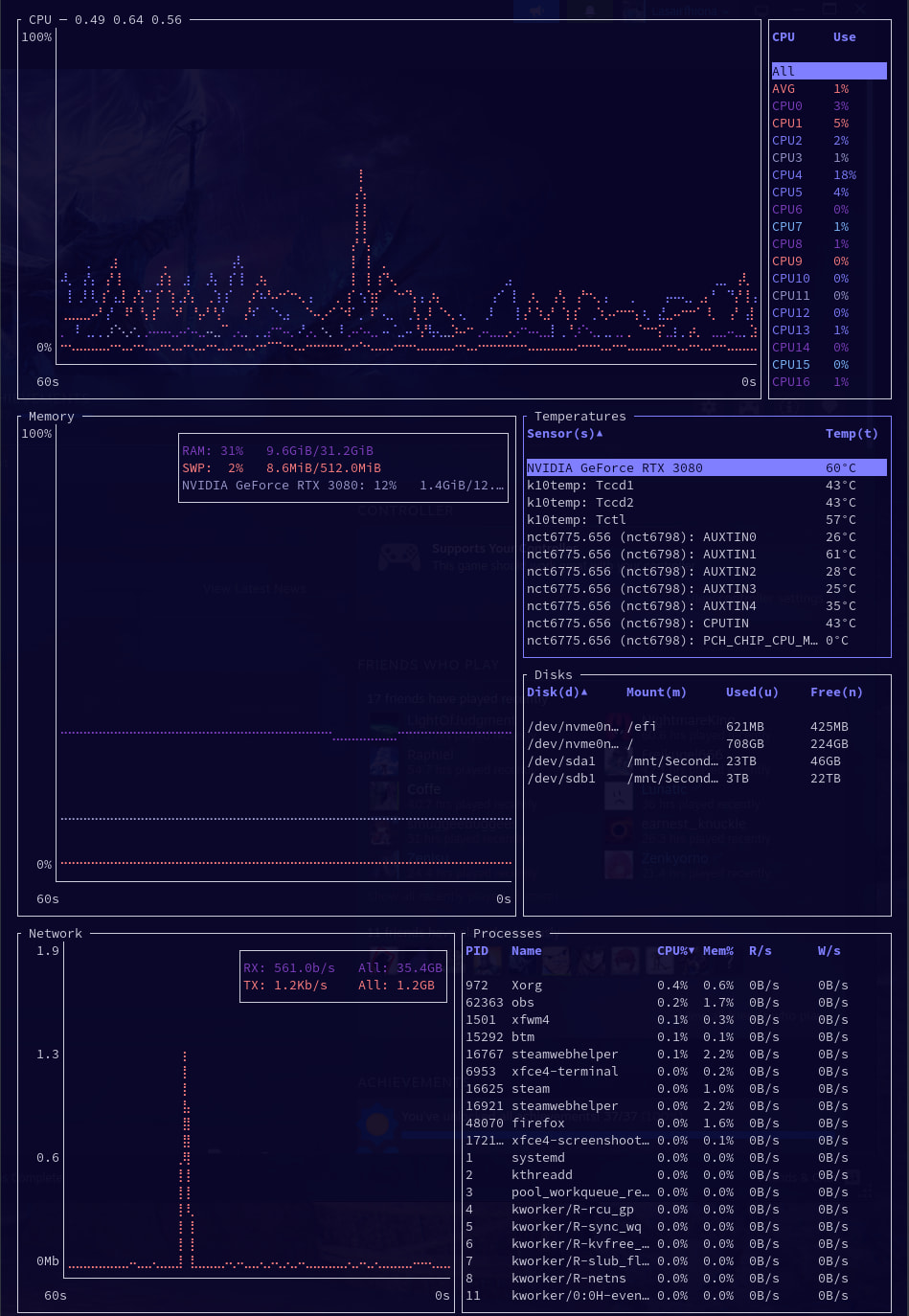
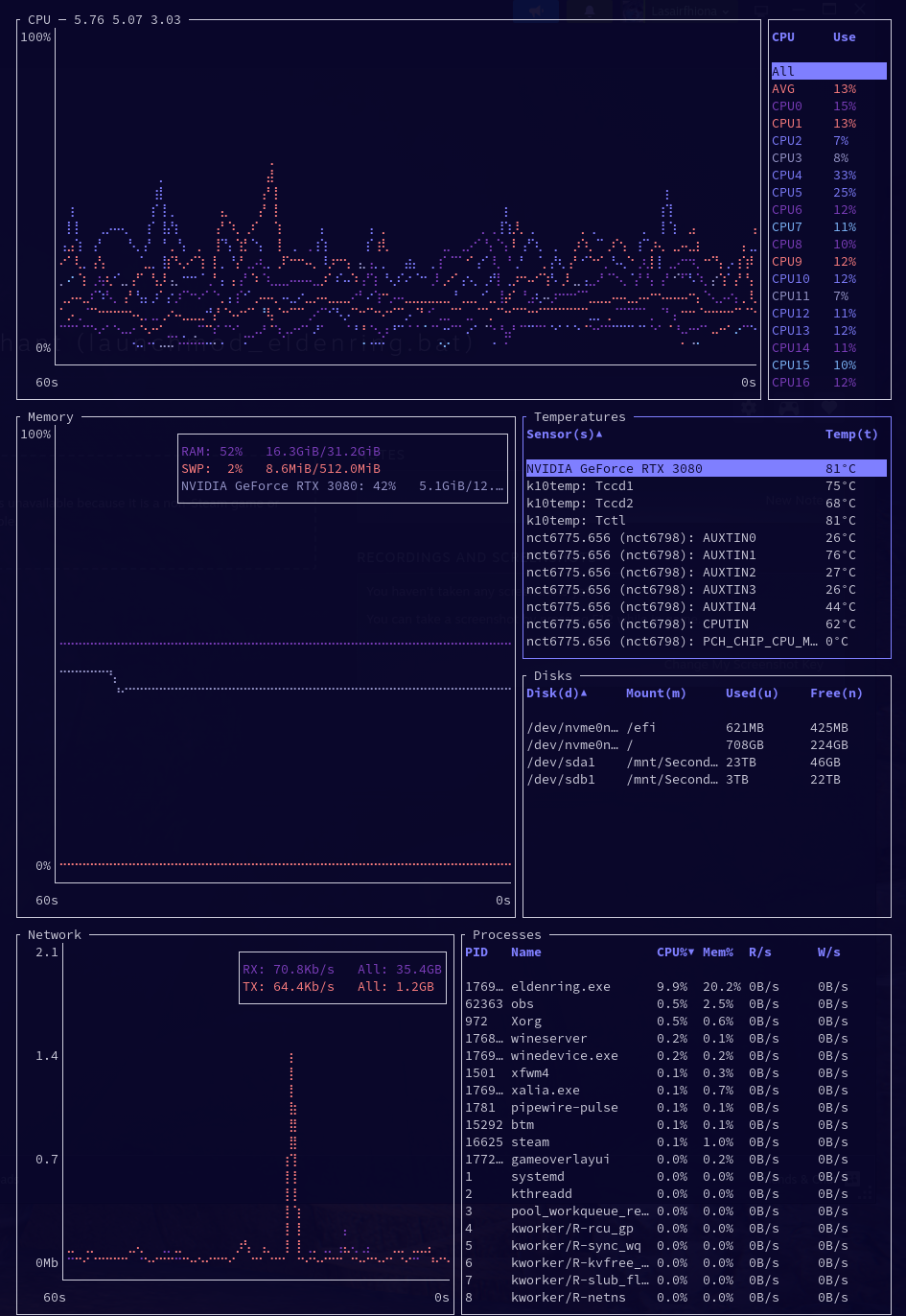
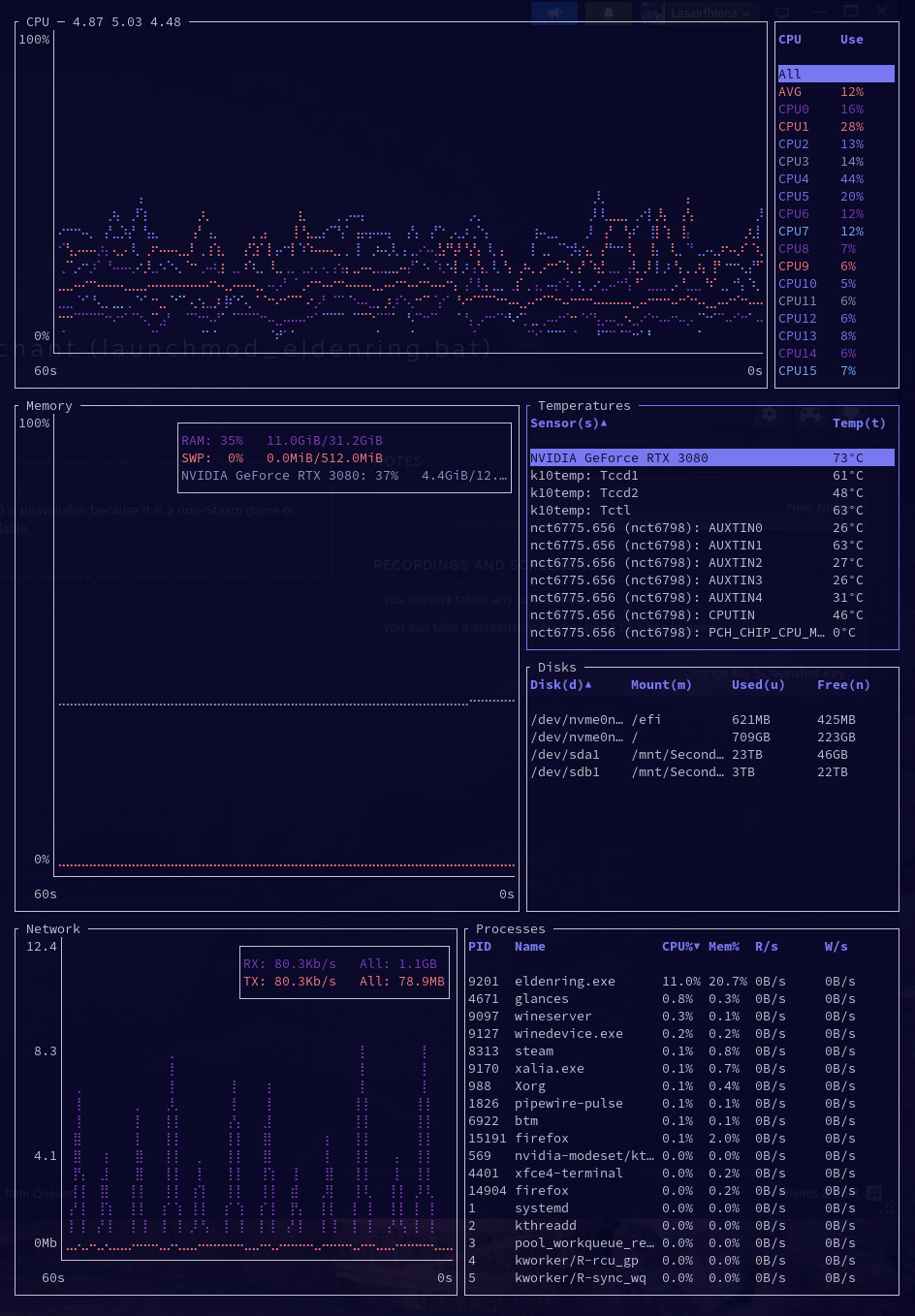
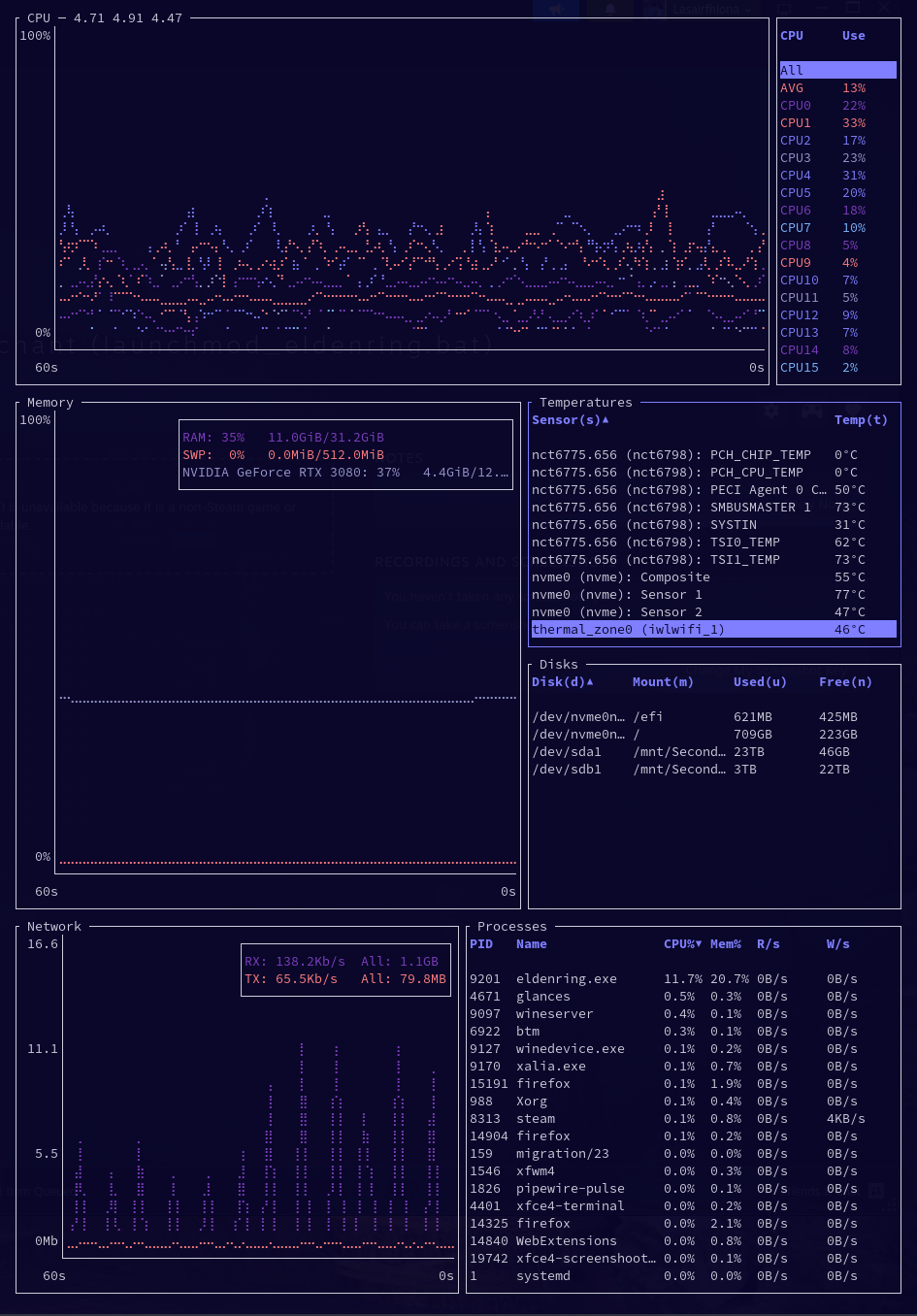
I hope everybody on the forum is doing well today. Recently, I suspect I have been having legitimate overheating issues on my system, so I will give some context. While playing games a couple weeks ago, I saw major framerate stutters, higher temperatures than I had ever noticed (qualitatively), and after another few minutes if I kept playing, my system would shut down. In addition, I would see very high CPU usage (multiple cores) on my system monitor. This was evidently a problem, and my first suspicion was that my CPU was failing and/or my primary CPU cooler was insufficient. I decided to attempt solving both issues simultaneously: replacing my AMD Ryzen 9 5900X (in use for approximately 3.5-4 years) with a very similar AMD Ryzen 5900XT, and my Scythe Mugen 5 with a Noctua NH-D15 (dual-fan setup). While I did not get quantitative temperature measurements before the hardware swaps, my temperature measurements now still seem concerning when playing more graphically intensive games, up to around 92°C sustained, with high heat tangibly radiating from the side of the case nearest the CPU heat sink. I will post screenshots below of temperature sensor readings from bottom while playing different games. Here are my current specs, please let me know if you need more info, e.g. from inxi:
Current Specs
Desktop PC
CPU: AMD Ryzen 9 5900XT (16-core)
Mobo: ASUS TUF Gamning X570-PRO (WI-FI)
Primary CPU Cooler: Noctua NH-D15 (dual-fan setup)
SSD (with OS partition): Western Digital WD Black SN770 1TB
RAM: 2x16GB Corsair Vengeance DDR4
GPU: NVIDIA GA102 [GeForce RTX 3080 12GB]
What I have tried troubleshooting so far:
HARDWARE:
-I opened up my case, cleaned everything thoroughly with compressed air and microfiber alcohol wipes, unmounted and cleaned the GPU, unmounted the new CPU cooler, cleaned the CPU and heat sink contact plate thoroughly, reapplied new thermal paste, and re-mounted the new cooler.
-In the process, I ensured that my heat sink contact and thermal paste were done well and cleanly, and feel confident they are, but the temperature problems (as I see them) persist. I also tested to make sure the fans were set up and running properly, and they certainly appear to be.
-I have not tried much with power profiles or performance throttling to limit temperatures (e.g. https://discovery.endeavouros.com/hardware/tools-to-lower-power-consumption-and-device-cooling/2021/03/), in part because I would like advice on the best approach for my system, and in part because I did not, qualitatively, see such poor thermal performance on my system until a few weeks ago with an older CPU and a, theoretically, worse CPU cooler, so I wonder if there is another root cause. I am happy to take any advice here.
SOFTWARE:
-Multiple system updates
-Made sure voltage supply to the CPU was adequate so that it is stable when running at peak frequencies (see: https://wiki.archlinux.org/title/Ryzen#Troubleshooting)
-A few other minor tests following previous forum posts, but no major changes (happy to elaborate)
Outstanding questions
Does this seem like it could still be a problem with my hardware, somewhere else in the system? A failing SSD (I have tested this with smarctl, for instance, and it appears okay)? Or does this seem more likely to be an issue with control of the cooling system from something in the software? Is this something simply resolved by throttling performance and maximizing the cooling output of the hardware I do have? As I mention above, I am happy to do more work to troubleshoot, and try stop-gap solutions, but would also like to identify likely root causes. Please also forgive my inexperience, and the length of this post, I am trying to be comprehensive, and show that I have done some research before just blabbing a forum post. I appreciate any help that anyone is willing to offer, thank you!