Hi all,
It used to be that a KDE user could change the colours on any colour scheme. It was doable right from the system settings. I like the light breeze scheme, but I wish I could make it slightly darker, but I have no idea how that’s done anymore. Is there an app that does that… I mean an app that doesn’t require a doctorate in programming? 
Thanks!
Not sure if you mean this but maybe system settings > global theme > colors
Monsieur @grgaud1,
Although it is not my cup of tea as a starting point I selected a grayish background image and
yay -S plasma6-applets-panel-colorizer
added widget Panel Colorizer to panel. Right-clicked on it and disabled background for widgets.
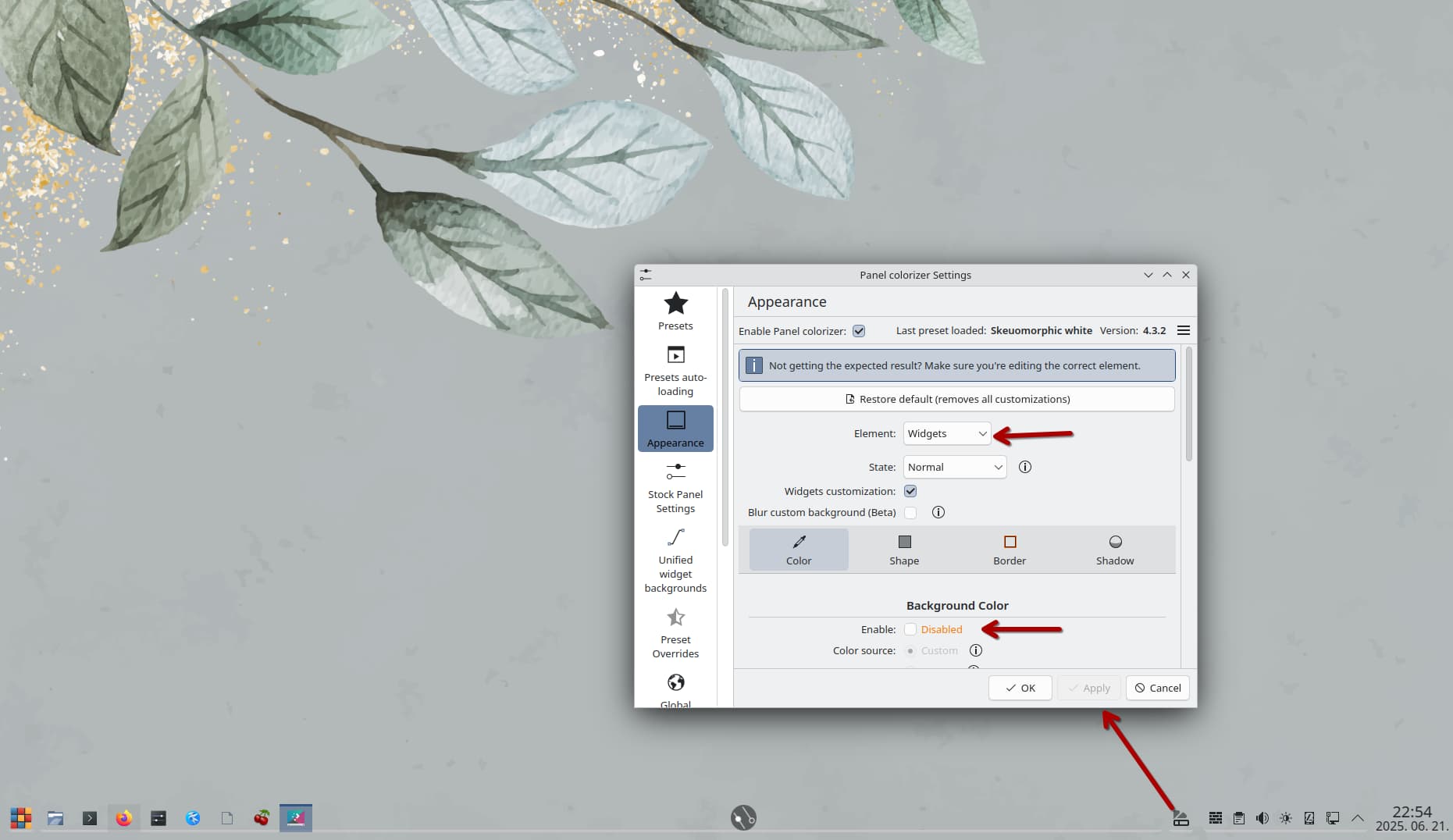
You want more I guess.
1 Like
You can still edit the color schemes?
So theres some newer stuff (circa Plasma 6) where you can just select the highlight (as this is the thing people usually want to edit);

But the edit is still available too;

Finally there is even a command to just launch it;
kcolorschemeeditor
1 Like
This topic was automatically closed 2 days after the last reply. New replies are no longer allowed.