I found this and wanted to share
2 Likes
Wondering if someone is going to do an aur, since as I understood there is only a flatpak version for linux
I’m playing with it on my Fedora install. Menus are larger than I like, but the look is a trillion times better than LibreOffice proper.
Wonder why did they not use CEF or Tauri or something equivalent for the UI? Because at the end of the day the underpinnings are all LibreOffice. Only the UI changes.
Sad to see that there is no LibreOffice Draw nor any LibreOffice Math equivalent. It is high time that the LibreOffice team removed Java dependencies from Base entirely.
Is it somehow possible to extract a flatpak and copy-paste files to appropriate locations?
View / Compact View
and to go back:
View / Use Tabbed View
1 Like
Odd, I installed it on my Pop_OS (only thing where I have flatpak stuff) partition, and all I got were black windows ;(
Since, by you guys reactions, I assume that’s not what you got…maybe I have to install it on another system and make sure it’s just POP.
Edit: Tried on the Zorin and it was worse..flickering screens with multicolored diagonal lines 
No, I mean actual menubar text sze. File, view, insert, etc.
I just downloaded it and I’ll give it a go. I hate libreoffice. It’s just awful. Onlyoffice is what I’ve been using for years and even defaults to the .docx format. This will need to be pretty good to push OO off my machine though. Looking forward to trying this out.

I’m literally using it on the same files side by side with Only Office as part of my testing.
1 Like
That’s what I plan on doing when I get around to trying it. OnlyOffice works great for me. I was very able to use it within an organization all on Windows/Word for almost a year with no ill effects. No one was the wiser, so that is fantastic on my side. I’m looking forward to hearing more reports on this.
@tlmiller76 , is it an XY problem? (Flatpak version does not support global menu)
I hate it too. Overkill. 98% of the suite and buttons and menus I will never use in this lifetime.
ApacheOpenOffice: sesame street level word processing the way I need it, like the .doc-era Win. I abandoned it when dev abandoned it. Their once-a-year updates seemed like neglect.
OnlyOffice: cute but buggy,
Collabra? Will wait for AUR. Give us a review when you can.
Why I stick with LibreSuite: constantly updated and maintained. Maybe I should YOLO?
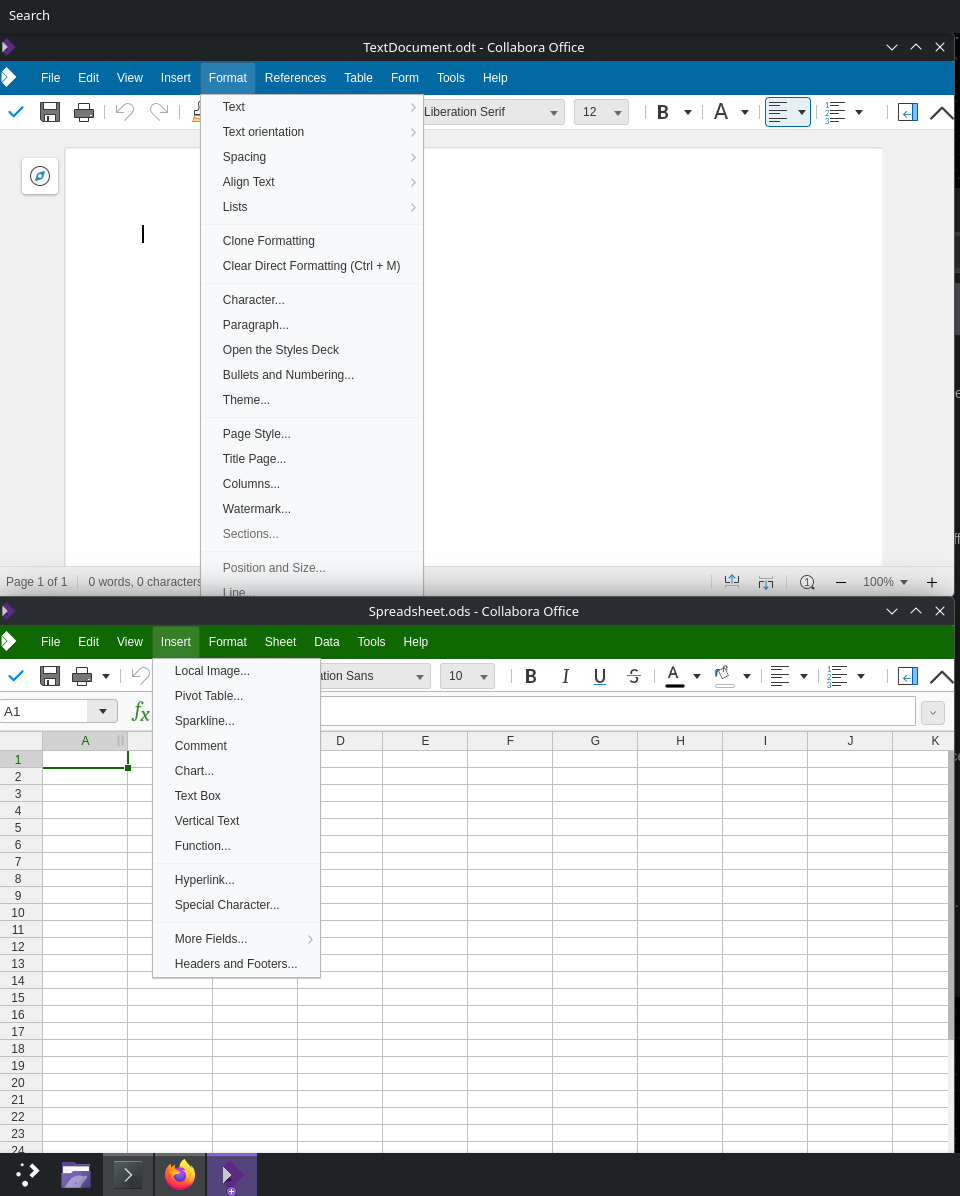
Not sure what you mean by XY? It just seems like it uses WAY too large a font for the screen resolution. Notice how in your spreadsheet it seems like the fonts used on the menubar are fairly proportional? Then in my screenshot, they look HUGE (to me, at least).
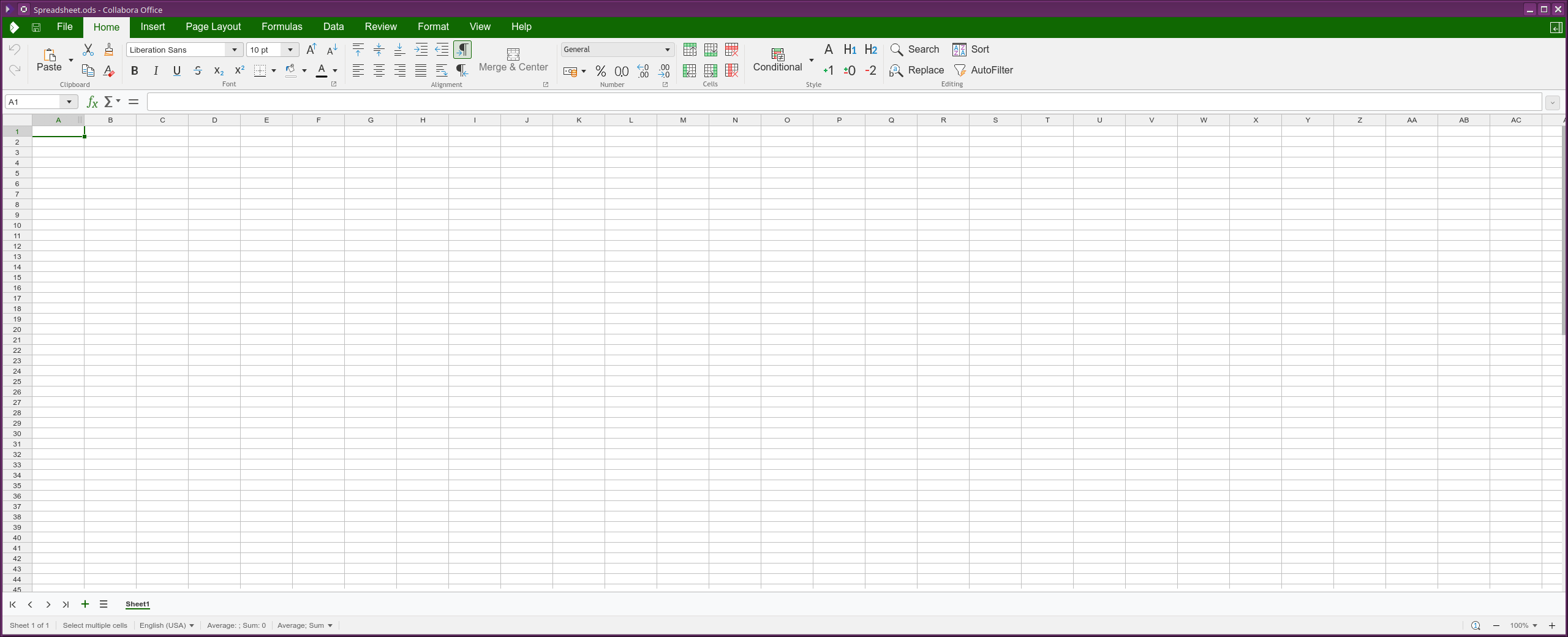
I think they were referring to this:
Up until now I have been using OnlyOffice for any “office” document needs. Heard of Collabora but avoided it due to being web online only, but will keep an eye on this.
Hello @_Six ,
the new Collabora Office for desktop – bringing the familiar, powerful Collabora Online experience, to run locally on Windows, macOS, and Linux.
Downloaded the flatpak version from https://www.collaboraonline.com/collabora-office/
Having installed flatpak
cd Downloads
flatpak install ./collaboraoffice-v25.04.7.2_final.flatpak
Logged out and in.
Started it from menu or by
flatpak run com.collabora.Office
It works off-line (as well) from now on.
1 Like
So far, I give it a 4/10.
IF you insert a hyperlink into something in a spreadsheet, you can’t change the format color.
It MASSIVELY screws up formatting when coming from .docx and .xlsx
I GREATLY dislike how it opens ALL documents in view mode only and you have to tell it to go to editing mode.
Just those things puts this behind OnlyOffice, WPS Office, and FreeOffice for me, so my testing is over, and it has been uninstalled. Maybe when it’s a RC or so I’ll take another look, but right now, this is on the level of the old StarOffice for interoperability.
I like it from a usability perspective. For me, it is worlds better than LibreOffice in usability.
From a functionality perspective, not so much. It is missing a lot of functionality in spreadsheets at least. Also, it seems a bit feature free at the moment. I don’t think an application with this level of complexity should have no options. That seems like a big gap.
Seems like something to check back in on in the future and see if it evolves.
1 Like
One of the reasons that I am not shifting to Openoffice. There is no way to change the default save format to the Open Document Format (.ods, .odc, etc).
But then there is no alternative to Draw and Math too.