Citrix Desktop Does Not Launch

Hello,

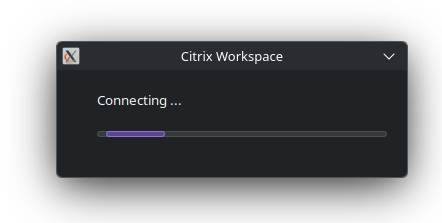
I am trying to access a virtual desktop using the citrix Workspace app, but when I try to open it, it just says connecting for a while then nothing happens. It launches normally on Windows. The package I use is icaclient from the AUR.

I use Wayland and KDE (not sure why the X11 logo appears in the connecting window). I tried switching to X11 but the only difference is that the connecting window does not even appear. All the necessary libraries seem to be installed.
I also tried creating the desktop file in /usr as directed in the Arch Wiki (https://wiki.archlinux.org/title/Citrix) but still no good.

Any help would be appreciated as I don’t want to have to open Windows every time I need to open the desktop.

Irrelevant

Which package did you install?

Does launching it from the terminal give any useful messages?

1 Like

not sure why the X11 logo appears in the connecting window

This is simply because app is run on Xwayland, which enables X11 apps run on Wayland.

icaclient

I get these two warnings on multiple processes.

libsoup-WARNING **: Failed to execute query: database is locked
libsoup-WARNING **: Failed to execute query: table soup_hsts_policies already exists

The GUI launched normally.

They’re only warnings so I doubt they would stop anything from running.

Not sure how much this will help but am noticing some recent comments on the AUR page

Yeah saw them but honestly couldn’t understand what they were talking about.