Hello everyone, hope you are all ok, im having some rought time here with my PC.
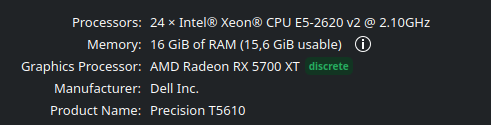
In Febuary I installed as my Daily Driver EndevourOS. I recently got a PowerColor Radeon 5700XT into my T5600 Precision Workstation and it runned Ollama and games well.
Sadly the last months I had to use Windows for some school project and I did some gaming, So i didnt boot on Endeovur at all. Last week when I booted endevour (ltskernel) I couldnt.
I tried to search online, forums, wiki and try all amdgpu. kernel parameters at boot and it i couldnt make it work.
What I did and didnt work:
Fresh install of Mercury (Feb version) the one it did work for me.
When I start my pc the only two parameters they get me to a “full” functional PC are nomodeset and acpi=off (in the last one i dont have nothing else that some ports usbs and my monitor). I tried some amdgpu k parameters and they didnt work sadly.
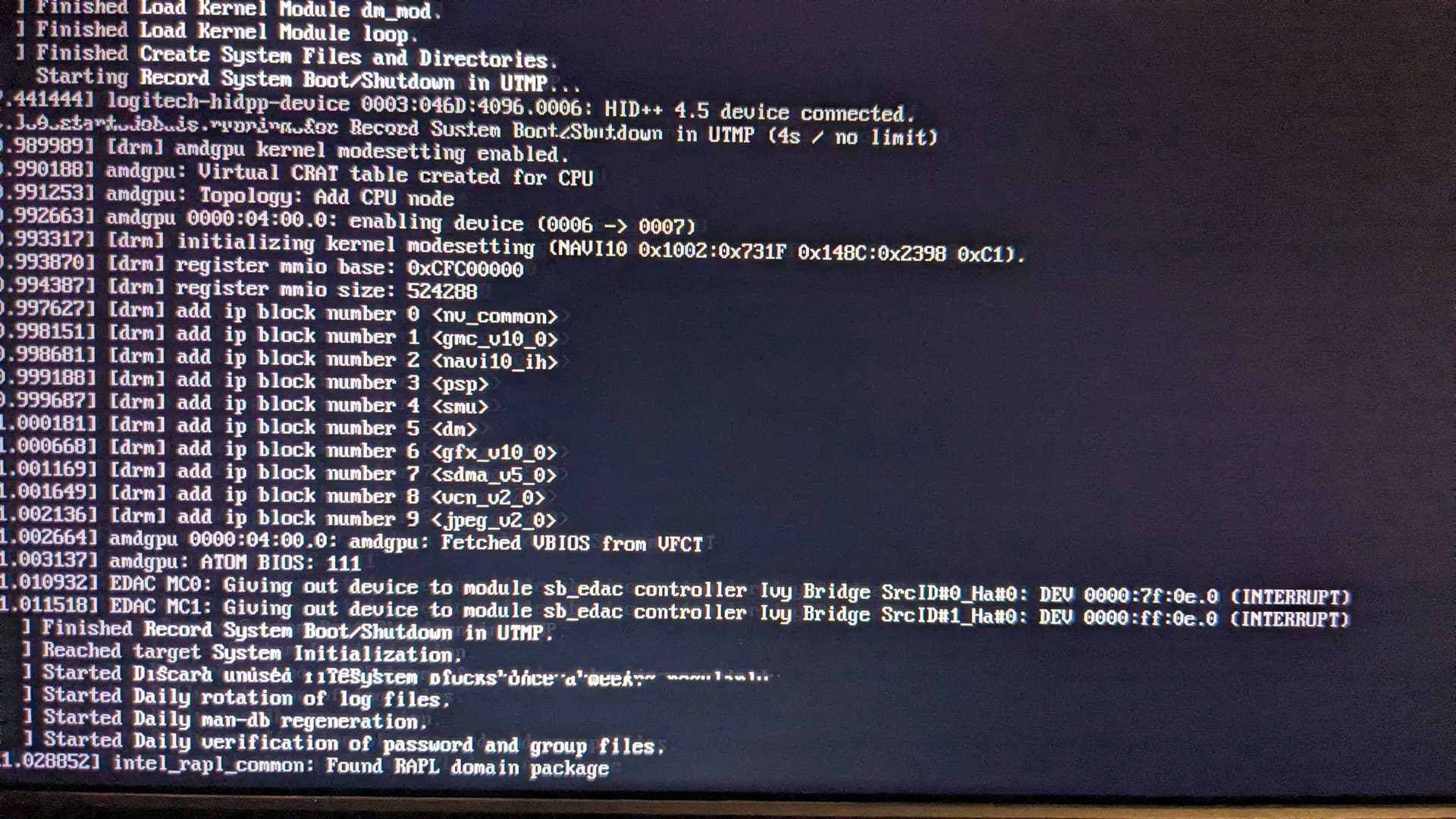
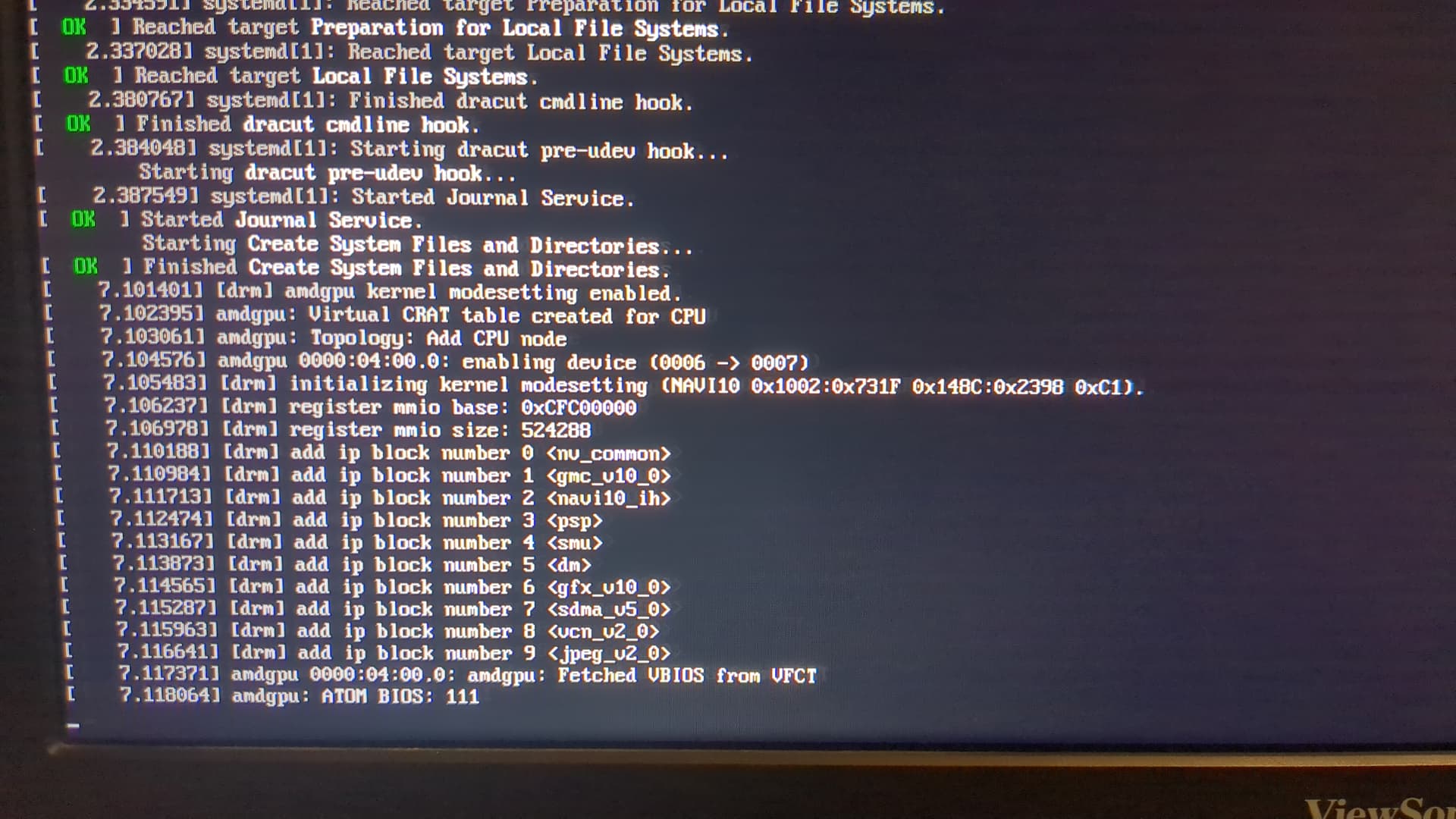
If i boot it normally it freezes , this is what I got from loglevel=7boot.:
It freezes and i dont have debug information in journal or dmesg, this is how it looks like when it freezes (always after amdgpu)
I tried all Linux flavours {fedora,ubuntu,debian} and I have the same problem.
Im a little bit lost here, in windows its all running ok; the things i changed from the last endevour boot was; that I installed a second monitor (I did my troubleshooting without connecting it).
All ideas are welcome.
Thanks
cscs
June 26, 2025, 12:39am
2
Is windoze shut down all the way?
Fast startup, disable. Yes.
cscs
June 26, 2025, 2:04am
4
Are we sure?
The interwebs tell me a programatic way to check is for the existence of “Hibernate” from
powercfg /a
Or supposedly this would work in powershell
(GP "HKLM:\SYSTEM\CurrentControlSet\Control\Session Manager\Power")."HiberbootEnabled"
And a way to disable it
powercfg /H off
To be clear - this is “Fast Startup”, a windoze feature (not BIOS), that ensures the system hibernates instead of shutting down.
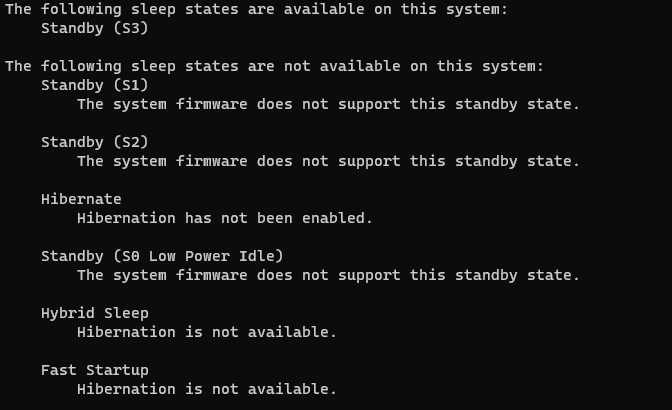
Hello @cscs , thanks for your reply, Hibernate is off:
@LegacyBased
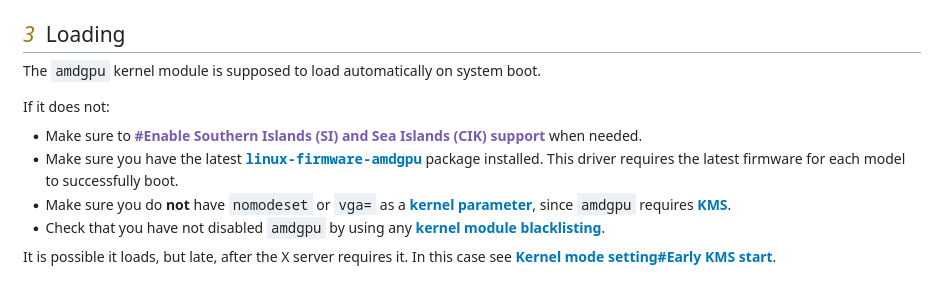
You can’t use nomodest kernel parameter with amdgpu.
Edit: https://wiki.archlinux.org/title/AMDGPU
@ricklinux
Yes I cant use nomodeset, but its the only thing I have to get into the system. (I dont like Windows
I dont have CIK o SI arch in my 5700XT its NAVI10.
linux-firmware-amdgpu is in the last version 20250613.12fe085f-9https://wiki.gentoo.org/wiki/AMDGPU )
And no modules are blacklisted.
lscpi -vvv
02:00.0 PCI bridge: Advanced Micro Devices, Inc. [AMD/ATI] Navi 10 XL Upstream Port of PCI Express Switch (rev c1) (prog-if 00 [Normal decode])
        Control: I/O+ Mem+ BusMaster+ SpecCycle- MemWINV- VGASnoop- ParErr- Stepping- SERR- FastB2B- DisINTx-
        Status: Cap+ 66MHz- UDF- FastB2B- ParErr- DEVSEL=fast >TAbort- <TAbort- <MAbort- >SERR- <PERR- INTx-
        Latency: 0, Cache Line Size: 64 bytes
        Interrupt: pin A routed to IRQ 32
        NUMA node: 0
        Region 0: Memory at e7d00000 (32-bit, non-prefetchable) [size=16K]
        Bus: primary=02, secondary=03, subordinate=04, sec-latency=0
        I/O behind bridge: 8000-8fff [size=4K] [16-bit]
        Memory behind bridge: e7c00000-e7cfffff [size=1M] [32-bit]
        Prefetchable memory behind bridge: 20fe0000000-20ff01fffff [size=258M] [32-bit]
        Secondary status: 66MHz- FastB2B- ParErr- DEVSEL=fast >TAbort- <TAbort- <MAbort- <SERR- <PERR-
        BridgeCtl: Parity- SERR+ NoISA- VGA- VGA16+ MAbort- >Reset- FastB2B-
                PriDiscTmr- SecDiscTmr- DiscTmrStat- DiscTmrSERREn-
        Capabilities: <access denied>
        Kernel driver in use: pcieport

03:00.0 PCI bridge: Advanced Micro Devices, Inc. [AMD/ATI] Navi 10 XL Downstream Port of PCI Express Switch (prog-if 00 [Normal decode])
        Subsystem: Advanced Micro Devices, Inc. [AMD/ATI] Navi 10 XL Downstream Port of PCI Express Switch
        Control: I/O+ Mem+ BusMaster+ SpecCycle- MemWINV- VGASnoop- ParErr- Stepping- SERR- FastB2B- DisINTx+
        Status: Cap+ 66MHz- UDF- FastB2B- ParErr- DEVSEL=fast >TAbort- <TAbort- <MAbort- >SERR- <PERR- INTx-
        Latency: 0, Cache Line Size: 64 bytes
        Interrupt: pin A routed to IRQ 33
        NUMA node: 0
        Bus: primary=03, secondary=04, subordinate=04, sec-latency=0
        I/O behind bridge: 8000-8fff [size=4K] [16-bit]
        Memory behind bridge: e7c00000-e7cfffff [size=1M] [32-bit]
        Prefetchable memory behind bridge: 20fe0000000-20ff01fffff [size=258M] [32-bit]
        Secondary status: 66MHz- FastB2B- ParErr- DEVSEL=fast >TAbort- <TAbort- <MAbort- <SERR- <PERR-
        BridgeCtl: Parity- SERR+ NoISA- VGA- VGA16+ MAbort- >Reset- FastB2B-
                PriDiscTmr- SecDiscTmr- DiscTmrStat- DiscTmrSERREn-
        Capabilities: <access denied>
        Kernel driver in use: pcieport

04:00.0 VGA compatible controller: Advanced Micro Devices, Inc. [AMD/ATI] Navi 10 [Radeon RX 5600 OEM/5600 XT / 5700/5700 XT] (rev c1) (prog-if 00 [VGA controller])
        Subsystem: Tul Corporation / PowerColor AXRX 5700 XT 8GBD6-3DHE/OC [PowerColor Red Devil Radeon RX 5700 XT]
        Control: I/O- Mem+ BusMaster+ SpecCycle- MemWINV- VGASnoop- ParErr- Stepping- SERR- FastB2B- DisINTx-
        Status: Cap+ 66MHz- UDF- FastB2B- ParErr- DEVSEL=fast >TAbort- <TAbort- <MAbort- >SERR- <PERR- INTx-
        Latency: 0, Cache Line Size: 64 bytes
        Interrupt: pin A routed to IRQ 255
        NUMA node: 0
        Region 0: Memory at 20fe0000000 (64-bit, prefetchable) [size=256M]
        Region 2: Memory at 20ff0000000 (64-bit, prefetchable) [size=2M]
        Region 4: I/O ports at 8000 [disabled] [size=256]
        Region 5: Memory at e7c00000 (32-bit, non-prefetchable) [size=512K]
        Expansion ROM at e7c80000 [disabled] [size=128K]
        Capabilities: <access denied>
        Kernel modules: amdgpu

04:00.1 Audio device: Advanced Micro Devices, Inc. [AMD/ATI] Navi 10 HDMI Audio
        Subsystem: Advanced Micro Devices, Inc. [AMD/ATI] Navi 10 HDMI Audio
        Control: I/O- Mem+ BusMaster+ SpecCycle- MemWINV- VGASnoop- ParErr- Stepping- SERR- FastB2B- DisINTx+
        Status: Cap+ 66MHz- UDF- FastB2B- ParErr- DEVSEL=fast >TAbort- <TAbort- <MAbort- >SERR- <PERR- INTx-
        Latency: 0, Cache Line Size: 64 bytes
        Interrupt: pin B routed to IRQ 49
        NUMA node: 0
        Region 0: Memory at e7ca0000 (32-bit, non-prefetchable) [size=16K]
        Capabilities: <access denied>
        Kernel driver in use: snd_hda_intel
        Kernel modules: snd_hda_intel
I was seeing acpi wiki and found this post:
This is extremely dependent on hardware / BIOS in question, some laptops (DELL for example) would actually work properly only under version when it have been purchased…
So sad thing is - you’ll have to experiment to know for sure.
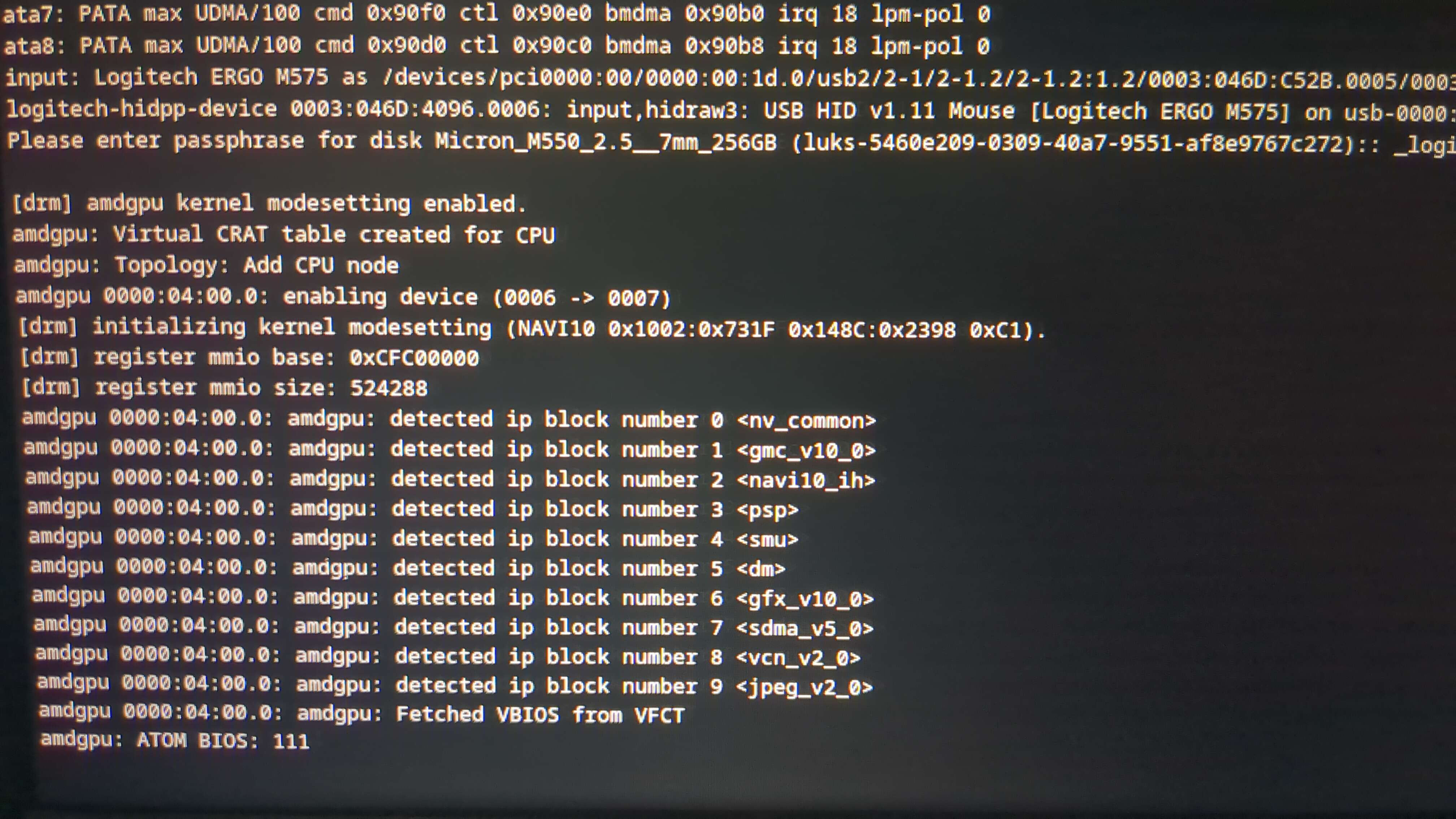
And tried to set up acpi as windows 8.1 ,well it was interesting because on loglevel 3 it freezes on starting dbus messaging always and now with this setup it tells me another msg:
Hey , tried the last one the early kms(dracut) start and it didnt work either:
journalctl -k -b -0 | eos-sendlog
https://0x0.st/8UKb.txt
inxi -Fxxc0z | eos-sendlog
https://0x0.st/8UKB.txt
I don’t know the reason it’s not booting. I would try clearing the cmos by removing the cmos battery and holding the power button down unplugged of course. Then put the cmos battery back in and try. Since it is an older DEll when was the last time you changed the cmos battery?
Hey @ricklinux , thanks i got to boot my amdgpu:
It was something from the 8000 things or options in the BIOS Settings. I will post it what it was in a minute.
Maybe this post can get for future T5610 Precision DELL with A19 BIOS with 4GB+ new GPUs:
Disable Memory MAP IO Above 4GB. (To boot without an error)
Disable Hardware Adjacent Cache Line Prefetch. (Second Monitor Doesnt Wake up)
Disable Dell RMT . (Second Monitor Doesnt Wake up)
Thanks for support, @ricklinux @cscs .
 )
)