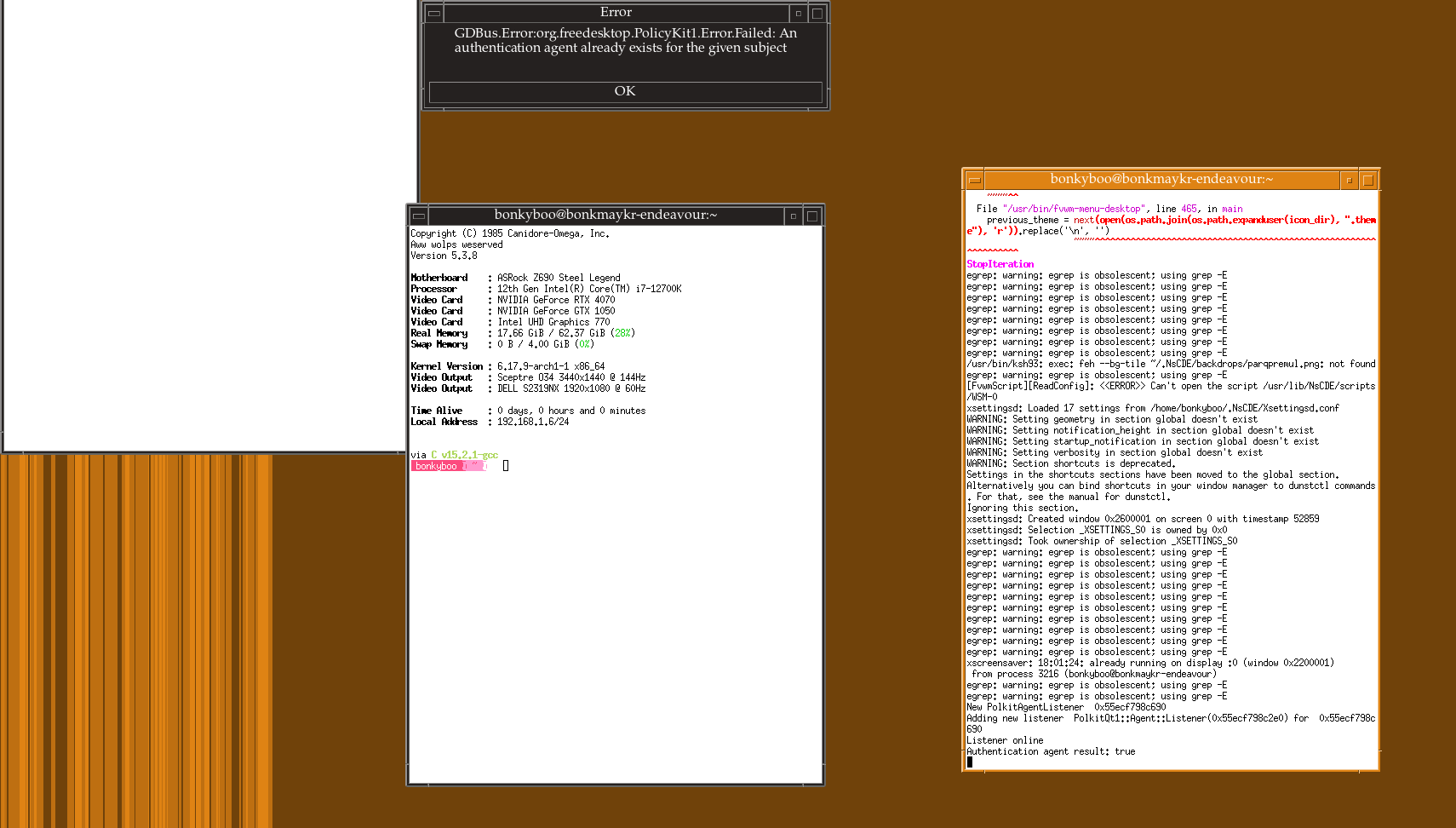
Hi.
I upgraded xlibre recently along with the rest of my system, switched back to FDO xorg because of a driver issue, and now I cannot start any X server at all.
First, both the version I compiled from the xlibre git repo and the binaries from x11libre(.)net complained about not being able to load the nvidia module. I couldnt get this fixed even after reinstalling nvidia-dkms and rebooting so I guessed support for NVIDIA had been broken, since that was expected. Eventually this error went away and nvidia loaded fine, but before that…
I tried downgrading to XOrg temporarily (pacman -Sdd) just so I’d have a working desktop in the mean time. Eversince then, both xorg and xlibre refuse to start because I do not own the virtual console 2, I do not own modesetting permission, etc. etc. I am in the tty and video groups. X still starts fine under root. I could not find any answers for this, everyone has a different solution and none of them apply to me. I don’t know what changed.
I use NsCDE and Ly on an RTX 4070.
Hyprland still works, so I still meet the requirements for that, if it’s any hint.
What do I do?
Server log: https://files.catbox.moe/03gia3.log
Which xlibre packages do you have installed? I only have the following on my Xfce system:
$ yay -Qs xlibre
local/xlibre-input-libinput 1.5.1.0-1 (xlibre-drivers)
    XLibre fork of the generic input driver for the X.Org server based on libinput
local/xlibre-xserver 25.0.0.16-1 (xlibre)
    XLibre fork of X.Org X server
local/xlibre-xserver-common 25.0.0.16-1 (xlibre)
    XLibre fork of X.Org Xorg server common files
I also run my system with Xorg as non-root, using startxfce4 from the console (no display manager).
via C v15.2.1-gcc
bonkyboo ~ ❯ yay -Qs xlibre
local/xlibre-video-vesa 2.6.0.4-1 (xlibre-drivers xlibre)
XLibre fork of X.Org vesa video driver
local/xlibre-xserver 25.0.0.16-1 (xlibre)
XLibre fork of X.Org X server
local/xlibre-xserver-common 25.0.0.16-1 (xlibre)
XLibre fork of X.Org Xorg server common files
local/xlibre-xserver-devel 25.0.0.16-1 (xlibre)
XLibre fork of X.Org development files for the X.Org X server
local/xlibre-xserver-xephyr 25.0.0.16-1 (xlibre)
XLibre fork of X.Org nested X server that runs as an X application
local/xlibre-xserver-xnest 25.0.0.16-1 (xlibre)
XLibre fork of X.Org nested X server that runs as an X application
local/xlibre-xserver-xvfb 25.0.0.16-1 (xlibre)
XLibre fork of X.Org virtual framebuffer X server
I think you need the (3) I have installed as a minimum. I would try that, plus removing the xlibre-video-vesa driver. What about the other xserver packages? Are you really using xepher, xnest, and xvfb?
I use xephyr and devel for some of my projects but I probably don’t need them right now. removed them
I still get xf86OpenConsole: Cannot open virtual console 2 (Permission denied)
If i chown /dev/tty2 to myself this goes away. Before that it would complain about modesetting but it doesn’t anymore, chown bonkyboo /dev/tty2 and it starts… I am still not sure how that happened.
As device file descriptors are temporary, this won’t last between reboots…
I don’t know why your system is trying to access /dev/tty2. Mine is on /dev/tty1:
crw------- 1 ajgringo619 tty 0B 20 2025-12-07 14:41:00 tty1
Is there something else using /dev/tty1?
Other than myself, because Ly is not working, no.
After chown, tried to run startx to see if programs work. crashes after feh draws the wallpaper, lots of messages about libinput:
https://files.catbox.moe/3539yl.txt
Just to verify, xlibre-input-libinput is now install, correct? Also, what does id return?
Forgot to install that, sorry
https://files.catbox.moe/ix9sd6.txt
id returns:
uid=1000(bonkyboo) gid=1000(bonkyboo) groups=1000(bonkyboo),3(sys),5(tty),934(docker),939(realtime),955(libvirt),982(rfkill),985(video),998(wheel)
The only thing that stands out is that I’m a member of input. Try adding yourself, reboot, and hopefully the input errors will go away.
Input errors went away, but it still terminates as soon as the wallpaper finishes drawing.
If it helps at all, this is what’s in my .xsession and .xinitrc (i think .xinitrc might be named wrong, i’ve always started it from xsession)
xsession
~/.xinitrc & nscde
xinitrc
# Global settings
xinput set-prop 'SteelSeries SteelSeries Rival 3' 'Coordinate Transformation Matrix' 0.430 0 0 0 0.430 0 0 0 1 &
systemctl --user start dunst &
#feh --bg-tile ~/.NsCDE/backdrops/parqpremul.png

#   Programs
sleep 1;
discord &
steam &
psi-plus &
ckb-next -b &
protonmail-bridge-core -c &

# background
sleep 2;
feh --bg-tile ~/.wp_noevil.png
I don’t have either one of those files; startxfce4 must handle all of the setup work. What happens if you use startx without either of those files?
I get a vanilla X server without a window manager, a basic unstyled xterm and clock.
There weren’t any fatal errors in the previous log which is why I didn’t post it, I suspected X was set to close after xinitrc was complete and that looks correct. Why, I’m not sure. It should not do this if nscde is running - xsession starts nscde as a foreground task and doesn’t & it.
I’ll try running nscde from terminal with the plain x session running and see what i get…
edit: nscde starts fine from the barebones session
Making progress. What tty is your session running on?
/dev/tty1 if my attempts at mashing ctrl+alt+fn are to be believed
OK, that sounds promising. In looking more closely at your ~/.xsession, it doesn’t look right. Shouldn’t it be something like:
~/.xinitrc
nscde
Or maybe simpler as ~/.xinitrc && nscde?
Not sure, I think there was a reason I wrote it that way but I don’t remember, it would’ve been almost a year ago.
Assumed that xsession must not be running, since I know nscde is not crashing and X should not be quitting if xsession is still open.
I added back my xinitrc, removed xsession, moved nscde to the end of xinitrc and now everything works as it did before, so here’s what I think happened:
The update appears to have broken:
- my permissions
- Ly (have not figured out this one)
Ly doesn’t run xinitrc, but runs xsession. startx runs xinitrc. Without Ly, nscde did not start.
So the goal now appears to be:
- figure out how to permanently own /dev/ttyx (being in the tty group is not enough, apparently)
- fix Ly.service
The Ly log just says this:
initializing termbox2
termbox2 set to 24-bit color output mode
screen resolution is 240x67
shutting down termbox2
initializing termbox2
termbox2 set to 24-bit color output mode
screen resolution is 240x67
shutting down termbox2
initializing termbox2
termbox2 set to 24-bit color output mode
screen resolution is 240x67
shutting down termbox2
initializing termbox2
termbox2 set to 24-bit color output mode
screen resolution is 240x67
shutting down termbox2
initializing termbox2
termbox2 set to 24-bit color output mode
screen resolution is 240x67
shutting down termbox2
initializing termbox2
termbox2 set to 24-bit color output mode
screen resolution is 240x67
shutting down termbox2
initializing termbox2
termbox2 set to 24-bit color output mode
screen resolution is 240x67
shutting down termbox2
initializing termbox2
termbox2 set to 24-bit color output mode
screen resolution is 240x67
shutting down termbox2
initializing termbox2
termbox2 set to 24-bit color output mode
screen resolution is 240x67
shutting down termbox2
initializing termbox2
termbox2 set to 24-bit color output mode
screen resolution is 240x67
failed to set numlock: FailedToGetNumlock
shutting down termbox2
initializing termbox2
termbox2 set to 24-bit color output mode
screen resolution is 240x67
shutting down termbox2
initializing termbox2
termbox2 set to 24-bit color output mode
screen resolution is 240x67
shutting down termbox2
initializing termbox2
termbox2 set to 24-bit color output mode
screen resolution is 240x67
shutting down termbox2
initializing termbox2
termbox2 set to 24-bit color output mode
screen resolution is 240x67
shutting down termbox2
initializing termbox2
termbox2 set to 24-bit color output mode
screen resolution is 240x67
shutting down termbox2
I think I tried Ly before, but had the same issues as LightDM (only ran Xorg as root). What tty does Ly try to run under? What does its service status show?
According to the documentation, Ly seems to run on TTY2 by default?
When I installed Ly, I enabled it without specifying anything other than ly.service, and trying to do so (systemctl enable ly@tty7.service) tells me that the service doesn’t exist.
Service status:
❯ systemctl status ly
× ly.service - TUI display manager
     Loaded: loaded (/usr/lib/systemd/system/ly.service; enabled; preset: disabled)
     Active: failed (Result: exit-code) since Sun 2025-12-07 18:00:45 CST; 25min ago
   Duration: 5.046s
 Invocation: 3cbe4f54952144b8a3ff4f30424c54d0
    Process: 1247 ExecStart=/usr/bin/ly-dm (code=exited, status=1/FAILURE)
   Main PID: 1247 (code=exited, status=1/FAILURE)
   Mem peak: 3.9M
        CPU: 15ms

Dec 07 18:00:40 bonkmaykr-endeavour systemd[1]: Started TUI display manager.
Dec 07 18:00:45 bonkmaykr-endeavour systemd[1]: ly.service: Main process exited, code=exited, status=1/FAILURE
Dec 07 18:00:45 bonkmaykr-endeavour systemd[1]: ly.service: Failed with result 'exit-code'.
Could not find any further information on Ly’s crash.
How may I identify what other program might be trying to use TTY2? I don’t see anything on it when i press ctrl+alt-f2
What does systemctl status ly@tty2.service return? The docs talk about disabling getty services, but I don’t have any.
I’m going to try to get ly running on my system. Be back shortly.