My OS was hanging and nonresponsive, so I reboot it with cold reset. Unfortunately right now I have problem with mounting of btrfs partition while bootin like in the picture.
What should I do?
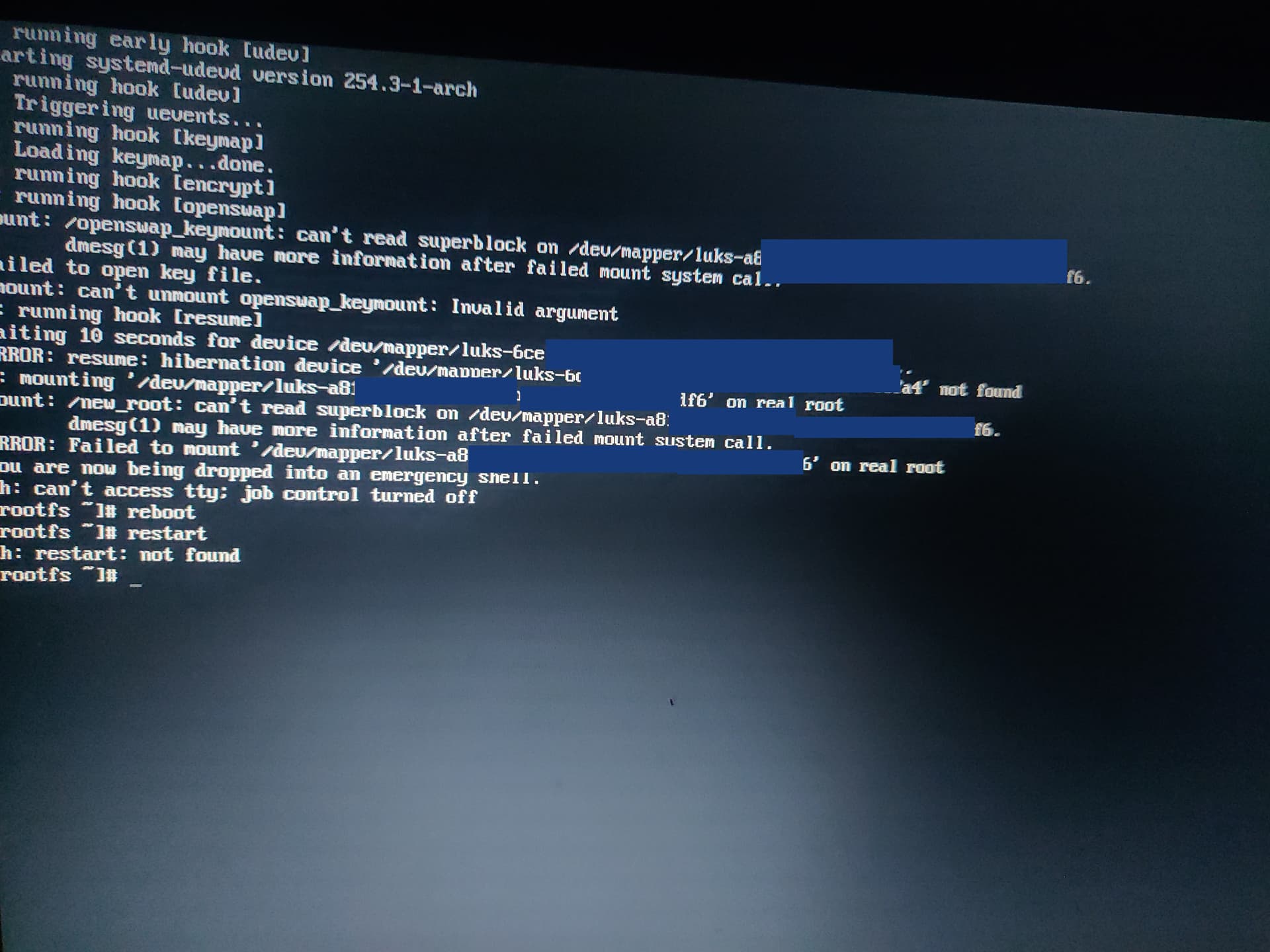
“Failure to read superblock” usually means you have some kind of disk or filesystem corruption or it is pointed to the wrong device.
I would recommend booting off the live ISO and manually unlocking and mounting the partition to see what exactly is failing.

Reboot.
Then don’t try to mount it using GUI tools.
Use cryptsetup to unlock it.
Then run btrfs check /path/to/device replacing /path/to/device with the path created by cryptsetup.
Then post the output here.
What do you mean by cryptsetup unlock?
I use "cryptsetup open "
and than “mount”
but still I get error
dmesg gives me that:
BTRFS error (device dm-1): parent transid verify failed on 64379158528 wanted 274409 found 276626
Right. cryptsetup open unlocks you luks volume.
It sounds like your btrfs filesystem is corrupt.
After unlocking the luks volume, try running btrfs check on the device and share the output here.
sudo btrfs check /dev/mapper/lolol
Opening filesystem to check…
parent transid verify failed on 64379158528 wanted 274409 found 276626
parent transid verify failed on 64379158528 wanted 274409 found 276626
parent transid verify failed on 64379158528 wanted 274409 found 276626
Ignoring transid failure
ERROR: root [4 0] level 0 does not match 1
Couldn’t setup device tree
ERROR: cannot open file system
I was doing btrfs snapshots every update. Maybe it will help?
No, snapshots can’t fix filesystem corruption usually because the snapshots are part of the filesystem.
So what would be proper protection against such a events?
Have a good backup strategy.
Snapshots are no backup and drives can fail.
shoud I do this:
sudo btrfs check --repair /dev/mapper/lolol
That is up to you. Repair can fix your filesystem but it can also make it worse.
Could You give me example of backup software for Lniux that protect against failsystem error?
Any other ideas? I dont want to loose my data
If you have important data on that volume. I would seek out btrfs experts who could tell you how to best troubleshoot that issue. Even if it can’t be repaired fully, it is often possible to at least get it to a read-only state.
I think there is a mailing list for btrfs.
He’s not talking about software.
Physical copies in case of drive failure. Redundant back ups.
The general strategy is to have multiple copies of your data on different drives.
The easiest way of a backup in the Arch world is to backup your home directory to an external hard drive.
You can start and take a look at these video tutorials in order to find out what suits your needs the best way.
First try to run $ btrfs restore [device] [path], it does not change the broken filesystem, but it will copy your data to another disk if it can read the metadata. It ignores/skips some broken parts of the metadata and some of your data.
See the doc:
https://man.archlinux.org/man/core/btrfs-progs/btrfs-restore.8.en
The official doc:
https://btrfs.readthedocs.io/en/latest/btrfs-restore.html