It can convert audio files, edit metadata and much more too.
It is most likely audio files in the format aac = .m4a
@drunkenvicar
What about veed? It does online splitting mp4, mp3 etc…
You can see if you can create a cue file when you rip with yt-dlp, see if there is a flag you can you for that purpose. If you have a cue file it is very easy for freac to do what you are asking for.
Can’t help much. 
and @Silvia
some of these are Video format (with no video) and some are .webm. I haven’t even started on the mp4s…
I think my pure audio files being “Video” and ‘webm’ files are my roadblocks right now. Don’t think that’s what flacon or free:ac deal in but I am trying some more.

edit: ^ behold an 80’s gem, an album from beginning to end in one Video file that has no video…but plays music just fine.
thanks for the help you two. I may have shot myself in the foot on this one (par).
There is also online.
FYI: all the internets say I am in ffmpeg and mkvextract territory now.
I think I need to --list-formats when I yt-dlp anymore. I used to that. Got my work cut out for me here.
There tools will take the big webm audio (video) file and convert it into one big .oga or .mp3 or .whatever file. Then and only then I think the big mp3 can be used in programs mentioned already (freac and flacon) to extract into individual tracks.
Uggggh.
My fault. Downloaded music in a stupid and wrong format.
Flacon or freac are meant to be used with a proper audio cd rip with a big audio track and a cue sheet file.
Unless you create your own .cue file, there’s no chance these tools will work.
I guess you could find a tool that detect silence between tracks for the cutting and then you would have to name them manually, I’m not sure utilities such as Easytag or Picard can do the job.
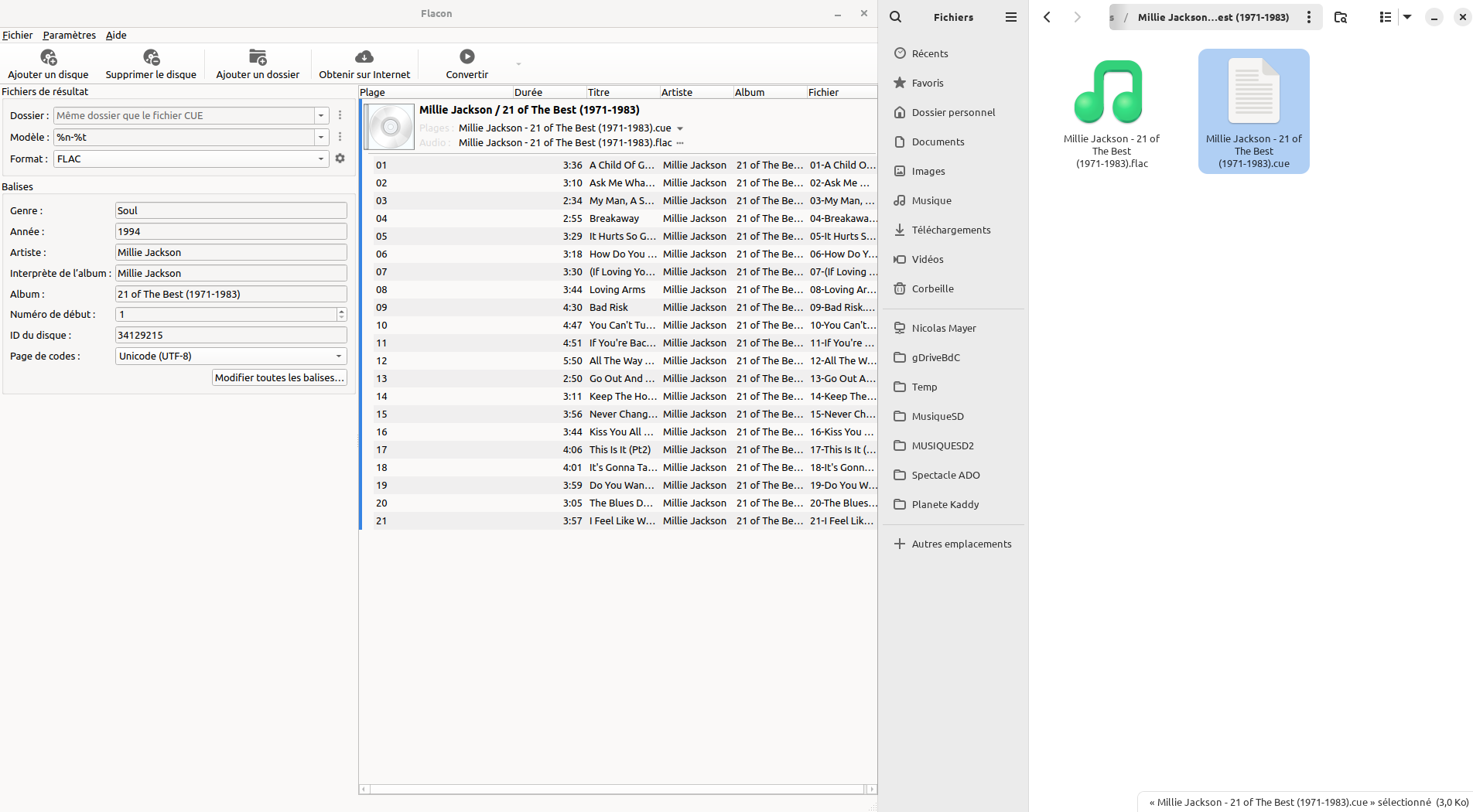
This is a better example.
All the tracks of the album are in the flac file. Flac files = 1 album
If I open the cue file with Flacon, it shows me all the tracks and I can “extract” them in the parent folder (or anything else).
If I open the flac file with Flacon, it looks for the cue file and then shows me all the tracks. I can now extract them where I want.
I don’t know if Flacon can use aac or mp4 files. But It needs the cue file which contain informations about tracks lenght, etc.
Maybe you should look for an app that can detect blank silences in your big track to “cut” the file in multiple files.
Maybe an idea can be :
Play your large track on your PC and run aur/audio-recorder 3.3.4-2 to record it. Audio-recorder can detect silences and can cut the record everytime it detects, for example, a 2 sec silence.
But you won’t have the tracks name, etc. Just separate files.
PS : hope my english is understandable
I use Easytag a lot.
If all the files of an album are in a folder, maybe it can work with manual search.
Flacon is a cd image splitter and uses a cue file (which contains the split points)
So no for your purpose this is not the tool.
If you have converted the mp4 to mp3 audio only you can use mp3directcut to cut it in pieces but you have to do it by hand
Looks like you can use ffmpeg :
ffmpeg it is. While I have mp4 albums, I’m finding I have more Webm and Video files that are albums…these are a tough nut to crack for individual track separations. Taking me a while to get used to the arguments but I did isolate something. All wrong but I know it works.
my deduction exactly. most of my single file ‘albums’ are webm/video so isolating audio from these is an uphill climb. I think ffmpeg is the only tool left. And I’m learning it slow.
***ADDENDUM: tried track isolation in Handbrake. Successfully. The only problem is Handbrake cannot save as an audio file of any kind, only video.
I gave love to all your response, I really appreciated the input. PS–Is there a GUI for ffmpeg?
Avidemux can open a webm video and can save the audio track, see the Audio menu.
Never used it but videomass is an option
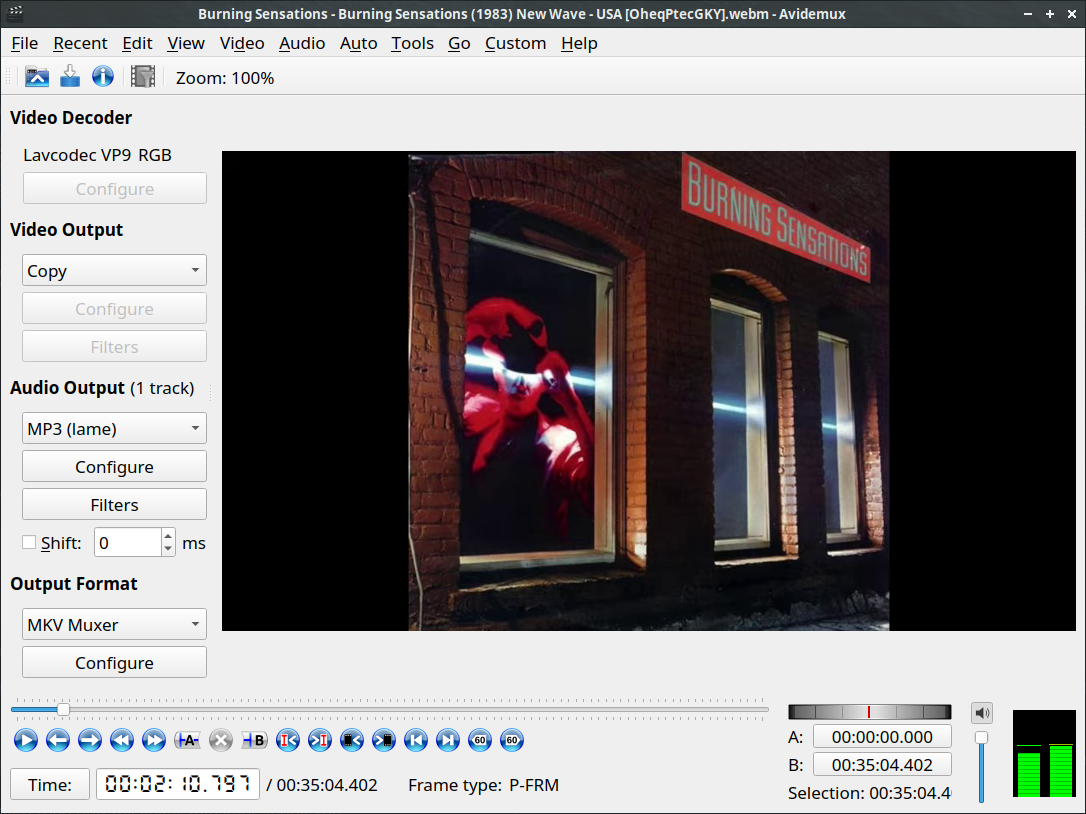
thank you
Because it works only with the frames of the video.
can see no way to save to audio, only video. I did save the first song as a video. edit: I mean in the “Output Format” toggle menu.
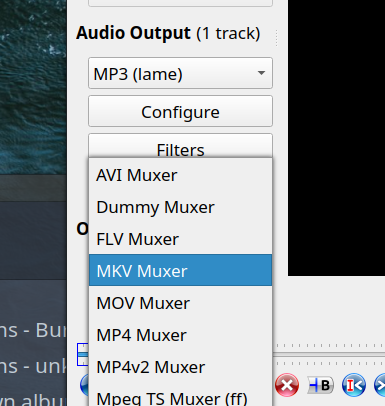
I probably need a plugin. will play some more this afternoon.