I will check wit the devs and mods on how to do tis
ok. but i think it will be easiest way.
kinda busy today - but send you a msg tonight or tomorrow . so you know how everything progresses
ok.
hands down - the most complex bswpwmrc I’ve seen - you have hundred rules how do you remember all this? Besides that it looked like basic bspwmrc wirh some personal addition. Nice config but ofc after years of use we improve stuff where it can be improved
are we gonna include that piece of masterpiece?
that would be the oposite of mimalism 
on one hand true
Checking these out was on my to-do list already, but I really need to do it now. I felt fancy for replacing h,j,k,l with the arrow keys (personal choice, not saying it should be standard) so I’m excited to see this 
my recommendation would be to check outt the exaple files. before ppl hve added their own twaks to ir
here’s the bspwmrc
#! /bin/sh
pgrep -x sxhkd > /dev/null || sxhkd &
bspc monitor -d I II III IV V VI VII VIII IX X
bspc config border_width 2
bspc config window_gap 12
bspc config split_ratio 0.52
bspc config borderless_monocle true
bspc config gapless_monocle true
bspc rule -a Gimp desktop=’^8’ state=floating follow=on
bspc rule -a Chromium desktop=’^2’
bspc rule -a mplayer2 state=floating
bspc rule -a Kupfer.py focus=on
bspc rule -a Screenkey manage=off
and heres the keybindings
wm independent hotkeys
terminal emulator
super + Return
urxvt
program launcher
super + @space
dmenu_run
make sxhkd reload its configuration files:
super + Escape
pkill -USR1 -x sxhkd
bspwm hotkeys
quit/restart bspwm
super + alt + {q,r}
bspc {quit,wm -r}
close and kill
super + {_,shift + }w
bspc node -{c,k}
alternate between the tiled and monocle layout
super + m
bspc desktop -l next
send the newest marked node to the newest preselected node
super + y
bspc node newest.marked.local -n newest.!automatic.local
swap the current node and the biggest window
super + g
bspc node -s biggest.window
state/flags
set the window state
super + {t,shift + t,s,f}
bspc node -t {tiled,pseudo_tiled,floating,fullscreen}
set the node flags
super + ctrl + {m,x,y,z}
bspc node -g {marked,locked,sticky,private}
focus/swap
focus the node in the given direction
super + {_,shift + }{h,j,k,l}
bspc node -{f,s} {west,south,north,east}
focus the node for the given path jump
super + {p,b,comma,period}
bspc node -f @{parent,brother,first,second}
focus the next/previous window in the current desktop
super + {_,shift + }c
bspc node -f {next,prev}.local.!hidden.window
focus the next/previous desktop in the current monitor
super + bracket{left,right}
bspc desktop -f {prev,next}.local
focus the last node/desktop
super + {grave,Tab}
bspc {node,desktop} -f last
focus the older or newer node in the focus history
super + {o,i}
bspc wm -h off; \
bspc node {older,newer} -f; \
bspc wm -h on
focus or send to the given desktop
super + {_,shift + }{1-9,0}
bspc {desktop -f,node -d} ‘^{1-9,10}’
preselect
preselect the direction
super + ctrl + {h,j,k,l}
bspc node -p {west,south,north,east}
preselect the ratio
super + ctrl + {1-9}
bspc node -o 0.{1-9}
cancel the preselection for the focused node
super + ctrl + space
bspc node -p cancel
cancel the preselection for the focused desktop
super + ctrl + shift + space
bspc query -N -d xargs -I id -n 1 bspc node id -p cancel
move/resize
expand a window by moving one of its side outward
super + alt + {h,j,k,l}
bspc node -z {left -20 0,bottom 0 20,top 0 -20,right 20 0}
contract a window by moving one of its side inward
super + alt + shift + {h,j,k,l}
bspc node -z {right -20 0,top 0 20,bottom 0 -20,left 20 0}
move a floating window
super + {Left,Down,Up,Right}
bspc node -v {-20 0,0 20,0 -20,20 0}
it can look a litle confusing but bpswm allows you to everything - not only horizontal split you can split windows the way you want it with the split ratio you want. If you got the skills for it It bet you can make bspwm make you dinner and dessert
I’m busy tonight but we’ll start on this tomorrow we still have good time
fine for me
I use vim so for me hjkl is natural - but you should use what you’re comfortable with
for new users more natural/intuitive will be arrow keys
arrow keys are for other stuff but you csn ofc switch keys but hjkl doesnt take long to get used to h is left l is right j is down and k i up after a week it feels natural
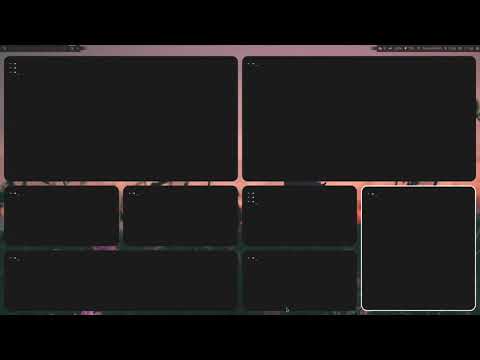
the blue is preselect and it decides where the net window go - just a tease
but keep in mind stuff not available as packages on official repositories can not be used, or need to make available on repository.
Apologies @joekamprad I did not realize it was an AUR package. 
@anon77235960 do you have any news?
not yet no- you guys obv know more about me than me. but if I opened a new git hub account and a few of us had acces to it - would that sufffice? Once when we were happy with the result we could push it to you - mening @joekamprad @Bryanpwo and @manuel
does that mean polybar can’t be used? Then there’s no point in doing it - because the alternative would be to script dzen2 from stratch - maybe yabar could be a solution
But if this is sometthing for beginners then only polybar is a viable opton. I think we can look the other way when it comes to poly bar. it is the only prgoram than we’re talking about thta’s not in officical repos