A few days ago, I updated my endeavouros install with yay -Syu, as is usual. There was some error about v4l2loopback not installing correctly, and i stupidly rebooted. Boot failed, so I timeshifted back to before that update from a live usb, and booted fine. I uninstalled v4l2loopback and tried updating again, with no apparent errors. So I–not so stupidly, given the circumstances–rebooted. Boot hung up yet again after five minutes of trying. Totally lost on what to do at this point. I’m on the live usb typing this, and don’t know how to get logs. I don’t think v4l2loopback is the problem this time, but I might be wrong. I took a video of the boot process though.
This might be a good start;
We can then get logs via something like
journalctl -p 3 -xb -1
which would print the errors in the journal from previous boot.
You may also send things to pastes using eos-sendlog, ex;
journalctl -p 3 -xb -1 | eos-sendlog
Is not working with kernel 6.16, but it should boot anyway.
Post the video or take a picture of your boot screen to see what’s wrong.
1 Like
arch-chroot and running the command returns logs from the boot directly before all of this happened. Not useful.
Can’t send video but i can send screenshots from video
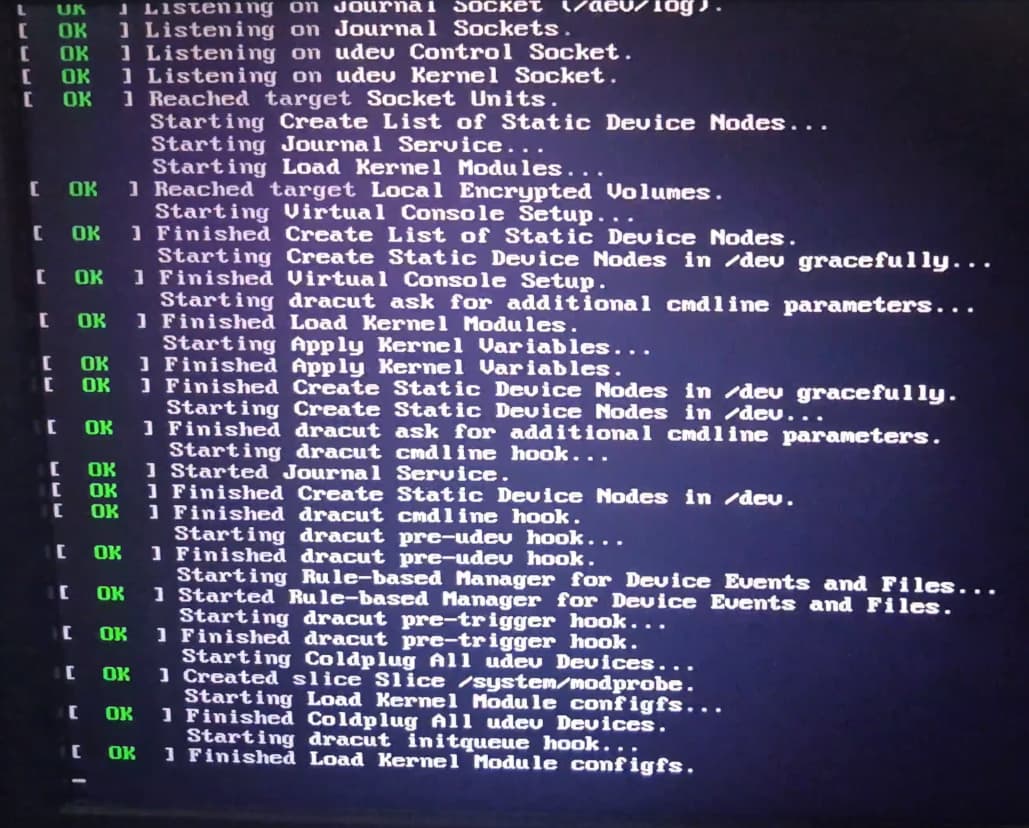
last frame before error
error is a blur, only readable frame
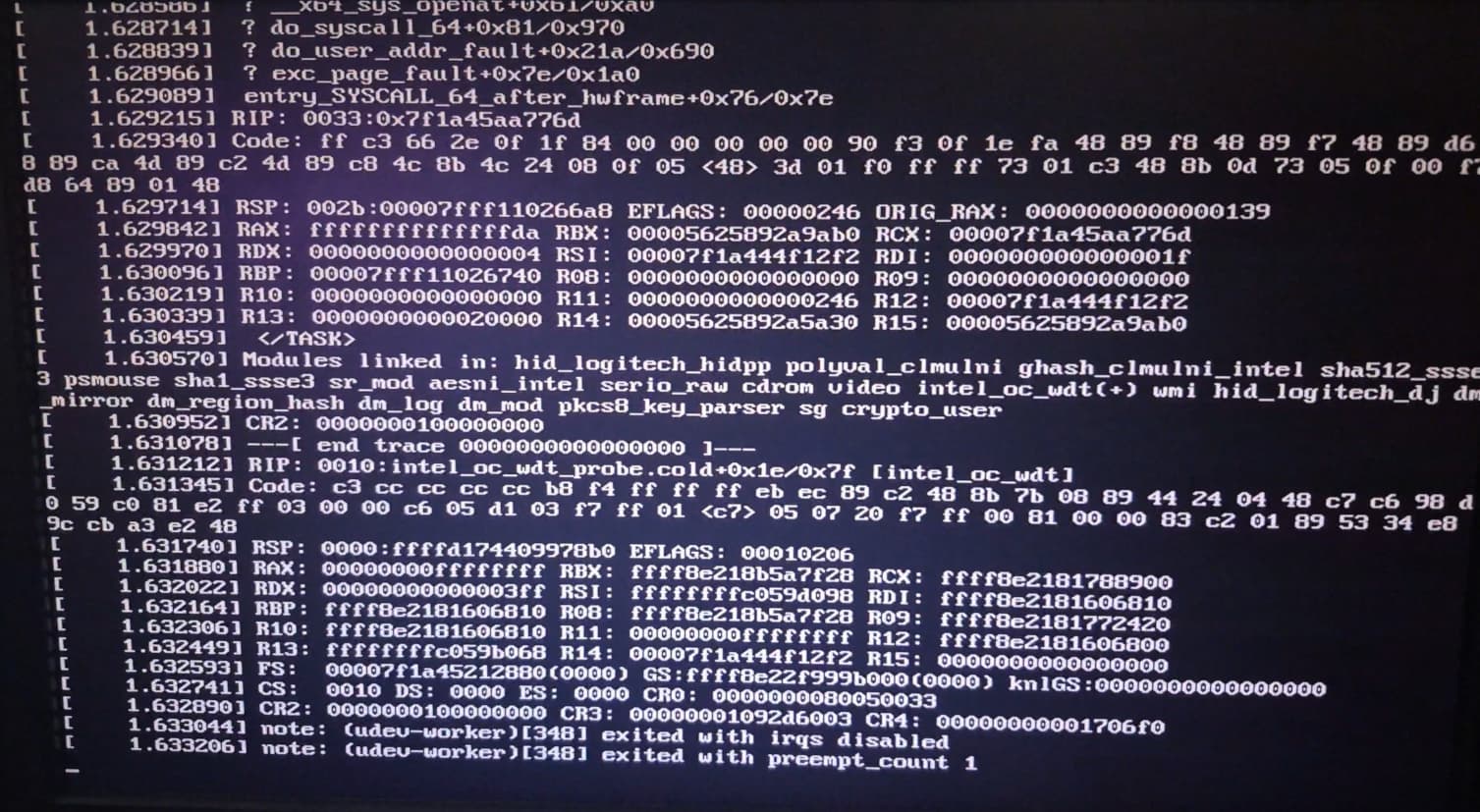
then hangs on this for a while
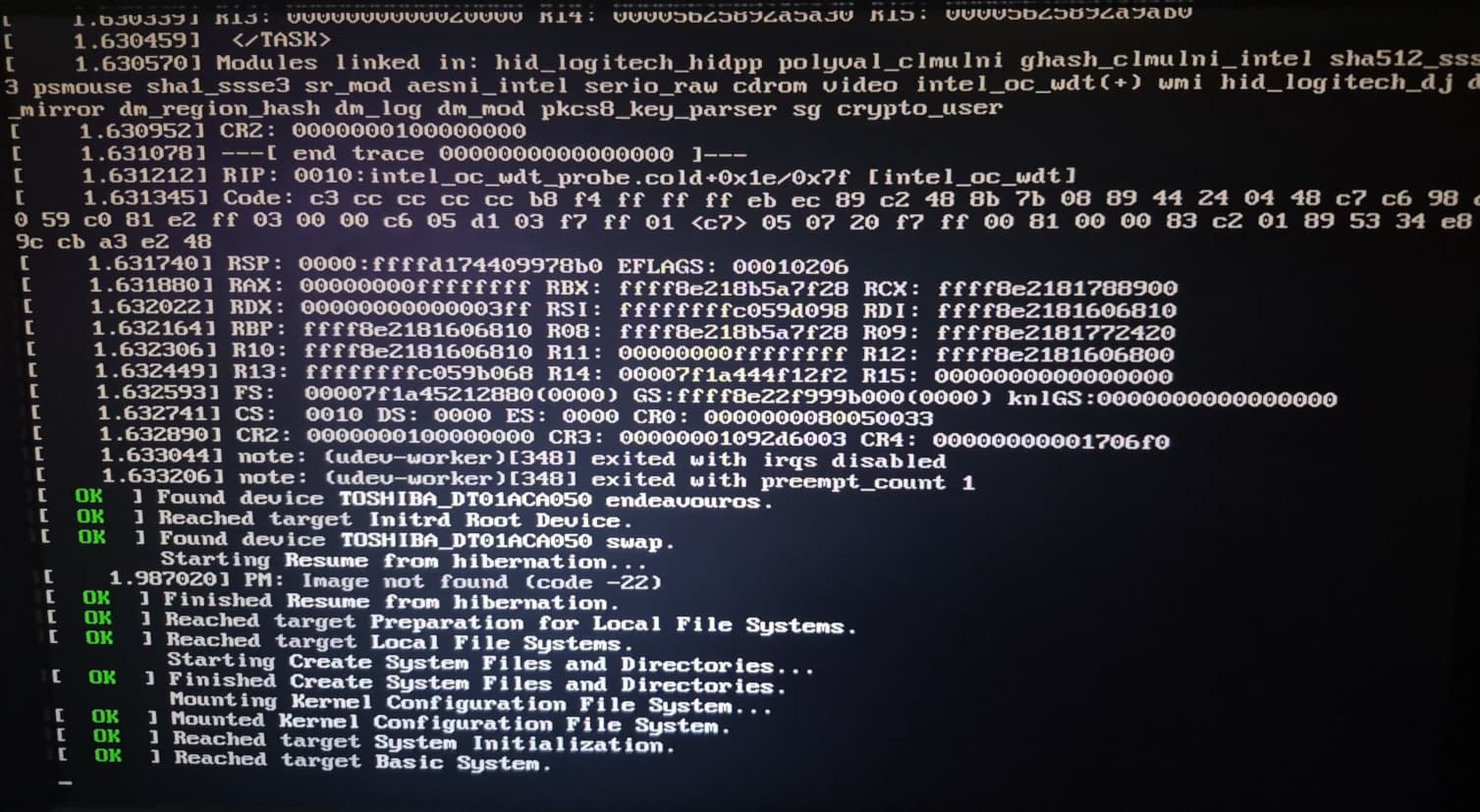
later, this
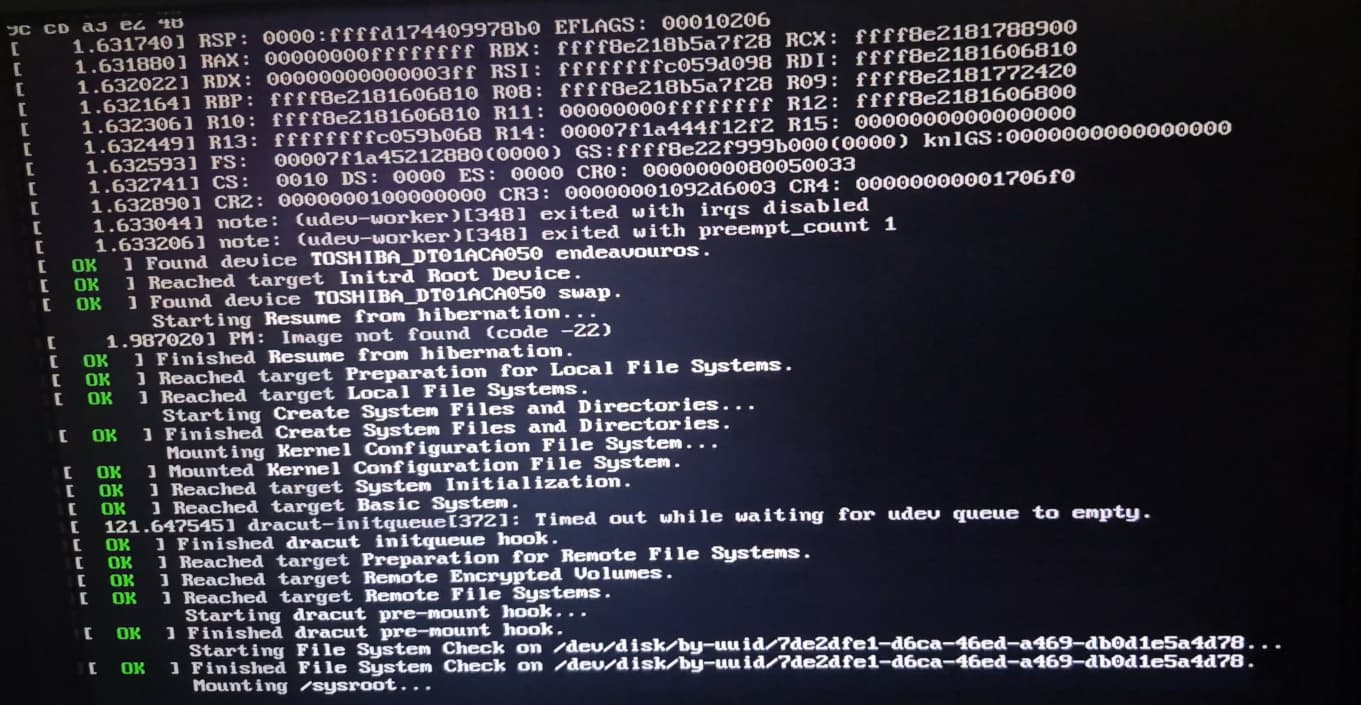
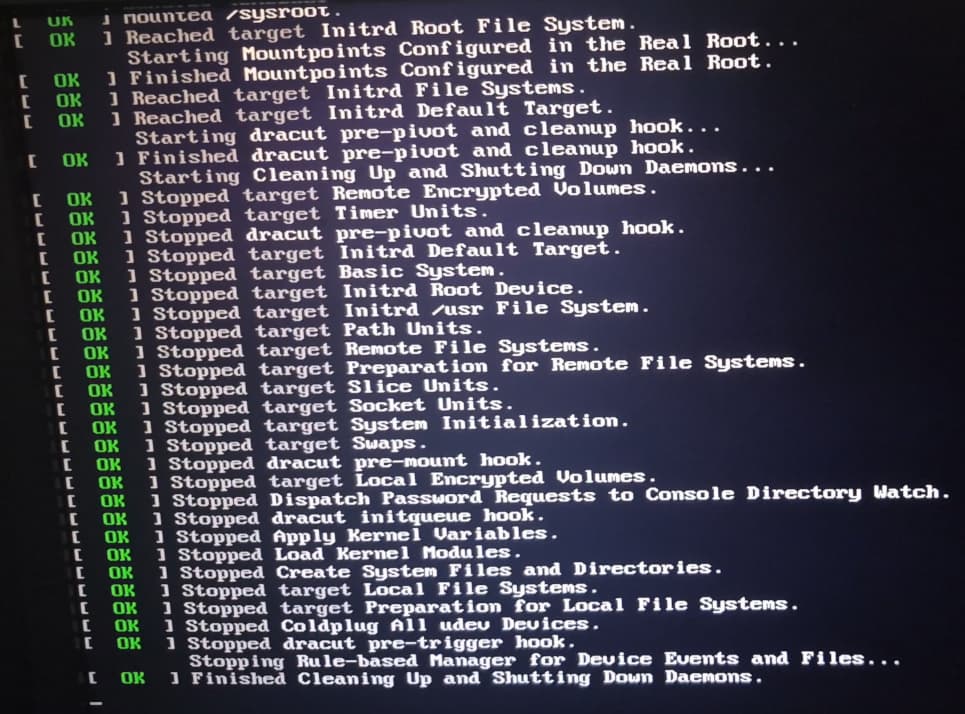
and then freezes on this message at 2m10s on the timer

sorry for not having actual logs lol but hopefully this helps
Related to virtualbox or teamviewer or anything like that?
Maybe something in /etc/udev/rules.d that is causing the problem?
Also be sure to double-check (possibly even reseat) all cables and connections.
only thing in that directory is 99-plover-uinput.rules, contents are
KERNEL==“uinput”, GROUP=“plover”, MODE=“0660”, OPTIONS+=“static_node=uinput”
Did you make the file ?
Or is it from a package?
pacman -Qi $(pacman -Qqo /etc/udev/rules.d/99-plover-uinput.rules)
it’s from the Plover appimage
I wonder what would happen if you just comment out the line in the file.
Ex:
# KERNEL==“uinput”, GROUP=“plover”, MODE=“0660”, OPTIONS+=“static_node=uinput”
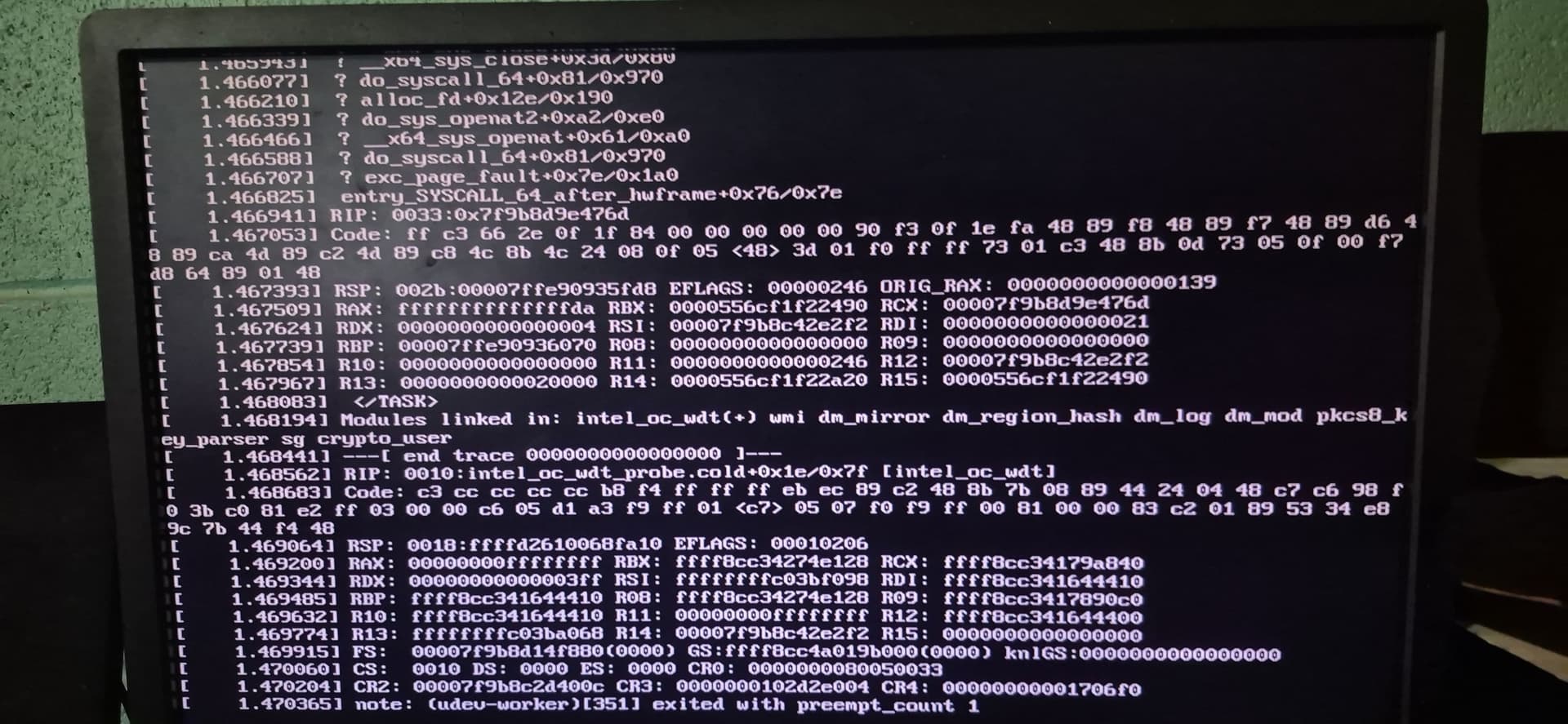
Well it changed. 
Given that plover appears to have placed configs on your root filesystem then its possible there are other things related.
The final note indicates its still udev dying here.
but why would udev be giving up? considering its the device manager it makes me think its something with v4l2loopback even though i uninstalled it with -Rns
I dont know .. I thought the whole thing might be related to that one foreign rule you have but apparently not - or at least not alone.
Is not a package.
What package was actually installed?
Many are DKMS related .. maybe you need to redo that?
sudo dkms status
sudo dkms autoinstall
And maybe also rebuild initram and bootloader. But I am unsure of what you have for those.
v4l2loopback-dkms was the package
1 Like
Might be something in the kernel. Looks pretty similiar: Problem in dual boot after latest updates - #24 by hattori.hanzo
should i install the lts kernel and try again?
fixed with kernel 6.16.3
1 Like
This topic was automatically closed 2 days after the last reply. New replies are no longer allowed.