I am missing the bluetooth settings in Budgie Control Center.
When i run budgie-control-center bluetooth i get
(budgie-control-center:9860): cc-window-WARNING **: 07:30:05.228: Could not find settings panel “bluetooth”
I am missing the bluetooth settings in Budgie Control Center.
When i run budgie-control-center bluetooth i get
(budgie-control-center:9860): cc-window-WARNING **: 07:30:05.228: Could not find settings panel “bluetooth”
Did you already follow this wiki to get bluetooth enabled ?
Yes. Did all the steps. Bluetooth icon is showing in Desktop Panel, but i could not reach the settings.
Well I don’t know anything about Budgie but after doing a quick search I found one topic from someone with just about the same error message, and this person solved it by installing blueman.
Still no Bluetooth in budgie control center but i can configure Bluetooth via blueman tray icon.
Thank you.
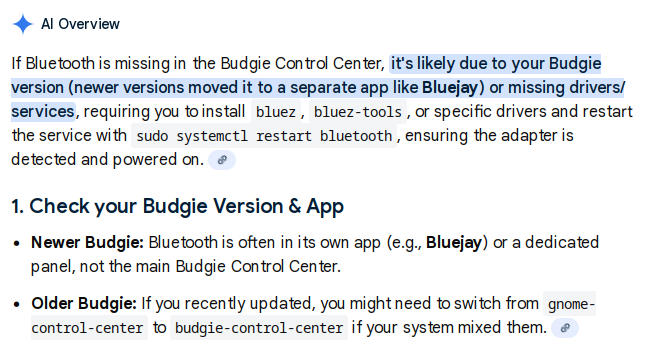
I have no idea how much faith to have in Google’s A.I. search result, but there’s this…
In Budgie 10.10 (and later),
Bluetooth settings moved from the main Budgie Control Center to a dedicated applet, called Bluejay, for managing pairing, connecting, and audio routing directly through the panel applet or its standalone application. You’ll find options to turn Bluetooth on/off, add new devices, trust them, and manage audio output by clicking the Bluetooth icon in the panel, with battery indicators for connected devices.
The Bluejay Bluetooth applet was introduced in Budgie 10.9…
thanks for your help. Mh, that means Bluetooth in budgie-control-center is gone since 2 years?
In 2025 it was there (i think) 
And i can’t find something called bluejay, only in aur:
yay -Ss bluejay
aur/bluejay-git 1.0.3.r4.g69052fc-1 (+0 0.00)
    Bluetooth manager written in Qt
aur/bluejay 1.0.3-5 (+0 0.00)
    Bluetooth manager written in Qt
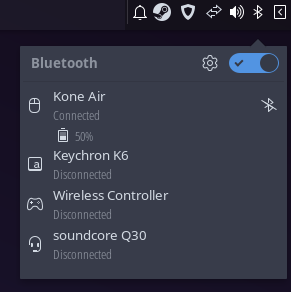
The only thing that i have is the taskbar icon
and the gear to go to setting doesn’t work 
@moxdrox, How about
blueman-manager
I tested in cachyOS Budgie. Once you start it from command line it will be on the system tray.
Will try it. But i don’t get it why Budgie doesn’t have its own settings for BT
I checked in EnOS.
systemctl enable bluetooth --now
yay -S blueman
blueman-manager
and BT icon is present in Panel/System Tray with left and right-click access.
Good question how to drop the old BT icon from Status Indicator.