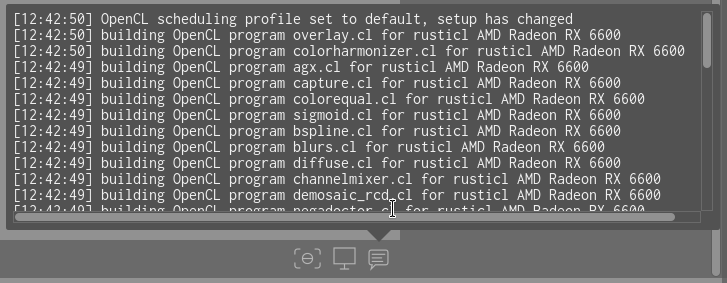
Hallo,
diese Warnung sehe ich seit einigen Tagen:
=== Rusticl warning: Patched Mesa libclc not detected. Upstream libclc may contain known bugs or breaking changes and isn’t guaranteed to work reliably. Please visit https://gitlab.freedesktop.org/karolherbst/mesa-libclc for more information. ===
In Arch & CachyOS wurde das Problem bereits durch einen Patch behoben.
offen 09:58PM - 28 Jul 26 UTC
bug: upstream
OpenCL
Rusticl
_(Original title: **Unable to enable OpenCL in CachyOS, despite being installed*… *)_
### Is there an existing issue for this?
- [x] I checked and did not find my issue in the already reported ones
### Describe the bug
I'm on CachyOS, using Darktable 5.6.0
I have an AMD GPU (9070 XT) that is clearly recognized by my OS & used in other programs. I thought it was working in Darktable at some point, but I noticed a performance hit recently. This prompted me to check the settings, inside which the “GPU Acceleration” section is grayed out, showing it's “not available”
<img width="1271" height="861" alt="Image" src="https://github.com/user-attachments/assets/eed9e79d-5ade-48ec-a954-33071cb253c0" />
Running `darktable -d opencl` from the command line shows a compiler error *(shown in the logfile section)*. Per the [documentation](https://docs.darktable.org/usermanual/development/en/special-topics/opencl/problems-solutions/), this appears to fall under a "generic compiler error", and I was directed here.
The OpenCL installation came with the OS distro *(chatting in a [different forum](https://discuss.cachyos.org/t/darktable-gpu-acceleration-opencl-not-available/33501) separately just in case it's an OS issue)*. I have not modified OpenCL on my machine from the stock version that comes with CachyOS.
How can I enable GPU acceleration on my machine? It's noticeably slower without it.
### Steps to reproduce
1. Launch Darktable 5.6.0
2. Open preferences
3. Go to the "processing" tab
4. Under "OpenCL GPU acceleration", attempt to check the box by "activate OpenCL support"
### Expected behavior
Darktable should recognize my existing OpenCL installation and allow enabling GPU acceleration
### Logfile | Screenshot | Screencast
```
❯ darktable -d opencl
darktable 5.6.0
Copyright (C) 2012-2026 Johannes Hanika and other contributors.
Compile options:
Bit depth -> 64 bit
Exiv2 -> 0.28.8
Lensfun -> 0.3.4
Debug -> DISABLED
SSE2 optimizations -> ENABLED
OpenMP -> ENABLED
OpenCL -> ENABLED
Lua -> ENABLED - API version 9.7.0
Colord -> ENABLED
gPhoto2 -> ENABLED - Camera tethering is available
OSMGpsMap -> ENABLED - Map view is available
GMIC -> ENABLED - Compressed LUTs are supported
GraphicsMagick -> ENABLED
ImageMagick -> DISABLED
libavif -> ENABLED
libheif -> ENABLED
libjxl -> ENABLED
LibRaw -> ENABLED - Version 0.22.0-Release
OpenJPEG -> ENABLED
OpenEXR -> ENABLED
WebP -> ENABLED
AI -> ENABLED
See https://www.darktable.org/resources/ for detailed documentation.
See https://github.com/darktable-org/darktable/issues/new/choose to report bugs.
[dt starting] as : darktable -d opencl
Gtk-Message: 19:09:15.814: Failed to load module "appmenu-gtk-module"
[opencl_init] opencl disabled via darktable preferences
[opencl_init] opencl library 'libOpenCL' found on your system and loaded, preference 'default path'
[opencl_init] found 1 platform
[opencl_init] found 1 device
DEVICE: 0: 'AMD Radeon RX 9070 XT (radeonsi, gfx1201, ACO, DRM 3.64, 7.1.4-1-cachyos)'
CONF KEY: cldevice_v6_rusticlamdradeonrx9070xt
PLATFORM, VENDOR & ID: rusticl, Mesa:Mesa/X.org, ID=4098
CANONICAL NAME: rusticlamdradeonrx9070xt
DRIVER VERSION: 26.1.5-arch3.1
DEVICE VERSION: OpenCL 3.0 API=300
DEVICE_TYPE: GPU, dedicated mem
GLOBAL MEM SIZE: 16384 MB
MAX IMAGE ALLOC: 2048 MB
MAX IMAGE SIZE: 65536 x 65536
MAX CONSTANT BUFFER: 65536 KB
LOCAL MEM SIZE: 64 KB
ADDRESS ALIGN: 512 B
COMPUTE UNITS: 64
MAX WORK GROUP SIZE: 1024 (64)
MAX WORK ITEM DIMENSIONS: 3 [ 1024 1024 1024 ]
ASYNC PIXELPIPE: NO
PINNED MEMORY TILING: NO
SUPPORTED ATOMICS: INT32
EVENTS HANDLED: YES
OPENCL FAST MODE: NO
TILING ADVANTAGE: 0.000
DEFAULT DEVICE: NO
KERNEL BUILD DIRECTORY: /usr/share/darktable/kernels
KERNEL DIRECTORY: /home/seg/.cache/darktable/cached_v6_kernels_for_rusticlAMDRadeonRX9070XT_2615arch31
CL COMPILER COMMAND: -w -DAMD=1 -I"/usr/share/darktable/kernels"
[opencl_build_program] could not build program: CL_BUILD_PROGRAM_FAILURE
[dt_opencl_device_init] failed to compile program `basic.cl'
[opencl_init] no suitable devices found.
[opencl_init] FINALLY: opencl PREFERENCE=NO is NOT AVAILABLE and NOT ENABLED
```
### Commit
_No response_
### Where did you obtain darktable from?
darktable.org / GitHub release
### darktable version
5.6.0
### What OS are you using?
Linux
### What is the version of your OS?
CachyOS
### Describe your system
Arch Linux via CachyOS with AMD GPU - a 9070 XT. Wholly up-to-date as of the time this ticket is being posted.
```
❯ fastfetch
.-------------------------: seg@lilith
.+=========================. ----------
:++===++==================- :++- OS: CachyOS x86_64
:*++====+++++=============- .==: Host: X570 AORUS ELITE WIFI (-CF)
-*+++=====+***++==========: Kernel: Linux 7.1.4-1-cachyos
=*++++========------------: Uptime: 3 hours, 15 mins
=*+++++=====- ... Packages: 1522 (pacman)
.+*+++++=-===: .=+++=: Shell: fish 4.8.1
:++++=====-==: -*****+ Display (Sceptre Y27): 2560x1440 @ 1.15x in 27", 165 Hz [External] *
:++========-=. .=+**+. Display (Sceptre Y27): 2560x1440 @ 1.15x in 27", 165 Hz [External]
.+==========-. . DE: KDE Plasma 6.7.3
:+++++++====- .--==-. WM: KWin (Wayland)
:++==========. :+++++++: WM Theme: Layan
.-===========. =*****+*+ Theme: Breeze (Layan) [Qt], Breeze-Dark [GTK2], Breeze [GTK3]
.-===========: .+*****+: Icons: Tela [Qt], Tela [GTK2/3/4]
-=======++++:::::::::::::::::::::::::-: .---: Font: Noto Sans (10pt) [Qt], Noto Sans (10pt) [GTK2/3/4]
:======++++====+++******************=. Cursor: Layan-white (24px)
:=====+++==========++++++++++++++*- Terminal: konsole 26.4.3
.====++==============++++++++++*- CPU: AMD Ryzen 7 5800X (16) @ 4.85 GHz
.===+==================+++++++: GPU: AMD Radeon RX 9070 XT [Discrete]
.-=======================+++: Memory: 6.16 GiB / 31.26 GiB (20%)
.......................... Swap: 6.45 MiB / 31.26 GiB (0%)
Disk (/): 593.05 GiB / 929.51 GiB (64%) - btrfs
Local IP (enp5s0): 131.241.136.160/24
Locale: en_US.UTF-8
```
### Are you using OpenCL GPU in darktable?
None
### If yes, what is the GPU card and driver?
_No response_
### Please provide additional context if applicable. You can attach files too, but might need to rename to .txt or .zip
_No response_
Wie sieht es dazu in EndeavourOS aus?
Viele Grüße
Laut den Kommentaren dea verlinkten darktable issues ist die folgende Mergeanfrage bereits angenommen und seitens Mesa adaptiert worden.
In dem Sinne - das Problem sollte seitens mesa 1:26.1.7-1 bereits behoben sein, also mal prüfen ob da bei Dir noch eine ältere Version läuft.
Und ganz nebenbei: Es ist irgendwie unschön im deutschen Forumteil einen neuen Beitrag mit einem Titel in englisch zu eröffnen. Drum war ich mal so frei den Titel zu übersetzen.
Nachtrag:
Hab mal darktable installiert, inkl. den nötigen Paketen bzgl. OpenCL.
$ yay -Qs opencl
local/clinfo 3.0.25.02.14-1.1
    Simple OpenCL application that enumerates all available platform and device properties
local/intel-compute-runtime 26.27.39122.11-1.1
    Intel(R) Graphics Compute Runtime for oneAPI Level Zero and OpenCL(TM) Driver
local/intel-graphics-compiler 1:2.38.2-1.1
    Intel Graphics Compiler for OpenCL
local/libclc 22.1.8-2
    Library requirements of the OpenCL C programming language
local/ocl-icd 2.3.5-1.1
    OpenCL ICD Bindings
local/opencl-mesa 1:26.1.7-1.1
    Open-source OpenCL drivers

$ yay -Qs mesa
local/glu 9.0.3-3.1
    Mesa OpenGL utility library
local/lib32-glu 9.0.3-2.2
    Mesa OpenGL utility library (32 bits)
local/lib32-mesa 1:26.1.7-1.1
    Open-source OpenGL drivers - 32-bit
local/lib32-mesa-utils 9.0.0-4.1
    Essential Mesa utilities (32-bit)
local/lib32-vulkan-mesa-implicit-layers 1:26.1.7-1.1
    Mesa's implicit Vulkan layers - 32-bit
local/lib32-vulkan-mesa-layers 1:26.1.7-1.1
    Mesa's explicit Vulkan layers - 32-bit
local/mesa 1:26.1.7-1.1
    Open-source OpenGL drivers
local/mesa-demos 9.0.0-7.1
    Mesa demos
local/mesa-utils 9.0.0-7.1
    Essential Mesa utilities
local/opencl-mesa 1:26.1.7-1.1
    Open-source OpenCL drivers
local/vulkan-mesa-implicit-layers 1:26.1.7-1.1
    Mesa's implicit Vulkan layers
local/vulkan-mesa-layers 1:26.1.7-1.1
    Mesa's explicit Vulkan layers
Wenn das Problem in Arch behoben ist, ist es auch in EndeavourOS behoben. EndeavourOS nutzt die Arch-Repositorys für alle Pakete bis auf eine kleine Handvoll.
Übersetzt von Deepl.
Danke! Hier läuft die 26.1.7-arch1.1.
Oh - vielen Dank nochmals auch dafür. Ist mir letztens schon passiert.
Da war ich mir eben nicht sicher, weil das so extra klang: arch hat es & cachy auch.
Keine Ahnung, warum dann die Warnung dann überhaupt bei mir angezeigt wird. Ich nutze gar kein Darktable.
Nun … gut zu wissen, dass alles okay ist, wie es ist.