Operating System: EndeavourOS
KDE Plasma Version: 6.4.5
KDE Frameworks Version: 6.19.0
Qt Version: 6.10.0
Kernel Version: 6.17.1-arch1-1 (64-bit)
Graphics Platform: Wayland
Processors: 12 × AMD Ryzen 5 PRO 4650G with Radeon Graphics
Memory: 16 GiB of RAM (13,5 GiB usable)
Graphics Processor: AMD Radeon Graphics
Keycron V10 Alice Spanish
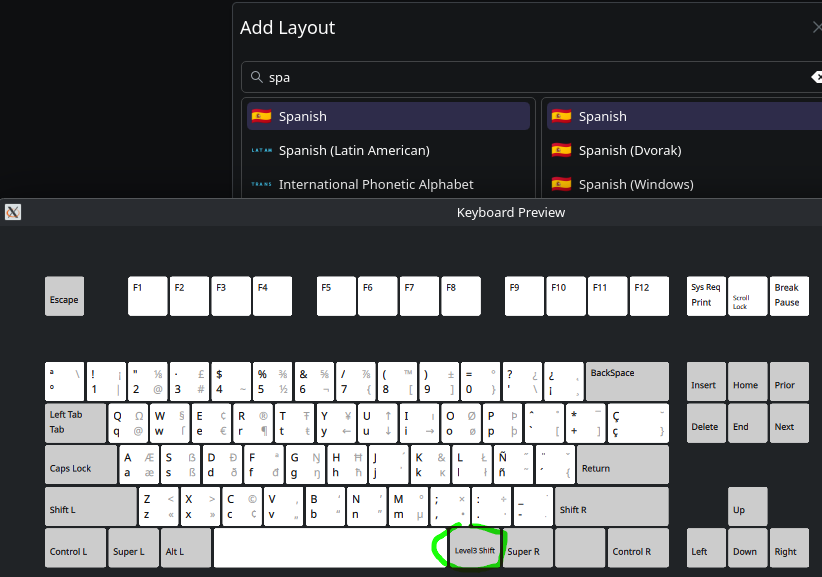
Now, I can’t remember exactly when this started, but I recently noticed that I can’t type the @ sign using the AltGr + 2 combo (the standard on a Spanish keyboard layout).
It definitely worked for years, but all of a sudden that same combination just opens the terminal instead. I haven’t edited or modified any key mappings or shortcuts as far as I know.
Also noticed that it’s not just the @ symbol — all AltGr combos (like the pipe | sign and others) are affected and no longer work.
What I did was add the standard English keyboard layout — if I switch to that, I can type @ and other symbols normally. But it’s a bit annoying to have to switch keyboards just for that.
Has anyone else run into this? Or any idea where to look to restore the original behavior?
This Level3 Shift does not cause your problem. I tried Spanish Spanish layout and it works.
Keyboard - System settings Defaults down below doesn’t help?
IDK how about factory reset of your keyboard?
Hold down the fn + J + Z keys simultaneously for about four seconds.
The keyboard backlight will flash red, indicating that it has been factory reset.
Well, there is always the time for one to accept own mistakes.
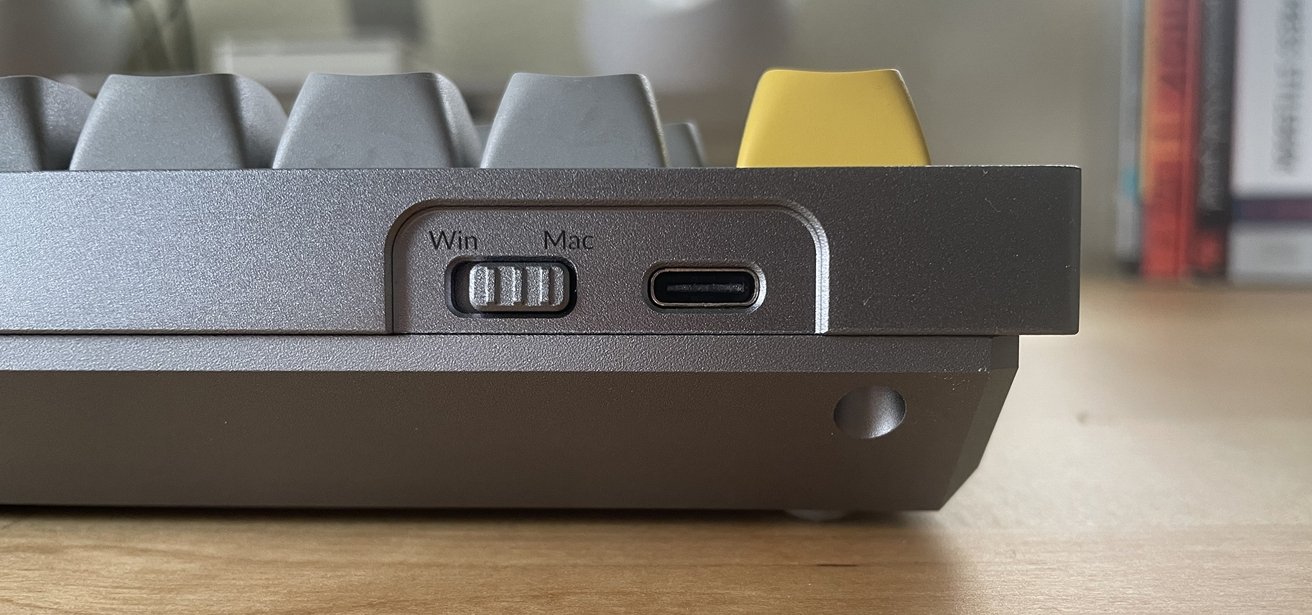
Found the culprit, was so subtle, yet so important. A small switch
The Keychron keyboards, come with a small switch, allowing users to switch for Mac to Windows, which completely changes the physical key map, regardless of the running OS.
Surely, in the lasts weeks, while disconnected my keyboard for cleaning the desk, i touched and toggled the switch from Windows to Mac.
Moreover, in order to troubleshoot the problem, I connected to my “broken OS“ another keyboard, the @ worked as usual, which pointed me to the right track.
In case that you want to avoid this issue in the future, you could essentially “override” the switch. All keychron keyboards are configureable via https://launcher.keychron.com, which only need a chrome-based browser to work. As well as some udev rules to make it function properly. There should be 4 layers configurable, layer 1+2 should be the windows settings, 3+4 mac if I’m not mistaken.
I used this to get tid of all those RGB settings and modes that my keychron has to offer, which would only reduce the battery life and as it’s shipped with non-transparent keycaps the RGB won’t even allow shine-through backlighting.