Image

I’ve redone it, multiple times time now and I end up here or the install window, any help or idea on what to do next would be greatly appreciated.
Some information about the message shown on your screenshot.
https://www.computerhope.com/issues/ch000706.htm
I’ve done what it said but still no luck.
I’ve fully installed it but when I restart it sends me back to the install window from the USB drive.
I’m using a dell laptop
That looks like your drive is either failed or just not configured to properly boot from.
Did you use manual partitioning in the installer? If so, you probably didn’t configure something correctly.
Nope I used the online installer
How would I go about checking if it is?
The online installer supports manual partitioning. Which option did you choose on the partitioning screen? “Erase disk”, “Install alongside”, “Replace partition” or “Manual”.
If you boot off the install ISO again, can you see the drive?
I had picked “erase disk”
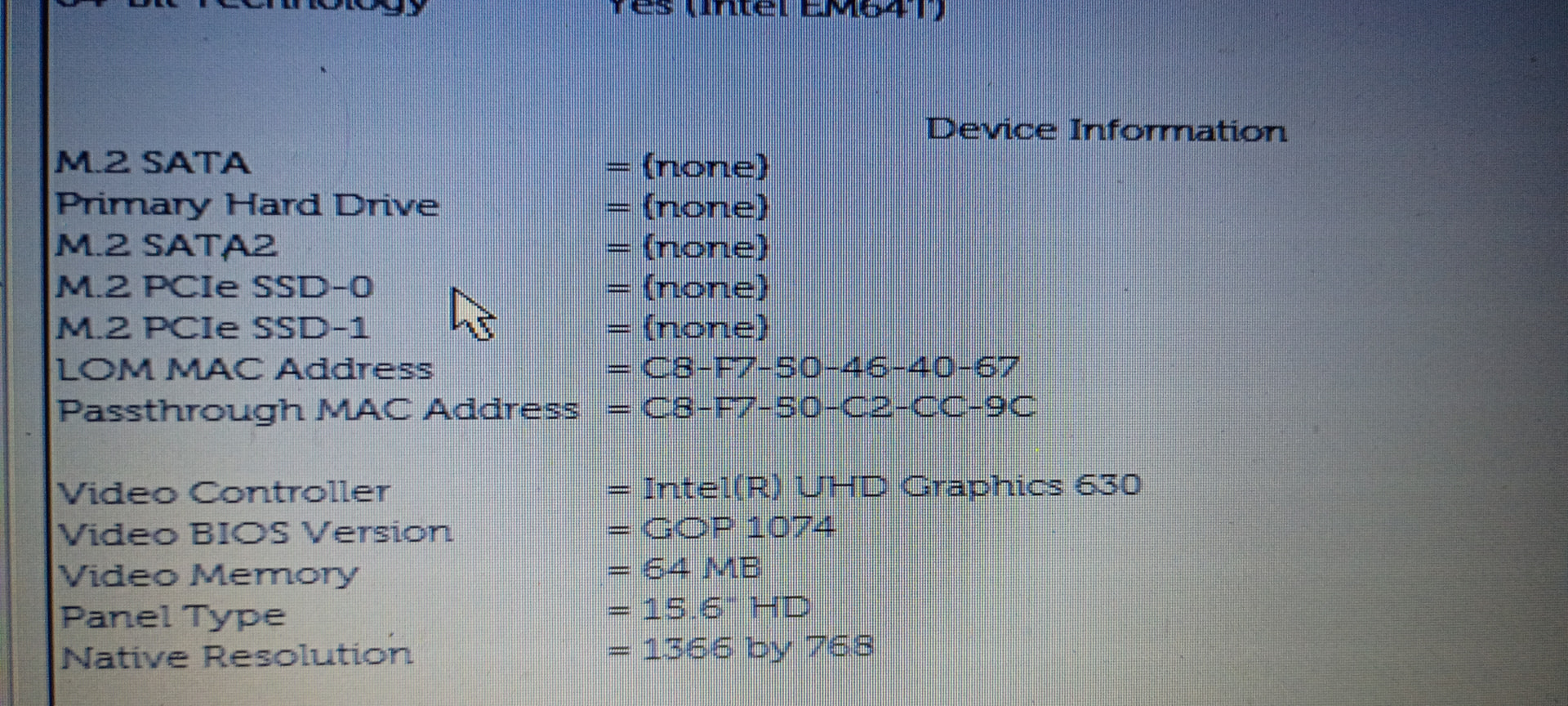
Yeah, that looks like hardware failure.
Is it an SSD?
I think so
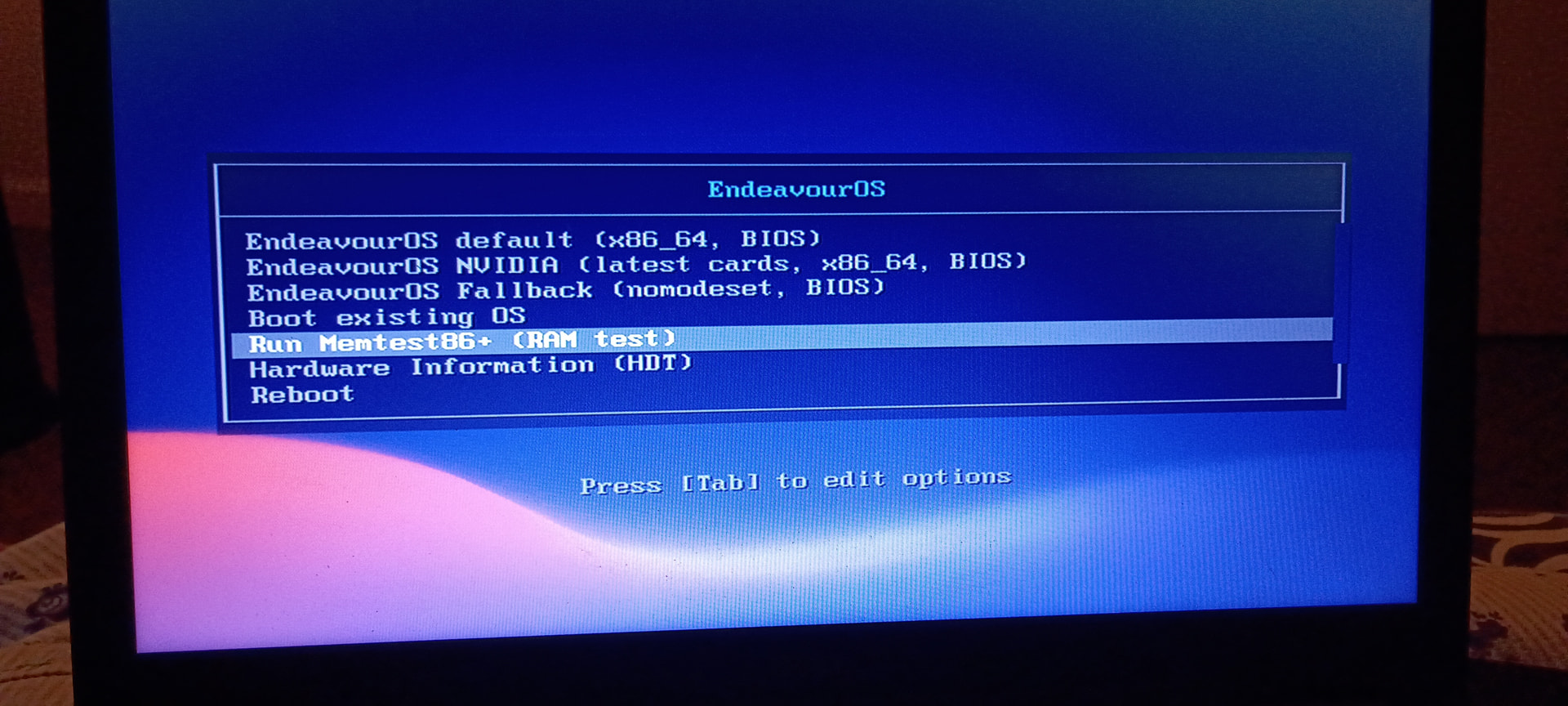
That is the install ISO boot screen when booted in legacy/CSM mode.
could be some confusion with CSM legacy mode and EFI.. in case some boards have the option to have CSM enabled only for usb and in addition for general boot.. you should always use efi mode instead for all if possible.
but the firmware output shows it does not detect any harddrive it seems.
I’ve been trying to figure it out but I don’t know this my first time trying to install something like this
What is the hardware?
We know firmware/efi implementations can be done poorly..
May it had can enabled for USB, but secure boot still active ?
Fwiw, after power outages I often get a very similar start up error on my Dell Optiplex. I need to change (on the set up options) from Legacy to EFI boot up and ensure the boot sequence includes the proper hard drive early in the line up. For some reason these settings get messed up without proper shut down.
I don’t get the cable alert and so this may have nothing to do with the OP’s issue, but thought it worth mentioning if it helps.