is there any software and drivers for the 3Dmakerpro moose 3D scanner under Linux? i sort of need it working and i have deleted Windows completely for obvious reasons :v
There are no native tools in Linux BUT you can use the program within wine. Alternatively you can setup a vm and use it from within the vm.
thats what i was afraid of, thnx
As its USB connected you could check what Linux says about it in general, could help find something that will be able to talk with it:
- unplug the scanner
- open a terninal and run:
journalctl -f - plug it in and share what the journal pull out on that action.
(you can also create pastebin of it and share url:journalctl --since "2 minutes ago" | eos-sendlogafter you plugged it in and waiting a minute )
There is this:
- a Forum around cnc and 3d stuff: https://forum.linuxcnc.org/
- and info: https://www.open3d.org
- and software:
https://alicevision.org/#meshroom
https://github.com/realsenseai/librealsense
https://www.cloudcompare.org/
https://www.meshlab.net/
1 Like
i will check this out, running the windows software didnt see the device, even tho linux picked it up. so i’ll get the info and check your links
Because you need to select the usb device where the device is plugged in.
1 Like
would be great to see the journal.. i could tell you something for sure.
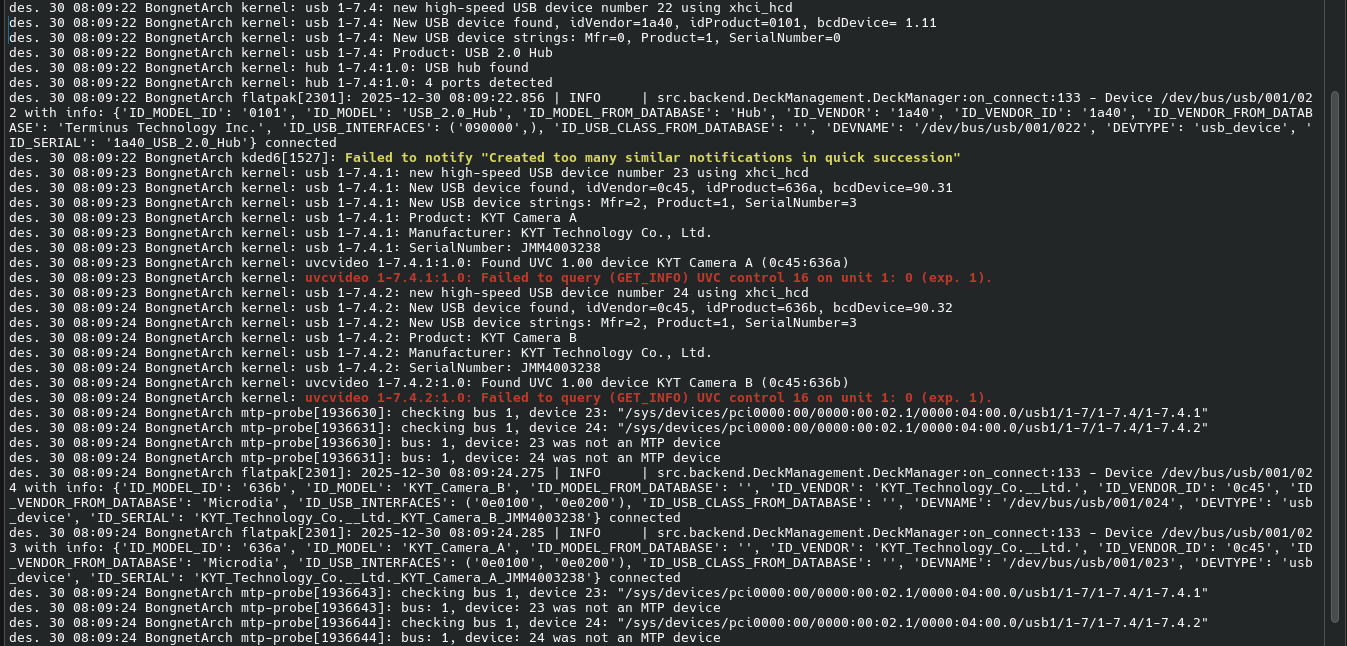
des. 30 08:09:22 BongnetArch kernel: usb 1-7.4: new high-speed USB device number 22 using xhci_hcd
des. 30 08:09:22 BongnetArch kernel: usb 1-7.4: New USB device found, idVendor=1a40, idProduct=0101, bcdDevice= 1.11
des. 30 08:09:22 BongnetArch kernel: usb 1-7.4: New USB device strings: Mfr=0, Product=1, SerialNumber=0
des. 30 08:09:22 BongnetArch kernel: usb 1-7.4: Product: USB 2.0 Hub
des. 30 08:09:22 BongnetArch kernel: hub 1-7.4:1.0: USB hub found
des. 30 08:09:22 BongnetArch kernel: hub 1-7.4:1.0: 4 ports detected
des. 30 08:09:22 BongnetArch flatpak[2301]: 2025-12-30 08:09:22.856 | INFO | src.backend.DeckManagement.DeckManager:on_connect:133 - Device /dev/bus/usb/001/022 with info: {‘ID_MODEL_ID’: ‘0101’, ‘ID_MODEL’: ‘USB_2.0_Hub’, ‘ID_MODEL_FROM_DATABASE’: ‘Hub’, ‘ID_VENDOR’: ‘1a40’, ‘ID_VENDOR_ID’: ‘1a40’, ‘ID_VENDOR_FROM_DATABASE’: ‘Terminus Technology Inc.’, ‘ID_USB_INTERFACES’: (‘090000’,), ‘ID_USB_CLASS_FROM_DATABASE’: ‘’, ‘DEVNAME’: ‘/dev/bus/usb/001/022’, ‘DEVTYPE’: ‘usb_device’, ‘ID_SERIAL’: ‘1a40_USB_2.0_Hub’} connected
des. 30 08:09:22 BongnetArch kded6[1527]: Failed to notify “Created too many similar notifications in quick succession”
des. 30 08:09:23 BongnetArch kernel: usb 1-7.4.1: new high-speed USB device number 23 using xhci_hcd
des. 30 08:09:23 BongnetArch kernel: usb 1-7.4.1: New USB device found, idVendor=0c45, idProduct=636a, bcdDevice=90.31
des. 30 08:09:23 BongnetArch kernel: usb 1-7.4.1: New USB device strings: Mfr=2, Product=1, SerialNumber=3
des. 30 08:09:23 BongnetArch kernel: usb 1-7.4.1: Product: KYT Camera A
des. 30 08:09:23 BongnetArch kernel: usb 1-7.4.1: Manufacturer: KYT Technology Co., Ltd.
des. 30 08:09:23 BongnetArch kernel: usb 1-7.4.1: SerialNumber: JMM4003238
des. 30 08:09:23 BongnetArch kernel: uvcvideo 1-7.4.1:1.0: Found UVC 1.00 device KYT Camera A (0c45:636a)
des. 30 08:09:23 BongnetArch kernel: uvcvideo 1-7.4.1:1.0: Failed to query (GET_INFO) UVC control 16 on unit 1: 0 (exp. 1).
des. 30 08:09:23 BongnetArch kernel: usb 1-7.4.2: new high-speed USB device number 24 using xhci_hcd
des. 30 08:09:24 BongnetArch kernel: usb 1-7.4.2: New USB device found, idVendor=0c45, idProduct=636b, bcdDevice=90.32
des. 30 08:09:24 BongnetArch kernel: usb 1-7.4.2: New USB device strings: Mfr=2, Product=1, SerialNumber=3
des. 30 08:09:24 BongnetArch kernel: usb 1-7.4.2: Product: KYT Camera B
des. 30 08:09:24 BongnetArch kernel: usb 1-7.4.2: Manufacturer: KYT Technology Co., Ltd.
des. 30 08:09:24 BongnetArch kernel: usb 1-7.4.2: SerialNumber: JMM4003238
des. 30 08:09:24 BongnetArch kernel: uvcvideo 1-7.4.2:1.0: Found UVC 1.00 device KYT Camera B (0c45:636b)
des. 30 08:09:24 BongnetArch kernel: uvcvideo 1-7.4.2:1.0: Failed to query (GET_INFO) UVC control 16 on unit 1: 0 (exp. 1).
des. 30 08:09:24 BongnetArch mtp-probe[1936630]: checking bus 1, device 23: “/sys/devices/pci0000:00/0000:00:02.1/0000:04:00.0/usb1/1-7/1-7.4/1-7.4.1”
des. 30 08:09:24 BongnetArch mtp-probe[1936631]: checking bus 1, device 24: “/sys/devices/pci0000:00/0000:00:02.1/0000:04:00.0/usb1/1-7/1-7.4/1-7.4.2”
des. 30 08:09:24 BongnetArch mtp-probe[1936630]: bus: 1, device: 23 was not an MTP device
des. 30 08:09:24 BongnetArch mtp-probe[1936631]: bus: 1, device: 24 was not an MTP device
des. 30 08:09:24 BongnetArch flatpak[2301]: 2025-12-30 08:09:24.275 | INFO | src.backend.DeckManagement.DeckManager:on_connect:133 - Device /dev/bus/usb/001/024 with info: {‘ID_MODEL_ID’: ‘636b’, ‘ID_MODEL’: ‘KYT_Camera_B’, ‘ID_MODEL_FROM_DATABASE’: ‘’, ‘ID_VENDOR’: ‘KYT_Technology_Co.__Ltd.’, ‘ID_VENDOR_ID’: ‘0c45’, ‘ID_VENDOR_FROM_DATABASE’: ‘Microdia’, ‘ID_USB_INTERFACES’: (‘0e0100’, ‘0e0200’), ‘ID_USB_CLASS_FROM_DATABASE’: ‘’, ‘DEVNAME’: ‘/dev/bus/usb/001/024’, ‘DEVTYPE’: ‘usb_device’, ‘ID_SERIAL’: ‘KYT_Technology_Co.__Ltd._KYT_Camera_B_JMM4003238’} connected
des. 30 08:09:24 BongnetArch flatpak[2301]: 2025-12-30 08:09:24.285 | INFO | src.backend.DeckManagement.DeckManager:on_connect:133 - Device /dev/bus/usb/001/023 with info: {‘ID_MODEL_ID’: ‘636a’, ‘ID_MODEL’: ‘KYT_Camera_A’, ‘ID_MODEL_FROM_DATABASE’: ‘’, ‘ID_VENDOR’: ‘KYT_Technology_Co.__Ltd.’, ‘ID_VENDOR_ID’: ‘0c45’, ‘ID_VENDOR_FROM_DATABASE’: ‘Microdia’, ‘ID_USB_INTERFACES’: (‘0e0100’, ‘0e0200’), ‘ID_USB_CLASS_FROM_DATABASE’: ‘’, ‘DEVNAME’: ‘/dev/bus/usb/001/023’, ‘DEVTYPE’: ‘usb_device’, ‘ID_SERIAL’: ‘KYT_Technology_Co.__Ltd._KYT_Camera_A_JMM4003238’} connected
des. 30 08:09:24 BongnetArch mtp-probe[1936643]: checking bus 1, device 23: “/sys/devices/pci0000:00/0000:00:02.1/0000:04:00.0/usb1/1-7/1-7.4/1-7.4.1”
des. 30 08:09:24 BongnetArch mtp-probe[1936643]: bus: 1, device: 23 was not an MTP device
des. 30 08:09:24 BongnetArch mtp-probe[1936644]: checking bus 1, device 24: “/sys/devices/pci0000:00/0000:00:02.1/0000:04:00.0/usb1/1-7/1-7.4/1-7.4.2”
des. 30 08:09:24 BongnetArch mtp-probe[1936644]: bus: 1, device: 24 was not an MTP device
mpv v4l2:///dev/video0
mpv v4l2:///dev/video1
This should may show the cameras from the device i mean it should stream picture from them ..
According to 3DMakerPro information their software JMStudio is available for Windows, MacOS, Android and iOS.
As that device has obviously a stereo camera setup with two identical image sensors and an additional IR depth sensor (most likely), I strongly doubt that the processing of the depth information and the image stream will take place on the device itself, but would be handled via their proprietary software to acquire 3D data.
You could try to use their software within a Windows VM and usb pass-through enabled. I doubt it would be feasible to use that device with an alternative software on linux. As these are multi-modal devices which vary a lot across the different implementation approaches and the manufacturers.
command not found, even tho MPV is installed
I did however open the cameras up in OBS and could see their output
You could try
mpv av://v4l2:/dev/video0
mpv av://v4l2:/dev/video1
But even if you grab the video stream, to capture useful 3D data from the device and generating a point cloud / 3D mesh on the fly you would need much more than both of the video streams. E.g. the full image sensor characteristics, the actual focal lengths of their lenses and an accurate image registration between both focal points of the lenses (i.e. the exact distance between both focal points as well as the lenses characteristics in terms of depth of field as well as the lens distortions - in short the image calibration data).
Even with that information at hand, there is still the 3rd lense (IR depth camera eventually ?) as well as the 4 IR diodes (i.e. the lightning setup which which are also critical for surface reconstruction, which IR wave length in specific is being used) that are required / used on the device. If you’re eventually capable to reverse-engineer all those technical aspects … and in case you are already well familiar with image processing / computer vision and you’re not only familiar, but essentially fluent in OpenCV and C/C++, in that case you may be able to work around all those hurdles.
But would be better off with the actual software which has been developed for the device. As I’ve mentioned in the previous post, I’ld setup a Windows VM via Qemu / Gnome Boxes and install the proprietary software within the VM. Which isn’t that complicated to install & setup. USB pass-through should work.
1 Like
the reason mpv wasnt working was my tired dumb face was in a remote shell to my server and not the pc i was on XD