I am an old windows monkey. Although I think I am Linux literate, and I realize the power of the keyboard, I cant seen to shake the desire to use the mouse. Maybe someday…
1 Like
There’s this wonderful lil thingy in our GUIs, called “Terminal”, I believe, and we can even have many of them! (Having grown up with punch cards, and waiting for your 3000-page core dump for 3 days, later 24x80 green-on-black serial terminals, I still enjoy that we can combine “terminals” with the wonders of a modern GUI, yes I do.)
Memory lane… I digress. yt-dlp I only ever use on command line.
1 Like
Konsole IS a GUI app innit? I can’t imagine anything easier…
CtrlAltk then type 'dl ’ for yt-dlp, and ‘dlx’ for yt-dlp audio only.
Tracks go to a folder created on the desktop - it’s magic.
Haruna. Though I miss that it does not have the ability to define the buffer. i.e. how much should the video be buffered before it is allowed to play in seconds or in percentage of video duration.
Excellent! thank you for the tip. There is practically no delay. the only thing, I failed to join subtitiles.
I made a simple test.
- started
ytfzf - searched for something
- got a result list
- chose a video and with the Enter key
- it was downloaded
- and
mpvwas started
I assume there are more features. So, my question. Which feature doesn’t work?
1 Like
I think they meant that it is not working with Invidious anymore. There doesn’t seem to be any working Invidious instance any longer.
This is how it looks like on my side
 ❯  ytfzf
Search
> endeavouros
Scraping YouTube (with ) (endeavouros, pg: 1)
[ERROR]: Nothing was scraped
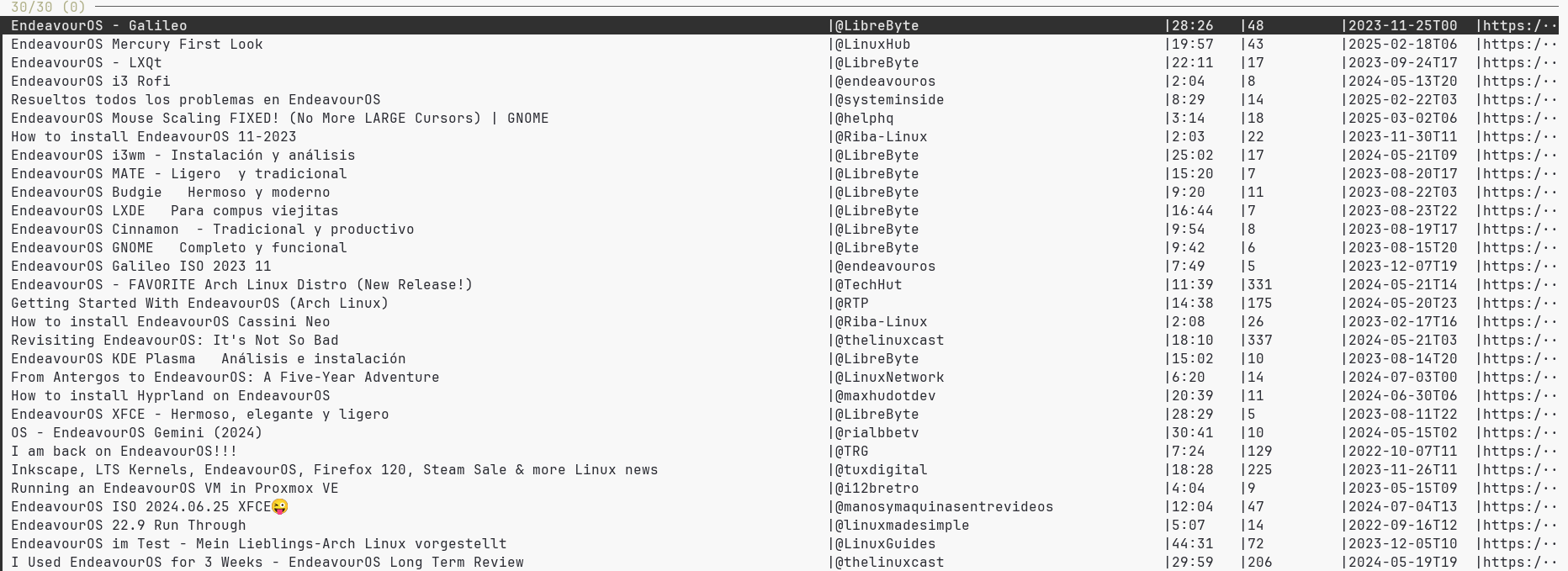
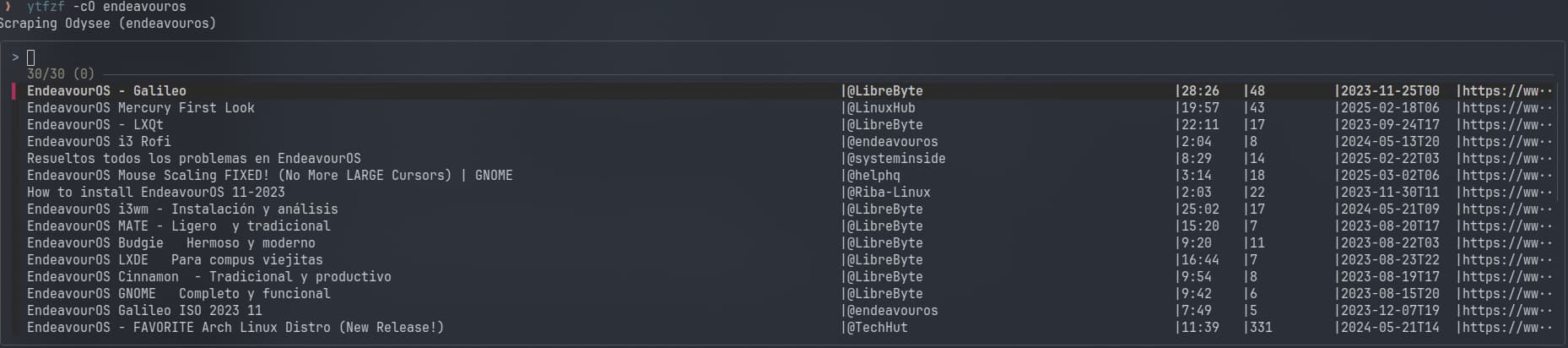
Scrapping Odysee works, open mpv and play the vid
 ❯ ytfzf -cO endeavouros
Scraping Odysee (endeavouros)
● Video  --vid=1  (h264 1920x1080 60 fps) [default]
● Audio  --aid=1  (aac 2ch 44100 Hz 128 kbps) [default]
File tags:
 Date: 20230505
 Channel_URL: https://www.odysee.com/@thelinuxcast:4a0b6f26c6ad3bde17945439065fd531601f0358
AO: [pipewire] 44100Hz stereo 2ch floatp
VO: [gpu] 1920x1080 yuv420p
[ffmpeg/demuxer] mov,mp4,m4a,3gp,3g2,mj2: Packet corrupt (stream = 0, dts = 232448).
[ffmpeg] NULL: Invalid NAL unit size (9808 > 7527).
[ffmpeg] NULL: missing picture in access unit with size 7531
AV: 00:00:02 / 00:18:10 (0%) A-V:  0.000 Cache: 12s/5MB
Exiting... (Quit)
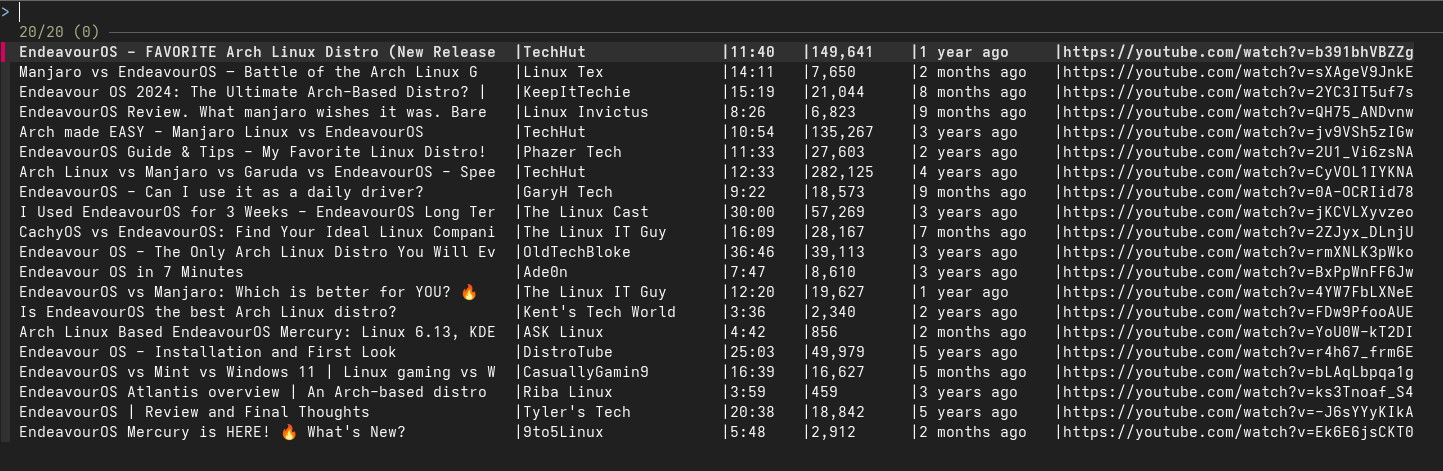
This works for me:
$ ytfzf
Search
> endeavouros
Scraping YouTube (with https://id.420129.xyz) (endeavouros, pg: 1)
1 Like
Just found out how i can play Youtube Videos directly to mpv.
easier than i thought  And look a the last screenshot which OS the guy uses
1 Like
Do you have a conf file? I don’t see anything under ~/.config that points to ytfzf
EDIT: Everything is located in /usr/share/ytfzf
1 Like
No, I don’t.
I just installed it seeing it being mentioned here to test.
1 Like
Ok, thanks. Don’t know what’s wrong on my side. Must be something wrong with scrapping i don’t understand.
1 Like
Didn’t know there was a GUI frontend for yt-dlp really  I just drag and drop the links into my terminal after the
 yt-dlp command  Also When I’m about to mass scrape, I just save all the links I want, and do a
 yt-dlp -a links.txt :3 If I want to make it extremely fast I give it a -N5 concurrent job so it downloads extremly fast. No idea if the GUI can do that, but I’m just so used to the CLI sometimes that GUI stands in my way (back when I was a windows user, this was the opposite lol)
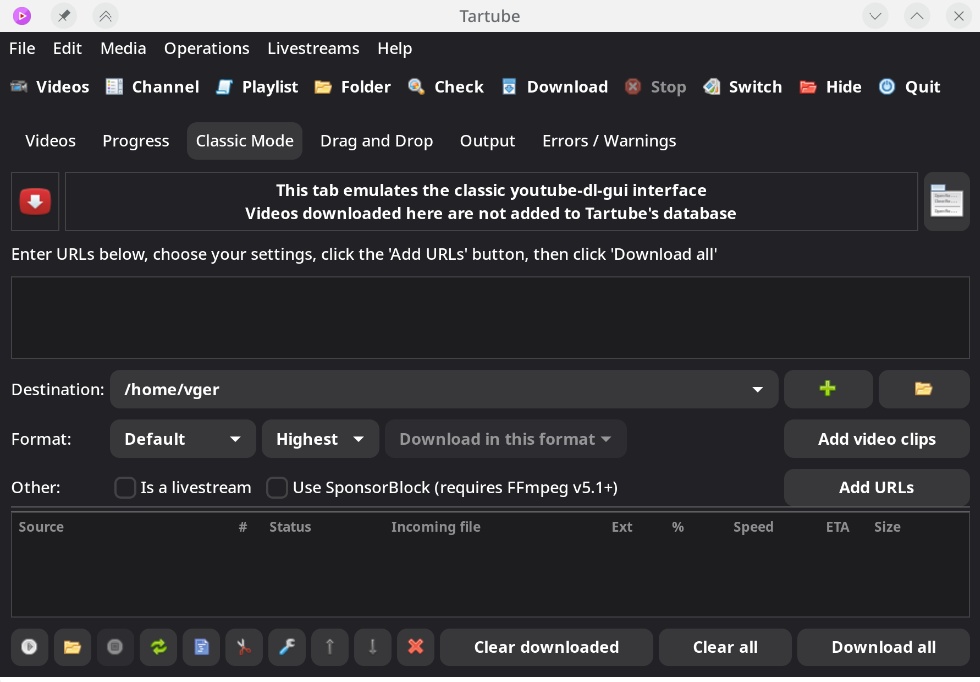
Tartube is an excellent frontend for yt-dlp IMO!
There are dozens of configurations and options to do most anything you want with the video and audio.
2 Likes
One question that I had was if we use these frontends what happens to the ads and the tracking/telemetry collection that typically occurs in a browser showing YouTube videos? Do they still occur?
No ads, unless they’re a built-in part of the video.
1 Like
What about the tracking and collecting the metrics?
1 Like