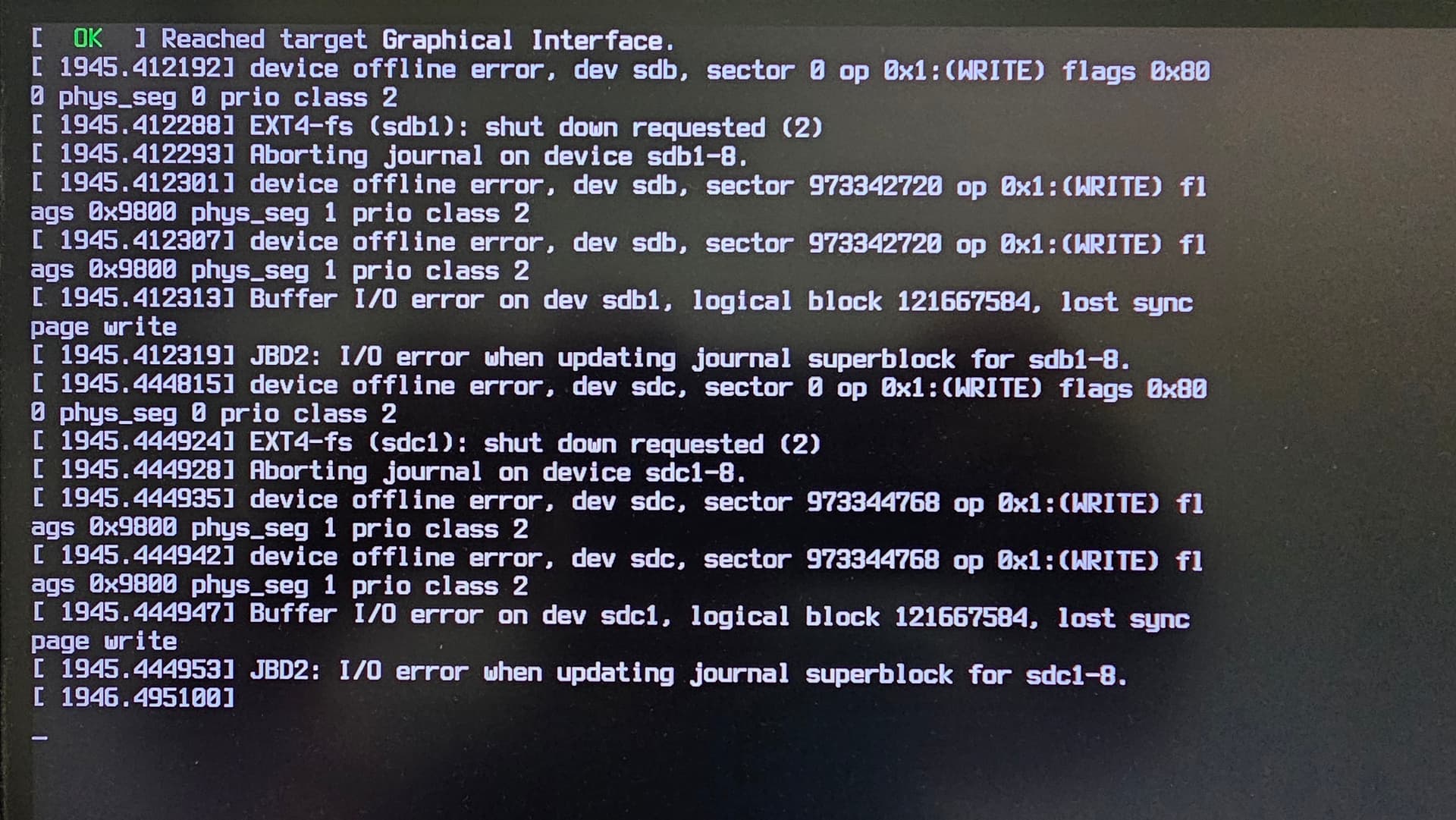
I’ve been using KVM to passthrough my GPU for an year or 2 at this point, I’ve gotten many errors over updates, but this one has little to no info on how to solve it. At least not as far as I tried to scour the search results
I get this error:
Unable to connect to libvirt qemu:///system.

End of file while reading data: Input/output error

Libvirt URI is: qemu:///system

Traceback (most recent call last):
File “/usr/share/virt-manager/virtManager/connection.py”, line 940, in \_do_open
self.\_backend.open(cb, data)
\~\~\~\~\~\~\~\~\~\~\~\~\~\~\~\~\~\~^^^^^^^^^^
File “/usr/share/virt-manager/virtinst/connection.py”, line 184, in open
self.\_get_caps()  # cache and log capabilities
\~\~\~\~\~\~\~\~\~\~\~\~\~\~^^
File “/usr/share/virt-manager/virtinst/connection.py”, line 108, in \_get_caps
capsxml = self.\_libvirtconn.getCapabilities()
File “/usr/lib/python3.13/site-packages/libvirt.py”, line 4703, in getCapabilities
raise libvirtError(‘virConnectGetCapabilities() failed’)
libvirt.libvirtError: End of file while reading data: Input/output error
I’m not sure where to go from here, as far as I’m aware, the dracut modules are fine in the config, and libvirtd is running
[devonhd@Dekhran-Sail ~]$ systemctl status libvirtd.service
● libvirtd.service - libvirt legacy monolithic daemon
     Loaded: loaded (/usr/lib/systemd/system/libvirtd.service; enabled; preset: disabled)
     Active: active (running) since Tue 2025-09-16 20:29:14 -03; 18min ago
 Invocation: 64fe17da6e0e4497bfb240eeb06ec164
TriggeredBy: ● libvirtd-admin.socket
             ● libvirtd.socket
             ● libvirtd-ro.socket
       Docs: man:libvirtd(8)
             https://libvirt.org/
   Main PID: 2201 (libvirtd)
      Tasks: 29 (limit: 32768)
     Memory: 131.6M (peak: 139.3M)
        CPU: 1.645s
     CGroup: /system.slice/libvirtd.service
             ├─1238 /usr/bin/dnsmasq --conf-file=/var/lib/libvirt/dnsmasq/default.conf --leasefile-ro --dhcp-script=/usr/lib/libvirt/libvirt_leaseshelper
             ├─1239 /usr/bin/dnsmasq --conf-file=/var/lib/libvirt/dnsmasq/default.conf --leasefile-ro --dhcp-script=/usr/lib/libvirt/libvirt_leaseshelper
             ├─2079 /usr/bin/qemu-system-alpha -S -no-user-config -nodefaults -nographic -machine none,accel=kvm:tcg -qmp unix:/var/lib/libvirt/qemu/qmp-FCOQC3/qmp.monitor,server=on,wait=off -pidfile /var/lib/libvirt/qemu/qmp-FCOQC3/qmp.pid -daem>
             ├─2183 /usr/bin/qemu-system-alpha -S -no-user-config -nodefaults -nographic -machine none,accel=kvm:tcg -qmp unix:/var/lib/libvirt/qemu/qmp-Y7USC3/qmp.monitor,server=on,wait=off -pidfile /var/lib/libvirt/qemu/qmp-Y7USC3/qmp.pid -daem>
             └─2201 /usr/bin/libvirtd --timeout 120

set 16 20:29:14 Dekhran-Sail systemd[1]: libvirtd.service: This usually indicates unclean termination of a previous run, or service implementation deficiencies.
set 16 20:29:14 Dekhran-Sail systemd[1]: libvirtd.service: Found left-over process 2079 (qemu-system-alp) in control group while starting unit. Ignoring.
set 16 20:29:14 Dekhran-Sail systemd[1]: libvirtd.service: This usually indicates unclean termination of a previous run, or service implementation deficiencies.
set 16 20:29:14 Dekhran-Sail systemd[1]: libvirtd.service: Found left-over process 2183 (qemu-system-alp) in control group while starting unit. Ignoring.
set 16 20:29:14 Dekhran-Sail systemd[1]: libvirtd.service: This usually indicates unclean termination of a previous run, or service implementation deficiencies.
set 16 20:29:14 Dekhran-Sail systemd[1]: Starting libvirt legacy monolithic daemon...
set 16 20:29:14 Dekhran-Sail systemd[1]: Started libvirt legacy monolithic daemon.
set 16 20:29:14 Dekhran-Sail dnsmasq[1238]: read /etc/hosts - 7 names
set 16 20:29:14 Dekhran-Sail dnsmasq[1238]: read /var/lib/libvirt/dnsmasq/default.addnhosts - 0 names
set 16 20:29:14 Dekhran-Sail dnsmasq-dhcp[1238]: read /var/lib/libvirt/dnsmasq/default.hostsfile
I get: error: unknown command: ‘domain_name’
I guess I’m missing some component?
[devonhd@Dekhran-Sail ~]$ sudo virsh list --all
 Id   Name           State
-------------------------------
 -    awin10-clone   shut off
 -    win10          shut off
 -    win10-clone    shut off
 -    win11          shut off
Not sure if this helps
[devonhd@Dekhran-Sail ~]$ systemctl status libvirtd
● libvirtd.service - libvirt legacy monolithic daemon
     Loaded: loaded (/usr/lib/systemd/system/libvirtd.service; enabled; preset: disabled)
     Active: active (running) since Tue 2025-09-16 20:49:56 -03; 9min ago
 Invocation: 55821cab4a05425692461c8d426e0ad5
TriggeredBy: ● libvirtd-admin.socket
             ● libvirtd.socket
             ● libvirtd-ro.socket
       Docs: man:libvirtd(8)
             https://libvirt.org/
   Main PID: 11410 (libvirtd)
      Tasks: 32 (limit: 32768)
     Memory: 165.9M (peak: 171.1M)
        CPU: 463ms
     CGroup: /system.slice/libvirtd.service
             ├─ 1238 /usr/bin/dnsmasq --conf-file=/var/lib/libvirt/dnsmasq/default.conf --leasefile-ro --dhcp-script=/usr/lib/libvirt/libvirt_leaseshelper
             ├─ 1239 /usr/bin/dnsmasq --conf-file=/var/lib/libvirt/dnsmasq/default.conf --leasefile-ro --dhcp-script=/usr/lib/libvirt/libvirt_leaseshelper
             ├─ 2079 /usr/bin/qemu-system-alpha -S -no-user-config -nodefaults -nographic -machine none,accel=kvm:tcg -qmp unix:/var/lib/libvirt/qemu/qmp-FCOQC3/qmp.monitor,server=on,wait=off -pidfile /var/lib/libvirt/qemu/qmp-FCOQC3/qmp.pid -dae>
             ├─ 2183 /usr/bin/qemu-system-alpha -S -no-user-config -nodefaults -nographic -machine none,accel=kvm:tcg -qmp unix:/var/lib/libvirt/qemu/qmp-Y7USC3/qmp.monitor,server=on,wait=off -pidfile /var/lib/libvirt/qemu/qmp-Y7USC3/qmp.pid -dae>
             ├─11393 /usr/bin/qemu-system-alpha -S -no-user-config -nodefaults -nographic -machine none,accel=kvm:tcg -qmp unix:/var/lib/libvirt/qemu/qmp-ZT83C3/qmp.monitor,server=on,wait=off -pidfile /var/lib/libvirt/qemu/qmp-ZT83C3/qmp.pid -dae>
             └─11410 /usr/bin/libvirtd --timeout 120

set 16 20:49:56 Dekhran-Sail systemd[1]: Started libvirt legacy monolithic daemon.
set 16 20:49:56 Dekhran-Sail dnsmasq[1238]: read /etc/hosts - 7 names
set 16 20:49:56 Dekhran-Sail dnsmasq[1238]: read /var/lib/libvirt/dnsmasq/default.addnhosts - 0 names
set 16 20:49:56 Dekhran-Sail dnsmasq-dhcp[1238]: read /var/lib/libvirt/dnsmasq/default.hostsfile
set 16 20:49:56 Dekhran-Sail libvirtd[11410]: libvirt version: 11.4.0
set 16 20:49:56 Dekhran-Sail libvirtd[11410]: hostname: Dekhran-Sail
set 16 20:49:56 Dekhran-Sail libvirtd[11410]: this function is not supported by the connection driver: virConnectGetAllDomainStats
set 16 20:57:16 Dekhran-Sail libvirtd[11410]: End of file while reading data: Input/output error
set 16 20:58:41 Dekhran-Sail libvirtd[11410]: End of file while reading data: Input/output error
set 16 20:59:08 Dekhran-Sail libvirtd[11410]: End of file while reading data: Input/output error