Could the drive be failing? Boot from the live usb key and run sudo smartctl -a /dev/sdX where X in the identifier of your drive.
not at all, tested it prior, and on windows.
every step I took:
- ran the new OS on the drive after following cactux recommendation.
- pacman -syu, installed vulkan, mesa, flatpak and a few other apps.
- shut down after being satified I could work.
- plugged in the drive to its internal sata bay, put the gpu in, and made sure they had good power/data cables.
- rebooted to a black screen with just my mouse and keyboard light (gpu driver issue I assume)
- unplugged the gpu and put the video cable back to the motherboard, assuming id have to install different drivers or troubleshoot that. (i dont need the gpu for work)
- restarted
- back to my old problem of the drive not being recognized as a bootable device.
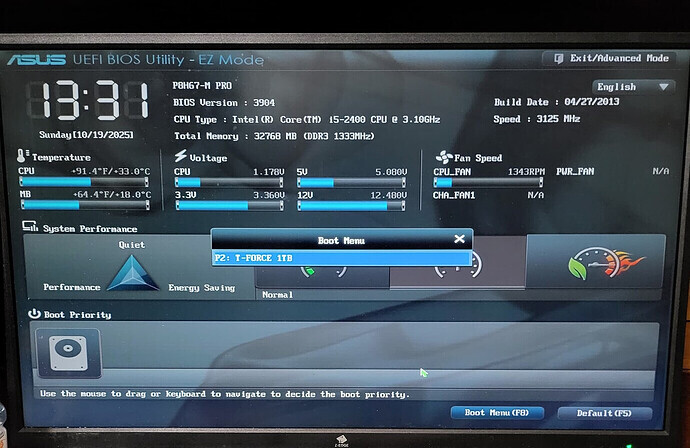
the bios sees it, correctly labels it as a 1tb drive.
There is something of note. my flashdrive has a little uefi logo on the top, wheras the drive just looks like a typical drive logo without the uefi. When it was working I never bothered to check if the bios had given it that logo. Might mean something.
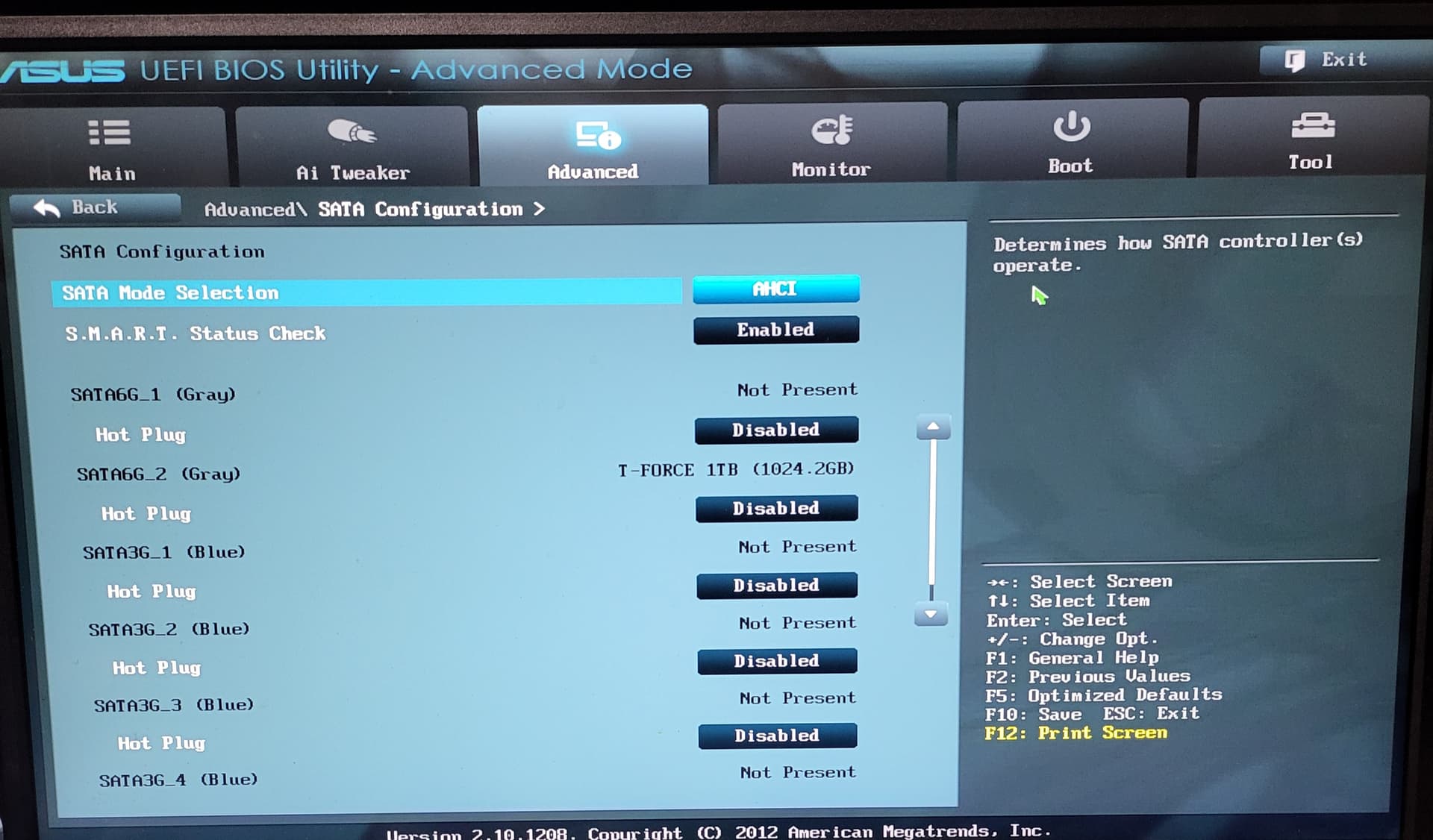
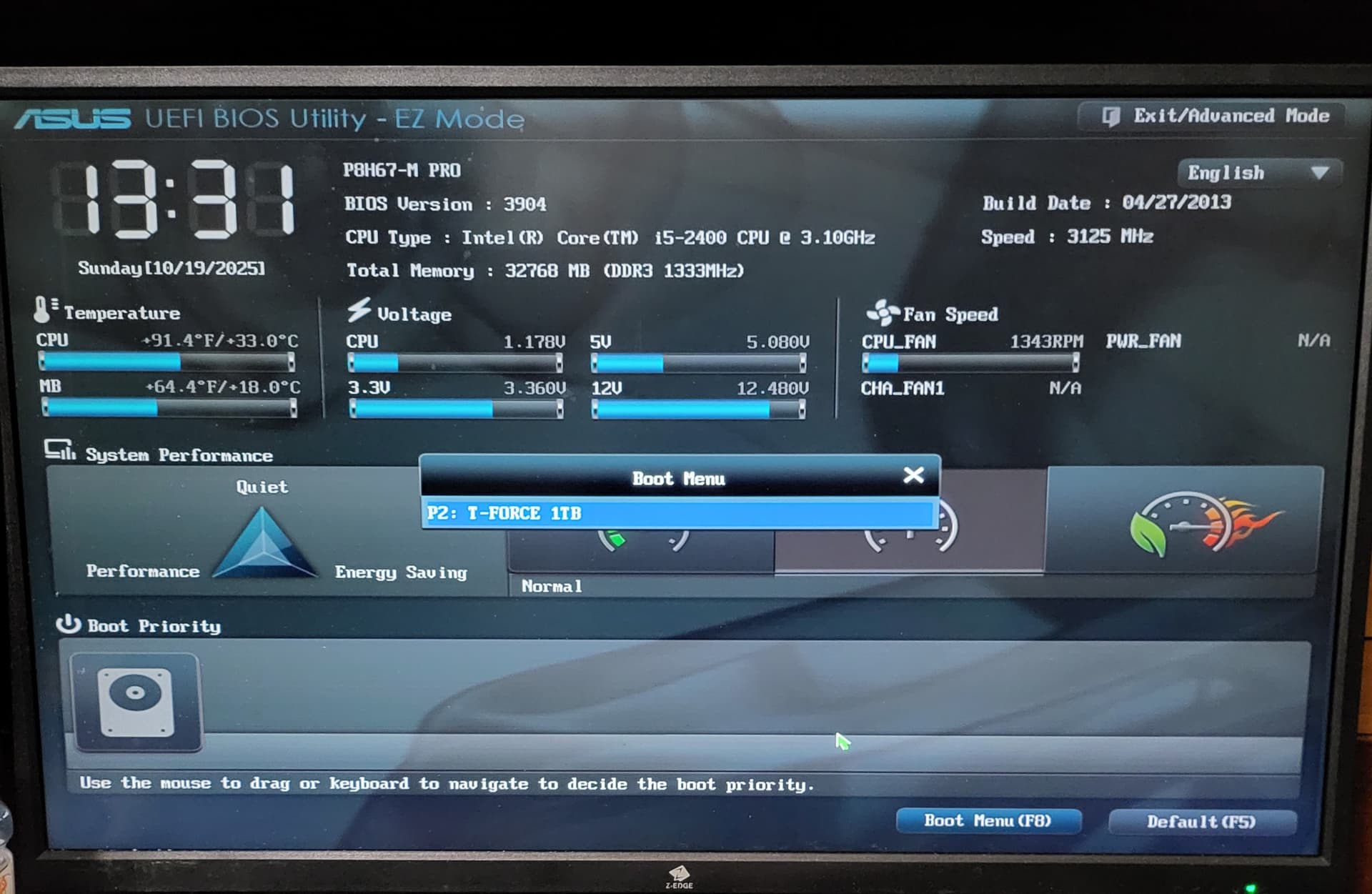
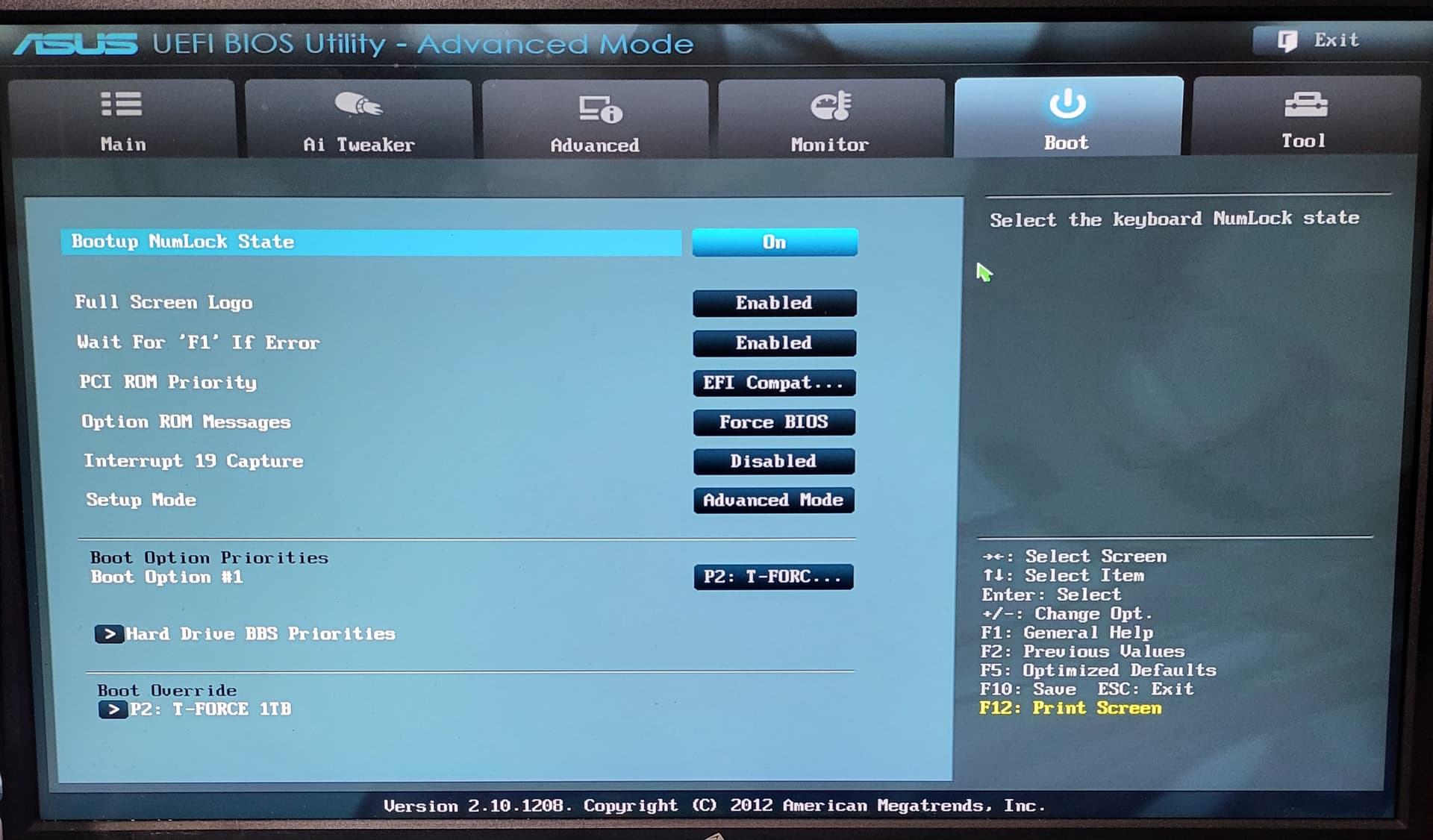
with the gpu in, i cant even see the screen to boot into the live usb.
I’m making sure to not make simple mistakes like having things unplugged.
If I had the time I would throw all of this away and start with new hardware, and pray it’s a hardware issue.
Current plan is to ignore having a separate boot partition. Just click yes on everything EnOs tells me to, and hope my gpu will post.
Then if I get another /boot file error down the line, just throw the whole thing away and buy a new rig from scratch.
I’m willing to start over, unplug everything from the pc. unscrew every piece of hardware and put it back together as if I had just bought it. Might do that. See if I run into the same issues.
I’m 99% sure the live usb should work with the gpu out of the box.
So I guess not.
Why would you install the system “externally” and then put the disk back in the machine.
I would bet that your issue is caused by this.
Every UEFI seems to behave a bit differently. Yours seems to have effaced EOS’ EFI boot entry by you disconnecting and reconnecting the drive.
Still this can be solved but you seem to be prone to more drastic solutions.
Yet your initial issue was adequately and correctly addressed by my instructions as per your own explicit wish for the partition scheme, so I don’t understand why you “un-ticked” the solution.
Anything beyond that, permit me to say, seems to be caused by your own rather “unconventional” way of handling your hardware and the installation process.
Good luck and good bye!
thats the only option. The 1tb drive
I never did, I took it out to wipe it on windows after linux did not recognize the drive, and have easier access to the drive if i needed to repeat that process.
It worked until I hit restart (not adjusting hardware) and upon reboot, same issue.
I will not take your time for granted nor try to get to to continue the conversation, but if anyone else has any insights, I wanted to clarify.
I seem to run into a series of different problems that prevents me from booting into this os from my drive
1 Like
Following the procedure outlined by Cactux I was able to boot into the Install of EnOs on a system without peripherals other than a keyboard and mouse, and no gpu.
I wasn’t able to see the monitors with the gpu inserted, just a black screen, even with the live usb installed. The gpu works on the windows desktop I took it from. No errors.
Doing a Syu and getting the vulkan drivers, I rebooted and installed the Gpu.
After installing the Gpu I am able to see my bios, but run into the same issue of my bios not recognizing the OS as bootable.
There might be some issue with the bios itself not remembering or recognizing the /boot path. I dont know how hardware would interfere with that, but maybe it causes something in the bios to reset?
Im guessing at this point and don’t really know much about these things
1 Like
So if you are not going to dismantle your machine, or before doing that, try reinstalling the bootloader.
Im mapping out the permuations of what I’ve done to try and isolate atleast where the issue is coming from in a vague sense. or perhaps a better lead.
Running on just the mobo and ram.
successfully reinstalled the bootloader via chroot.
Removed installation media, and reboot.
Able to access EnOs
Installed my gpu.
Drive is now not seen as bootable by the bios.
Repeated process, with a different faulty but still workable gpu.
Same exact results.
Repeated process with no gpu,
rebooted with no gpu and the drive is seen as bootable.
(Notes: The black screen with the gpu is due to me using a disp port cable for whatever reason)
Current hypothesis of myself who has no idea whats going on:
The introduction of the gpu to the mobo interferes with whatever tells the bios to look at the boot partition of the drive.
now repeating these but with a different pci slot.
If failure: trying taking cactux’s original-original advice and not making a boot partition. Just pressing ok on everything. I may have tried this but if so I didnt record my results.
Hopefully this works with my gpu. An unmarked unflagged partition will be designated at the boot partition later on when the system is running well, and I can tackle that can of worms then.
Conclusion:
On the Asus P8H67-M Pro motherboard
A manual partition designating a boot partition will cause the bios to not be able to identify the drive as bootable after a gpu is added to the system.
Will post for posterity in case someone has this odd specific issue in the future.
Cactux’s first post marked as solution.
Just use the installer over a drive with only unallocated space.
I’m not an expert, so I’m not in a position to help with your issue—but I’ve been curious: is there a reason you install the OS first and only add the GPU afterward?
2 Likes
Just a couple of random thoughts, have you tried plugging the gpu into a different slot, if one is available, and maybe the power supply is not powerful enough when the gpu is plugged in.
1 Like
I think you meant to reply to @motoclaw instead of me 
Yeah. Not this time though 
1 Like
27 posts and 24+ hours later, a sigh of relief was heard over the EOS’ forum.
Good luck and if I dare give an advice: keep things KISS!
same issue
for some reason the live usb didnt have the drivers to have the gpu work. the screens were just black. I think it is because of display port.
This topic was automatically closed 2 days after the last reply. New replies are no longer allowed.