[Solved] Latest pacman update breaks aur and yay

It’s a good day for me to try yay again, haven’t used it in a long time. I also found out that you can have a config file with yay, which I like about paru which I didn’t think was possible with yay until now.

yay --editmenu --save

Will use yay for a while and see how they differ ,but so far yay has got some points for fixing this issue before paru has. :wink:

I am still getting the message → yay: error while loading shared libraries: libalpm.so.16: cannot open shared object file: No such file or directory

Try

sudo pacman -Syu

Still broken here.

installing pacman (7.1.0.r7.gb9f7d4a-1) breaks dependency 'libalpm.so=15-64' required by aur-check-updates

remove this then update.

This worked like a charmed. Uninstalled that last night and still the issue. Thanks

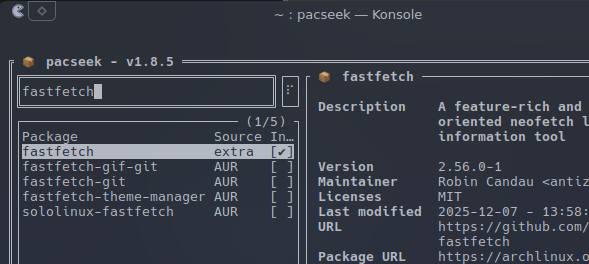
I take it pacseek is still hooked to the old file? I just reinstalled aur-check-updates, did a complete update using topgrade and all looked good. Attempted to run pacseek and got the below again. Yay, pikaur, and others that needed to be updated for the newer file are working fine.

pacseek: error while loading shared libraries: libalpm.so.15: cannot open shared object file: No such file or directory

EDIT:
Got it

sudo pacman -S --needed git base-devel && git clone https://aur.archlinux.org/pacseek.git && cd pacseek && makepkg -si

yeah my copy of pacseek does the same as paru. I hope they get those updated soon.

octopi has that problem too.
I was able to fix it with yay -Syu octopi. Reinstalling and using the new libraries solved the problem.
But according to https://aur.archlinux.org/packages/octopi a check for updates will fail. As I am using octopi only for browsing packages I am fine with that.

I do believe on my end unless there is something under the hood that still needs to be addressed all I actually have to manually launch are fixed.

I’m able to fix pacseek with yay -Syu pacseek

I had tried that first and got the one error again.

Did you try with clean build?

That did not work for me, even with clean build. So, I tried yay -S pacseek --rebuild and that worked (clean build, of course).

sudo pacman -S --needed git base-devel && git clone https://aur.archlinux.org/pacseek.git && cd pacseek && makepkg -si

Sorry, I’m not familiar with this command. Hopefully someone more experienced can help clarify.

This is what im getting when i try to update would this also require removing pamac and than reinstalling

installing pacman (7.1.0.r7.gb9f7d4a-1) breaks dependency 'libalpm.so=15' required by libpamac-full

yes

short form version is that its a concatenated command that basically is getting the pacseek.git from its repo and then changing directory into the downloaded repo and then running makepkg to install it.

Do you have pamac installed? If so uninstall pamac and then update. Then reinstall pamac.